Testcafe: tests won't load on Windows 10 in chrome,edge
Are you requesting a feature or reporting a bug?
bug
What is the current behavior?
test page is never loaded and test will hang forever
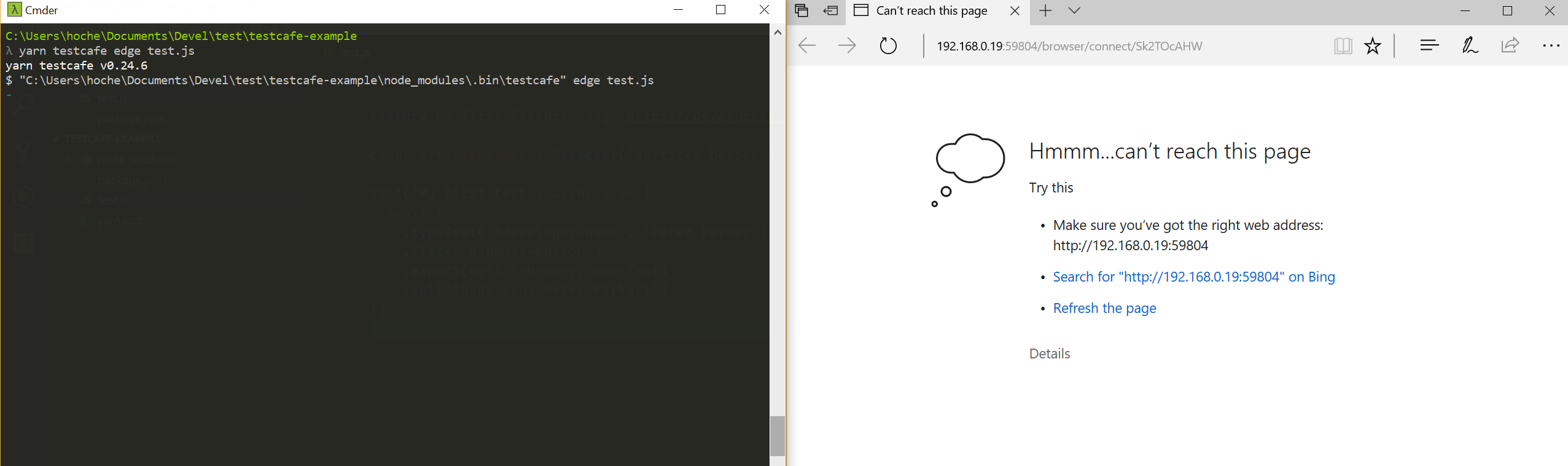
the same issue is with Chrome

yarn testcafe v0.24.6
$ "C:\Users\hoche\Documents\Devel\test\testcafe-example\node_modules\.bin\testcafe" chrome test.js
ERROR Unable to establish one or more of the specified browser connections. This can be caused by network issues or remote device failure.
What is the expected behavior?
working tests on windows 10
How would you reproduce the current behavior (if this is a bug)?
mkdir bug-repro && cd $_ &&
yarn add -D testcafe && touch test.js
paste source in test.js
run yarn testcafe chrome test.js
Provide the test code and the tested page URL (if applicable)
Tested page URL:
Test code
import { Selector } from 'testcafe'

fixture`My first fixture`.page`https://devexpress.github.io/testcafe/example`

const articleHeader = Selector('#article-header')

test('My first test', async t => {
  await t
    .typeText('#developer-name', 'Peter Parker')
    .click('#submit-button')
    .expect(articleHeader.innerText)
    .eql('Thank you, Peter Parker!')
})
Specify your
- operating system: Windows 10 Creators Update
- testcafe version: 0.16.2
- node.js version: 8.1.4
 Hotell
All 10 comments
Hi @Hotell,
Could you please check your firewall settings? You can specify custom ports
https://devexpress.github.io/testcafe/documentation/using-testcafe/command-line-interface.html#--ports-port1port2
Also if you use proxy server to access the Internet, please specify your proxy settings
https://devexpress.github.io/testcafe/documentation/using-testcafe/command-line-interface.html#--proxy-host
 kirovboris
on 21 Jul 2017
kirovboris
on 21 Jul 2017
Hi @kirovboris unfortunately still the same issue
I've turned off firewall completely, even when I'm testing it on this repo example ( which is local ) it doesn't work
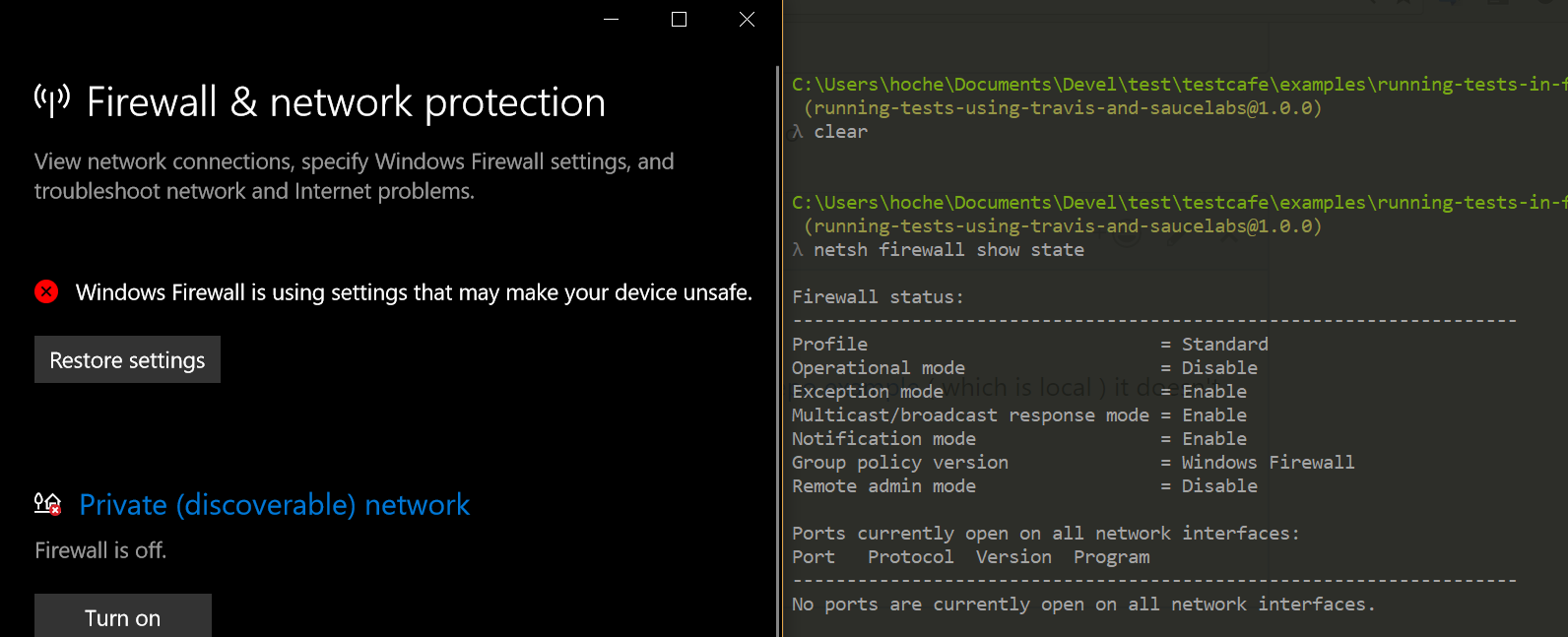
any suggestions ?
thx
Hotell
on 21 Jul 2017
Please try to specify localhost or 127.0.0.1 as hostname.
testcafe chrome test.js --hostname 127.0.0.1
bang! worked ! any ideas why the default IP doesn't work though? on mac it works with default settings

Hotell
on 22 Jul 2017
It is a known issue, we plan to improve the hostname detection https://github.com/DevExpress/testcafe/issues/986
kirovboris
on 22 Jul 2017
@kirovboris cool would you accept a PR to docs which will mention this issue + how to fix it ? :) thx for help again! cheers
Hotell
on 22 Jul 2017
Thank you for the idea, @Hotell. We're going to create a new section on our site that will describe known issues.
kirovboris
on 24 Jul 2017
I close it since the problem is resolved
 AlexanderMoskovkin
on 31 Jul 2017
AlexanderMoskovkin
on 31 Jul 2017
sure thingy, thanks for help folks!
Hotell
on 31 Jul 2017
This thread has been automatically locked since it is closed and there has not been any recent activity. Please open a new issue for related bugs or feature requests. We recommend you ask TestCafe API, usage and configuration inquiries on StackOverflow.
![lock[bot] picture](https://avatars1.githubusercontent.com/in/6672?v=4&s=40) lock[bot]
on 28 Mar 2019
lock[bot]
on 28 Mar 2019
Related issues
 jvanoostveen
·
4Comments
jvanoostveen
·
4Comments
 madroneropaulo
·
3Comments
madroneropaulo
·
3Comments
 devmondo
·
3Comments
devmondo
·
3Comments
 inikulin
·
3Comments
inikulin
·
3Comments
 KaneMorgan
·
3Comments
KaneMorgan
·
3Comments
Most helpful comment
Please try to specify
localhostor127.0.0.1as hostname.