Testcafe: Syntax support in Webstorm
Hi!
I'd like to thank you for this awesome e2e solution. Keep up with the great work!
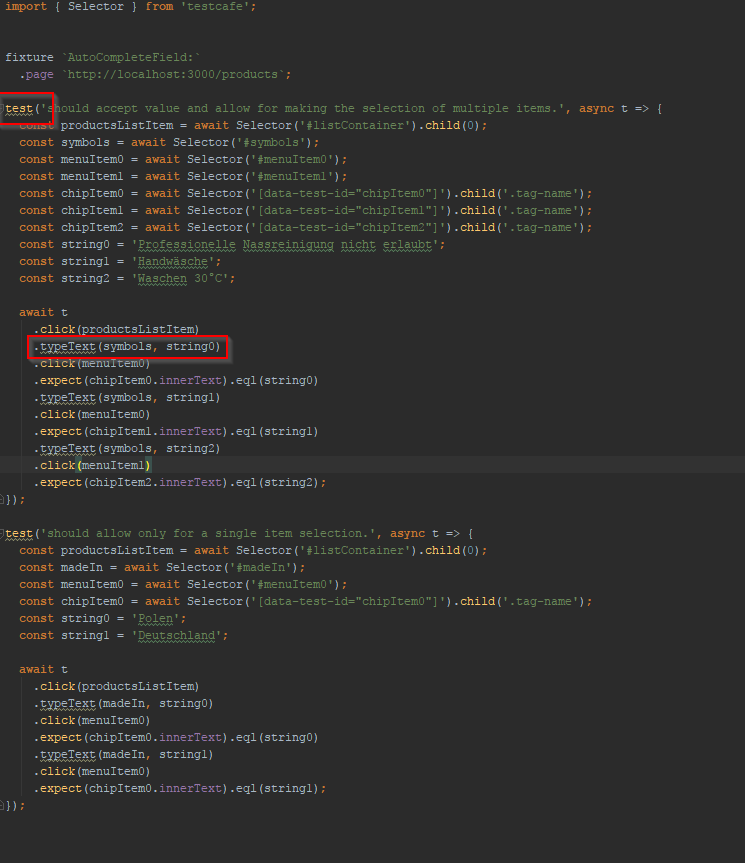
I'm wondering if there is a way to have the API be recognizable in Webstorm IDE?
I've had it installed both globally and then locally, but the syntax is not recognized.
I've added the screenshot of the problematic behavior in question.
Also, I have tried searching through the Webstorm's Javascript libraries > TypeScript community stubs, but with no success.
- system: Windows 10:
- testcafe: 0.16.2:
- node: 6.10.0:
 mnemanja
All 11 comments
TestCafe bundles the TypeScript declaration file with the npm package, so you do not need to install it separately. As I now WebStorm should load TestCafe declaration file automatically if you have installed testcafe package locally.
We've tested it on the WebStorm v2017.1.3. What WebStorm version do you use?
 AlexanderMoskovkin
on 28 Jun 2017
AlexanderMoskovkin
on 28 Jun 2017
I'm using the 2017.1.4 version of the Webstorm.
I have no code quality tools enabled at the moment of testing.
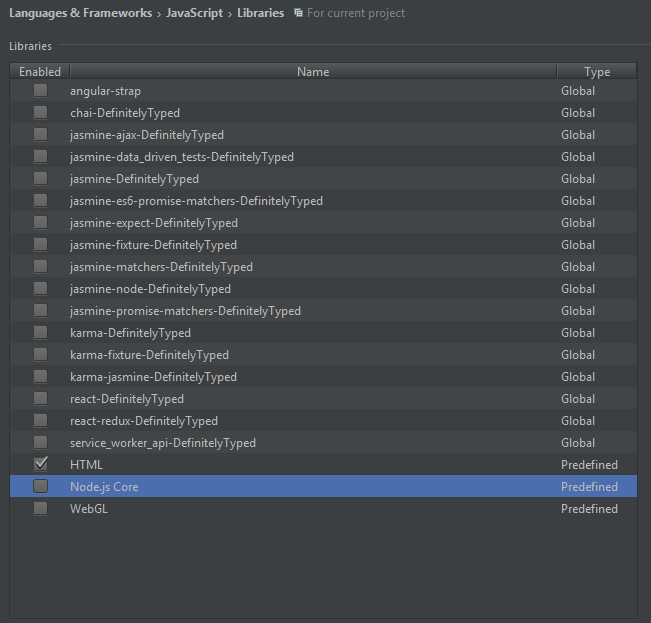
I wonder about the list of Webstorm's Javascript Libraries in that Webstorm? In mine, I've disabled everything except HTML and it looks like this:

And here is the list of libraries in my IDE:
mnemanja
on 28 Jun 2017
Please, export your WebStorm settings and send them to us.
 miherlosev
on 3 Jul 2017
miherlosev
on 3 Jul 2017
Sure thing, Here it is!
settings.zip
mnemanja
on 3 Jul 2017
I've imported your settings and my WebStorm still indexes typescript definitions from TestCafe.
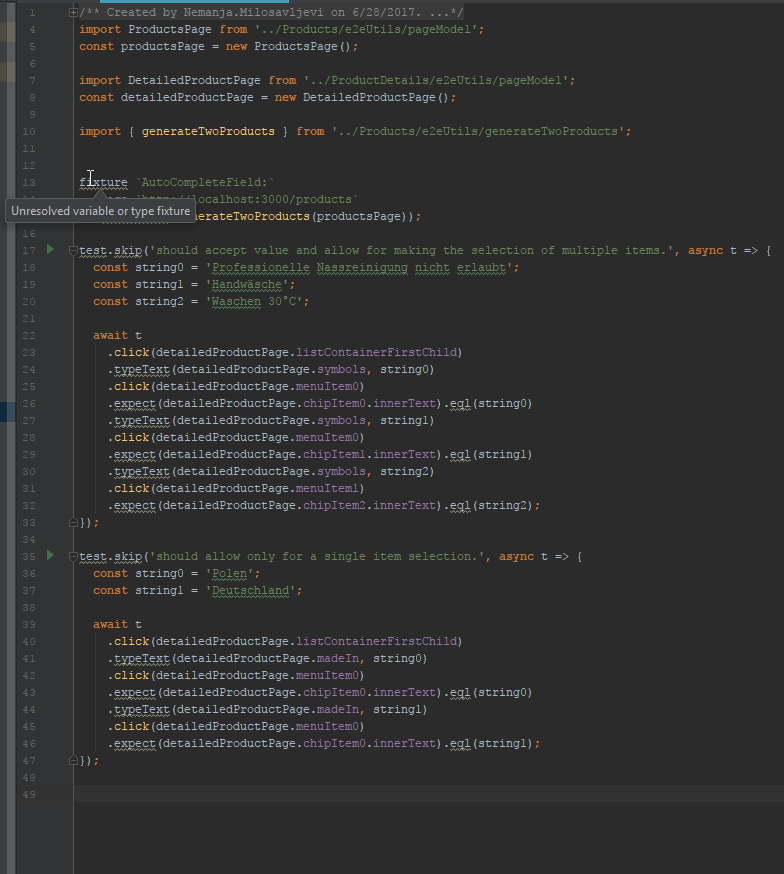
Please, hover the cursor over the hightlighted word with an error and provide the displayed error message (as in video).
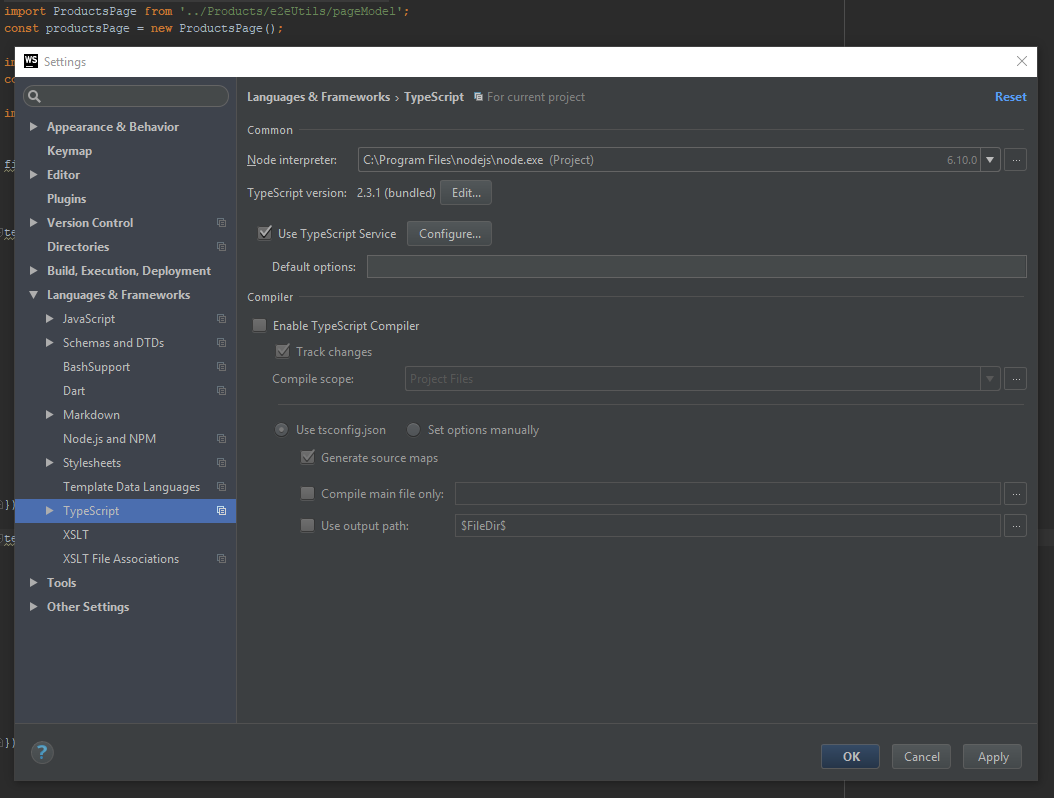
I've reproduced your issue when I turned off the Use TypeScript Service option.

Make sure that typescript is installed and WebStorm finds it.
Then check that Use TypeScript Service option is turned on.
miherlosev
on 3 Jul 2017
I've, actually, never used typescript before.
Is it necessary to use it with Testcafe?
mnemanja
on 4 Jul 2017
TestCafe does not require TypeScript for creating tests. TypeScript is used for IDE code completion. So, the TypeScript Service should be enabled if you wish to use code completion for your IDE.
 MarinaRukavitsyna
on 4 Jul 2017
MarinaRukavitsyna
on 4 Jul 2017
Hi Marina,
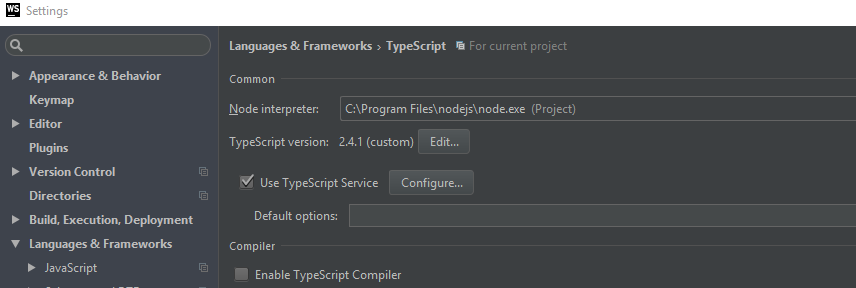
I've installed TypeScript 2.4.1 globally and have configured it, as shown in the image bellow, but the highlighting did not change.
mnemanja
on 4 Jul 2017
I was able to get basic autocomplete in JS tests by adding node_modules/testcafe/ts-defs/index.d.ts as a JS library in PhpStorm settings:

Result:

 Leksat
on 7 Sep 2017
Leksat
on 7 Sep 2017
Thanks, @Leksat.
Your suggested solution worked for me as well.
mnemanja
on 7 Sep 2017
This thread has been automatically locked since it is closed and there has not been any recent activity. Please open a new issue for related bugs or feature requests. We recommend you ask TestCafe API, usage and configuration inquiries on StackOverflow.
![lock[bot] picture](https://avatars1.githubusercontent.com/in/6672?v=4&s=40) lock[bot]
on 28 Mar 2019
lock[bot]
on 28 Mar 2019
Related issues
 xalvarez
·
3Comments
xalvarez
·
3Comments
 devmondo
·
3Comments
devmondo
·
3Comments
 Turkirafaa
·
3Comments
Turkirafaa
·
3Comments
 calisven
·
3Comments
calisven
·
3Comments
 AndreyBelym
·
3Comments
AndreyBelym
·
3Comments
Most helpful comment
I was able to get basic autocomplete in JS tests by adding

node_modules/testcafe/ts-defs/index.d.tsas a JS library in PhpStorm settings:Result:
