Testcafe-hammerhead: Testcafe doesn't use the headers as the original request
What is your Scenario?
I am running testcafe tests on an authentication page and I can see that testcafe is modifying/removing/adding the headers when sending the requests to the website and this is blocking me to do 2FA on this page
As soon as I got the issue, I tried to do the automation with Selenium just to confirm it is testcafe issue. As selenium doesn't create proxy to insert the js scripts and automate the website I could do the automation with selenium, but I want to use testcafe as the site is developed in react.
When clicking on the next button I should have the 2FA form asking for the code, but I got a page saying was not possible to do the authentication (Something wrong happened) and I saw the response code for the BeginAuth endpoint was 222 without any response instead of 200.
What is the Current behavior?
testcafe sends the request (I add a _ before the headers missing from testcafe, I remove the tokens and ids and change to variables in bold):
POST https://login.microsoftonline.com/common/SAS/BeginAuth HTTP/1.1
Host: 192.168.0.12:50047
User-Agent: Mozilla/5.0 (Macintosh; Intel Mac OS X 10.14; rv:67.0) Gecko/20100101 Firefox/67.0
Accept: application/json
Accept-Language: en-US,en;q=0.5
Referer: https://login.microsoftonline.com:443/common/DeviceAuthTls/reprocess
hpgid: id
hpgact: id
canary: canary
client-request-id: id
hpgrequestid: id
Content-type: application/json; charset=utf-8
_x-hammerhead|xhr|request-marker: true_
_x-hammerhead|xhr|origin: https://login.microsoftonline.com_
Connection: keep-alive
cache-control: no-cache

{"AuthMethodId":"PhoneAppOTP","Method":"BeginAuth","ctx":"ctx","flowToken":"token"}
the response code from the testcafe request is 222 unknown and the response body is empty
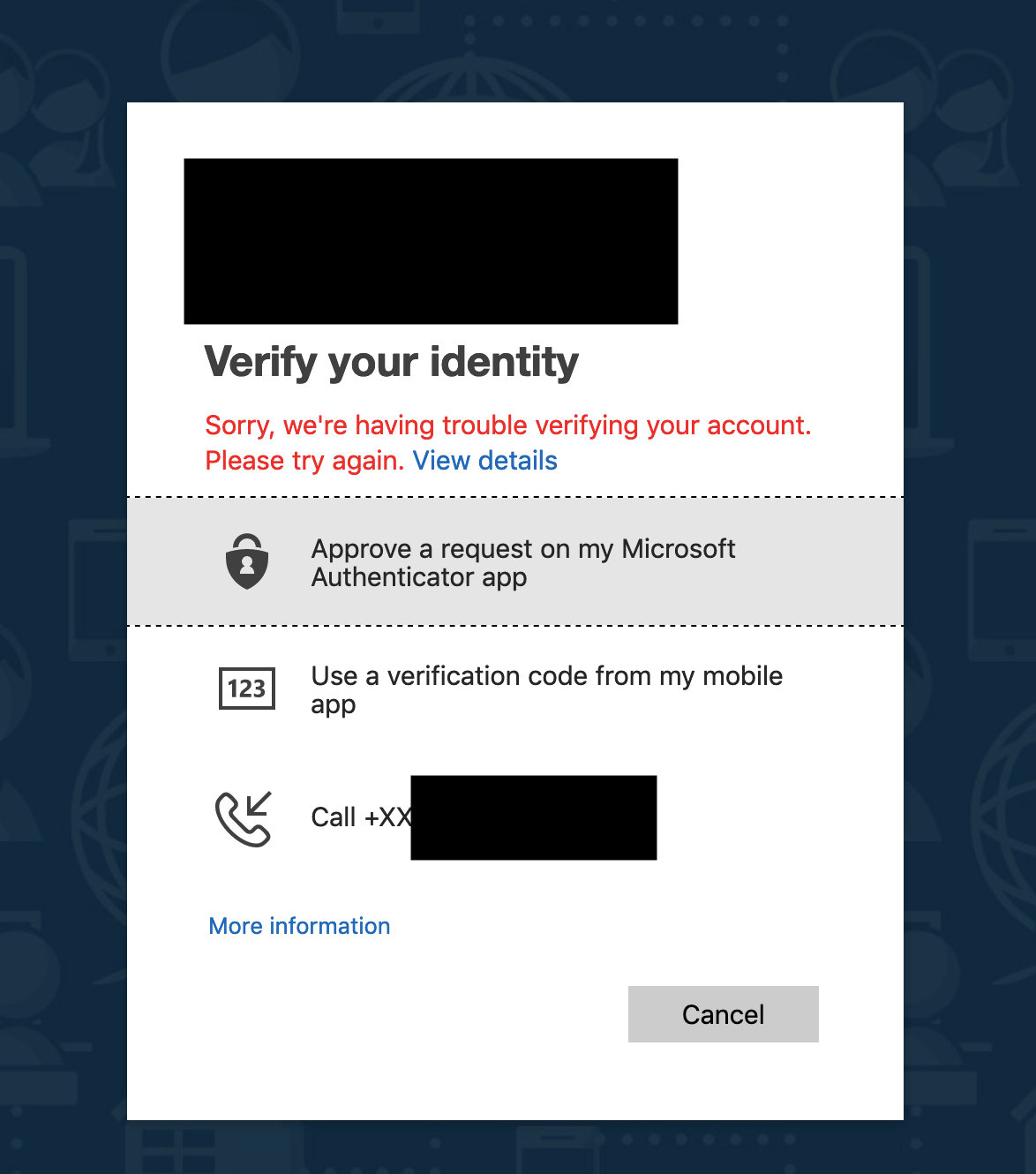
What is the Expected behavior?
the original request should be something similar like (I add a _ before the headers missing from testcafe, I remove the tokens and ids and change to variables in bold):
POST /common/SAS/BeginAuth HTTP/1.1
Host: login.microsoftonline.com
User-Agent: Mozilla/5.0 (Macintosh; Intel Mac OS X 10.14; rv:67.0) Gecko/20100101 Firefox/67.0
Accept: application/json
Accept-Language: en-US,en;q=0.5
hpgid: id
hpgact: id
canary: canary
client-request-id: id
hpgrequestid: id
Content-type: application/json; charset=utf-8
_DNT: 1_
Connection: keep-alive
Referer: https://login.microsoftonline.com/common/DeviceAuthTls/reprocess
_Cookie: buid=build; x-ms-gateway-slice=prod; stsservicecookie=ests; MSCC=mscc; wlidperf=FR=L&ST=st; ESTSAUTHPERSISTENT=token; ESTSAUTHLIGHT=id; ESTSSC=00_
cache-control: no-cache

{"AuthMethodId":"PhoneAppOTP","Method":"BeginAuth","ctx":"ctx","flowToken":"token"}
the response code from the original request is 200 and the response body is (I remove the tokens and ids and change to variables in bold):
{"Success":true,"ResultValue":"Success","Message":null,"AuthMethodId":"PhoneAppOTP","ErrCode":0,"Retry":false,"FlowToken":"**token**","Ctx":"**ctx**","SessionId":"**id**","CorrelationId":"**id**","Timestamp":"2019-06-18T09:43:24Z"}

What is your public web site URL?
I removed the ids from the url
https://login.microsoftonline.com/client_uuid/oauth2/authorize?response_type=code%20id_token&response_mode=form_post&client_id=client_uuid&scope=openid&x-client-Ver=4.0.0
Your complete app code (or attach your test files):
these are the functions for the test
async login(){
        await t.typeText(this.emailInput, config.userEmail)
               .click(this.nextButton)
               .typeText(this.passwordInput, config.userPassword)
               .click(this.nextButton)
               .click(this.otpOption)
               .typeText(this.otpInput, this.token)
               .click(this.signinButton)
       }
Steps to Reproduce:
- go to the url that redirects to the login page
- testcafe types user
- click next
- testcafe types password
- click next
the screen should return with a 2fa code input available
When I edit and resend the request I am able to get 200 and the response body, but I need to remove the headers:
x-hammerhead|xhr|request-marker: true
x-hammerhead|xhr|origin: https://login.microsoftonline.com
and add the origin one:
Origin: https://login.microsoftonline.com
Your Environment details:
- node.js version: 12.1.0
- browser name and version: Firefox Quantum 67.0.2 (64-bit)
- platform and version: Macos Mojave 10.14.4 (18E227)
- other: testcafe ^1.2.0
 rafaelaazevedo
All 8 comments
Hi @rafaelaazevedo
222 is an internal status code, which indicates failed CORS validation. Microsoft's Login page is very complex, and to find the cause of the problem, I need to debug it locally.
Could you please create a special test user, set up authenticator app for it, and send us its credentials at [email protected].
 miherlosev
on 18 Jun 2019
miherlosev
on 18 Jun 2019
@miherlosev thanks for the reply ! yes, I managed to get 200 which is the expected response code when I added the correct Origin and removed the testcafe-hammerhead headers: x-hammerhead|xhr|request-marker: true, x-hammerhead|xhr|origin: https://login.microsoftonline.com. I am trying to find a way to intercept the requests through testcafe now, but looks like I can't remove headers right ?
rafaelaazevedo
on 18 Jun 2019
This request is sent to our proxy, but not to the destination server. On the proxy server side we send requests to the destination server without the x-hammerhead|xhr|request-marker and x-hammerhead|xhr|origin headers. Also, we process the Origin, Referer and other headers. Therefore, the headers that you see on the Network tab in devtools are not headers that are sent to the destination server. At the same time, the use of the proxy should not affect the web site functionality. We will try to debug what is wrong if you send a simple example to us.
 LavrovArtem
on 19 Jun 2019
LavrovArtem
on 19 Jun 2019
@miherlosev I have sent an email on Friday with the credentials for the test user, but somebody replied saying the email was going to be deleted.
rafaelaazevedo
on 23 Jun 2019
Also they replied saying this email [email protected] is intended for account, licensing, and sales related inquiries.
rafaelaazevedo
on 24 Jun 2019
I've reproduced this issue on Mac Os in Firefox, but it does not occur on Windows. We will research it and inform you about the results.
LavrovArtem
on 25 Jun 2019
Thanks guys @LavrovArtem and @miherlosev
rafaelaazevedo
on 10 Jul 2019
This thread has been automatically locked since it is closed and there has not been any recent activity. Please open a new issue for related bugs or feature requests. We recommend you ask TestCafe API, usage and configuration inquiries on StackOverflow.
![lock[bot] picture](https://avatars.githubusercontent.com/in/6672?v=4&s=40) lock[bot]
on 29 Jul 2019
lock[bot]
on 29 Jul 2019
Related issues
 Avinger27
·
7Comments
Avinger27
·
7Comments
 ameyakoshti
·
3Comments
ameyakoshti
·
3Comments
 sijosyn
·
4Comments
sijosyn
·
4Comments
 LinusBorg
·
4Comments
LinusBorg
·
4Comments
 juststeveee
·
3Comments
juststeveee
·
3Comments