Tesseract: text2image --degrade_image not working
Environment
- Tesseract Version: tesseract 4.0.0-beta.1 leptonica-1.75.3
- Commit Number:
- Platform: Linux tensor 5.3.0-59-generic #53~18.04.1-Ubuntu SMP Thu Jun 4 14:58:26 UTC 2020 x86_64 x86_64 x86_64 GNU/Linux
Current Behavior:
I am trying text2image for creating dataset for training tesseract, to apply noise to image or making the generated image look like scanned one i am using degrade_image parameter but its not working.
Working:
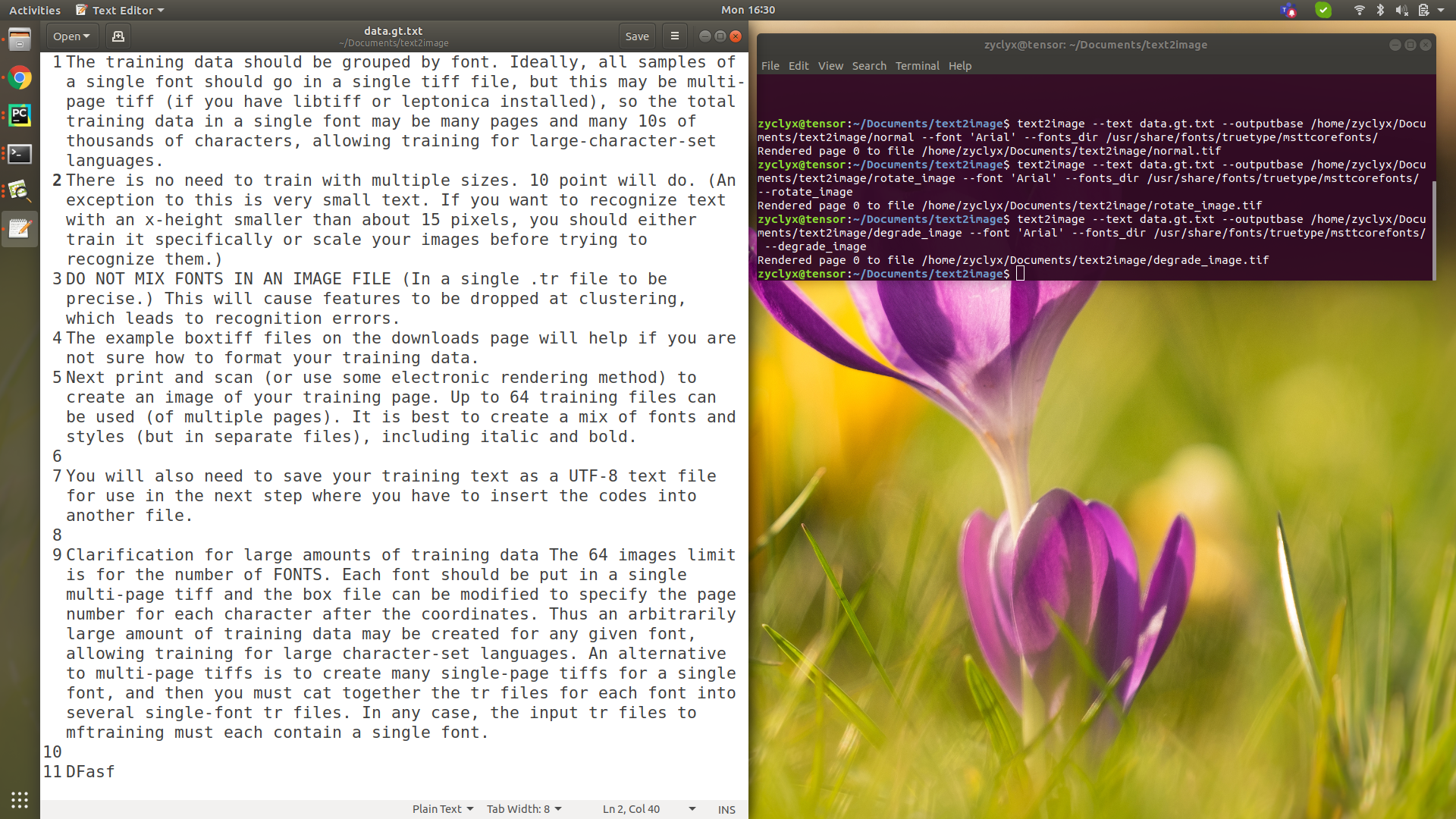
text2image --text data.gt.txt --outputbase /home/zyclyx/Documents/text2image/normal --font 'Arial' --fonts_dir /usr/share/fonts/truetype/msttcorefonts/
Not Working:
text2image --text data.gt.txt --outputbase /home/zyclyx/Documents/text2image/degrade_image --font 'Arial' --fonts_dir /usr/share/fonts/truetype/msttcorefonts/ --degrade_image
or
text2image --text data.gt.txt --outputbase /home/zyclyx/Documents/text2image/rotate_image --font 'Arial' --fonts_dir /usr/share/fonts/truetype/msttcorefonts/ --rotate_image
Expected Behavior:
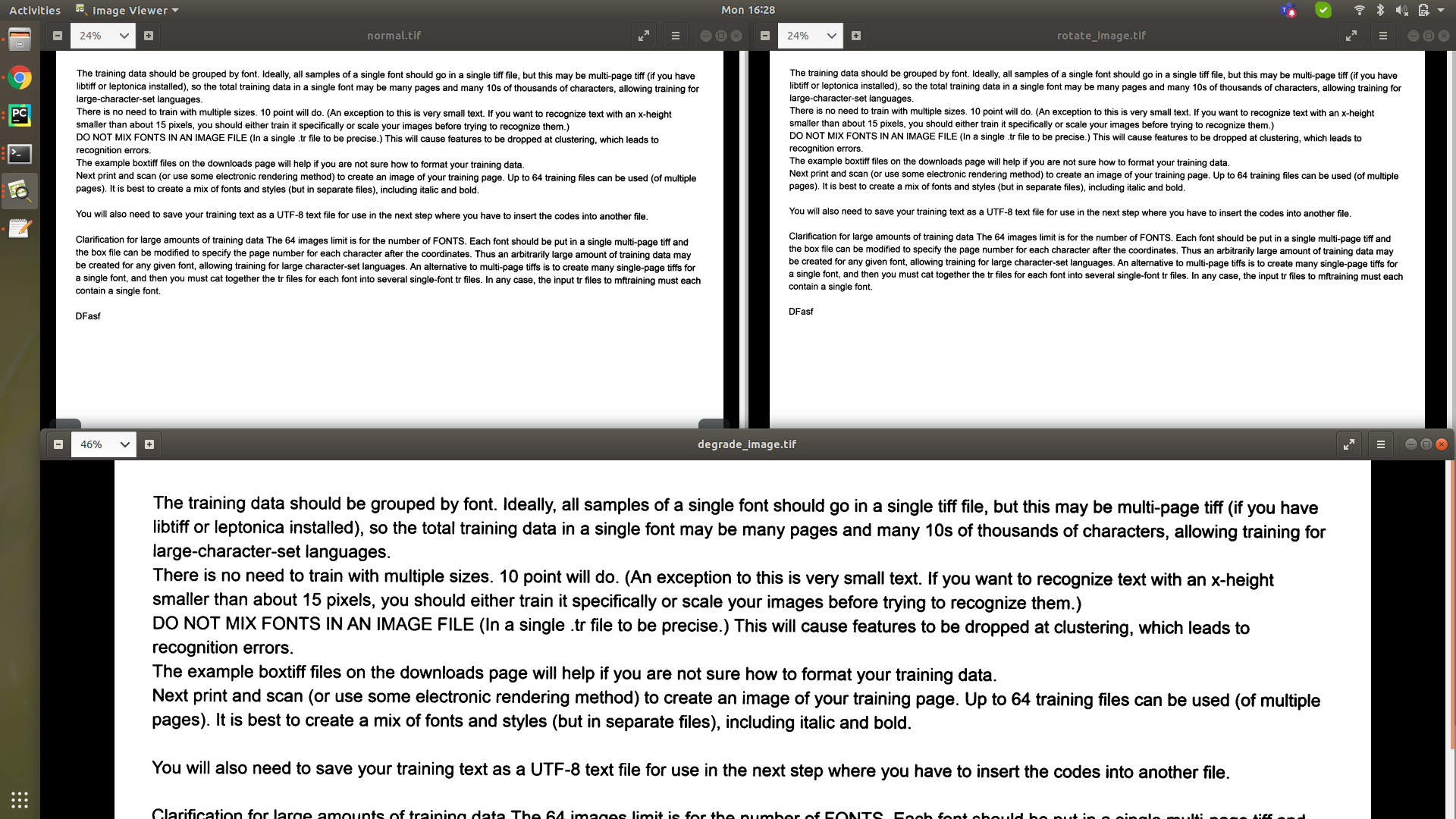
The output tif before passing degrade_image or rotate_image and after passing are same. but expecting to have change.
I have gone through the usage document and the default boolean value is true only. Still the rotation is not working pls correct me if i did miss anything, i tried searching a lot but no luck.
Normal vs rotate vs degrade:
Random text file and commends used:
 eliyaz-kl
All 4 comments
I think degrade_image is the default, so you may see different results only
if you set it to false. Take a look at multiple pages of the tif, usually
each page has a different rotation.
On Mon, Jun 29, 2020, 19:07 eliyaz-kl notifications@github.com wrote:
Environment
- Tesseract Version: tesseract 4.0.0-beta.1 leptonica-1.75.3
- Commit Number:
- Platform: Linux tensor 5.3.0-59-generic #53
https://github.com/tesseract-ocr/tesseract/issues/53~18.04.1-Ubuntu
SMP Thu Jun 4 14:58:26 UTC 2020 x86_64 x86_64 x86_64 GNU/LinuxCurrent Behavior:
I am trying text2image for creating dataset for training tesseract, to
apply noise to image or making the generated image look like scanned one i
am using degrade_image parameter but its not working.
Working:text2image --text data.gt.txt --outputbase
/home/zyclyx/Documents/text2image/normal --font 'Arial' --fonts_dir
/usr/share/fonts/truetype/msttcorefonts/
Not Working:text2image --text data.gt.txt --outputbase
/home/zyclyx/Documents/text2image/degrade_image --font 'Arial' --fonts_dir
/usr/share/fonts/truetype/msttcorefonts/ --degrade_imageor
text2image --text data.gt.txt --outputbase
/home/zyclyx/Documents/text2image/rotate_image --font 'Arial' --fonts_dir
/usr/share/fonts/truetype/msttcorefonts/ --rotate_image
Expected Behavior:The output tif before passing degrade_image or rotate_image and after
passing are same. but expecting to have change.I have gone through the usage document and the default boolean value is
true only. Still the rotation is not working pls correct me if i did miss
anything, i tried searching a lot but no luck.Normal vs rotate vs degrade:
[image: normal_rotate_degrade]
https://user-images.githubusercontent.com/55746134/86011690-b0bdb380-ba25-11ea-8c7d-3a9000ae393c.pngRandom text file and commends used:
[image: random_txt_data]
https://user-images.githubusercontent.com/55746134/86011911-f7aba900-ba25-11ea-927f-828b94220dd5.png—
You are receiving this because you are subscribed to this thread.
Reply to this email directly, view it on GitHub
https://github.com/tesseract-ocr/tesseract/issues/3046, or unsubscribe
https://github.com/notifications/unsubscribe-auth/ABG37I3ND5H4VHKMDAT53W3RZCKJTANCNFSM4OLHDZCA
.
 Shreeshrii
on 29 Jun 2020
Shreeshrii
on 29 Jun 2020
You need to add the --exposure parameter with one of these values: -3, -2, -1, 1, 2, 3.
 amitdo
on 30 Jun 2020
amitdo
on 30 Jun 2020
First thanks for your support, and sry for the delay.
Its working with large data!
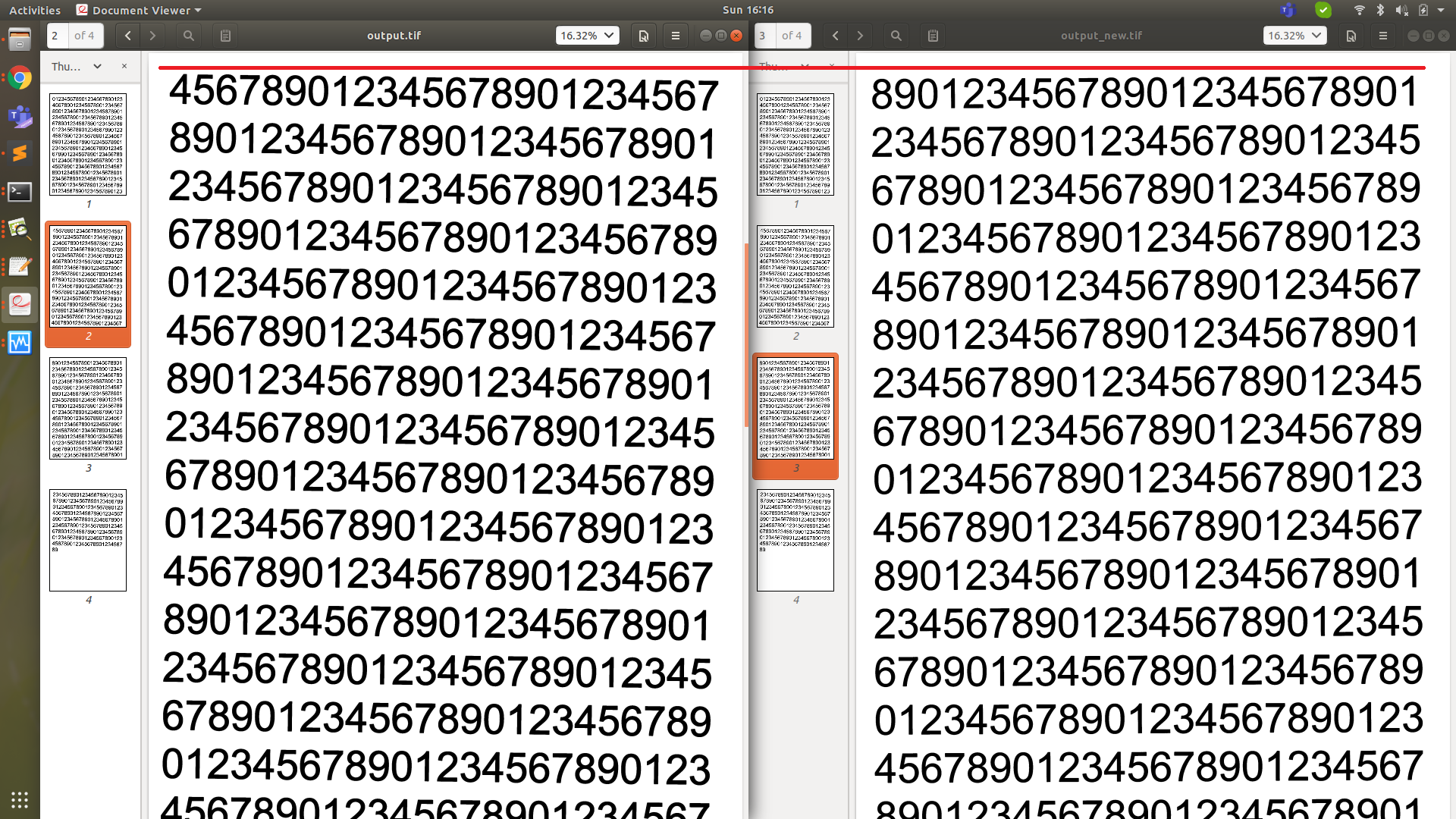
when i tested multiple times with small data which was single .tif, gave the same output for all. but in large data it generated multi tif where i can see the rotation.
Main Goal:
-> i am trying to custom train only arabic numbers.
-> i wrote a script to write 100000 numbers in multiple gt.txt files. 100s of character in each gt.txt file.
-> then one script to convert text to image (text2image) which should be more like scanned image.
-> parameters used in the below order.
text2image --text test.gt.txt --outputbase /home/user/output --fonts_dir /usr/share/fonts/truetype/msttcorefonts/ --font 'Arial' --degrade_image false --rotate_image --exposure 2 --resolution 300
sorry if its silly doubt
- How much dataset i need to prepare for arabic number, as of now required only for 2 specific fonts which i already have.
- Will dateset be duplicate if i follow this procedure, if yes is there any way to avoid it.
- Can fill each gt.txt file with arabic numbers and create 1000 gt.txt files or is that good way to put each number like ex. 20012 in each gt.txt file and create multiple small tiff images.
If possible please guide me the procedure for datasets preparation.
For testing I tried 50,000 eng number with each number in one gt.txt file with 20,000 iteration but it fails
eliyaz-kl
on 5 Jul 2020
This place is for reporting about bugs.
For questions please use the forum.
amitdo
on 5 Jul 2020
Related issues
 spajak
·
4Comments
Shreeshrii
·
4Comments
spajak
·
4Comments
Shreeshrii
·
4Comments
 clarkk
·
7Comments
clarkk
·
7Comments
 YeisonVelez11
·
5Comments
YeisonVelez11
·
5Comments
 lqhart
·
4Comments
lqhart
·
4Comments