Teslamate: Align TR Start and TR End with Range from Vehicle Dashboard
@adriankumpf This is related to reporting the proper Range (Ideal, Estimated, Rated) for the corresponding vehicle in the various Grafana charts (Drive, Drive Details, Charge, Charge Details, etc.). This is particularly useful for tracking/referencing efficiency for longer trips.
For my vehicle (S 90D), the Rated Range should be captured in the Grafana charts.
Thanks,
J
 jun3280net
All 6 comments
Resolved with v1.9.0
 adriankumpf
on 24 Sep 2019
adriankumpf
on 24 Sep 2019
@adriankumpf Thank you! Will give it a try ASAP!
jun3280net
on 24 Sep 2019
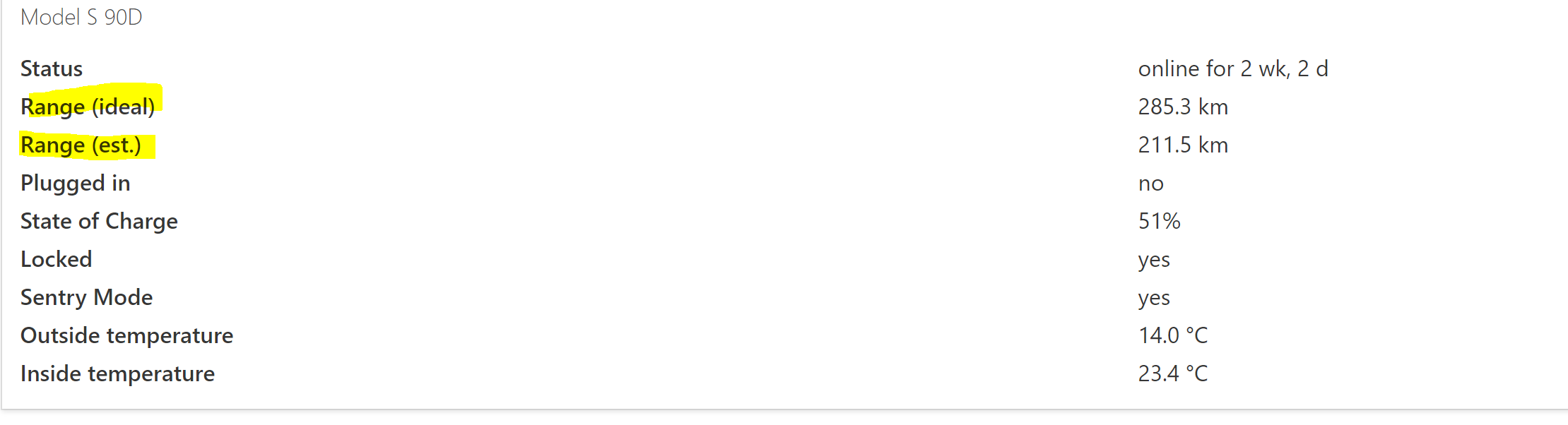
@adriankumpf - I'm not seeing this update. In fact, I don't see Range (rated) anymore either on the main page. My range on Tesla app is 228 km.
Thanks,
J

jun3280net
on 26 Sep 2019
@jun3280net check the settings.
 krezac
on 26 Sep 2019
krezac
on 26 Sep 2019
@jun3280net check the settings.
@krezac thank you very much for pointing me to this implementation update. @adriankumpf thanks again for the fix. Everything lines up nicely now.
jun3280net
on 26 Sep 2019
Just installed V1.10 with this change and all the range stats and graphs are in-synch with the app/in-car display for both Model 3 & Model S when using 'rated' range...which is the value available on Model 3 (in the app). Really good work to get this straighten out!!! Thanks.
 patrice-ebr
on 11 Oct 2019
patrice-ebr
on 11 Oct 2019
Related issues
 russinating
·
4Comments
russinating
·
4Comments
 virtualm2000
·
4Comments
virtualm2000
·
4Comments
 Highlander1694
·
3Comments
Highlander1694
·
3Comments
 kongomongo
·
5Comments
kongomongo
·
5Comments
 bahree
·
3Comments
bahree
·
3Comments
Most helpful comment
@jun3280net check the settings.