Terragrunt: Defining user data in auto scaling group?
When manually creating an auto scaling group, in step 3, it's possible to define "user data", which will be run during boot on Linux, eg. like this:
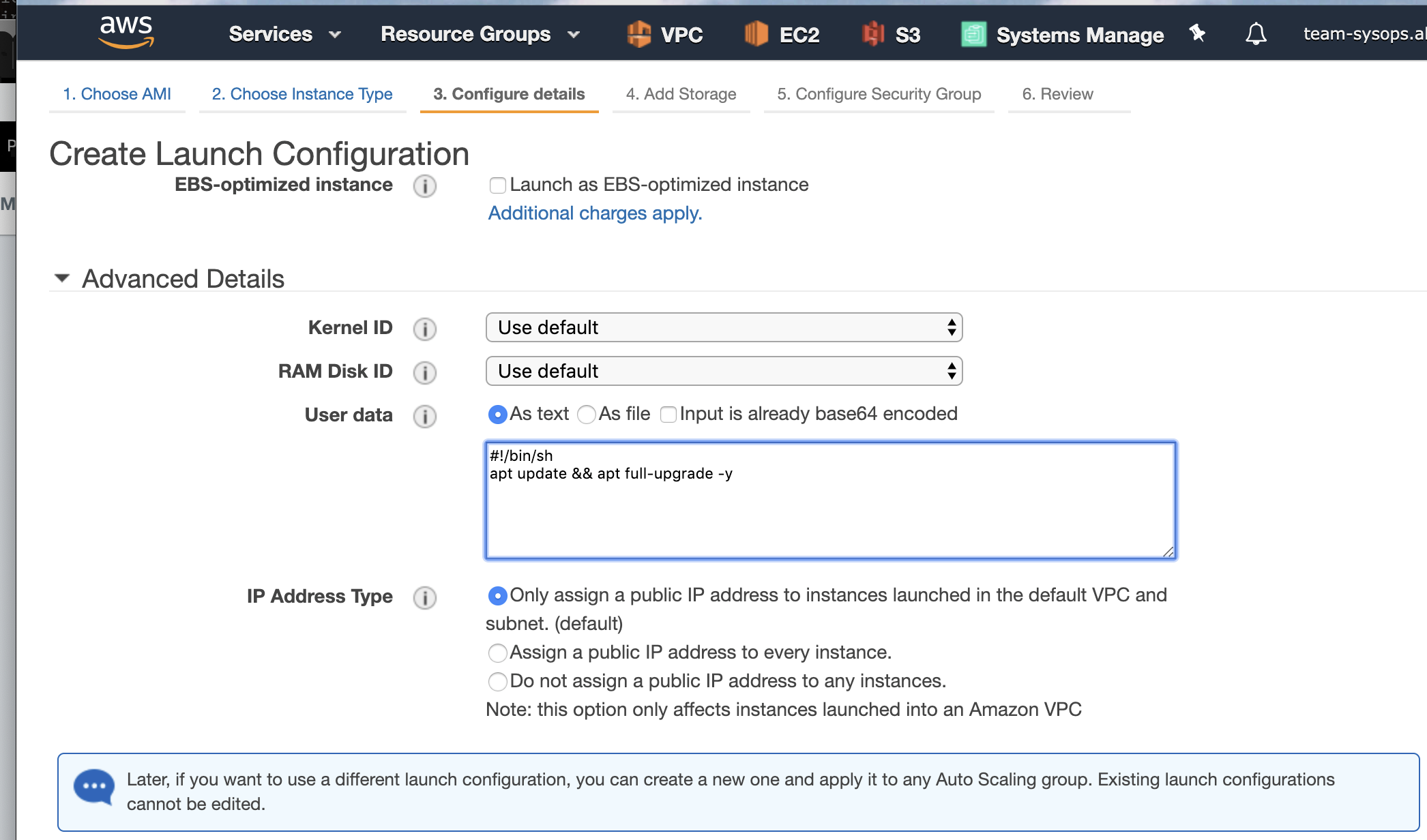
How do I define this in terragrunt/terraform?
I know that I can set user_data in autoscaling/terraform.tfvars, like so:
user_data = "#!/bin/bash"
But how can I define a multi line value there?
 alexs77
All 4 comments
@alexs77 first of all you are asking about terraform HCL basics
The answer for your question is HEREDOC syntax, here is example of using heredoc:
https://github.com/hashicorp/terraform/blob/f799a133e3c1a8c9756c37287bc646a545edfe89/config/test-fixtures/heredoc.tf#L44
 tomaszkrzyzanowski
on 16 Mar 2019
tomaszkrzyzanowski
on 16 Mar 2019
@tomaszkrzyzanowski thanks for the link. Works fine.
alexs77
on 18 Mar 2019
Sorry for bringing this issue again
I would like to define the user-data script in a separate .tpl file.
I could do that in my TF module without any issue using file() command, and having my file inside the module.
With terragrunt, it fails to call the file and i don't find a way to find the file when my module is in a remote repository:
data "template_file" "user_data" {
  template = file(
    "../modules/timescaledb/script-template/configure_tsdb.tpl",
  )

  vars = {
    secret_id = aws_secretsmanager_secret.tsdb_credentials.name
    region = var.aws_region
    dbname = var.timescaledb_dbname
  }
}
The configure_tsdb.tpl exists but i get a:
Call to function "file" failed: no file exists at
../modules/timescaledb/script-template/configure_tsdb.tpl.
 KimSamba
on 31 Jul 2019
KimSamba
on 31 Jul 2019
In order for relative paths to work, you need to use a double slash in your source URLs. Search for "double slash" in the docs: https://github.com/gruntwork-io/terragrunt#remote-terraform-configurations
 brikis98
on 31 Jul 2019
brikis98
on 31 Jul 2019
Related issues
 mmorianos
·
3Comments
mmorianos
·
3Comments
 jtai-omniex
·
3Comments
jtai-omniex
·
3Comments
 skang0601
·
4Comments
skang0601
·
4Comments
 mpkerr
·
3Comments
mpkerr
·
3Comments
 jeffdyke
·
3Comments
jeffdyke
·
3Comments
Most helpful comment
@tomaszkrzyzanowski thanks for the link. Works fine.