Terraform: Error: Failed to install provider
I Follow this tutorial https://learn.hashicorp.com/tutorials/terraform/aws-build?in=terraform/aws-get-started
Terraform Version
terraform --version
Terraform v0.13.5
Terraform Configuration Files
terraform {
  required_providers {
    aws = {
      source  = "hashicorp/aws"
      version = "~> 2.70"
    }
  }
}

provider "aws" {
  profile = "default"
  region  = "us-west-2"
}

resource "aws_instance" "example" {
  ami           = "ami-830c94e3"
  instance_type = "t2.micro"
}
Expected Behavior
Initializing the backend...
Initializing provider plugins...
- Finding latest version of hashicorp/aws...
- Installing hashicorp/aws v2.70.0...
- Installed hashicorp/aws v2.70.0 (signed by HashiCorp)
The following providers do not have any version constraints in configuration,
so the latest version was installed.
To prevent automatic upgrades to new major versions that may contain breaking
changes, we recommend adding version constraints in a required_providers block
in your configuration, with the constraint strings suggested below.
- hashicorp/aws: version = "~> 2.70.0"
Terraform has been successfully initialized!
You may now begin working with Terraform. Try running "terraform plan" to see
any changes that are required for your infrastructure. All Terraform commands
should now work.
If you ever set or change modules or backend configuration for Terraform,
rerun this command to reinitialize your working directory. If you forget, other
commands will detect it and remind you to do so if necessary.
Actual Behavior
Initializing the backend...
Initializing provider plugins...
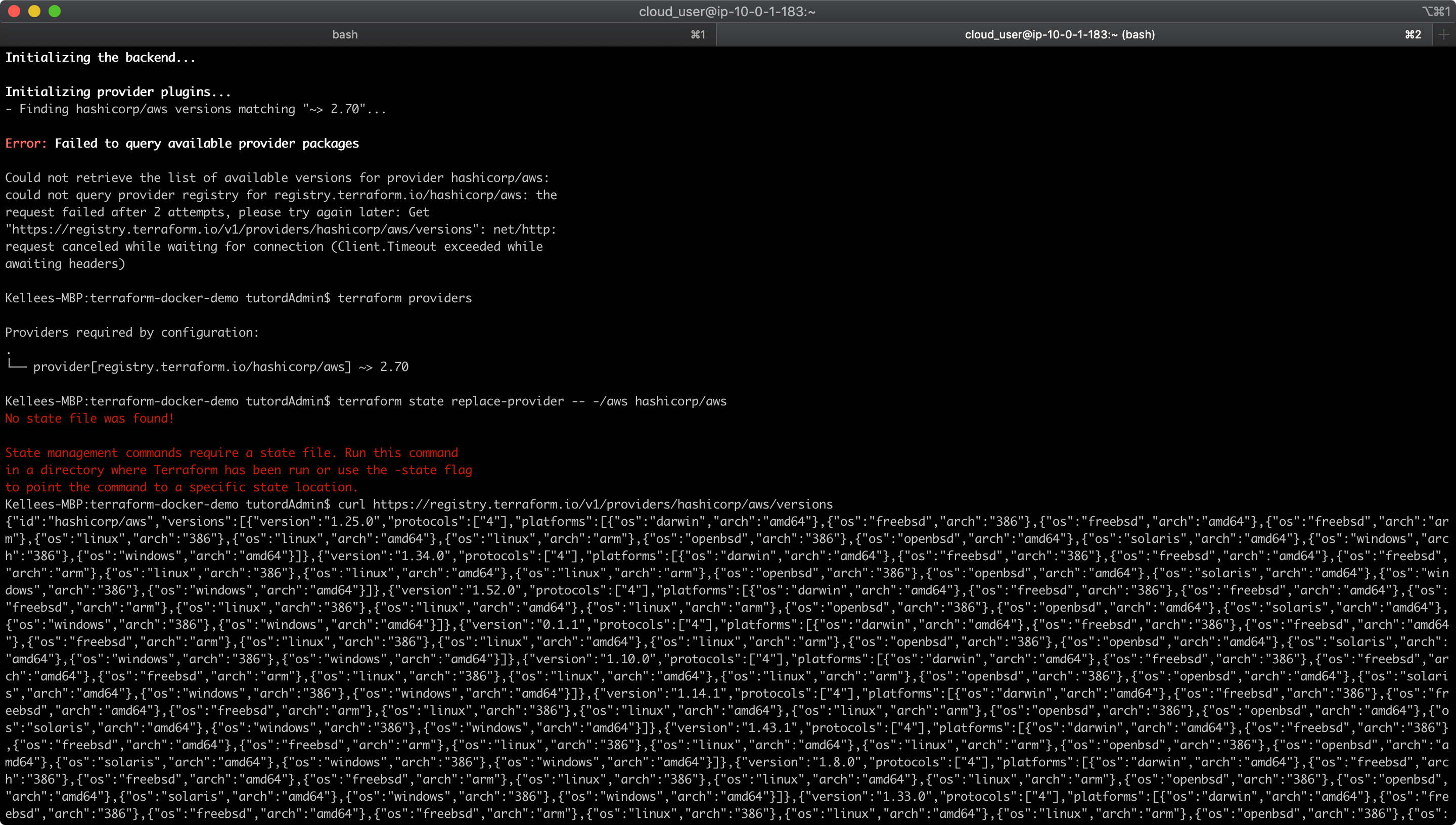
- Finding hashicorp/aws versions matching "~> 2.70"...
Error: Failed to query available provider packages
Could not retrieve the list of available versions for provider hashicorp/aws:
could not connect to registry.terraform.io: Failed to request discovery
document: Get "https://registry.terraform.io/.well-known/terraform.json":
net/http: request canceled while waiting for connection (Client.Timeout
exceeded while awaiting headers)
Steps to Reproduce
terraform init
 joaopixeles
All 4 comments
Has anyone had any luck with resolving this issue? I too am experiencing the same error on multiple machines
MacBook Pro (Retina, 15-inch, Mid 2015)
MacOS Mojave 10.14.4
2.8 GHz i7
16 GB
MacBook Pro (Retina, 13-inch, Mid 2017)
MacOS Mojave 10.14.1
2.3 GHz i7
8 GB
Both machines are experiencing the same issue, attached image is the 13-inch MacBook output, but the other machine is experiencing the same error.
 dammitBrandon
on 2 Nov 2020
dammitBrandon
on 2 Nov 2020
This looks like a duplicate of #26532, and is likely to be some sort of local network configuration issue, possibly DNS. There are several posts in the linked issue which offer suggestions on ways to proceed. Hopefully one of those can get you unblocked!
Closing as duplicate.
 alisdair
on 5 Nov 2020
alisdair
on 5 Nov 2020
I was able to resolve the issue by building terraform locally with CGO_ENABLED=1 and putting the bin in your /usr/local/bin
Follow the instructions here for a manual install.
Hope that helps.
dammitBrandon
on 5 Nov 2020
I'm going to lock this issue because it has been closed for _30 days_ ⏳. This helps our maintainers find and focus on the active issues.
If you have found a problem that seems similar to this, please open a new issue and complete the issue template so we can capture all the details necessary to investigate further.
![hashibot[bot] picture](https://avatars2.githubusercontent.com/in/8332?v=4&s=40) hashibot[bot]
on 6 Dec 2020
hashibot[bot]
on 6 Dec 2020
Related issues
 carl-youngblood
·
3Comments
carl-youngblood
·
3Comments
 rkulagowski
·
3Comments
rkulagowski
·
3Comments
 thebenwaters
·
3Comments
thebenwaters
·
3Comments
 sprokopiak
·
3Comments
sprokopiak
·
3Comments
 cpoole
·
3Comments
cpoole
·
3Comments