Terraform: registry.terraform.io not working
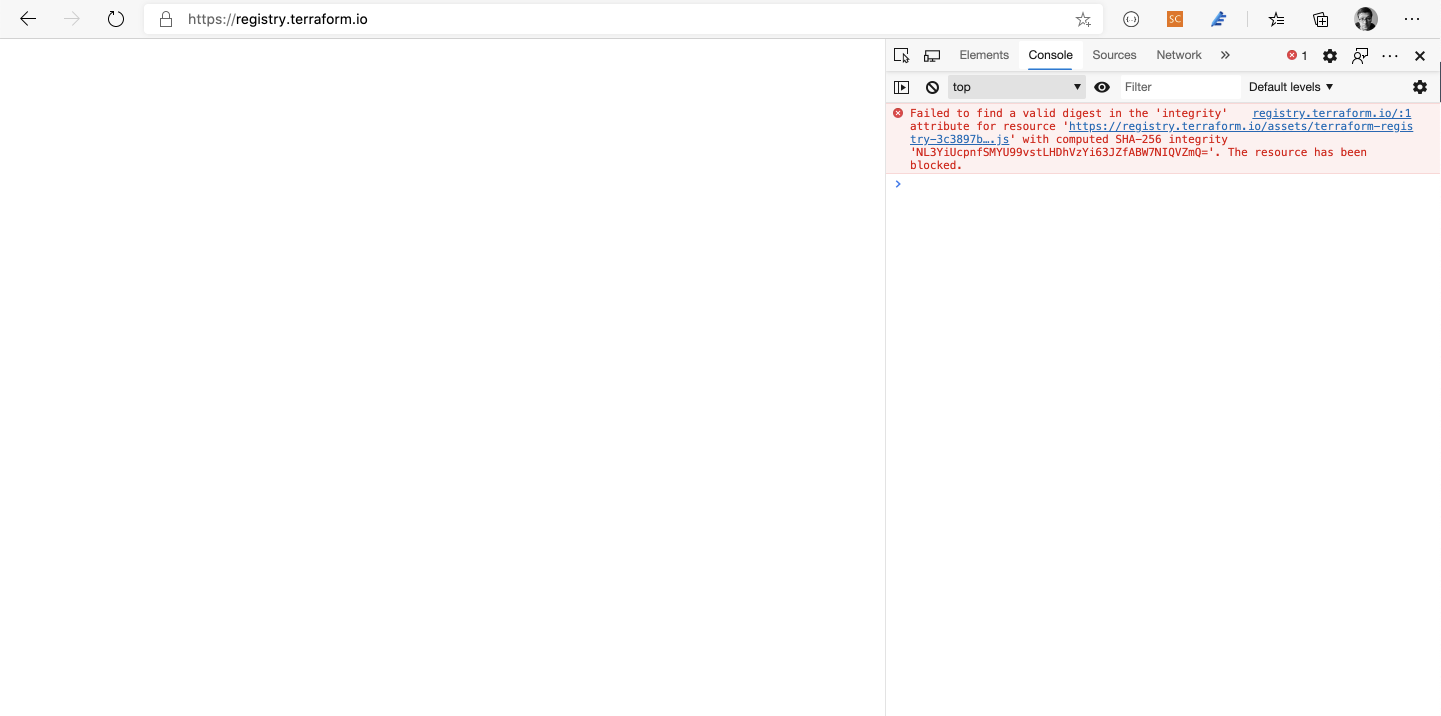
https://registry.terraform.io/ website is showing a blank page. It seems that something is wrong with loaded assets.
 bozerkins
All 8 comments
Same for me, with different console errors:

Seems to be related to X-Content-Type-Options setting on the webserver:
https://developer.mozilla.org/en-US/docs/Web/HTTP/Headers/X-Content-Type-Options
The resource from “https://registry.terraform.io/assets/terraform-registry-3c3897b8880537ab9759d2e91a1a39c5.js” was blocked due to MIME type (“text/html”) mismatch (X-Content-Type-Options: nosniff)
 alanmcg
on 6 Aug 2020
alanmcg
on 6 Aug 2020
If you open the script url, it gives you the 404 page

bozerkins
on 6 Aug 2020
Same here. The file, https://registry.terraform.io/assets/terraform-registry-3c3897b8880537ab9759d2e91a1a39c5.js is missing, which is then failing the sub-resource integrity check - making the registry inaccessible.

 petermarchant
on 6 Aug 2020
petermarchant
on 6 Aug 2020
Still seeing this issue this morning. @justincampbell mentioned (on Twitter) that one of the issues was fixed (corrupt JS file), but this issue seems to be a completely missing asset. 🙀
 phyber
on 6 Aug 2020
phyber
on 6 Aug 2020
Thanks for the report! I'm sorry this affected so many people yesterday and today. We're investigating how to prevent it from occurring in the future. In the meantime, the site should now be available for all users.
 justincampbell
on 6 Aug 2020
justincampbell
on 6 Aug 2020
Still not working for me.
 jeffrichie
on 6 Aug 2020
jeffrichie
on 6 Aug 2020
@jeffrichie Could you try force-refreshing or clearing your browser's cache?
justincampbell
on 6 Aug 2020
I'm going to lock this issue because it has been closed for _30 days_ ⏳. This helps our maintainers find and focus on the active issues.
If you have found a problem that seems similar to this, please open a new issue and complete the issue template so we can capture all the details necessary to investigate further.
![hashibot[bot] picture](https://avatars2.githubusercontent.com/in/8332?v=4&s=40) hashibot[bot]
on 6 Sep 2020
hashibot[bot]
on 6 Sep 2020
Related issues
 rjinski
·
3Comments
rjinski
·
3Comments
 ronnix
·
3Comments
ronnix
·
3Comments
 Seraf
·
3Comments
Seraf
·
3Comments
 rnowosielski
·
3Comments
rnowosielski
·
3Comments
 pawelsawicz
·
3Comments
pawelsawicz
·
3Comments