Terra-core: [terra-i18n] date-time-format-timezone polyfill support for IE10 and IE11
Feature Request
Description
Earlier we were consuming "terra-i18n": "^3.3.0" which was not supporting locale in IE10. To make the things work with this older terra-i18n version we added intl and date-time-format-timezone polyfills in sequence to our webpack and using addLocaleData() method in our project which works in Chrome, IE11 as well as IE10, but this was wrong path to go with, as terra was already taking care of these polyfills.
Thus uplifting the terra-i18n to the latest "terra-i18n": "^4.19.0" by which locale issue was gone in IE10 but we started getting another error in IE10
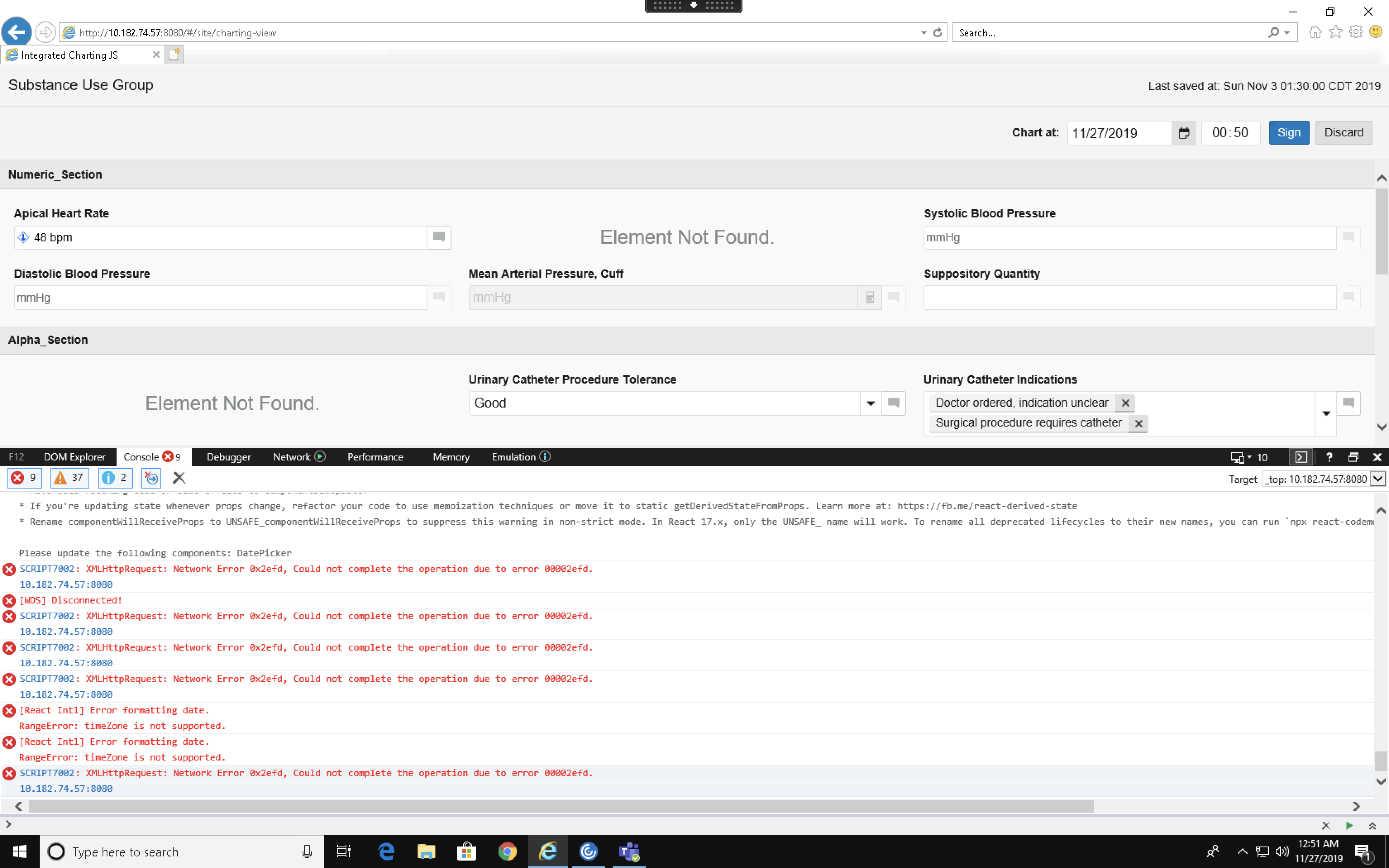
RangeError: timeZone is not supported.
So we tried with this snapshot of terra-i18n
"terra-i18n": "https://github.cerner.com/terra/terra-snapshots/blob/master/terra-core/i18n-trial/terra-i18n.tgz?raw=true",
which was having date-time-format-timezone polyfill. Using this snapshot timeZone error was gone from IE10 and our project is working fine in IE10 but now it was blowing up in IE11.
Error:
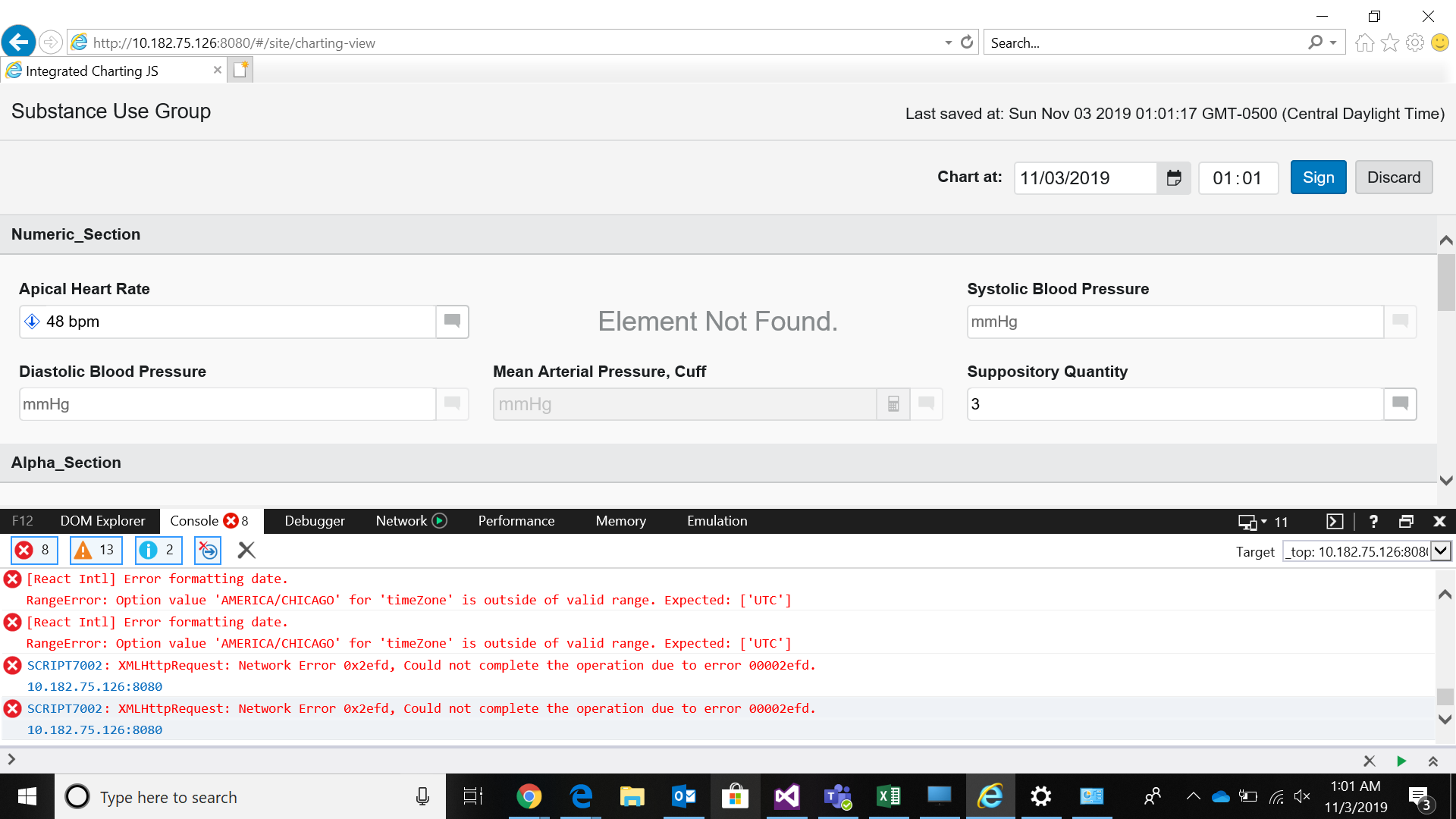
[React Intl] Error formatting date.
RangeError: Option value 'AMERICA/CHICAGO' for 'timeZone' is outside of valid range. Expected: ['UTC']
We're using FormattedDate component of react-intl library which needs polyfill support in IE10 and IE11.
Additional Context / Screenshots
@ Mentions
@nramamurth
 mananarora
All 6 comments
As per discussion with BLR terra team in the meeting, they suggested two approaches by which we can proceed.
First is the fix completely done by the terra team where they need to add the below code in i18nLoader.js file of terra-i18n.
if (!global.Intl._DateTimeFormatTimeZone) {
 require('date-time-format-timezone'); // Polyfills timezone support in Intl.DateTimeFormat API
 }
Second approach they said to partial fix by terra and partial by us. So from there end they just need to add just an assignment of intl polyfill to global.Intl
if (!global.Intl) {
    global.Intl = require('intl')
    loadIntl(locale);
  }
and in our code they wanted us to add polyfill.
// @ts-ignore
if (!global.Intl._DateTimeFormatTimeZone) {
 require('date-time-format-timezone'); // Polyfills timezone support in Intl.DateTimeFormat API
 }
After investigation I see that the Second approach doesn't work as in our code _DateTimeFormatTimeZone was giving error so as per Terra's team input to suppress the error warning of undefined, while running it is observed that we are getting undefined or null reference for the same in IE10 console. Hence i personally don't think that's the right way go about the second approach.
mananarora
on 29 Nov 2019
First Approach:
Although it works, I don't think it is appropriate for terra-i18n to take care of providing this Polyfill for everyone. I'd think that a consumer application should take care of requiring it (if and when necessary).
Second Approach:
I'd not like to mess around with the global namespace but I expected this approach to avoid the overhead of terra-i18n doing all the work.
After investigation I see that the Second approach doesn't work as in our code _DateTimeFormatTimeZone was giving error so as per Terra's team input to suppress the error warning of undefined, while running it is observed that we are getting undefined or null reference for the same in IE10 console. Hence i personally don't think that's the right way go about the second approach.
What does "we are getting undefined or null reference for the same in IE10 console" mean? Is global.Intl undefined? If yes, then why is it undefined in your code when global namespace is set in the code below? Have you looked into it? I'd expect it to be present in the global namespace 🤔
if (!global.Intl) {
    global.Intl = require('intl')
    loadIntl(locale);
}
Also, like it was stated earlier offline, I'd wait until we hear from @benbcai @ryanthemanuel @emilyrohrbough regarding whichever route sounds appropriate to proceed further.
 nramamurth
on 2 Dec 2019
nramamurth
on 2 Dec 2019
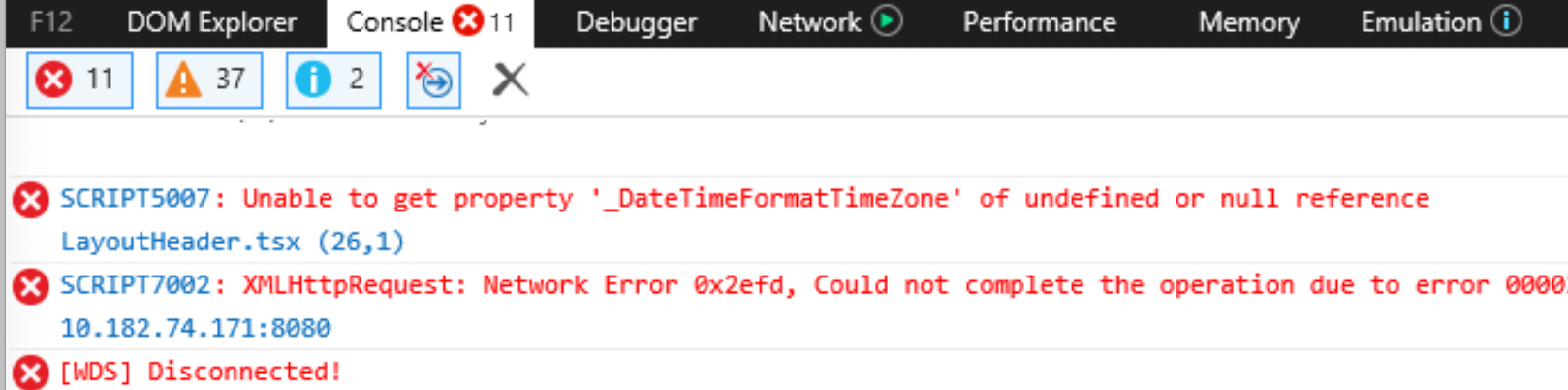
I'm not sure if you remember but we were getting error for _DateTimeFormatTimeTime in our project and we suppressed that error.
I'm happy either way which works for us.
mananarora
on 2 Dec 2019
It was discussed in scrum today that we do not want to include the date-time-format-timezone polyfill in terra-i18n. I agree with @nramamurth that terra-i18n should not be responsible for including every intl polyfill because not every application needs all of them. If an application needs a specific polyfill, it should be added by the application. One reason we want to avoid including date-time-format-timezone polyfill is because I noticed during debugging that it takes a noticeable amount of time to load this polyfill. I think this is due to the file size of all the locale and timezone data loaded.
@mananarora Can you debug in your application why you are unable to add include date-time-format-timezone in your application?
 benbcai
on 2 Dec 2019
benbcai
on 2 Dec 2019
@benbcai I tried debugging by going through second approach. I still see it failing in IE10 by throwing undefined error for _DateFormatTimeZone is because when we run the project it goes first in our project LayoutHeader.tsx file where I’ve added the following code:
// @ts-ignore
if (!global.Intl._DateTimeFormatTimeZone) {
require('date-time-format-timezone'); // Polyfills timezone support in Intl.DateTimeFormat API
}
As soon as it hits this if condition it throws the error of undefined for _DateFormatTimeZone and the control does not go into i18nLoader.js file where the initialization for global.Intl is done.
In IE11 we can see it goes to LayoutHeader.tsx and global.Intl is already there as it already has intl polyfill support unlike IE10 and then it goes to i18nLoader.js file.
mananarora
on 3 Dec 2019
@mananarora
This looks like an implementation detail to me.
Why is global.Intl "undefined" in your code when Intl _could probably be_ defined by terra-i18n globally (see snippet below)? Do you see that the logic in IntlLoaders.js is executed after executing your logic to add polyfill in your component?
Have you investigated into whether or not it is the right place for you to execute that logic to add the polyfill — may be you are trying to see if it is defined before terra-i18n updates the global namespace for you (which I think is unlikely but could very well be the case) — maybe you will need to add the polyfill once the component mounts?
As @benbcai and I pointed out earlier, if an application needs a specific polyfill, it should be added by the application. In that regard, what other alternatives have you tried so far?
if (!global.Intl) {
    global.Intl = require('intl')
    loadIntl(locale);
}
Edit:
I investigated further to see the behaviour on one of our Terra components. Here are the findings -
- The current logic in
terra-i18nmakesIntlavailable in global namespace automatically and I tested it out on IE 10.
I added a piece of logic in one of our components to see if a console log is printed when
global.Intl._DateTimeFormatTimeZoneevaluates to falsy and it does print it out on IE 10.Logic to add
Intlpolyfill interra-i18nis executed before the control hits the logic that adds the TZ polyfill in the component.
I'd think that you'd need to investigate as to why it is blowing up in your application further.
nramamurth
on 3 Dec 2019
Related issues
 ryanthemanuel
·
4Comments
ryanthemanuel
·
4Comments
 dv297
·
4Comments
dv297
·
4Comments
 kschuste
·
3Comments
kschuste
·
3Comments
 StephenEsser
·
5Comments
StephenEsser
·
4Comments
StephenEsser
·
5Comments
StephenEsser
·
4Comments