Termux-packages: MariaDB server not starting after update to 10.4.8
The mariadb server is not starting after update to mariadb Ver 15.1 Distrib 10.4.8-MariaDB
I tried to reinstall my termux app but the problem is still same
Scrshot:
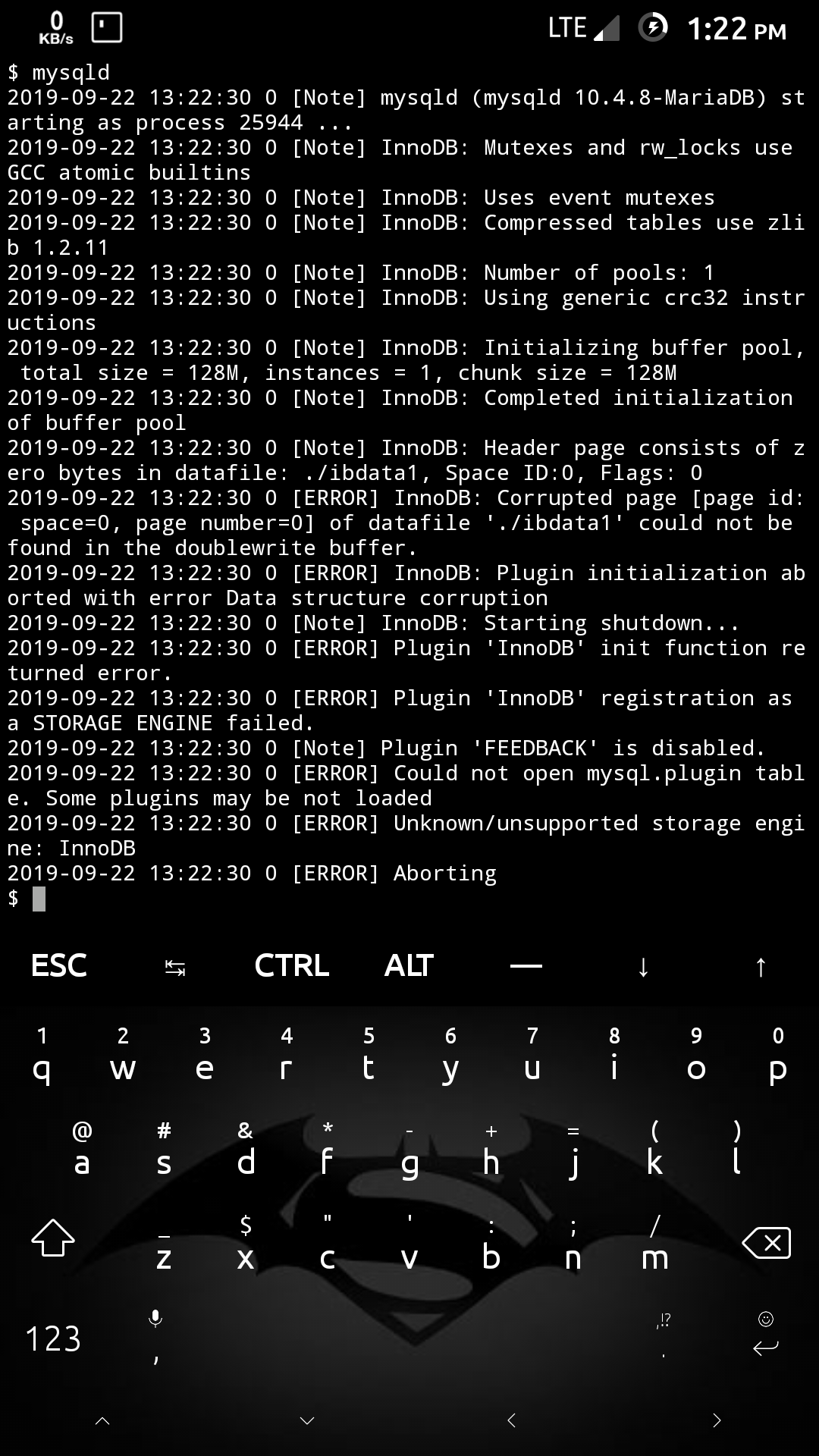
Every command like mysql_install_db mysqld_safe etc not working
 Shubhamvis98
All 21 comments
I believe this issue was reported before, check the closed issues and trying the solution that matches your problem.
 RossComputerGuy
on 22 Sep 2019
RossComputerGuy
on 22 Sep 2019
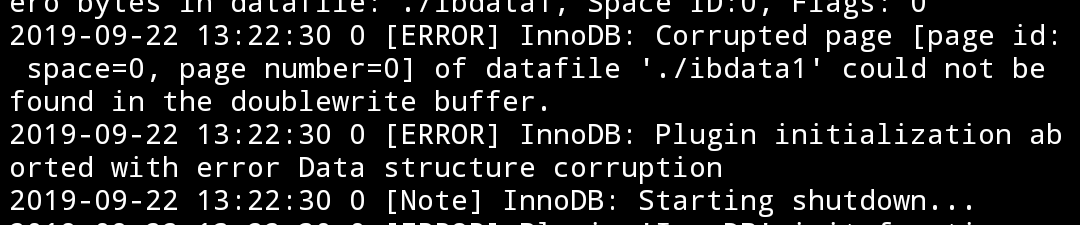
Perhaps your database corrupted ?
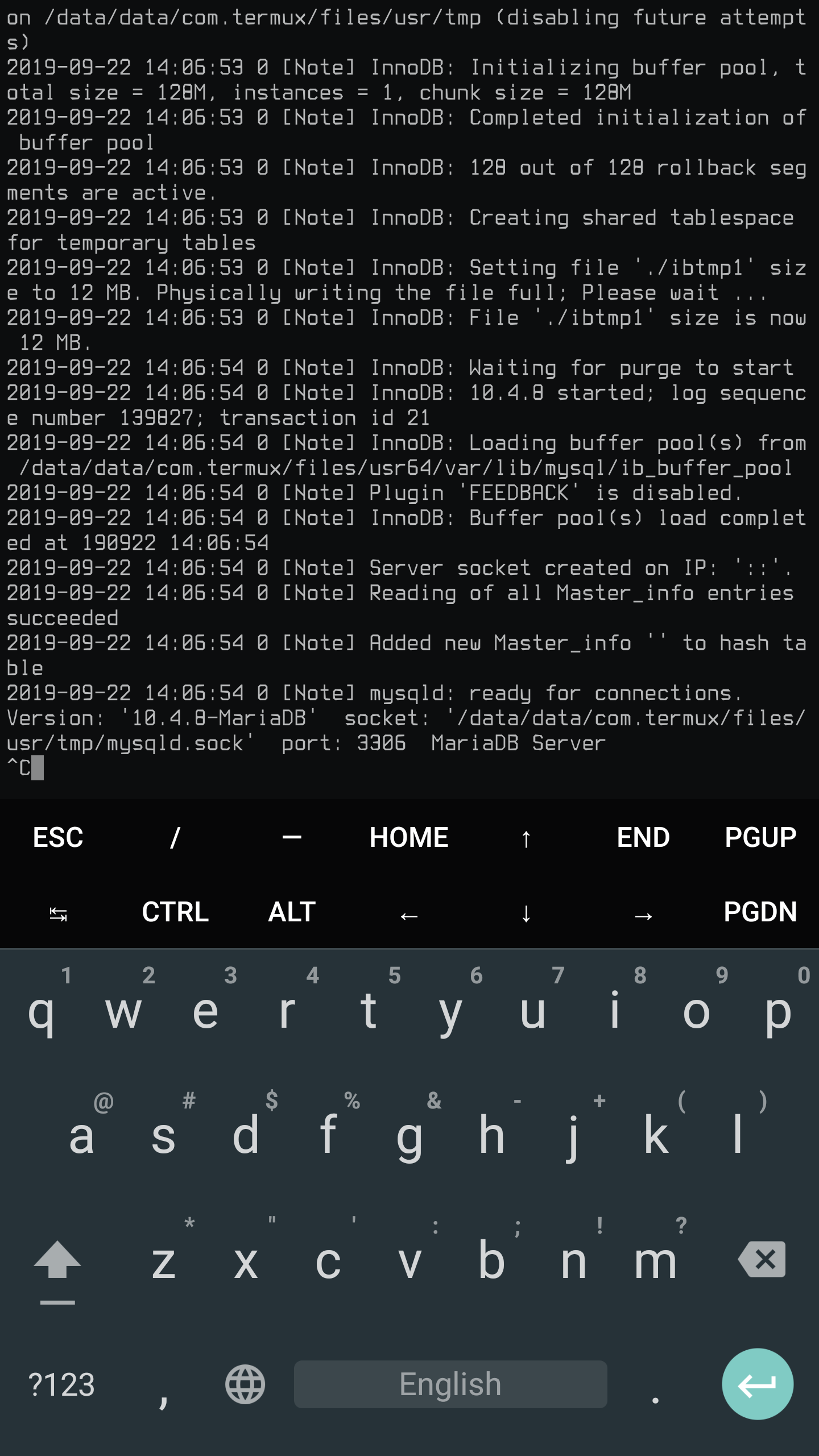
I can't reproduce the issue.
 xeffyr
on 22 Sep 2019
xeffyr
on 22 Sep 2019
Perhaps your database corrupted ?
I can't reproduce the issue.
I freshly installed it so how it get corrupted?
And how to fix if the data is corrupted?
Shubhamvis98
on 22 Sep 2019
I freshly installed it so how it get corrupted?
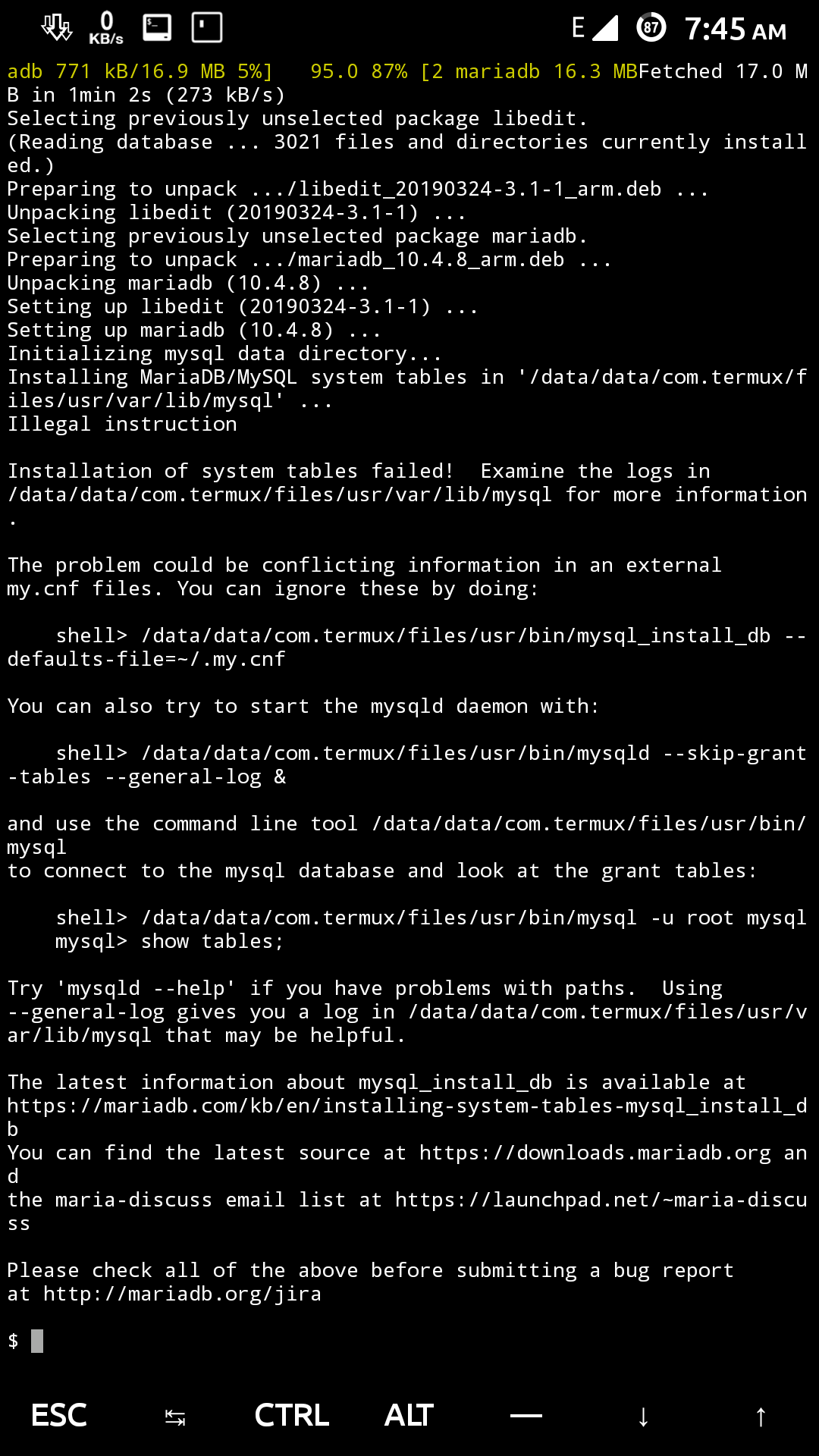
Either something gone wrong during installation (database is initialized when installing package) or something device-specific.
Try to do a fresh installation and post here console log. Additionally post your termux-info here.
xeffyr
on 22 Sep 2019
Error during installation
$ termux-info
Updatable packages:
All packages up to date
Subscribed repositories:
https://dl.bintray.com/grimler/science-packages-24 science/stable
https://dl.bintray.com/grimler/game-packages-24 games/stable
https://dl.bintray.com/termux/termux-packages-24 stable/main
System information:
Linux localhost 3.4.113-lineageos-ga54b3e28ce4 #1 SMP PREEMPT Thu Aug 22 11:56:47 JST 2019 armv7l Android
Termux-packages arch:
arm
Android version:
9
Device manufacturer:
samsung
Device model:
GT-I9506
Shubhamvis98
on 23 Sep 2019

So that's the cause and issue is device-specific.
Could you post output of cat /proc/cpuinfo ?
xeffyr
on 23 Sep 2019
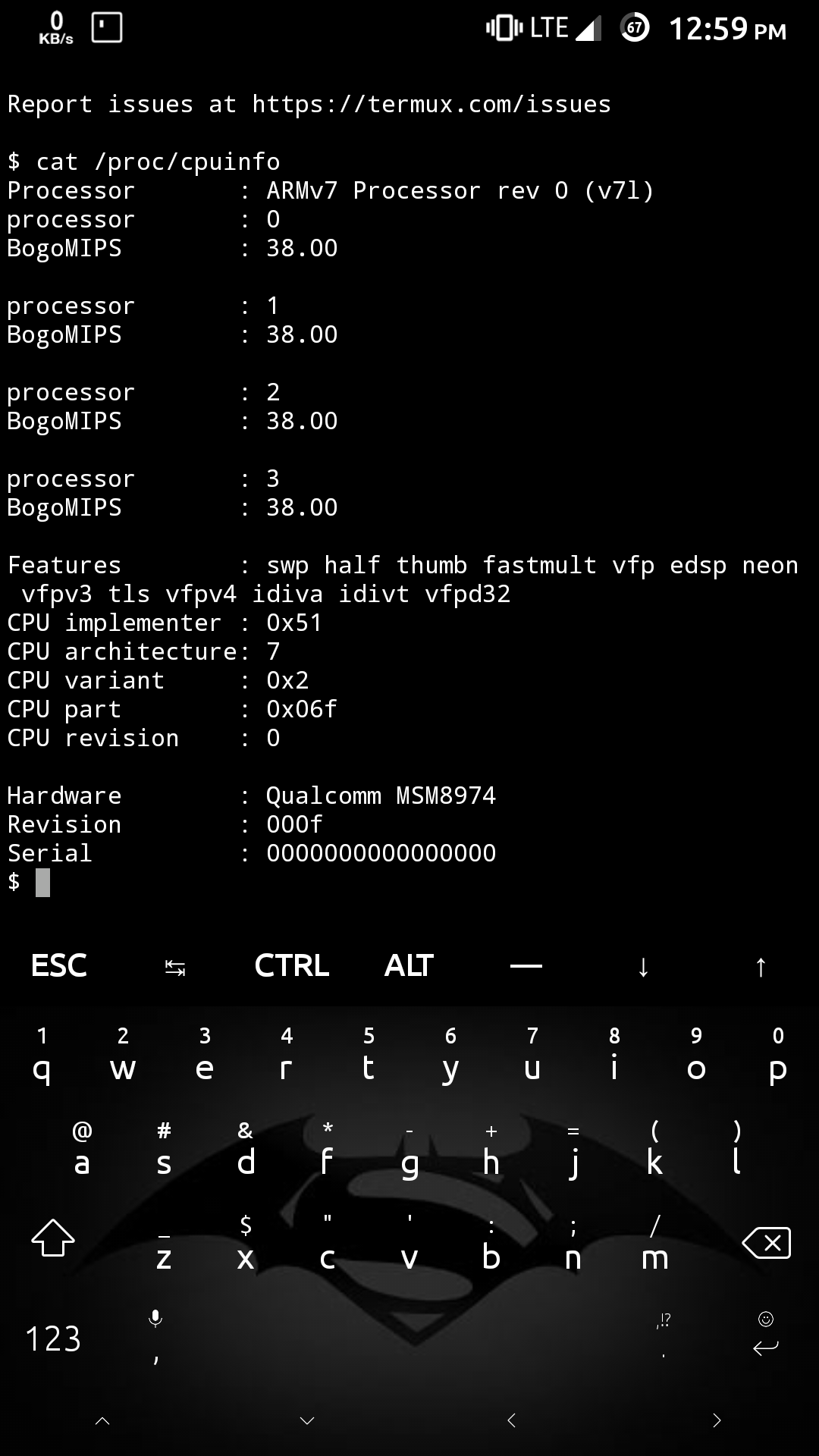
Shubhamvis98
on 23 Sep 2019
I have this exact same problem. Device:
Oneplus 3 with latest official OxygenOS (Android 9 Pie), rooted, latest Termux.
 SPAstef
on 23 Sep 2019
SPAstef
on 23 Sep 2019
Same here. It's seem there are corrupted files or the Inno engine doesn't work correctly.
Edit:
It's my fresh install mariadb. No leftovers from previous install.
Edit 2:
$ termux-info
Updatable packages:
All packages up to date
Subscribed repositories:
https://dl.bintray.com/grimler/science-packages-21 science/stable
https://dl.bintray.com/grimler/game-packages-21 games/stable
http://termux.net stable/main
http://termux.net stable/main
System information:
Linux localhost 3.18.24-perf-ga8e3b8c0a #1 SMP PREEMPT Sat Jan 5 21:22:32 CST 2019 armv7l Android
Termux-packages arch:
arm
Android version:
6.0.1
Device manufacturer:
vivo
Device model:
vivo 1606
Edit 3:
$ mysql_install_db -v
Installing MariaDB/MySQL system tables in '/data/data/com.termux/files/usr/var/lib/mysql' ...
2019-09-24 17:56:38 0 [ERROR] InnoDB: Corrupted page [page id: space=0, page number=0] of datafile './ibdata1' could not be found in the doublewrite buffer.
2019-09-24 17:56:38 0 [ERROR] InnoDB: Plugin initialization aborted with error Data structure corruption
2019-09-24 17:56:38 0 [ERROR] Plugin 'InnoDB' init function returned error.
2019-09-24 17:56:38 0 [ERROR] Plugin 'InnoDB' registration as a STORAGE ENGINE failed.
2019-09-24 17:56:38 0 [ERROR] Unknown/unsupported storage engine: InnoDB
2019-09-24 17:56:38 0 [ERROR] Aborting
cat: write error: Broken pipe
 indrakaw
on 24 Sep 2019
indrakaw
on 24 Sep 2019
Same here.
Samsung Note10+
Android 9
Fresh installation of Termux
Fresh installation of MariaDb
Initializing mysql data directory...
Installing MariaDB/MySQL system tables in '/data/data/com.termux/files/usr/var/lib/mysql' ...
Illegal instruction
 DarthZedd
on 24 Sep 2019
DarthZedd
on 24 Sep 2019
After downgrade from 10.4.8 to 10.4.6, the problem is still same


Shubhamvis98
on 25 Sep 2019
With the downgrade it was fixed.
@Shubhamvis98 it's not enough to reinstall/update. You have to manually delete the folder with the DB data:
rm $PREFIX/var/lib/mysql/*
Then reinstall and run mysql_install_db, then start mysqld_safe service.
SPAstef
on 25 Sep 2019
With the downgrade it was fixed.
@Shubhamvis98 it's not enough to reinstall/update. You have to manually delete the folder with the DB data:rm $PREFIX/var/lib/mysql/*
Then reinstall and run mysql_install_db, then start mysqld_safe service.
Solved
Shubhamvis98
on 25 Sep 2019
How do I do to downgrade the version?
indrakaw
on 25 Sep 2019
It's a downgrade masked as an update. Just do the usual "pkg up" and it will downgrade it
SPAstef
on 25 Sep 2019
v10.4.6 is not available currently for devices using termux.net repository. Maybe to the end of week.
xeffyr
on 25 Sep 2019
I don't like waiting until the end of week. I want it now.
indrakaw
on 25 Sep 2019
Wait until @fornwall will rebuild it.
Btw, all changes on android-5 branch won't be immediate. Do not expect things to "happen now", especially when legacy Android versions are no longer our priority.
xeffyr
on 25 Sep 2019
Wow man you get to have all this fantastic stuff for free, FREE! And still you complain because you won't get something very specific fixed in less than 3 days, while in an industry level products you could have to wait weeks. Come on :-)
SPAstef
on 25 Sep 2019
I thought there is a way to get the older version via .deb file package or something. Because, noone disallow you to ask.
indrakaw
on 25 Sep 2019
Maybe you just said it the wrong way, then. Don't worry it can happen!
SPAstef
on 25 Sep 2019
Related issues
 bbtdev
·
3Comments
bbtdev
·
3Comments
 roycebank
·
3Comments
roycebank
·
3Comments
 zejji
·
4Comments
zejji
·
4Comments
 bkdwt
·
3Comments
bkdwt
·
3Comments
 roalyr
·
3Comments
roalyr
·
3Comments