Termux-packages: mpv cannot locate symbol referenced by libharfbuzz.so
Problem description
I just updated my packages with apt update && apt upgrade. Now when I try to run mpv, it exits with the following message:
CANNOT LINK EXECUTABLE "/data/data/com.termux/files/usr/libexec/mpv": cannot locate symbol "g_unicode_script_to_iso15924" referenced by "/data/data/com.termux/files/usr/lib/libharfbuzz.so" ...
mpd gives an almost identical message.
Additional information
Output of termux-info:
Updatable packages:
All packages up to date
Subscribed repositories:
https://dl.bintray.com/grimler/science-packages-21 science/stable
https://dl.bintray.com/grimler/game-packages-21 games/stable
https://termux.net stable/main
https://termux.net stable/main
System information:
Linux localhost 3.18.14-14598364 #1 SMP PREEMPT Mon Nov 19 18:25:18 KST 2018 armv8l Android
Termux-packages arch:
arm
Android version:
8.1.0
Device manufacturer:
samsung
Device model:
SM-P585Y
I've never installed any sort of custom rom on the device. Software is up-to-date (by Samsung's standards). Termux is installed through F-Droid. I'm currently using version 0.70, which has the "suggested" tag next to it, even though it is not the newest version.
 TommoCrabb
All 24 comments
I'm having the same problem.
$ termux-info
Updatable packages:
All packages up to date
Subscribed repositories:
https://dl.bintray.com/grimler/science-packages-21 science/stable
https://dl.bintray.com/grimler/game-packages-21 games/stable
https://termux.net stable/main
https://termux.net stable/main
System information:
Linux localhost 3.4.39-5727790 #1 SMP PREEMPT Tue Apr 25 17:50:35 KST 2017 armv7l Android
Termux-packages arch:
arm
Android version:
5.1.1
Device manufacturer:
samsung
Device model:
SM-P601
$ mpv
CANNOT LINK EXECUTABLE DEPENDENCIES: cannot locate symbol "g_unicode_script_to_iso15924" referenced by "libharfbuzz.so"...
$
 letitbe1503
on 12 Jul 2019
letitbe1503
on 12 Jul 2019
Worked for me.
u0_a567 in ~
➜ mpv
mpv 0.29.1 Copyright © 2000-2018 mpv/MPlayer/mplayer2 projects
 built on Sun Jun 30 16:53:12 UTC 2019
ffmpeg library versions:
   libavutil       56.22.100
   libavcodec      58.35.100
   libavformat     58.20.100
   libswscale      5.3.100
   libavfilter     7.40.101
   libswresample   3.3.100
ffmpeg version: 4.1.4

Usage:   mpv [options] [url|path/]filename

Basic options:
 --start=<time>    seek to given (percent, seconds, or hh:mm:ss) position
 --no-audio        do not play sound
 --no-video        do not play video
 --fs              fullscreen playback
 --sub-file=<file> specify subtitle file to use
 --playlist=<file> specify playlist file

 --list-options    list all mpv options
 --h=<string>      print options which contain the given string in their name

u0_a567 in ~
➜ termux-info
Updatable packages:
All packages up to date
Subscribed repositories:
https://dl.bintray.com/xeffyr/x11-packages-24 x11/main
https://dl.bintray.com/grimler/science-packages-24 science/stable
https://dl.bintray.com/grimler/game-packages-24 games/stable
https://dl.bintray.com/termux/termux-packages-24 stable/main
System information:
Linux localhost 4.4.153-15480849 #2 SMP PREEMPT Mon May 20 20:07:18 KST 2019 aarch64 Android
Termux-packages arch:
aarch64
Android version:
9
Device manufacturer:
samsung
Device model:
SM-G950U
 RossComputerGuy
on 12 Jul 2019
RossComputerGuy
on 12 Jul 2019
Worked for me.
Problem only on android-5 branch.
 xeffyr
on 12 Jul 2019
xeffyr
on 12 Jul 2019
yeah android5 branch only and there is likely a conflict with libraries in our libdir and libraries /system/lib. hint .. g_unicode_script_to_iso15924 is from libglib-2.0.so.
 its-pointless
on 13 Jul 2019
its-pointless
on 13 Jul 2019
I just read the last 2 comments about this only affecting the Android-5 branch. Don't know if this is relevant or not, but I'd like to point out that I'm being affected by the problem, and according to the output of termux-info (posted above) I'm running Android 8.1.0.
TommoCrabb
on 13 Jul 2019
looks to be the change to libass. it brings in libxml2. libxml2 wants symbols which conflict with system android liblzma.so .
@TommoCrabb the important thing is which repo are you getting packages from. As in is this https://dl.bintray.com/termux/termux-packages-24 or from termux.net?
termux.net would be android-5
its-pointless
on 13 Jul 2019
As in is this https://dl.bintray.com/termux/termux-packages-24
MPV from android-7 branch is working.
and according to the output of termux-info (posted above) I'm running Android 8.1.0.
@TommoCrabb According to termux-info, you still using android-5 packages:
https://dl.bintray.com/grimler/science-packages-21 science/stable
https://dl.bintray.com/grimler/game-packages-21 games/stable
https://termux.net stable/main
I'm still using whatever was set as default when I installed the app. To be honest, I didn't even know I had to update the repos. I had assumed it was a rolling scenario like with arch linux. Are there instructions in the wiki for doing this? Should I just uninstall and re-install?
TommoCrabb
on 13 Jul 2019
I had assumed it was a rolling scenario like with arch linux.
It is rolling. But we have 2 repository variants which are completely independent.
Are there instructions in the wiki for doing this?
Currently no.
Use termux-upgrade-repo and follow instructions that it will print. Also, if you store some custom files in `$PREFIX, you need to backup them before executing the script.
xeffyr
on 13 Jul 2019
I went through the termux-upgrade-repo procedure, as per your suggestion. For some reason it took a couple of hours to download under 100MB of packages, but everything seems to be working just fine now, including mpv. Cheers for that, Xeffyr. Should I mark this item as closed then?
TommoCrabb
on 13 Jul 2019
Should I mark this item as closed then?
No. Problem still exists on android-5 branch.
xeffyr
on 13 Jul 2019
for Android version 5.1.1 have a workaround solutions?
letitbe1503
on 13 Jul 2019
iv got some attempts.
mpv is working on my machine using android5 libs now. Using this.
https://github.com/its-pointless/gcc_termux/blob/master/libxml2_2.9.9-3_arm.deb
https://github.com/its-pointless/gcc_termux/blob/master/liblzma_5.2.4_arm.deb
its-pointless
on 14 Jul 2019
if someone wants to confirm working by trying it out. if needed will provide aarch64 libs as well
its-pointless
on 14 Jul 2019
if someone wants to confirm working by trying it out. if needed will provide aarch64 libs as well
not work for my machine
$ dpkg -i libxml2_2.9.9-3_arm.deb
(Reading database ... 43164 files and directories currently installed.)
Preparing to unpack libxml2_2.9.9-3_arm.deb ...
Unpacking libxml2 (2.9.9-3) over (2.9.9-3) ...
Setting up libxml2 (2.9.9-3) ...
Processing triggers for man (1.14.5-1) ...
$ dpkg -i liblzma_5.2.4_arm.deb
(Reading database ... 43164 files and directories currently installed.)
Preparing to unpack liblzma_5.2.4_arm.deb ...
Unpacking liblzma (5.2.4) over (5.2.4) ...
Setting up liblzma (5.2.4) ...
$ mpv
CANNOT LINK EXECUTABLE DEPENDENCIES: cannot locate symbol "g_unicode_script_to_iso15924" referenced by "libharfbuzz.so"...
letitbe1503
on 14 Jul 2019
hmm i think the best way to go about this would be for me to figure it is know out the names of the libraries in the /system/lib and /system/vendor/lib for those that are affected.
its-pointless
on 15 Jul 2019
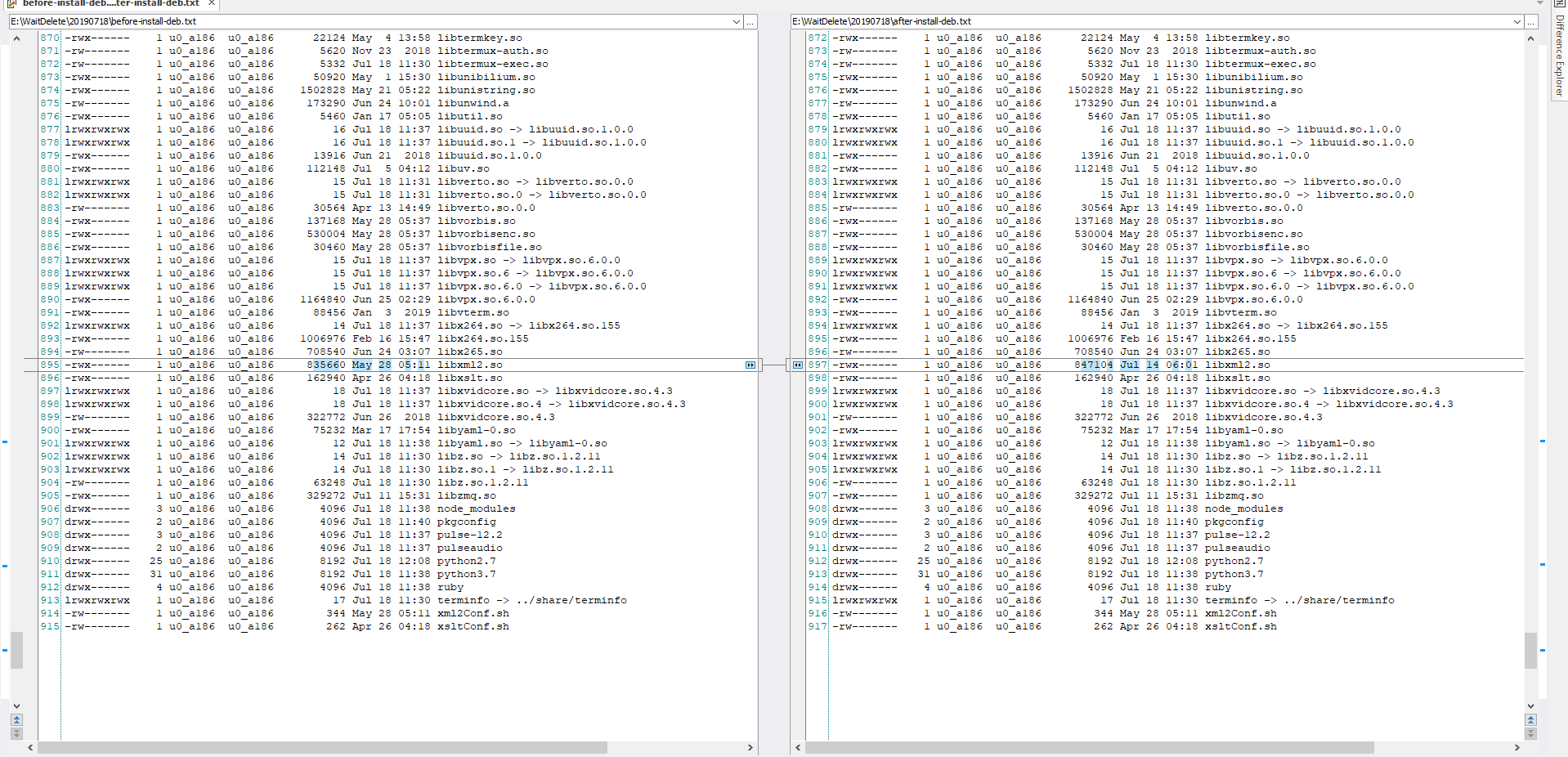
here is a list of the libraries it accesses on my machine that works. So for it to not work afaik on yours a library exists in /system/lib or /system/vendor/lib with the same name as in a library in that was accessed in /data/data/com.termux/files/usr/lib in that file. Ignoring of course the ones that a preloaded at the top.
its-pointless
on 15 Jul 2019
here is a list of the libraries it accesses on my machine that works. So for it to not work afaik on yours a library exists in /system/lib or /system/vendor/lib with the same name as in a library in that was accessed in /data/data/com.termux/files/usr/lib in that file. Ignoring of course the ones that a preloaded at the top.
letitbe1503
on 18 Jul 2019

letitbe1503
on 18 Jul 2019
i think you misunderstood what i was talking about.
i need list of files in the /system/lib dir
as in the the rom's directory.
ls -l /system/lib
its-pointless
on 19 Jul 2019
i think you misunderstood what i was talking about.
i need list of files in the /system/lib dir
as in the the rom's directory.
ls -l /system/lib
output 3 command in file >> note2014-2019-07-18-12-36-13.log
$ ls -l /data/data/com.termux/files/usr/lib
$ ls -l /system/lib
$ ls -l /system/vendor/lib
here is a list of the libraries it accesses on my machine that works. So for it to not work afaik on yours a library exists in /system/lib or /system/vendor/lib with the same name as in a library in that was accessed in /data/data/com.termux/files/usr/lib in that file. Ignoring of course the ones that a preloaded at the top.
letitbe1503
on 19 Jul 2019
https://github.com/termux/termux-packages/files/3404926/note2014-2019-07-18-12-36-13.log
There is a glib in /system/lib:
-rw-r--r-- 1 root root 173640 Apr 25 2017 libglib-2.0.so
Obviously may conflict with the glib from $PREFIX.
xeffyr
on 21 Jul 2019
I have added libglib-2.0.so and liblzma.so to preload list. Try following mpv package:
https://dl.bintray.com/xeffyr/termux-dev/arm/mpv_0.29.1-5_arm.deb
xeffyr
on 21 Jul 2019
I have added libglib-2.0.so and liblzma.so to preload list. Try following mpv package:
https://dl.bintray.com/xeffyr/termux-dev/arm/mpv_0.29.1-5_arm.deb
it work now
thank you.
$ dpkg -i ./mpv_0.29.1-5_arm.deb
(Reading database ... 22612 files and directories currently installed.)
Preparing to unpack ./mpv_0.29.1-5_arm.deb ...
Unpacking mpv (0.29.1-5) over (0.29.1-5) ...
Setting up mpv (0.29.1-5) ...
Processing triggers for man (1.14.5-1) ...
$ mpv
mpv 0.29.1 Copyright © 2000-2018 mpv/MPlayer/mplayer2 projects
 built on Sun Jul 21 11:33:09 UTC 2019
ffmpeg library versions:
   libavutil       56.22.100
   libavcodec      58.35.100
   libavformat     58.20.100
   libswscale      5.3.100
   libavfilter     7.40.101
   libswresample   3.3.100
ffmpeg version: 4.1.4

Usage:   mpv [options] [url|path/]filename

Basic options:
 --start=<time>    seek to given (percent, seconds, or hh:mm:ss) position
 --no-audio        do not play sound
 --no-video        do not play video
 --fs              fullscreen playback
 --sub-file=<file> specify subtitle file to use
 --playlist=<file> specify playlist file

 --list-options    list all mpv options
 --h=<string>      print options which contain the given string in their name

$
Related issues
 thurask
·
3Comments
thurask
·
3Comments
 Cyb3rD3m0n
·
3Comments
Cyb3rD3m0n
·
3Comments
 newmania
·
3Comments
newmania
·
3Comments
 jackbrycesmith
·
3Comments
jackbrycesmith
·
3Comments
 loveablefellow007
·
3Comments
loveablefellow007
·
3Comments