Termux-packages: Unable to start psql?
I have installed postgres & contrib packages. psql fails with
otus:/ # psql
psql: could not connect to server: No such file or directory
        Is the server running locally and accepting
        connections on Unix domain socket "/data/data/com.termux/files/usr/tmp//.s.PGSQL.5432"?
 ChillarAnand
All 8 comments
Did you start the server?
You need to initdb <path where to store data> to create database skeleton files, then pg_ctl -D <path from previous initdb> start to start the server
 vishalbiswas
on 4 Jul 2017
vishalbiswas
on 4 Jul 2017
@vishalbiswas Thanks for the help. Without root, I am not able to run initdb. With root it fails with
athene:/ # /data/data/com.termux/files/usr/bin/initdb /data/local/tmp/pg
initdb: cannot be run as root
Please log in (using, e.g., "su") as the (unprivileged) user that will
own the server process.
cannot run initdb? what's the error? you shouldn't pass /data/local/tmp
instead use something like $PREFIX/usr/var/postgresql
vishalbiswas
on 4 Jul 2017
What is the value of $PREFIX? It is not set in adb shell?
ChillarAnand
on 4 Jul 2017
Its /data/data/com.termux/files/usr
But it won't be accessible from adb shell either. Is there a reason to not use termux's cli?
vishalbiswas
on 4 Jul 2017
When I open termux, it fails with
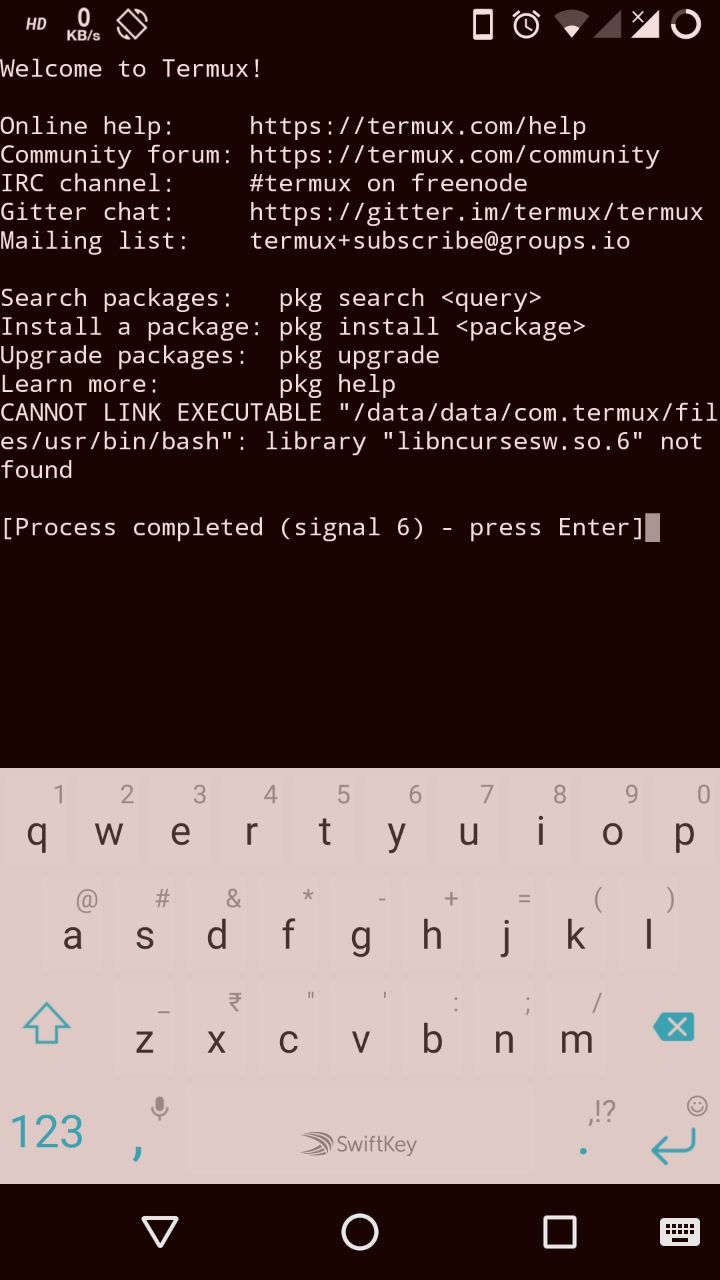
ChillarAnand
on 11 Jul 2017
Can you reinstall termux?
vishalbiswas
on 12 Jul 2017
- Create database directory:
mkdir ~/db
initdb ~/db
- Start postgresql server:
pg_ctl -D ~/db start
- Create database with specified name:
createdb mydb
- Connect to it with
psql:
psql mydb
Important: avoid usage of root shell as it will probably break $PREFIX and introduce further issues.
 xeffyr
on 15 Jan 2019
xeffyr
on 15 Jan 2019
Related issues
 jackbrycesmith
·
3Comments
jackbrycesmith
·
3Comments
 Zuccace
·
3Comments
Zuccace
·
3Comments
 adit
·
3Comments
adit
·
3Comments
 neitsab
·
3Comments
neitsab
·
3Comments
 bkdwt
·
3Comments
bkdwt
·
3Comments
Most helpful comment
psql:Important: avoid usage of root shell as it will probably break $PREFIX and introduce further issues.