Termux-packages: Package request: dstat
I found this pull request, but it's not in the termux included pkg repository i think..
https://github.com/termux/termux-packages/pull/688
Is there some other way to get dstat on my Android device based on this CPU: Realtek RTD1295 ARM?
 kaefert
All 8 comments
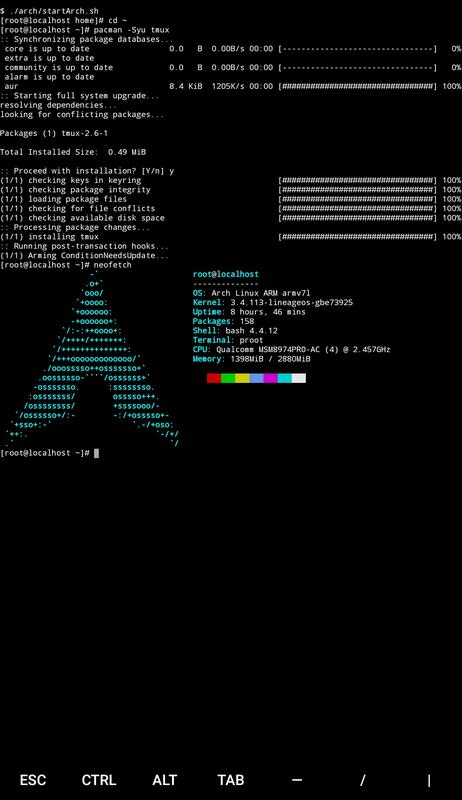
@kaefert dstat is currently available via https://sdrausty.github.io/TermuxArch/ Arch Linux in Termux PRoot. Use pacman -S dstat to install dstat on device once Arch Linux is installed in Termux. Use pacman -Ss statistics to search for a plethora of statistics packages available today on your smartphone and tablet for Android, Chromebook and Fire OS.
 SDRausty
on 11 Jan 2018
SDRausty
on 11 Jan 2018
yes
wget https://github.com/dagwieers/dstat/archive/0.7.3.tar.gz
extract and patch the makefile with
https://github.com/its-pointless/gcc_termux/raw/master/dstat.patch
termux-fix-shebang dstat
make install
 its-pointless
on 11 Jan 2018
its-pointless
on 11 Jan 2018
Thanks for both your replies!
I first looked at TermuxArch and read in the install guide 1GB free storage is required - which I thought maybe is quite a lot just for this little tool (dstat).
So I look at the method to compile it myself, which worked like a charm, but also required nearly 250mb of storage for all those build tools (see https://wiki.termux.com/wiki/Package_Management#Compiling_packages_on_device for instructions). But that's okey and if I wanted I can remove them now after dstat is built :)
Huge thanks to my saviors and also to the developers of Termux (and all the free software it's based on)!
(I still think dstat would be a very valueable addition to the default packages repository available through tmux pkg install x)
kaefert
on 12 Jan 2018
okey, so it's actually MUCH easier than what I did before. No build tools required. Just download the raw python script, and adapt the first line to match Termux Paths!
cd /data/data/com.termux/files/usr/bin
wget https://raw.githubusercontent.com/dagwieers/dstat/master/dstat
sed -i "1s/#!/#!\/data\/data\/com.termux\/files/" dstat
chmod +x dstat

#to be able to run dstat you have to have a python 2 runtime installed (anyway)
pkg install python2
dstat -taflmsC total
it's actually MUCH easier
No build tools required
Perfect! Python is your build tool btw.
pkg install python2
No problems with python2...
From https://github.com/sdrausty/TermuxArch/issues/30 Python's "pip install" fails with "permission denied".
@kaefert It is great news that it can be installed with python2. Is there a particular reason for choosing python2?
SDRausty
on 12 Jan 2018
just the hint from the first line of the dstat python script which in the original version reads:
#!/usr/bin/env python2
And the error I got when trying to run dstat without the python2 runtime:
root@kylin32:/data/data/com.termux/files/home/dstat-0.7.3 # ./dstat
env: can't execute 'python2': No such file or directory
And I don't consider python2 a build tool, it's a scripting language runtime.
A build tool (alias compiler) should output a binary in my opinion. A runtime takes a script and runs it directly. Python looks to me like it does the second.
kaefert
on 12 Jan 2018
Permission denied #create-react-app https://github.com/termux/termux-packages/issues/1899 This might be another python3 issue too.
SDRausty
on 12 Jan 2018
I just tried to run dstat using the python3 runtime, which gives this error:
  File "/data/data/com.termux/files/usr/bin/dstat", line 122
    except getopt.error, exc:
                       ^
Related issues
 bbtdev
·
3Comments
bbtdev
·
3Comments
 roalyr
·
3Comments
roalyr
·
3Comments
 roycebank
·
3Comments
roycebank
·
3Comments
 am11
·
3Comments
am11
·
3Comments
 StephanBeer
·
3Comments
StephanBeer
·
3Comments