Termux-packages: Does Anyone Want to Have More Native Space on Device?
After an enormous file is created on the external SD card, it is formatted as a native Android filesystem. Then it is mounted as a native filespace in $HOME as the nonroot Termux single user using mount loopback device or similar.
This issue is fairly simple in Linux: create file of a specific GB size > format filesystem in file > mount filesystem in file via loop device nonroot. This sequence is impossible today on external micro SD storage in Termux on Android. You might even be mounting a filesystem from a file via loop device nonroot on a notebook or desktop without knowing it when you mount a USB stick, CD, DVD or similar.

Creating and utilizing an enormous native Android filesystem on the external SD card should be doable in some chroot or proot fashion, possibly even without using chroot or proot. What is your opinion?
https://plus.google.com/109614420080028230010/posts/H7Av31MSK39
Even though this is a fairly simple issue in Linux (create file > format filesystem in file > mount filesystem in file via loop device), it is impossible in Termux at present.
Https://www.google.com/search?q=mount+non+root+user+site%3Atldp.org
This has been added here to clarify root and nonroot mounts. Linux Deploy https://github.com/meefik/linuxdeploy mounts a beautiful filesystem after downloading on device...
What about "Debian Noroot"? Does this app have the code we are seeking? It appears to mount an image from a file. "The scripts for creating Debian images are located in directory "img" https://github.com/pelya/debian-noroot/tree/master/img "To prepare image, run these scripts:" from https://github.com/pelya/debian-noroot/blob/master/README.md
https://play.google.com/store/apps/details?id=com.cuntubuntu
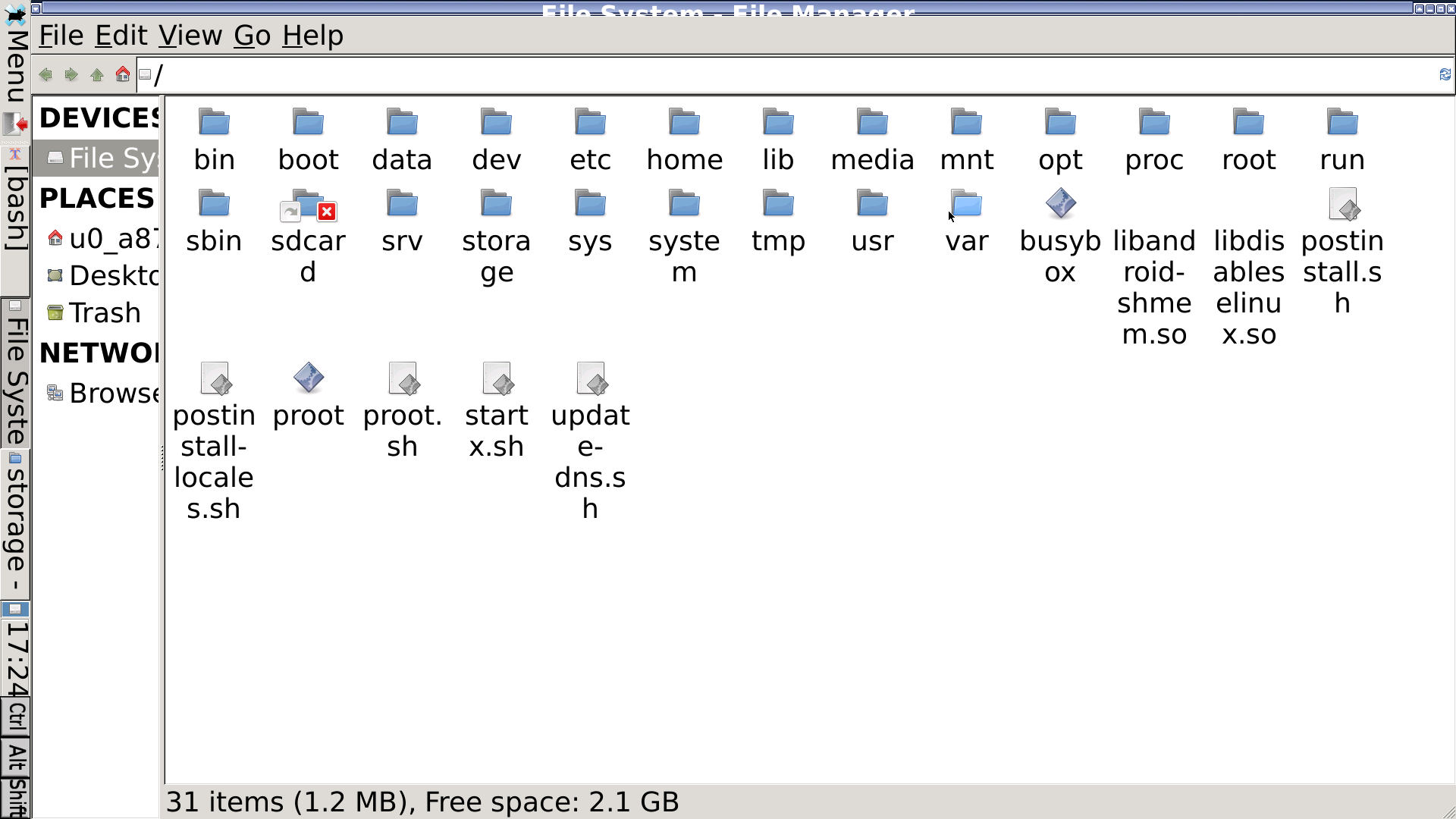
Screenshot of Debian Noroot running on an Android smartphone.
https://github.com/pelya/debian-noroot
"Run Debian on top of Android with a single click. No root required! Should work on any high-end device! Unleash full unrestricted desktop environment onto your mobile device! Instant frustration guaranteed! (unless you're using mouse or stylus) [and keyboard]."
git clone https://github.com/pelya/debian-noroot
cd debian-noroot
git submodule init
git submodule update //doesn't work, requires passphrase!?
ack loop
ack mount
ack device
ack img
Disclaimer: I usually only use Termux in Android, the APKs and the other goodies built on device (a smartphone). Please see https://sdrausty.github.io/buildAPKs/reallyEasilyBuildAndroidAPKsOnDevice This issue was last reedited 20170803 UTC for clarity of topic.
 SDRausty
All 12 comments
mounting requires root. mounted virtual file system is slower than the real deal. maximum file size on sdcard will be 3.9GB, so thats the maximum $PREFIX/home size. I have 6 GB on internal.
 vishalbiswas
on 29 Jul 2017
vishalbiswas
on 29 Jul 2017
there is no execute permission for external SD card(usually) but there are many files that do not require execute permission like clang's 'include' and 'lib' directories or '$vimruntime' and such other files. These types of files can be safely put in "~/storage/external-1/".
Perhaps one could set symlinks for such directories and keep only 'bin' folder in internal device storage.
It would be less reliable compared to internal storage as well as slower.
Please share your views about this idea.
 Harshiv-Patel
on 29 Jul 2017
Harshiv-Patel
on 29 Jul 2017
@vishalbiswas Mounting does not always require root in Linux, and in Android too. Please see https://play.google.com/store/apps/details?id=com.cuntubuntu It is required in Termux at present, but hopefully that will change once this issue is resolved! Moreover, in the above screenshot sizeTest.file was 4799196216 bytes. That is much greater than 3.9GB. Any idea on how to make mount mount a filesystem as a Termux user is a hurdle, just as formatting is.
Imagine a 64G or an even much bigger space mounted in $HOME as a native Android filesystem on the external SD card. File size itself should not be a big deal since we can use file spanning, i.e. LVM.
Please search "exfat max file size"
Maximum File Size | 4 GB for vfat | 16 EB for exfat
Maximum file size is much smaller with the vfat filesystem, but with file spanning which combines files into one big virtual space with LVM (Logical Volume Manager) maximum virtual native Android filespace can be near infinite with OTG (USB On-The-Go). https://github.com/termux/termux-app/issues/71
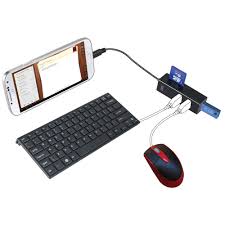
This picture is from Google > images about OTG https://github.com/termux/termux-packages/issues?utf8=✓&q=OTG and the topic this issue references. The author of this comment possess something similar, but does not use these peripherals as pictured; Address him as a purist if you like: No whirling fan nor disks, etc. If you are on an antiquated computing device with whirling fans and disks spreading California Prop 65 dew about you, and your surroundings around you might want to know about California Prop 65:
https://www.google.com/search?q=California+Prop+65
"In 1986, California voters approved an initiative to address their growing concerns about exposure to toxic chemicals. That initiative became the Safe Drinking Water and Toxic Enforcement Act of 1986, better known by its original name of Proposition 65. Proposition 65 requires the State to..."
Please search "mount non root user"
https://unix.stackexchange.com/questions/96625/allow-non-superusers-to-mount-any-filesystem
Also please research "filesystem spanning site:tldp.org”
http://www.tldp.org/LDP/LG/issue84/vinayak.html
http://www.tldp.org/HOWTO/html_single/LVM-HOWTO/#benefitsoflvmlarge
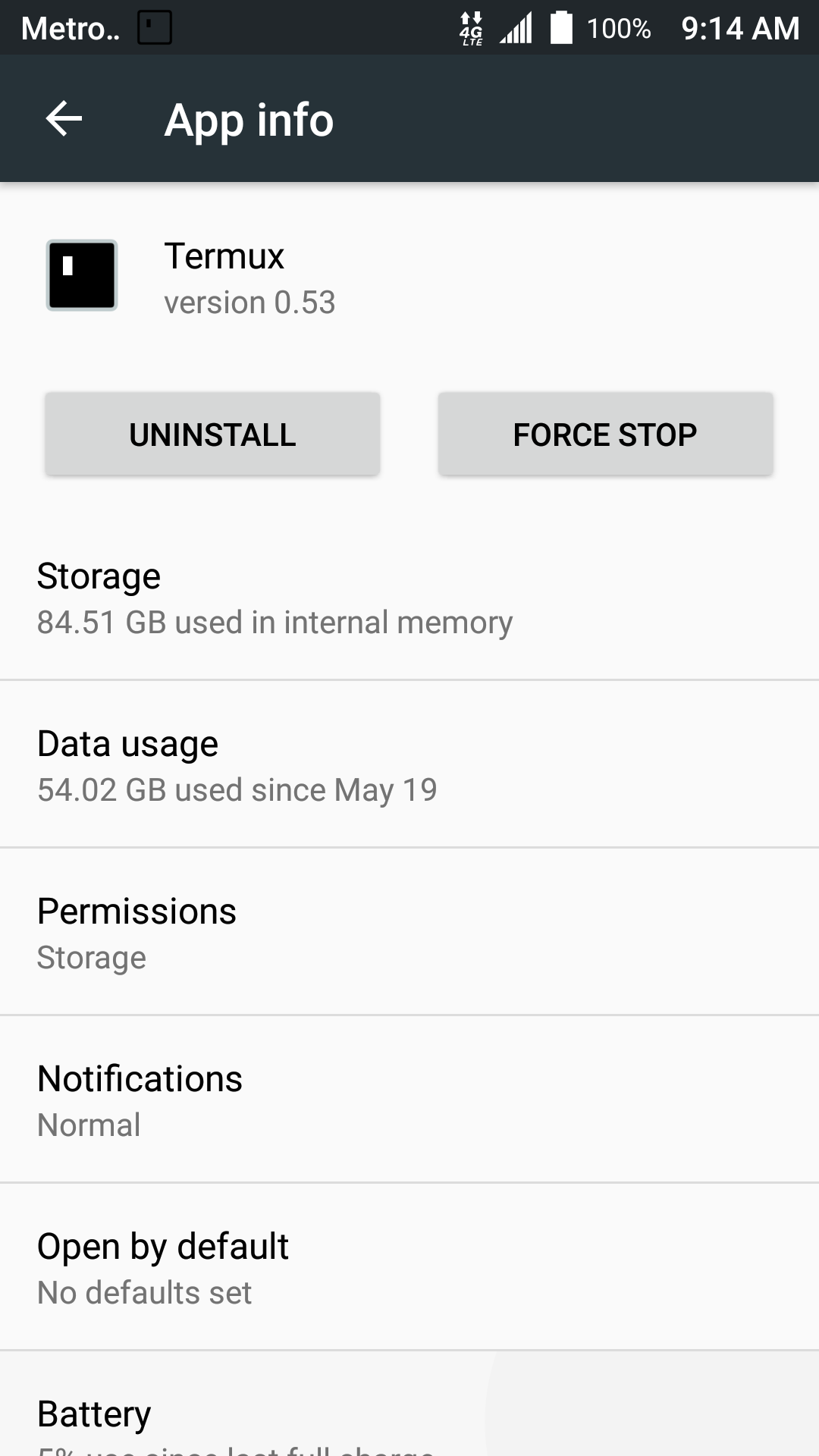
Can we ever have enough native Android space on device? 84GB pales when compared with 256GB on device today; Cheapest 128GB micro SD @frys = $40+ And it is soon going to be 4TB in one micro SD! https://www.engadget.com/amp/2017/08/08/intels-push-for-petabyte-ssds-requires-a-new-kind-of-drive/ One petabyte equals 1,000 terabytes. Termux uses 84GB on my device, only 18GB is a native Android file system. So only 21% of this enormous space is on a native Android filesystem. 😎
SDRausty
on 29 Jul 2017
@Harshiv-Patel This issue is about creating and mounting EXT2/EXT3/EXT4/YAFFS/YAFFS2/JFFS2 and possibly other filesystem spaces on the external SD as the non root Termux user utilizing either many large files, or just one enormous file with or without file spanning. Since even on a smartphone with NO external SD card inserted we are dealing with at least two different filesystems, it should be easy to see how this issue may seem confusing at first glance. The type of filesystem this issue wants to create is the native Android filesystem on device using the loopback device. If you allow the disk cache an IO scheduler to do their job, then there is hardly any difference between using a loopback device and direct disk access.
http://www.aleph1.co.uk/gitweb/?p=yaffs2.git;a=summary
https://code.google.com//p/yaffs2utils/
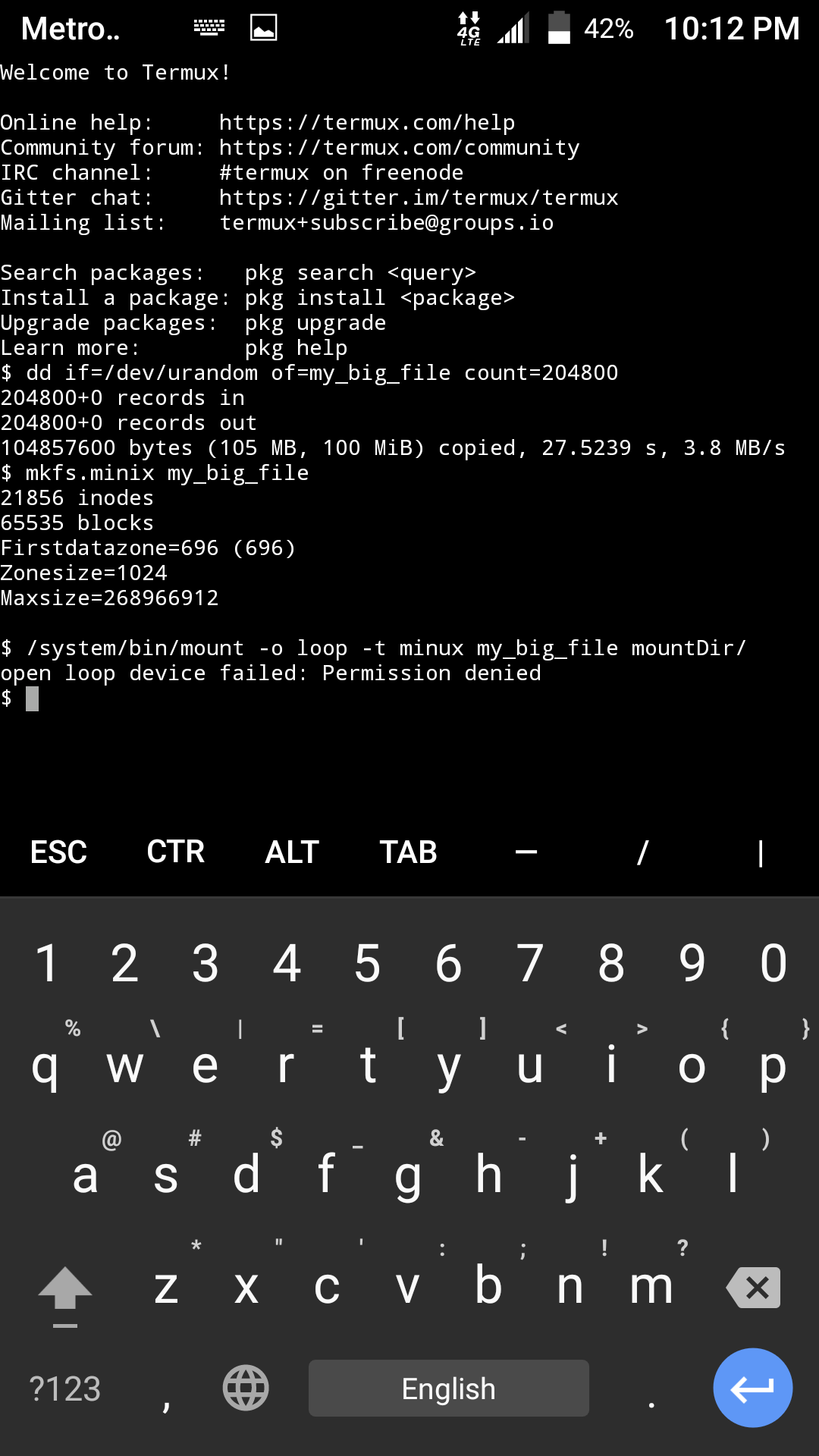
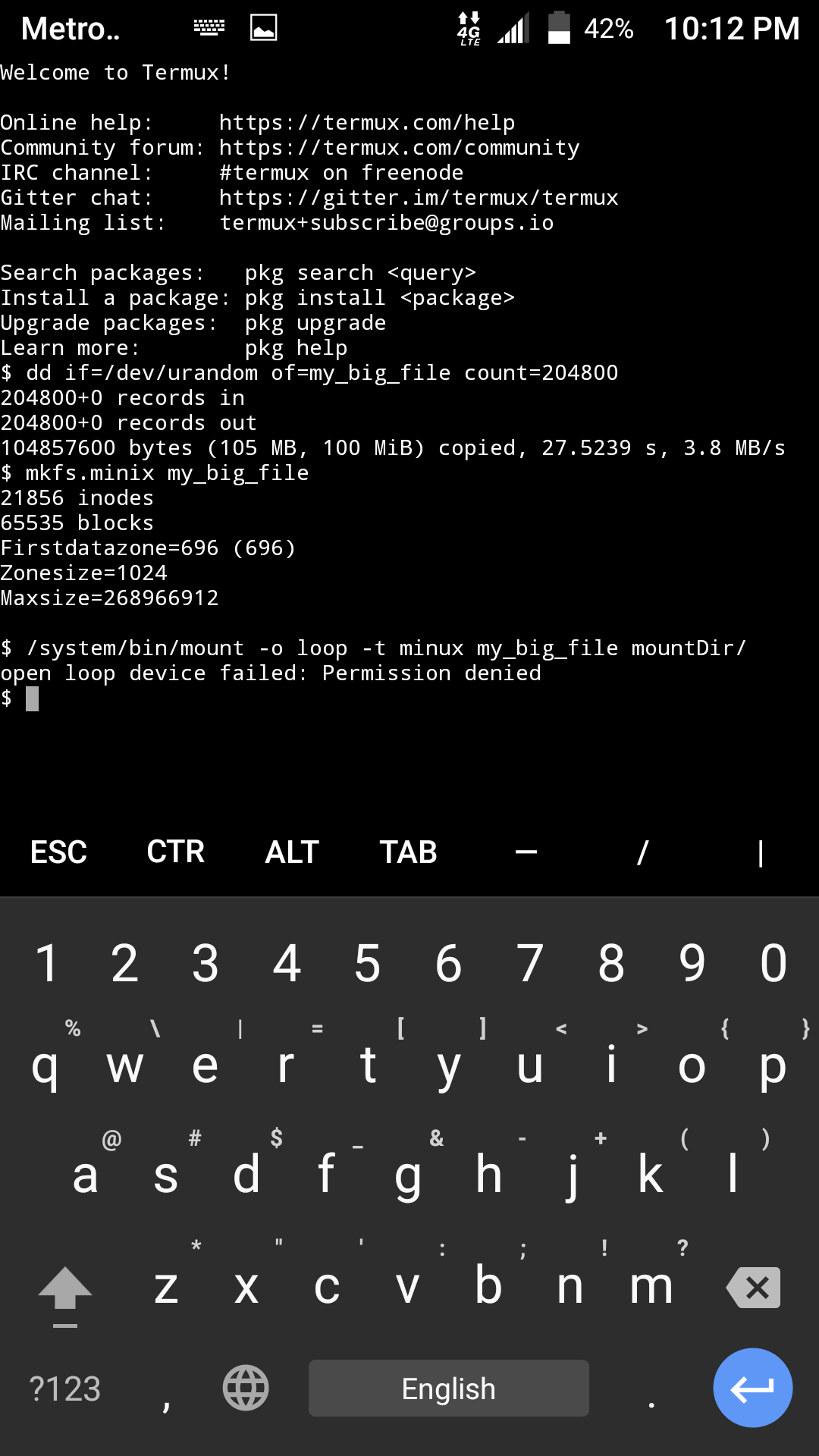
We can with ease create a filesystem on device. Please study attachment screenshot below. Now how about checking and mounting this fileystem?
Welcome to Termux!

Online help:     https://termux.com/help
Community forum: https://termux.com/community
IRC channel:     #termux on freenode
Gitter chat:     https://gitter.im/termux/termux
Mailing list:    [email protected]

Search packages:   pkg search <query>
Install a package: pkg install <package>
Upgrade packages:  pkg upgrade
Learn more:        pkg help
$ dd if=/dev/urandom of=my_big_file count=204800
204800+0 records in
204800+0 records out
104857600 bytes (105 MB, 100 MiB) copied, 27.5239 s, 3.8 MB/s
$ mkfs.minix my_big_file
21856 inodes
65535 blocks
Firstdatazone=696 (696)
Zonesize=1024
Maxsize=268966912

$ /system/bin/mount -o loop -t minux my_big_file mountDir/
open loop device failed: Permission denied
$
Mounting does not always require root in Linux. It is required in Termux at present, but hopefully that will change if this issue is resolved. https://www.google.com/search?q=mount+non+root+user+site%3Atldp.org
SDRausty
on 29 Jul 2017
Source code links that hopefully will enable smartphones into even more powerful supercomputers of a bygone era from merely a few of years ago (HINT No whirling fans or disks allowed on jet plane, laptop ban for instance) via Termux are as follows:
YAFFS2 (create filesystem)
https://code.google.com//p/yaffs2utils/
http://www.aleph1.co.uk/gitweb/?p=yaffs2.git;a=summary
Util-linux (mount filesystem)
https://github.com/karelzak/util-linux
LVM (managing logical volumes)
https://github.com/steven676/lvm2
This issue looks like a minimum of modification of util-linux to include user friendly mount command and one package request please (YAFFS2)! 😀 One more with LVM. There possibly might be more packages necessary to complete these relatively simple actions in Linux (create file > format filesystem in file > mount filesystem in file via loop device).
We have all the prerequisites dd, mkfs and mount. mkfs does not make the proper filesystems. make_ext4fs creates an ext4 filesystem in file as intended. However, mount does not mount filespace as intended. Please see attached screenshot below. Packaging this project into one package might seem ideal at first glance, but probably is not. Can someone add the package request label, please? Thank you for adding the discussion and enhancement labels @fornwall; And to those of us building Termux, thank you for making Termux great!
$ /system/bin/make_ext4fs -l 10M file
Creating filesystem with parameters:
    Size: 10485760
    Block size: 4096
    Blocks per group: 32768
    Inodes per group: 640
    Inode size: 256
    Journal blocks: 1024
    Label:
    Blocks: 2560
    Block groups: 1
    Reserved block group size: 7
Created filesystem with 11/640 inodes and 1078/2560 blocks
$ /system/bin/toolbox mount -o loop -t ext4 file mountDir/
open loop device failed: Permission denied
https://www.google.com/search?q=mount+loopback+device+howto+site%3Atldp.org
After further review, this issue may concern the Termux app as far as intents or android permissions for grant_loop_device or similar. Is it possible to grant permission for Termux to use loop devices just as we do with the storage slider in Settings > Apps > Termux?
$ /system/bin/toybox mount -o loop -t ext4 file mountDir/
mount: bad /etc/fstab: No such file or directory
Will this work if there is chroot or proot?
SDRausty
on 30 Jul 2017
Quite possibly this issue can be closed, excepting LVM in lew of https://github.com/termux/termux-app/issues/375 "Is it possible to grant permission for Termux to use loop devices?" #375 since this appears to be a termux-app issue. Package Request LVM can always be submitted, and is not necessary to complete this issue.
Does this app have the code we are seeking? It appears to mount an image from a file. "The scripts for creating Debian images are located in directory "img" https://github.com/pelya/debian-noroot/tree/master/img "To prepare image, run these scripts:" from https://github.com/pelya/debian-noroot/blob/master/README.md
https://play.google.com/store/apps/details?id=com.cuntubuntu
LVM can always be brought up as a separate package request for LVM (Logical Volume Manager) which can enable extremely large virtual on the vfat filesystem and other filesystems as well...
Package requests: su, sudo, termux-make-root and termux-make-unroot are potential spin-offs. Code for obtaining root permission might be at https://github.com/topjohnwu/Magisk and its' submodules https://magiskmanager.com
Also please see https://duckduckgo.com/?q=compressed+disk+in+file+linux
SDRausty
on 1 Aug 2017
Can https://wiki.termux.com/wiki/PRoot help in resolving this issue?
SDRausty
on 19 Oct 2017
__Evidently, we can launch activities without root by passing the --user 0 flag to am start:__ from https://github.com/termux/termux-app/issues/206
SDRausty
on 29 Nov 2017
@xeffyr suggests porting a kernel subsystem to Termux to accomplish mount in Termux userspace. This appears to be a valuable doable suggestion.
SDRausty
on 3 Dec 2017
"Can we create an addon like Termux:Widget that would emulate the kernel mount subsystem?" https://github.com/termux/termux-app/issues/511
Is there a possibility to create something like Termux:Widget that would emulate the kernel subsystem? Or a Termux package? This should enable much space on devices.
SDRausty
on 16 Dec 2017
So given my Termux problems:
- it can't see my SD Card when running under ARC on my Chromebook
- it has no permissions to set the execute bit on files within ~/storage, like under Downloads
- it can't even mount a loopback file
I'm feeling like my hopes of a local VIM development environment that can be easily backed up and restored are doomed. I was really hoping for a full local web development environment via Termux but without at least one of those options about working it's pretty much a no go without going back to developer mode with crouton, which sort of defeats the point of a Chromebook.
 timnolte
on 9 Jan 2018
timnolte
on 9 Jan 2018
As far as I know, you can't set execute permissions on the files without root on SD card.
proot could have an extension for mounting a filesystem image virtually, it needs some work and no one seem to have done it though.
@sdrausty Noroot debian seems like simple debootstrap in its home directory.
But you can mount non-executable dirs like usr/share to external SD card via symbolic links, which will save some space.
By the way I would like to know if there is a way to get pacman not to install man pages and i18n / Unicode packages. Perhaps I am not getting time to read pacman/libalpmdocs.
Many apps do not allow to be moved to SD card although there is no problem with that. Someone may write a script to unpack such apks, edit storageLocation in manifest and repackage then sign it.
Last way is to get a better SD card and and set default storage to SD card, if a phone permits it.
I am also curious to know if all these binary stuff can be included in an add-on app, say named com.termux.termuxarch, and the add-on app then could be moved to SD card. And it should allow accessing filesystem in /mnt/asec/com.termux.termuxarch-2/assets/rootfs at least as a cow base layer.
 projectextremum
on 23 Oct 2018
projectextremum
on 23 Oct 2018
Related issues
 neitsab
·
3Comments
neitsab
·
3Comments
 bkdwt
·
3Comments
bkdwt
·
3Comments
 divyakutty
·
3Comments
divyakutty
·
3Comments
 newmania
·
3Comments
newmania
·
3Comments
 Zuccace
·
3Comments
Zuccace
·
3Comments
Most helpful comment
there is no execute permission for external SD card(usually) but there are many files that do not require execute permission like clang's 'include' and 'lib' directories or '$vimruntime' and such other files. These types of files can be safely put in "~/storage/external-1/".
Perhaps one could set symlinks for such directories and keep only 'bin' folder in internal device storage.
It would be less reliable compared to internal storage as well as slower.
Please share your views about this idea.