Termux-packages: Build Android apps from termux?
Wow, blown away, 405 packages available on Android. :)
Do you have any plans to package the necessary tools from the NDK and SDK so that I could write and build an Android apk directly from my tablet? I notice you have aapt packaged, which is used by the SDK to package apks. The compilers and linkers from the NDK wouldn't be hard, as it's all open source and you already build the stock versions yourself. I don't know how bad it would be to extract and build the necessary tools from the SDK. If that is your plan, that'd be great.
Some small bugs I've noticed so far:
- clang couldn't link a "hello world" test because it was passing
-lgccto the linker, twice actually. If I compiled to an object file with clang and then ran the same linker command without that flag, it worked. git logshows some cruft, specifically every commit starts like this:
[[33mcommit a254fecc4824a884024e7907e2185cfc95e4c64d[[m
- gdb says it can't load 4-5 shared libraries when running any program. I tried it on a program that I know hangs on Android 5.0, but I couldn't
Ctrl-Cout of the program to get a backtrace in gdb. I ended up having to open another session and kill gdb.
Love this work; if you have a bitcoin address, I suggest you make it public.
 joakim-noah
All 73 comments
Do you have any plans to package the necessary tools from the NDK and SDK so that I could write and build an Android apk directly from my tablet?
Yes, that would be great, will look at it more soon! The parts from NDK are already available, what's really missing is gradle support. Or perhaps lightweight build commands for building simple APK:s in Termux as an initial step.
clang couldn't link a "hello world" test because it was passing -lgcc to the linker, twice actually.
Are you using an x86 device? Those packages are not as tested or used as arm packages are (where e.g. clang does not have this problem), but just report problems such as this and I will look into it!
git log shows some cruft, specifically every commit starts like this
This was due to the busybox version of less not supporting required escape sequences used by git log. I've added the full less package as a dependency to git now, so if you run apt update && apt upgrade you should get less installed and a working git log command.
gdb says it can't load 4-5 shared libraries when running any program
Can you paste the exact message? I guess this is on a x86 device?
 fornwall
on 26 Nov 2015
fornwall
on 26 Nov 2015
Yes, that would be great, will look at it more soon! The parts from NDK are already available, what's really missing is gradle support. Or perhaps lightweight build commands for building simple APK:s in Termux as an initial step.
Yes, something light without gradle is exactly what I'm looking for. I found this site that explains exactly what the Ant build scripts are doing, I'm reading it now. It should be possible to replace Ant/Gradle with make or your build command of choice and call all the necessary packaging tools, especially since you're already making available packaging utilities like aapt.
As for the NDK compilers and other tools, those are patched a little for Android, whereas you are providing mostly stock versions. For example, these are all the changes they made to clang 3.6 from the NDK (every commit after "Merging r232389: by Joerg Sonnenberger"), less changes are similarly made to llvm (you can ignore all commits labeled [pndk], that's for some other tool). I don't know how much of a difference those changes will make, as I haven't examined them in detail, but they might matter.
Are you using an x86 device? Those packages are not as tested or used as arm packages are (where e.g. clang does not have this problem), but just report problems such as this and I will look into it!
No, stock Android 5.1.1 on ARM. I looked into this further and the issue appears to be that libgcc is shipped with your gcc package, which I didn't have installed. I see that the NDK clang also passes that flag: maybe it would be a good idea to provide libgcc and/or llvm's compiler-rt as separate packages for clang to use? After installing gcc, clang works fine.
This was due to the busybox version of less not supporting required escape sequences used by git log. I've added the full less package as a dependency to git now, so if you run apt update && apt upgrade you should get less installed and a working git log command.
Thanks, that fixed it.
Can you paste the exact message? I guess this is on a x86 device?
ARM device, I got this output both when running gdb with a "hello world" test program and a larger binary I had built before:
setpgrp failed in child: No such process
warning: Could not load shared library symbols for libc.so.
Do you need "set solib-search-path" or "set sysroot"?
warning: Could not load shared library symbols for libm.so.
Do you need "set solib-search-path" or "set sysroot"?
warning: Could not load shared library symbols for libstdc++.so.
Do you need "set solib-search-path" or "set sysroot"?
warning: Could not load shared library symbols for libnetd_client.so.
Do you need "set solib-search-path" or "set sysroot"?
Thanks for the information! Will look into the issues in the coming weeks!
fornwall
on 26 Nov 2015
I'll spin off clang and gdb into their own issues, so that this issue is just about whether and how much the NDK/SDK tools will be made available to build Android apks natively on Android.
joakim-noah
on 30 Nov 2015
Hmm, I see that you make available the new jack compiler, which apparently is now the default java bytecode/dex compiler when building Android 6.0, though not sure if it's become the default compiler in the latest app SDK too. Looks like you have most of the tools in place, just need to add the remaining pieces to sign and align apks and someone could write build scripts to do this.
joakim-noah
on 18 Dec 2015
I'm experimenting with this a bit now. I see that aapt cannot be used to build a package, because it requires an AndroidManifest.xml, but parsing that file requires an android.jar from the SDK. Specifically, going to the directory for an Android app and trying aapt package -M AndroidManifest.xml -S res produces a bunch of errors like this:
AndroidManifest.xml:3: error: No resource identifier found for attribute 'versionCode' in package 'android'
Any way you can provide an android.jar that can be used for this?
joakim-noah
on 12 Feb 2016
The ecj package contains a $PREFIX/share/java/android.jar. It's a bit stripped down, does it work for aapt?
Otherwise you could try e.g. http://fornwall.net/android.jar which is the full android.jar from the android-21 platform in the SDK.
fornwall
on 13 Feb 2016
Thanks for the jar files, tried them both. It turns out that both have an identical compressed AndroidManifest.xml but only the latter has a resources.arsc, which seems to be needed for aapt to parse a text AndroidManifest.xml for an app. If I extract the AndroidManifest.xml and resources.arsc from the SDK's android.jar and put just those two in a zip file (as that's all a jar file is), I'm able to use that instead of the full android.jar to package an apk.
So, it appears that all that is needed is the AndroidManifest.xml and resources.arsc from android.jar, at least for aapt to build a native apk without any java source. aapt also does some stuff with java files, which I have not tried as I'm only building purely native apks so far, so I don't know if the rest of android.jar is necessary for that.
joakim-noah
on 14 Feb 2016
Great, perhaps an android.jar containing the resources.arsc should be split up into a separate package which e.g. aapt can depend on.
How do you specifiy the android.jar to use from aapt? Perhaps aapt can be patched to use the packaged android.jar by default.
fornwall
on 14 Feb 2016
You pass any base packages to aapt using -I, which is shown here for the Mac, for example.
joakim-noah
on 14 Feb 2016
I just experimented with building a simple sample app from the Android NDK, hello-jni, and it worked! You can now build an Android app, ie an apk, completely from the Termux command-line, at least a really simple one.
Here's what I did. First, I got the source for the NDK's sample apps:
git clone https://github.com/googlesamples/android-ndk.git
Then, I compiled the C and java source files for the hello-jni sample app, using the clang and jack packages in Termux:
cd android-ndk/hello-jni/app/src/main
clang -fpic -ffunction-sections -funwind-tables -fstack-protector-strong -Wno-invalid-command-line-argument -Wno-unused-command-line-argument -fno-integrated-as  -target armv5te-none-linux-androideabi -march=armv5te -mtune=xscale -msoft-float -mthumb -Os -g -DNDEBUG -fomit-frame-pointer -fno-strict-aliasing -O0 -UNDEBUG -marm -fno-omit-frame-pointer -Ijni -DANDROID  -Wa,--noexecstack -Wformat -Werror=format-security    -I/data/data/com.termux/files/usr/include -c  jni/hello-jni.c -o ./hello-jni.o
mkdir -p lib/armeabi
clang -Wl,-soname,libhello-jni.so -shared ./hello-jni.o -lgcc -target armv5te-none-linux-androideabi  -Wl,--no-undefined -Wl,-z,noexecstack -Wl,-z,relro -Wl,-z,now   -lc -lm -o lib/armeabi/libhello-jni.so
jack java/
The clang commands above were taken from running the ndk-build script from the NDK on linux in verbose mode (V=1) and then modifying them to remove references to the gcc toolchain, which must be hard-coded into your clang executables, and changing the include directory. I also had to remove the -no-canonical-prefixes flag, as it wouldn't follow the symbolic link to clang-3.7 if that was included.
I packaged up the apk using aapt and the android.jar from the SDK that you provided, from which only AndroidManifest.xml and resources.arsc were necessary:
aapt package -M AndroidManifest.xml -S res -I /sdcard/Download/android.jar -F hello-jni.apk
aapt add ./hello-jni.apk classes.dex lib/armeabi/libhello-jni.so
This unsigned apk could be used in an emulator, but I wanted to run the app on the same tablet on which I built it, so I signed it using the openssl package from Termux. I won't get into the full signing procedure, as other aspects are covered well elsewhere, but show that all necessary commands to sign an apk from scratch can be done from the Termux command-line.
I copied over a META-INF/ directory (where signing information for jar and apk files is stored) that I had lying around from another apk and modified its MANIFEST.MF and CERT.SF to list AndroidManifest.xml, classes.dex, lib/armeabi/libhello-jni.so, and resources.arsc. I then used openssl to get the sha1 digest for each of those files and the manifest, as shown here:
cd META-INF/
openssl sha1 -binary ../lib/armeabi/libhello-jni.so | openssl base64
openssl sha1 -binary MANIFEST.MF | openssl base64
grep -A2 lib/armeabi/libhello-jni.so MANIFEST.MF| openssl sha1 -binary| openssl base64
The first openssl command has to be done for every file listed in MANIFEST.MF and the resulting hash inserted, while the latter two produce hashes that are placed in CERT.SF. Finally, you sign the apk with your certificate and private key:
openssl smime -sign -md sha1 -binary -noattr -in CERT.SF -out CERT.RSA -outform der -inkey ../privatekey.pem -signer ../apk.certificate
cd ..
aapt add ./hello-jni.apk META-INF/*
Some info on generating a private key and certificate is here; I used the standard "Android Debug" owner/issuer info to create a debug certificate, as displayed in the second link above.
After allowing installation of apps from unknown sources in the security section of my tablet's Settings, I'm able to run the resulting apk, that contains both native and Java code and built completely from scratch on the Termux command-line.
Feel free to use the above info to put up a post or tutorial somewhere about what is possible with Termux, perhaps preceded with the full list of necessary Termux packages, as it might do well on reddit and other news sites and get you some publicity. No other mobile OS allows building apps directly on the mobile device itself, only Android with your Termux tools. It's a testament to the completely open-source toolchain google provides, the extreme openness and extensibility of Android, and your work repackaging all those tools to run on Android itself.
All that remains for this issue is to provide the two files mentioned above that aapt needs to parse an app's AndroidManifest.xml: you can close it once those are made available in some package.
joakim-noah
on 15 Feb 2016
How to zipalign?
 ashish0304
on 3 Jun 2016
ashish0304
on 3 Jun 2016
zipalign is a separate executable that has not been made available yet.
joakim-noah
on 3 Jun 2016
I'm having trouble building an android app with Termux. How do you install the Android SDK? When I run jack java/ it can't find any of the Android libraries. Is there a package for that?
 Billzabob
on 25 Nov 2016
Billzabob
on 25 Nov 2016
You have to copy android.jar from your sdk.
On 25-Nov-2016 5:19 AM, "Billzabob" notifications@github.com wrote:
I'm having trouble building an android app with Termux. How do you install
the Android SDK? When I run jack java/ it can't find any of the Android
libraries. Is there a package for that?—
You are receiving this because you commented.
Reply to this email directly, view it on GitHub
https://github.com/termux/termux-packages/issues/63#issuecomment-262856801,
or mute the thread
https://github.com/notifications/unsubscribe-auth/AMotBuNP2swhURtv3qw4BlBx9AUZq3R9ks5rBiKagaJpZM4GpbQd
.
ashish0304
on 25 Nov 2016
Are you missing usr/share/jack/android.jack? I think that's the file mine uses, unless I change the classpath or something.
 Quasic
on 25 Nov 2016
Quasic
on 25 Nov 2016
Thanks for the help. Both android.jar and android.jack work, although I guess neither include the support library. Interesting that jack doesn't use android.jack unless I tell it to use it.
Billzabob
on 25 Nov 2016
It should, all I have to run is jack --output-dex . src on a sample app from the NDK and it works. Maybe android.jack is not being added to your classpath properly?
joakim-noah
on 25 Nov 2016
Well it's working now. Not sure why it wasn't working before but at least it's fixed :) Thanks.
Billzabob
on 25 Nov 2016
I sometimes have weird issues if I forget to include one of the --output options.
Quasic
on 25 Nov 2016
Where does the Dex file go if you doesn't specify an output directory for jack?
Billzabob
on 25 Nov 2016
I've never found any files from it outside of the tmp directory. Without the output format specified, I think it simply test compiles. I see it using three subdirectories of tmp, which are deleted when it's done.
Quasic
on 25 Nov 2016
Ive made a script to compile and package eclipse android apps (or gradle ones as long as theres no libraries). I will try and add library support however theres no native code support. Its jjst a simple script untill we get stuff like gradle actually running.
 TheDiamondYT1
on 23 Feb 2017
TheDiamondYT1
on 23 Feb 2017
 raybitwise
on 12 Apr 2017
raybitwise
on 12 Apr 2017
@raybitwise That only works for basic apps without any libraries.
TheDiamondYT1
on 12 Apr 2017
@TheDiamondYT1 I see, thanks. Just wanted to fix the typo in the link.
raybitwise
on 12 Apr 2017
There are some Android apps which build quit well on device with the tools we have at our disposal today! Some of these apps are quite complex. Others are very entertaining. While others are very simple, mere fragments of apps that are complete in themselves. A new repository has just been opened with instructions and scripts that build Android apps on device (a smartphone).
Have you ever wanted to build your own Android application? Now you can easily compile these selected applications that have already been successfully built and installed on device.
Enjoy this project! Your feedback is welcome at either the wiki, the issues pages or through the code itself.
$

 SDRausty
on 29 May 2017
SDRausty
on 29 May 2017
Hmm, looking at @sdrausty's build script, I didn't know that there was already a package with an android.jar, been there since the beginning. I just experimented a little with aapt without resources.arsc, which you take out of your android.jar, and didn't have a problem. @sdrausty apparently builds dozens of apps with your android.jar, and doesn't seem to have a problem. I'm not sure why I ever needed resources.arsc for aapt, maybe that dependency has since been removed. As @sdrausty has demonstrated, it appears that all we need to build Android apps in Termux is now in.
My only remaining request is that you supply a couple different versions of android.jar with the ecj package, hopefully going back to API 16. It's not very useful to be able to build Android apps with all these tools and they only work on the latest version of Android, ie 7.0 with your current android.jar.
joakim-noah
on 2 Jul 2017
@joakim-noah we also need a way to install maven dependencies. @sdrausty build script doesn't do it.
 vishalbiswas
on 2 Jul 2017
vishalbiswas
on 2 Jul 2017
Why do we need Maven? I've never used it, I don't need it.
joakim-noah
on 2 Jul 2017
@joakim-noah android support libraries are distributed using maven, now. Without it, we cannot use AppCompat or RecyclerView, etc
vishalbiswas
on 2 Jul 2017
I see, I don't program for Android, was planning to try an app in D, with a little JNI for some Java-only APIs. I suggest you open another issue for that, as all the apps @sdrausty and I want can already be built from Termux.
joakim-noah
on 2 Jul 2017
@vishalbiswas, isn't it possible to use support library without maven. I tried, it compiled without any error. But while starting it crashed. Log:
07-02 10:26:17.740 E/AndroidRuntime(8510): java.lang.RuntimeException: Unable to instantiate activity ComponentInfo{pal.hello/pal.hello.MainActivity}: java.lang.ClassNotFoundException: Didn't find class "pal.hello.MainActivity" on path: DexPathList[[zip file "/data/app/pal.hello-2/base.apk"],nativeLibraryDirectories=[/data/app/pal.hello-2/lib/arm, /vendor/lib, /system/lib]]
Here is my makefile
ANDROID_HOME := $(HOME)/storage/shared/.aide
SUPPORT := $(ANDROID_HOME)/android_m2repository_r47.zip/m2repository/com/android/support
DIRS := $(HOME)/storage/shared/AppProjects/hello/app
Build tools & SDK versions
build_tools := 23.0.2
platform := $(HOME)/storage/external/android-24/android.jar
Variables
project := hello
package := pal.hello
src_dir := $(DIRS)/src/main/java
res_dir := $(DIRS)/src/main/res
lib_dir := $(DIRS)/src/main/lib
gen_dir := $(DIRS)/build/gen
out_dir := $(DIRS)/build/bin
inj_dir := $(out_dir)/injected
mrg_dir := $(out_dir)/merged
cls_dir := $(out_dir)/classes
sources := $(shell find $(src_dir) -name '*.java')
resources := $(shell find $(res_dir) -type f)
generated := $(gen_dir)/$(subst .,/,$(package))/R.java
classes := $(foreach java,$(sources),$(patsubst $(src_dir)%.java,$(cls_dir)%.class,$(java)))
libraries := $(shell find $(lib_dir) -name '*.jar')
Tools
aapt := aapt
javac := ecj
dx := dx
jarsigner := apksigner
dev_null := NUL
Final signed and zipaligned APK
sign unaligned apk before zipaligning (not after packaging) for better error handling
$(out_dir)/$(project).apk: $(out_dir)/$(project)-unaligned.apk
@echo -n Signing the APK...
@$(jarsigner) \
-p ashish ~/bin/ashish.key $< $@
@echo Done.
Package APK
$(out_dir)/$(project)-unaligned.apk: $(out_dir) $(DIRS)/src/main/AndroidManifest.xml $(resources) $(out_dir)/classes.dex
@echo -n Packaging...
@$(aapt) package --auto-add-overlay -f \
-M $(DIRS)/src/main/AndroidManifest.xml \
-I $(platform) \
-S $(res_dir) \
-S $(SUPPORT)/appcompat-v7/25.3.1/appcompat-v7-25.3.1.exploded.aar/res \
-F $@
@cd $(out_dir) && $(aapt) add $(abspath $@) classes.dex > $(dev_null)
@echo Done.
Assemble classes to classes.dex by dx
$(out_dir)/classes.dex: $(classes)
@echo -n Generating classes.dex...
@$(dx) \
--dex \
--output=$@ \
$(cls_dir)
@echo Done.
Compile by java
$(classes): $(cls_dir) $(sources) $(generated) $(libraries)
@echo -n Compiling with javac...
@$(javac) \
-cp "$(platform)$(foreach lib,$(libraries),;$(lib))" \
-cp $(SUPPORT)/design/25.3.1/design-25.3.1.exploded.aar/classes.jar \
-cp $(SUPPORT)/support-v4/25.3.1/support-v4-25.3.1.exploded.aar/classes.jar \
-cp $(SUPPORT)/appcompat-v7/25.3.1/appcompat-v7-25.3.1.exploded.aar/classes.jar \
-cp $(SUPPORT)/recyclerview-v7/25.3.1/recyclerview-v7-25.3.1.exploded.aar/classes.jar \
-cp $(SUPPORT)/transition/25.3.1/transition-25.3.1.exploded.aar/classes.jar \
-cp $(SUPPORT)/support-vector-drawable/25.3.1/support-vector-drawable-25.3.1.exploded.aar/classes.jar \
-cp $(SUPPORT)/animated-vector-drawable/25.3.1/animated-vector-drawable-25.3.1.exploded.aar/classes.jar \
-cp $(SUPPORT)/support-annotations/25.3.1/support-annotations-25.3.1.jar \
-cp $(SUPPORT)/support-compat/25.3.1/support-compat-25.3.1.exploded.aar/classes.jar \
-cp $(SUPPORT)/support-core-ui/25.3.1/support-core-ui-25.3.1.exploded.aar/classes.jar \
-cp $(SUPPORT)/support-core-utils/25.3.1/support-core-utils-25.3.1.exploded.aar/classes.jar \
-cp $(SUPPORT)/support-media-compat/25.3.1/support-media-compat-25.3.1.exploded.aar/classes.jar \
-cp $(SUPPORT)/support-fragment/25.3.1/support-fragment-25.3.1.exploded.aar/classes.jar \
-d $(cls_dir) \
$(sources) $(gen_dir)
@echo Done.
Generate R.java by aapt based on the manifest and resources
'-f' force overwrite
'-M' manifest
'-I' add package to base include set
'-S' find resources here
'-J' put R.java here
'-m' create directories for R.java if needed
$(generated): $(gen_dir) $(DIRS)/src/main/AndroidManifest.xml $(resources)
@echo -n Generating R.java...
@$(aapt) package -f --auto-add-overlay \
-M $(DIRS)/src/main/AndroidManifest.xml \
-I $(platform) \
-S $(res_dir) \
-S $(SUPPORT)/appcompat-v7/25.3.1/appcompat-v7-25.3.1.exploded.aar/res \
-J $(gen_dir) \
-m
@echo Done.
Subfolders in build/
$(gen_dir) $(out_dir) $(cls_dir):
@mkdir -p $@
ashish0304
on 2 Jul 2017
@ashish0304 here, you are using the binaries. if you want another one, or update older binaries, you have to do all this manually.
I'm not saying it isn't possible. It is just not practical to do this repetitively.
vishalbiswas
on 2 Jul 2017
@vishalbiswas, sorry if I offended. But my apk is crashing at runtime. Please guide me where am I doing wrong.
ashish0304
on 2 Jul 2017
@joakim-noah It is good to hear https://sdrausty.github.io/buildAPKs/ is building APKs for you. It's building amazing APKs for me too.
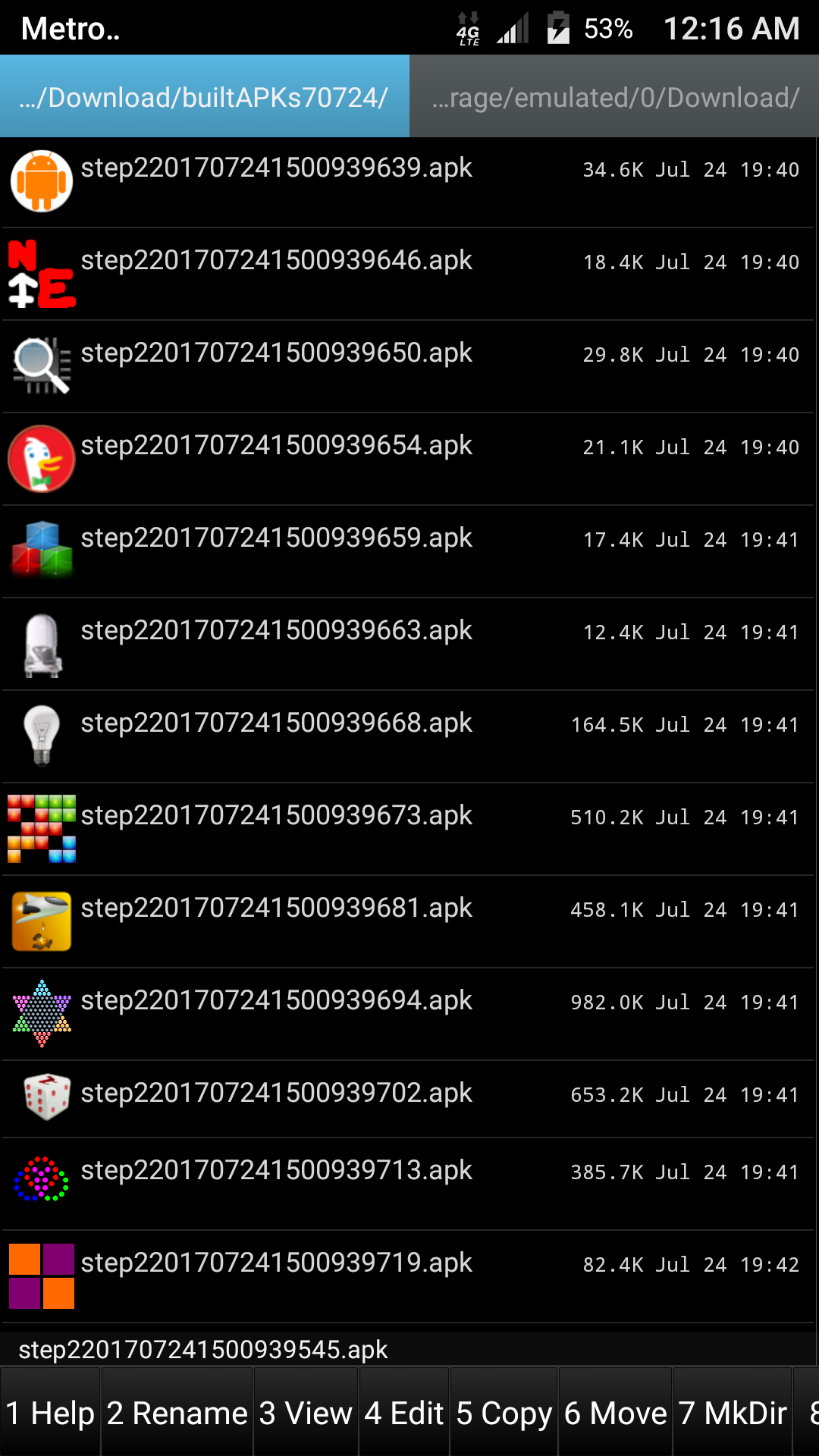
This screenshot is of ghostcommander running on Android that was built using Termux on device (a smartphone) displaying the results of a successful run of buildAll.sh and its' accompanying script buildOne.sh from 20170724, which built hundreds of beautiful APKs that day on device (a smartphone) in Termux on Android.
@fornwall @vishalbiswas An interesting goal: to build https://github.com/termux/termux-app in Termux 😀
SDRausty
on 3 Jul 2017
@sdraustry I'll try it, i have java installed on termux
TheDiamondYT1
on 3 Jul 2017
@TheDiamondYT1 How did you go about installing java on Termux?
SDRausty
on 3 Jul 2017
@sdrausty, haven't tried your scripts, was using jack so far. I will try switching to ecj soon though.
joakim-noah
on 3 Jul 2017
@sdrausty Magic.
TheDiamondYT1
on 3 Jul 2017
Hmm, when I try to use ecj to build now, the test app keeps segfaulting when run on my Android 6.0 tablet. You seeing this too, @sdrausty? I tried changing the Java version from -7 to -6 in the ecj wrapper and switching the android.jar in there to an older one, no difference.
I think this was working before, not sure what broke it though. I know the issue is ecj or dx, because if I go back to building classes.dex with my trusty jack and everything else the same about the app, it works fine.
joakim-noah
on 12 Aug 2017
"Gradle Builds Usually Fail Using buildAPKs;" However gradle builds compile more successfully on device (an aarch64 smartphone) than before; They install and run more often than before.
https://github.com/sdrausty/buildAPKs/issues/3
No jack installed here @joakim-noah just aapt, ecj, dx and apksigner.
SDRausty
on 12 Aug 2017
I don't understand what you mean: they fail when built off the device but work more on the device, @sdrausty?
The Teapot app from the NDK that I tried builds fine, but crashes when running. I wonder if it might have anything to do with this recent dx change, dab4f21.
joakim-noah
on 12 Aug 2017
@joakim-noah I cannot get any of the SDK and NDK example apps to build on device.
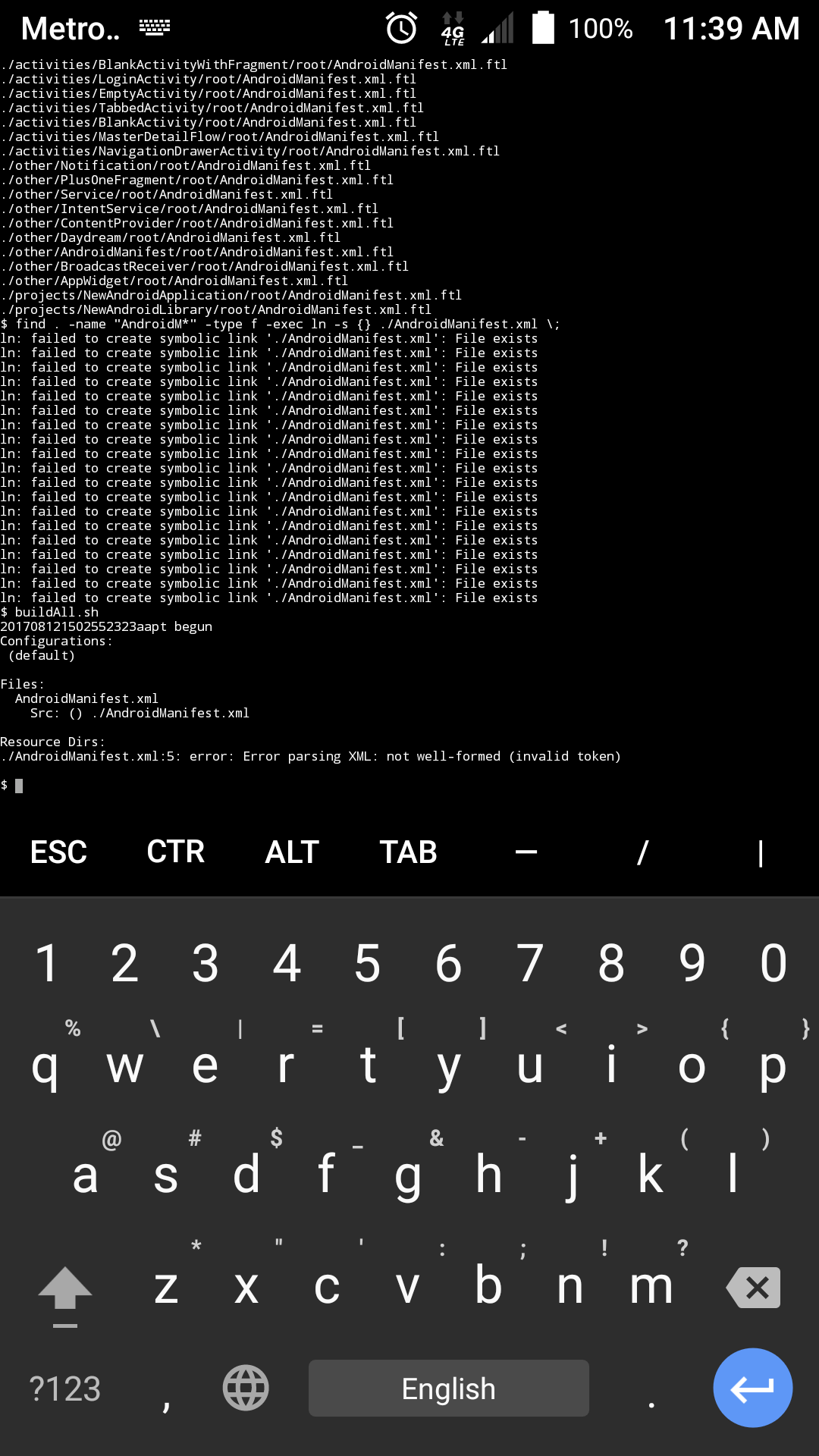
The https://github.com/termux/termux-packages/commit/dab4f215c82efd88da9a23cec859e89130e0f1eb update is OK as far as I can tell. To answer your question, I am referring to the source structure and whether or not it has build.gradle files https://github.com/sdrausty/buildAPKs/issues/3 All the selected APK sources for https://github.com/sdrausty/buildAPKs and its' submodules: (link to Git Submodules basic explanation)
https://github.com/sdrausty/buildAPKsApps
https://github.com/sdrausty/buildAPKsLiveWallpapers
https://github.com/sdrausty/buildAPKsTutorials
https://github.com/sdrausty/buildAPKsWidgets
Are not gradle builds. Sources that depend on gradle like https://github.com/termux/termux-app are more difficult to build. How can the dependencies from build.gradle be automatically downloaded without using gradle?
SDRausty
on 12 Aug 2017
@sdrausty Write a simple parser to detect the dependencies then just download from the gradle repository. I'll try and find the URL for it by intercepting the HTTP request from AIDE.
TheDiamondYT1
on 12 Aug 2017
@TheDiamondYT1 Simple parser sounds like a great idea! 😇 Any ABCs regarding automatically downloading dependencies without using gradle are welcome! 😏 When we get https://github.com/termux/termux-app to build on device (a tablet/smartphone) within itself, this will be a milestone! 🎆🎉🎻🎶🎹🎼
SDRausty
on 12 Aug 2017
The android support libraries are distributed in a ZIP file just to let you know
TheDiamondYT1
on 12 Aug 2017
I ran https://github.com/termux/termux-packages/blob/master/scripts/setup-android-sdk.sh on device (a smartphone) a while ago, and it downloaded and installed everything in ~/lib as it should @TheDiamondYT1 Thank you @fornwall and others who contribute to Termux setup-android-sdk.sh development. 😚😀
$ l ~/lib
total 16
drwx------  4 u0_a93 u0_a93 4096 May 26 20:32 .
drwx------ 63 u0_a93 u0_a93 4096 Aug 12 11:36 ..
drwxr-xr-x 11 u0_a93 u0_a93 4096 Feb 27 17:33 android-ndk
drwx------  3 u0_a93 u0_a93 4096 May 19 16:38 android-sdk
What is the link to the android support libraries distributed in a ZIP file you are referring too? @TheDiamondYT1
SDRausty
on 12 Aug 2017
http://dl-ssl.google.com/android/repository/android_m2repository_r47.zip
If it's outdated try increasing the number
TheDiamondYT1
on 12 Aug 2017
@TheDiamondYT1 Thank you for the link. :)
FYI https://services.gradle.org/distributions/ also has important resources, too.
https://github.com/BuildAPKs/buildAPKs/issues/13 Finding and installing dependencies is still a stumbling block in developing gradle builds. Where is the list of SDK & NDK files (incl. *.jar && *.arr) to build Android APKs at https://dl.google.com/android/ ? This is open source, therefore it must be there somewhere. Where is it?
SDRausty
on 12 Aug 2017
I resorted to forking the termux-app repo, removing the code coverage lines from the CI config, and adding code to upload the build artifacts from CI to my dropbox. I don't think that quite counts as building Termux from a smartphone though. Has any progress been made?
 ghost
on 7 Dec 2017
ghost
on 7 Dec 2017
I want to build android apps in termux but i can't able to make them please tell me how can i use termux for building android apps...
I have installed all pkgs ;
Aapt
Ecj
Dx
Apksigner
Make
all pkgs.........
plz help me how can i build apps in termux...
Thnkyou....
 junaidahlone
on 8 Aug 2018
junaidahlone
on 8 Aug 2018
What about ndk-build and ant
 seisdr
on 14 Dec 2018
seisdr
on 14 Dec 2018
I don't know
seisdr
on 14 Dec 2018
also apktool doesn't work
$ apktool build
I: Using Apktool 2.3.4
I: Checking whether sources has changed...
I: Checking whether resources has changed...
I: Building resources...
W: aapt: brut.common.BrutException: 32 bit OS detected. No 32 bit binaries available. (defaulting to $PATH binary)
W: ERROR: Unknown option '--forced-package-id'
W: Android Asset Packaging Tool
W:
W: Usage:
W: aapt l[ist] [-v] [-a] file.{zip,jar,apk}
W: List contents of Zip-compatible archive.
W:
W: aapt d[ump] [--values] [--include-meta-data] WHAT file.{apk} [asset [asset ...]]
W: strings Print the contents of the resource table string pool in the APK.
W: badging Print the label and icon for the app declared in APK.
W: permissions Print the permissions from the APK.
W: resources Print the resource table from the APK.
W: configurations Print the configurations in the APK.
W: xmltree Print the compiled xmls in the given assets.
W: xmlstrings Print the strings of the given compiled xml assets.
W:
W: aapt p[ackage] [-d][-f][-m][-u][-v][-x][-z][-M AndroidManifest.xml] \
W: [-0 extension [-0 extension ...]] [-g tolerance] [-j jarfile] \
W: [--debug-mode] [--min-sdk-version VAL] [--target-sdk-version VAL] \
W: [--app-version VAL] [--app-version-name TEXT] [--custom-package VAL] \
W: [--rename-manifest-package PACKAGE] \
brut.androlib.AndrolibException: brut.common.BrutException: could not exec (exit code = 2): [aapt, p, --forced-package-id, 127, --min-sdk-version, 3, --target-sdk-version, 19, --version-code, 731, --version-name, 0.19, --no-version-vectors, -F, /data/data/com.termux/files/home/apktool/APKTOOL7930631272557971114.tmp, -0, arsc, -0, arsc, -I, /data/data/com.termux/files/home/apktool/1.apk, -S, /data/data/com.termux/files/home/apktool/in.celest.xash3d.hl/./res, -M, /data/data/com.termux/files/home/apktool/in.celest.xash3d.hl/./AndroidManifest.xml]
W: [--rename-instrumentation-target-package PACKAGE] \
W: [--utf16] [--auto-add-overlay] \
W: [--max-res-version VAL] \
W: [-I base-package [-I base-package ...]] \
W: [-A asset-source-dir] [-G class-list-file] [-P public-definitions-file] \
W: [-D main-dex-class-list-file] \
W: [-S resource-sources [-S resource-sources ...]] \
W: [-F apk-file] [-J R-file-dir] \
W: [--product product1,product2,...] \
W: [-c CONFIGS] [--preferred-density DENSITY] \
W: [--split CONFIGS [--split CONFIGS]] \
W: [--feature-of package [--feature-after package]] \
W: [raw-files-dir [raw-files-dir] ...] \
W: [--output-text-symbols DIR]
W:
W: Package the android resources. It will read assets and resources that are
W: supplied with the -M -A -S or raw-files-dir arguments. The -J -P -F and -R
W: options control which files are output.
W:
W: aapt r[emove] [-v] file.{zip,jar,apk} file1 [file2 ...]
W: Delete specified files from Zip-compatible archive.
W:
W: aapt a[dd] [-v] file.{zip,jar,apk} file1 [file2 ...]
W: Add specified files to Zip-compatible archive.
W:
W: aapt c[runch] [-v] -S resource-sources ... -C output-folder ...
W: Do PNG preprocessing on one or several resource folders
W: and store the results in the output folder.
W:
W: aapt s[ingleCrunch] [-v] -i input-file -o outputfile
W: Do PNG preprocessing on a single file.
W:
W: aapt v[ersion]
W: Print program version.
W:
W: Modifiers:
W: -a print Android-specific data (resources, manifest) when listing
W: -c specify which configurations to include. The default is all
There's no option called --forced-package-id'
Wtf
seisdr
on 14 Dec 2018
aapt version old?
seisdr
on 14 Dec 2018
joakim-noah
on 14 Dec 2018
sorry guys, I'm a newbie
What're the commands to install Android sdk from terminal?
Thanks in advance!
 jdnichollsc
on 2 Feb 2019
jdnichollsc
on 2 Feb 2019
I have the following issue downloading termux-packages via git and executing the command ./scripts/setup-android-sdk.sh:
Downloading android sdk...
  % Total    % Received % Xferd  Average Speed   Time    Time     Time  Current
                                 Dload  Upload   Total   Spent    Left  Speed
100  147M  100  147M    0     0  4537k      0  0:00:33  0:00:33 --:--:-- 4908k
tools.zip: OK
unzip: can't change directory to 'android-sdk': No such file or directory
Any help is really apreciated!
jdnichollsc
on 2 Feb 2019
@jdnichollsc On which OS you are trying to install SDK ? In Termux it is not possible to use SDK/NDK.
For me it just worked fine:

 xeffyr
on 2 Feb 2019
xeffyr
on 2 Feb 2019
Hi @xeffyr, thanks for your quickly response
I'm using Termux from Samsung Note 9, also testing with TermuxArch
jdnichollsc
on 2 Feb 2019
@xeffyr what's the path of your termux-packages directory?
jdnichollsc
on 2 Feb 2019
As I wrote above, it is not possible to use Android SDK and NDK in Termux. Unless your device is x86_64 and you running a Linux chroot.
Also, see https://github.com/termux/termux-packages/blob/master/build-package.sh#L12-L14.
xeffyr
on 2 Feb 2019
@xeffyr thanks mate for your help, one last question, what's the value of your ANDROID_HOME variable?
jdnichollsc
on 2 Feb 2019
It is unset. I don't need it as it is determined by script automatically.
xeffyr
on 2 Feb 2019
@xeffyr I'm having this issue
Error: java.util.concurrent.ExecutionException: java.lang.RuntimeException: No server to serve request. Check logs for details. :app:mergeDebugResources FAILED FAILURE: Build failed with an exception. * What went wrong: Execution failed for task ':app:mergeDebugResources'. > Error: java.util.concurrent.ExecutionException: java.lang.RuntimeException: No server to serve request. Check logs for details.
jdnichollsc
on 2 Feb 2019
gradlew works without problems!

jdnichollsc
on 2 Feb 2019
I only have issues with ADB, Is it possible to fix that?

jdnichollsc
on 2 Feb 2019
@xeffyr sorry, my architecture is aarch64, so I can't use Android SDK :(
jdnichollsc
on 4 Feb 2019
Hi guys,
This is the list with the instructions to run react native apps from x86_64 and running in a Linux chroot as Leonid says above https://gist.github.com/jdnichollsc/08a0d6a1b27962c4c4dd78ffbbfe768c
@xeffyr can you confirm please? Thanks for your help, I want to share that solution! 👍
jdnichollsc
on 4 Feb 2019
You can use the Android SDK and Android NDK on other architectures other than x86_64. Make two rootfs' of ubuntu, one of your architecture, the other x86_64.
Proot into ubuntu of your arch, install openjdk-8-jdk. Create a script $PREFIX/java, bind required diretories for java in the ubuntu rootfs to run. I forgot which exactly, IIRC you need /bin, /etc, /lib, /run, /var. Don't bind with -r <root>, things will break when you try using java. Once java works, download the SDK, unzip to $PREFIX/opt/android-sdk. Download the NDK, unzip to $PREFIX/opt/android-sdk/ndk-bundle. In .bashrc or .zshrc, export ANDROID_HOME=$PREFIX/opt/android-sdk, and export NDK_HOME=$ANDROID_HOME/ndk-bundle. Add the SDK tools to your path for convinience, export PATH=$PATH:$ANDROID_HOMR/tools/bin. Now you can use things like sdkmanager, etc.
Now x86_64 time! Install unstable-repo in termux. Then install qemu-user-x86_64. For every x86_64 program in the SDK/NDK, you have to place proot with -q qemu-x86_64 infront of them. You can make a bash script that uses symlinks or something, for simplicity. Otherwise you'll be creating a hella lot of bash scripts.
I might make some sort of repo to simplify this process. It's a lot of trial and error, an absolute mess.
I built https://github.com/googlesamples/android-ndk/tree/master/native-activity on my phone:
unzip_me.zip
ghost
on 18 Feb 2019
@Bakaika can you please create a guide or help me set this up?
I really need it.
Thank you very much.
 zihadmahiuddin
on 10 May 2019
zihadmahiuddin
on 10 May 2019
@ashish0304
See https://github.com/HemanthJabalpuri/AndroidExplorer for fixing your makefile.
or
https://github.com/amirzaidi/Launcher3/blob/o-mr1/Android.mk
or
https://github.com/BrahmaOS/brahmaos-packages-apps-GoodWeather/blob/master/Android.mk
 HemanthJabalpuri
on 25 Oct 2019
HemanthJabalpuri
on 25 Oct 2019
Related issues
 roalyr
·
3Comments
roalyr
·
3Comments
 bbtdev
·
3Comments
bbtdev
·
3Comments
 StephanBeer
·
3Comments
StephanBeer
·
3Comments
 divyakutty
·
3Comments
divyakutty
·
3Comments
 loveablefellow007
·
3Comments
loveablefellow007
·
3Comments
Most helpful comment
I just experimented with building a simple sample app from the Android NDK,
hello-jni, and it worked! You can now build an Android app, ie an apk, completely from the Termux command-line, at least a really simple one.Here's what I did. First, I got the source for the NDK's sample apps:
Then, I compiled the C and java source files for the
hello-jnisample app, using theclangandjackpackages in Termux:The
clangcommands above were taken from running thendk-buildscript from the NDK on linux in verbose mode (V=1) and then modifying them to remove references to the gcc toolchain, which must be hard-coded into yourclangexecutables, and changing the include directory. I also had to remove the-no-canonical-prefixesflag, as it wouldn't follow the symbolic link toclang-3.7if that was included.I packaged up the apk using
aaptand theandroid.jarfrom the SDK that you provided, from which onlyAndroidManifest.xmlandresources.arscwere necessary:This unsigned apk could be used in an emulator, but I wanted to run the app on the same tablet on which I built it, so I signed it using the
opensslpackage from Termux. I won't get into the full signing procedure, as other aspects are covered well elsewhere, but show that all necessary commands to sign an apk from scratch can be done from the Termux command-line.I copied over a
META-INF/directory (where signing information for jar and apk files is stored) that I had lying around from another apk and modified itsMANIFEST.MFandCERT.SFto listAndroidManifest.xml,classes.dex,lib/armeabi/libhello-jni.so, andresources.arsc. I then usedopensslto get the sha1 digest for each of those files and the manifest, as shown here:The first
opensslcommand has to be done for every file listed inMANIFEST.MFand the resulting hash inserted, while the latter two produce hashes that are placed inCERT.SF. Finally, you sign the apk with your certificate and private key:Some info on generating a private key and certificate is here; I used the standard "Android Debug" owner/issuer info to create a debug certificate, as displayed in the second link above.
After allowing installation of apps from unknown sources in the security section of my tablet's Settings, I'm able to run the resulting apk, that contains both native and Java code and built completely from scratch on the Termux command-line.
Feel free to use the above info to put up a post or tutorial somewhere about what is possible with Termux, perhaps preceded with the full list of necessary Termux packages, as it might do well on reddit and other news sites and get you some publicity. No other mobile OS allows building apps directly on the mobile device itself, only Android with your Termux tools. It's a testament to the completely open-source toolchain google provides, the extreme openness and extensibility of Android, and your work repackaging all those tools to run on Android itself.
All that remains for this issue is to provide the two files mentioned above that
aaptneeds to parse an app'sAndroidManifest.xml: you can close it once those are made available in some package.