Termux-app: Can't access files on sdcard / termux-setup-storage doesn't do anything
Hello,
problem is, that I can't access "/sdcard" and also termux-setup-storage doesn't help and doesn't create the symlinks as described.
My android is 6.0.1 (cyanogen). Maybe there was another change, that broke it?
Or anything else I can do?
 ChristianS99
All 60 comments
- Can you check the permissions of the termux app in the app settings (Android Settings -> Apps -> Termux -> Permissions) and see if storage permission is granted or not. If not already granted, flick the switch.
- While in the App Settings, press Force Stop, to completely kill Termux. Then restart it and try again.
- If it still doesn't work, can you check if you can access
/storage/emulated/0(cd /storage/emulated/0directly, as you normally can't access /storage/emulated)./sdcardis usually just a symlink to/storage/emulated/0, where the drive is mounted./sdcardmay not exist on some devices.
 Neo-Oli
on 13 Sep 2016
Neo-Oli
on 13 Sep 2016
Thx, I had to change the storage permission, but I was looking at the wrong place for it and couldn't find it. You Pointed me to the right place and now it works.
ChristianS99
on 13 Sep 2016
Normally termux-setup-storage should open a popup permission granting window. That didn't appear to you? Were you using ssh or telnet to issue the commands?
Neo-Oli
on 13 Sep 2016
yeah, I was using ssh. When I tried locally there was no popup (propably because I had granted permission manually), but the symlinks are created now.
ChristianS99
on 13 Sep 2016
I have the same problem on a Galaxy S7 running SuperMan-ROM.
I had granted termux storage permission manually, then ran termux-setup-storage per the instructions just in case. The symlinks on ~/storage exist, but the external folder is called external-1.
 dandv
on 16 Oct 2017
dandv
on 16 Oct 2017
@dandv, where does external-1 point? It should be empty when first created. ls -l ~/storage
Nvm, missed your edit. You can rename the symlinks.
 Quasic
on 16 Oct 2017
Quasic
on 16 Oct 2017
I was e-mailed another reply, but don't see it. To support multiple SD cards, external now has a number attached. It points to an empty directory created for Termux on the SDcard. Termux can't always access the whole SDcard. My phone lets it read the whole card, basically, via /storage/external_SD but not make any changes, except in its special folder: /storage/external_SD/Android/data/com.termux/files which is why ~/storage/external* points there instead of to the SDcard root directory.
Quasic
on 18 Oct 2017
I'm presently in home directory i.e. $HOME.
by executing cd .. /.. /.. /.. we can directories /, /data, /data/data
But I'm unable to open these directories.. Plz help
 Subhash3
on 22 Oct 2017
Subhash3
on 22 Oct 2017
@Subhash3, if I understand correctly, you are trying to find the path to your SD card. My path is under /storage/, which I can open. There is also a /sdcard/, but it is linked to /storage/emulated/legacy/
Quasic
on 8 Nov 2017
@Subhash3 you are not meant to have access to those directories as a Termux user. See https://wiki.termux.com/wiki/Internal_and_external_storage for more information. Even more information about storage at https://wiki.termux.com/index.php?search=Storage
 SDRausty
on 8 Nov 2017
SDRausty
on 8 Nov 2017
mv: cannot move '/data/data/com.termux/files/home/Tmux-Bunch/binder/is.apk' to '/data/data/com.termux/files/home/metasploit-framework/is.apk': Permission denied
even I can't move copy any files..how can I fix this?
 Sk8793
on 22 Nov 2017
Sk8793
on 22 Nov 2017
@sk8793, this isn't SDcard related, is your phone rooted? Try ls -l to find the permissions of each folder.
Quasic
on 23 Nov 2017
@Sk8793 http://tldp.org/LDP/intro-linux/html/sect_02_02.html it is a short read. Hopefully this will help us out.
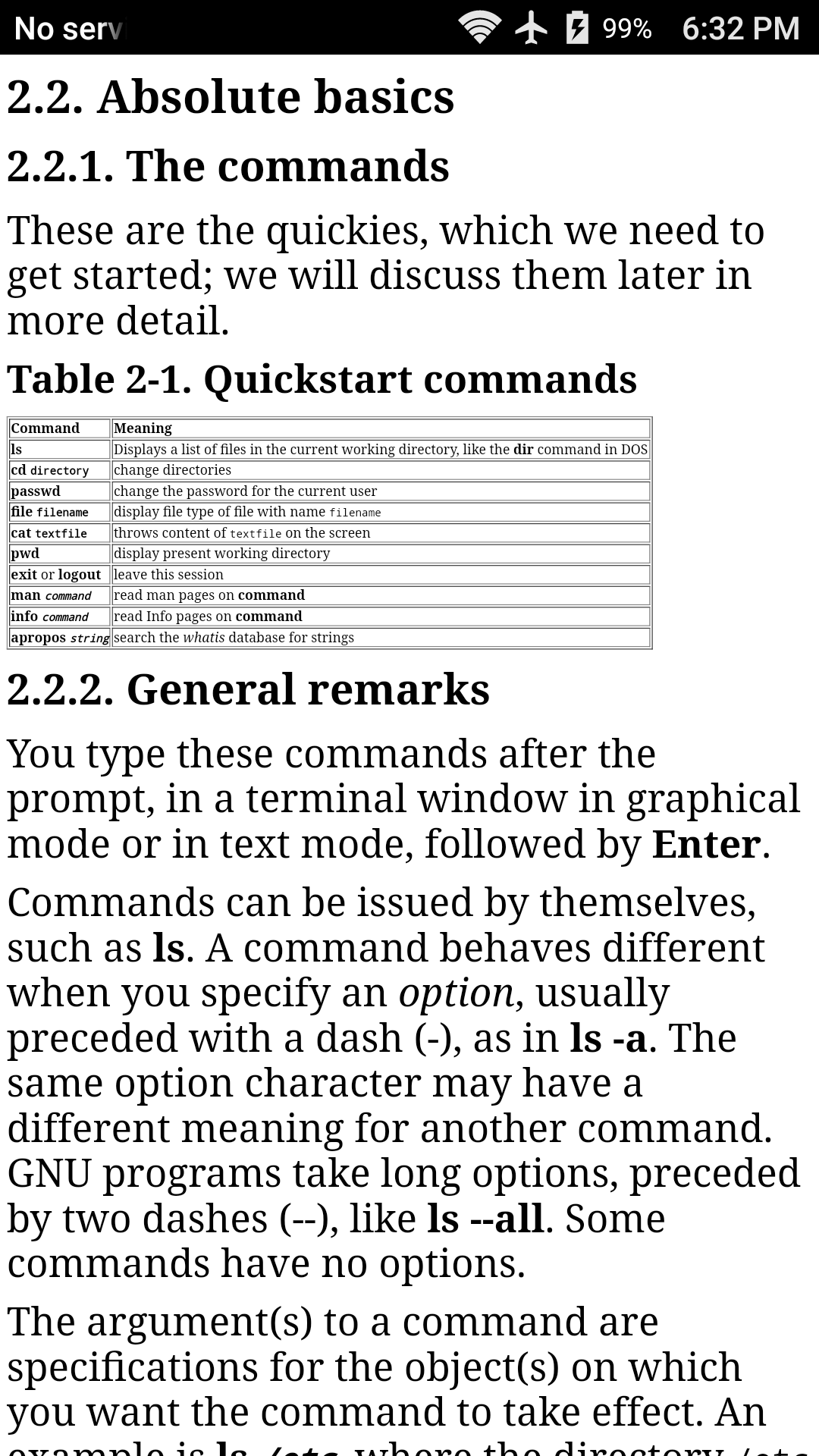
SDRausty
on 24 Nov 2017
cd /storage/
cd emulated
Now ls
It is giving permission denied...
But emulated directory... If we do cd 0 it will open......
What to do to open emulated dir....
On 24 Nov 2017 5:01 am, "S D Rausty" notifications@github.com wrote:
@Sk8793 https://github.com/sk8793 http://tldp.org/LDP/intro-
linux/html/sect_02_02.html it a short read. Hopefully this will help us
out.—
You are receiving this because you were mentioned.
Reply to this email directly, view it on GitHub
https://github.com/termux/termux-app/issues/157#issuecomment-346709168,
or mute the thread
https://github.com/notifications/unsubscribe-auth/Ae4j0cOu_3a-xUwyfUlPK02Q4i-XYQpxks5s5gBSgaJpZM4J7g02
.
Subhash3
on 24 Nov 2017
I want to read /storage/emulated directory.....
On 24 Nov 2017 9:41 pm, "S D Rausty" notifications@github.com wrote:
Some system directories are not readable by Termux. This is how Android is
designed. Is there a particular reason why you want to read
/storage/emulated/?—
You are receiving this because you were mentioned.
Reply to this email directly, view it on GitHub
https://github.com/termux/termux-app/issues/157#issuecomment-346860593,
or mute the thread
https://github.com/notifications/unsubscribe-auth/Ae4j0U5_hPUZXr1Nk09_7b4ZKhsYmh6uks5s5uo2gaJpZM4J7g02
.
Subhash3
on 25 Nov 2017
@Subhash3 And the reason behind your want?
SDRausty
on 25 Nov 2017
I'm a computer science student... I'm willing to know the directories and
file under /storage/emulated/ directory...... Plz help me..
On 25 Nov 2017 11:59 pm, "S D Rausty" notifications@github.com wrote:
@Subhash3 https://github.com/subhash3 And the reason behind your want?
—
You are receiving this because you were mentioned.
Reply to this email directly, view it on GitHub
https://github.com/termux/termux-app/issues/157#issuecomment-346957773,
or mute the thread
https://github.com/notifications/unsubscribe-auth/Ae4j0dy6fr3WafMutnZffsB21tqiEwGnks5s6FyUgaJpZM4J7g02
.
Subhash3
on 26 Nov 2017
Plz help me.... I want to access all the directories in termux....
Including root directory... Plz help me..
On 26 Nov 2017 11:31 am, [email protected] wrote:
I'm a computer science student... I'm willing to know the directories and
file under /storage/emulated/ directory...... Plz help me..
On 25 Nov 2017 11:59 pm, "S D Rausty" notifications@github.com wrote:
@Subhash3 https://github.com/subhash3 And the reason behind your want?
—
You are receiving this because you were mentioned.
Reply to this email directly, view it on GitHub
https://github.com/termux/termux-app/issues/157#issuecomment-346957773,
or mute the thread
https://github.com/notifications/unsubscribe-auth/Ae4j0dy6fr3WafMutnZffsB21tqiEwGnks5s6FyUgaJpZM4J7g02
.
Subhash3
on 26 Nov 2017
@Subhash3 follow the instructions at https://wiki.termux.com/wiki/Termux-setup-storage to setup your storage.
SDRausty
on 26 Nov 2017
It sounds like you want to use adb or root...
Quasic
on 26 Nov 2017
Hi, a have problem with opening file. I have permision to storage, but if I want to open file or anythink, he write " bash: ./download/od.pdf: Permission denied".
 sagittariusjr
on 8 Oct 2018
sagittariusjr
on 8 Oct 2018
Hi, a have problem with opening file. I have permision to storage, but if I want to open file or anythink, he write " bash: ./download/od.pdf: Permission denied".
- You are trying to execute a file, try opening instead!!
for example: pdftotext /download/od.pdf- i think you are not in the correct path, try /sdcard/Download/od.pdf
for example: pdftotext /sdcard/Download/od.pdf
 pulketo
on 9 Oct 2018
pulketo
on 9 Oct 2018
Hi, a have problem with opening file. I have permision to storage, but if I want to open file or anythink, he write " bash: ./download/od.pdf: Permission denied".
- You are trying to execute a file, try opening instead!!
for example: pdftotext /download/od.pdf- i think you are not in the correct path, try /sdcard/Download/od.pdf
for example: pdftotext /sdcard/Download/od.pdf
It's ONLY example, I can't open anythink, like foto or file after compilation in C
sagittariusjr
on 10 Oct 2018
You can't run a pdf as if it was a bash script. bash /sdcard/Download/od.pdf expects od.pdf to contain bash commands.
To open it in another application, do xdg-open /sdcard/Download/od.pdf.
 Grimler91
on 10 Oct 2018
Grimler91
on 10 Oct 2018
You can't run a pdf as if it was a bash script.
bash /sdcard/Download/od.pdfexpects od.pdf to contain bash commands.To open it in another application, do
xdg-open /sdcard/Download/od.pdf.
$ gcc test.c -o test
$ ./test
bash: ./test: Permission denied
sagittariusjr
on 10 Oct 2018
You can't execute binaries on /sdcard. Do this in $HOME instead. Just a file system limitation and we can't do anything with that.
To open file you need to use command 'cat'.
 xeffyr
on 10 Oct 2018
xeffyr
on 10 Oct 2018
Where Is directory $HOME? Can i find her in file Explorer?
sagittariusjr
on 10 Oct 2018
If you don't know what $HOME is then I strongly suggest that you look for a linux guide for beginners on some search engine and learn the basic stuff
Grimler91
on 10 Oct 2018
I know what is $HOME, but i dont know where Is that directory on Android
sagittariusjr
on 10 Oct 2018
but i dont know where Is that directory on Android
echo $HOME or ls -ld $HOME, no ?
xeffyr
on 10 Oct 2018
but i dont know where Is that directory on Android
echo $HOMEorls -ld $HOME, no ?
Thanks
sagittariusjr
on 10 Oct 2018
when i gave directory to sdcard and use 'ls' it told me ' . ' : permission denied... how can i set that permission, i made sure that i gave turmex to access storage. i am using huawei Y6II.
i am stuck in the current stage. please help me.
 lynnthant
on 1 Nov 2018
lynnthant
on 1 Nov 2018
Solutuon for me: You need to select sdcard as the default storage device and not internal storage.
 TediCreations
on 18 Nov 2018
TediCreations
on 18 Nov 2018
see more practical ways here https://www.fhxploit.com/2018/11/Fix-Permission-Denied-Termux.html
 FajriHidayat088
on 27 Nov 2018
FajriHidayat088
on 27 Nov 2018
Hi.. I was a problem
I can not add password list on termux
I use this code
cp -f pass.txt $HOME/inshc
cp: can't stat 'pass.txt': No such file or directory
the my password list is name pass. txt in $HOME
BUT error
 wolfwar22
on 12 Dec 2018
wolfwar22
on 12 Dec 2018
I waiting for answer
[email protected]
wolfwar22
on 12 Dec 2018
@wolfwar22
Just type the absolute path of the pass.txt file.
OR
Navigate to the directory where pass.txt is located in and try the same command you tried.
Copy Command:
_cp source destination_
Here source can be the absolute path of the source file or relative path of the source file.
Absolute path works always. But if you just want to type the name of the file (Don't want to type the entire absolute path), then just navigate to the directory where the source is located in.
Same in case of destination also.
Subhash3
on 12 Dec 2018
I know what is $HOME, but I don't know where Is that directory on Android
$HOME is a directory in all the Linux platforms. It is also denoted by ~.
To navigate to that directory
--> cd
--> cd $HOME
--> cd ~
All the three above should work.
Coming to the point, even I can't see the home directory in GUI file explorers. But it is there in all the file systems. It is possible to make some other directory as your home directory so executing any of the three commands above navigate you to that directory.
Subhash3
on 12 Dec 2018
I know what is $HOME, but I don't know where Is that directory on Android
$HOME is a directory in all the Linux platforms. It is also denoted by ~.
To navigate to that directory
--> cd
--> cd $HOME
--> cd ~
All the three above should work.Coming to the point, even I can't see the home directory in GUI file explorers. But it is there in all the file systems. It is possible to make some other directory as your home directory so executing any of the three commands above navigate you to that directory.
could you explain with a short video what are you trying to do? if you can't "see" $HOME then you should reinstall termux
pulketo
on 12 Dec 2018
Coming to the point, even I can't see the home directory in GUI file explorers.
could you explain with a short video what are you trying to do?
Applications like https://play.google.com/store/apps/details?id=com.estrongs.android.pop can't see /data/data directories without root.
xeffyr
on 12 Dec 2018
same issue here on different devices (mainly samsung)
I can create that folder
/data/data/com.termux/files/home/storage/external-1/sicher/programing/python/test
but when I do
python -m venv ./venv
in test I get this
Error: [Errno 1] Operation not permitted: 'lib' -> '/storage/0B4B-84D9/Android/data/com.termux/files/sicher/programing/python/test/venv/lib64'
STorage permissions to Termux a granted and termux has been restarted a couple of times
any hint why I can create folders but fail with python ?
 vkuehn
on 14 Dec 2018
vkuehn
on 14 Dec 2018
@vkuehn It is not possible to have symlinks and executables on sdcard, regardless if it is internal or external. Just remember this!
There many times was asked such questions related to permissions on sdcard. Also, check the FAQ on Termux Wiki.
xeffyr
on 14 Dec 2018
In termux:
pkg install python
cd file/dir/
python - m http.server
In browser:
localhost:8000/
open file and download one.
 Dimzzz
on 21 Jul 2019
Dimzzz
on 21 Jul 2019
What the code registration ext. Sdcard? How I can do for opened this external storage?
 Dicer-TDP
on 30 Aug 2019
Dicer-TDP
on 30 Aug 2019
I created apyaload but when I try to copy it to discard I cannot find that payload .I used cp
 Likhith46
on 12 Sep 2019
Likhith46
on 12 Sep 2019
Hello,
problem is, that I can't access "/sdcard" and also termux-setup-storage doesn't help and doesn't create the symlinks as described.
My android is 6.0.1 (cyanogen). Maybe there was another change, that broke it?
Or anything else I can do?
I found the following: I opened the file manger and searched for the 'Camera' path with my images, than I saw, where they are located on my sd card: The path was /storage/52A9-7AFA/
probably individually for me. But I can access this path via termux. (It is not linked at $HOME/storage/external-1). Hope this helps someone else.
 EmTee70
on 14 Oct 2019
EmTee70
on 14 Oct 2019
termux-setup-storage only puts folders with read access for termux in ~/storage. Termux probably doesn't have read access to root folders of the sdcard, so I added a symlink ln -s /storage/$sdcardid sdroot where sdcardid= something like {4 hex digits}-{4 hex digits} in my home directory for accessing read-only sdcard files.
Quasic
on 14 Oct 2019
If you want find sdcard just input " cd storage/shared" this a sdcard directory. I hope can help you
 reedniv
on 29 Oct 2019
reedniv
on 29 Oct 2019
- Make sure Storage permission is given to Termux in Settings
- You internal Storage is located under "/storage/emulated/0"
- Out of those 3, only directory "0" is accessible, for "storage" and "emulated", you need to root your device.
- Directory "0" can also be accessed by "/sdcard/", "/sdcard/" refers to "/storage/emulated/0"
- Type termux-setup-storage to create symlinks to /sdcard/ or /storage/emulated/0
- Only if you do that you will be able to access "0", as for directories like "storage" and "emulated", you need to root your device.
-END-
 Lemon-Hacking
on 26 Jan 2020
Lemon-Hacking
on 26 Jan 2020
How I fix that ?
What to fix ? I don't see any error on your screenshot.
termux-setup-storage creates stuff under ~/storage directory (which is seen on your screenshot), not in $HOME.
xeffyr
on 1 May 2020
Run the following as the default termux user:
cd ~
tsu
rm storage
exit
termux-setup-storage
 x011
on 20 Jun 2020
x011
on 20 Jun 2020
Please someone help me I am having problems with my storage anytime I I input command and is it shows no such commands can anyone help
 Vreat
on 11 Aug 2020
Vreat
on 11 Aug 2020
Heloo guys please I need your help. My android version is 10. Ever since last week that I've been trying to access my internal storage from termux it's denying. I don't have an sd card. I had granted permission to the app in my settings. But still it keeps showing "no such file in directory" in my internal storage!!! Pls I need your helpy guys.???????
 hussienfleece
on 7 Nov 2020
hussienfleece
on 7 Nov 2020
Have you tried termux-setup-storage?
 WMCB-Tech
on 7 Nov 2020
WMCB-Tech
on 7 Nov 2020
Yes I tried but still no solution
hussienfleece
on 7 Nov 2020
I think your device hits the scoped storage restriction. on my Android 10 Device. Termux still has Access to /sdcard.
WMCB-Tech
on 8 Nov 2020
The thing is that I don't have an SD card
hussienfleece
on 8 Nov 2020
So what do you guys suggest I should do ?
hussienfleece
on 8 Nov 2020
I think your device hits the scoped storage restriction. on my Android 10 Device. Termux still has Access to
/sdcard.
@WMCB-Tech Where you got info that this is case of @hussienfleece ?
But still it keeps showing "no such file in directory" in my internal storage!!!
@hussienfleece The reason why it tells "no such file..." is because you are using the wrong path. File just not exists in current directory or in directory you are typing.
My advice is to follow https://wiki.termux.com/wiki/Internal_and_external_storage#Access_Termux_from_file_manager and put your file directly in Termux home directory.
xeffyr
on 8 Nov 2020
I was confused at first. but thanks for the information. 😅. i thought the internal sd card or the external sd card
WMCB-Tech
on 8 Nov 2020
Related issues
 AlainKnaff
·
4Comments
AlainKnaff
·
4Comments
 msh2050
·
4Comments
msh2050
·
4Comments
 ngroup
·
5Comments
ngroup
·
5Comments
 nedz14
·
4Comments
nedz14
·
4Comments
 joakim-noah
·
5Comments
joakim-noah
·
5Comments
Most helpful comment
/storage/emulated/0(cd /storage/emulated/0directly, as you normally can't access /storage/emulated)./sdcardis usually just a symlink to/storage/emulated/0, where the drive is mounted./sdcardmay not exist on some devices.