Tensorrt: bilinear IResizeLayer setting align_corners=False makes different result to torch interpolate
Description
the result from IResizeLayer(scale_factor=scale_factor, align_corners=False) is different from the torch.nn.functional.interpolate(input_tensor, scale_factor=scale_factor, mode="bilinear", align_corners=False)
but setting align_corners=True, we got the same result...
Environment
TensorRT Version: 6.0.1.5
GPU Type: RTX2080
Nvidia Driver Version: 440.33.01
CUDA Version: 10.1
CUDNN Version: 7.6
Operating System + Version: Ubuntu16.04
Python Version (if applicable): 3.5.2
TensorFlow Version (if applicable):
PyTorch Version (if applicable): 1.3
Baremetal or Container (if container which image + tag):
Relevant Files
import tensorrt as trt
import torch


input_name = "data"

output_name = "resize_output"


def build_engine(input_tensor, scale_factor, align_corners):
    print("build_engine, scale_factor %s align_corners %s" % (scale_factor, align_corners))
#     net = TestNet(2, True)
#     it = torch.randn(1, 2, 2).to("cuda:0")
    logger = trt.Logger(trt.Logger.INFO)
    builder = trt.Builder(logger)
    network = builder.create_network()

    trt_tensor = network.add_input(name=input_name, shape=tuple(input_tensor.shape),
                                   dtype=trt.float32,
                                   )
    trt_tensor.location = trt.TensorLocation.DEVICE

    layer = network.add_resize(trt_tensor)
    layer.resize_mode = trt.ResizeMode.LINEAR
    layer.align_corners = align_corners
#     layer.scales = [1, scale_factor, scale_factor]
    layer.shape = (int(trt_tensor.shape[0]), int(trt_tensor.shape[1] * scale_factor), int(trt_tensor.shape[2] * scale_factor))

    output_tensor = layer.get_output(0)

    output_tensor.name = output_name
    output_tensor.location = trt.TensorLocation.DEVICE
    output_tensor.dtype = trt.float32

    network.mark_output(output_tensor)


    print(network.num_layers)
    tmp = network.get_layer(0)
    print(tmp, tmp.type)

    builder.max_workspace_size = 1<<30
    builder.fp16_mode = False
    builder.max_batch_size = 1
    builder.strict_type_constraints = False

    engine = builder.build_cuda_engine(network)


    trt_file = "test_bilinear2d.trt"

    with open(trt_file, "wb") as f:
        f.write(engine.serialize())

    return trt_file, output_tensor.shape


def compare(input_tensor, trt_file, output_shape, scale_factor, align_corners):

    print("compare, scale_factor %s align_corners %s" % (scale_factor, align_corners))

    logger = trt.Logger(trt.Logger.INFO)
    runtime = trt.Runtime(logger)
    with open(trt_file,  "rb") as f:
        engine = runtime.deserialize_cuda_engine(f.read())
        context = engine.create_execution_context()

    output_tensor = torch.zeros(size=tuple(output_shape), dtype=torch.float32).to("cuda:0")

    bindings = [input_tensor.data_ptr(), output_tensor.data_ptr()]

    context.execute_async(1, bindings, torch.cuda.current_stream().cuda_stream)
    torch.cuda.current_stream().synchronize()


    torch_res = torch.nn.functional.interpolate(input_tensor.unsqueeze(0), scale_factor=scale_factor, mode="bilinear", align_corners=align_corners)

    print("----------torch output")
    print(torch_res)
    print("==========trt output")
    print(output_tensor)
    return


def main():

    scale_factor =  2
    align_corners = False

    print("scale_factor:", scale_factor)
    print("align_corners:", align_corners)

    input_tensor = torch.tensor([[[-0.2651,  0.2095],
                                  [ 0.7789, -1.2223]]], device='cuda:0')

    print(input_tensor.shape)

    trt_file, output_shape = build_engine(input_tensor, scale_factor, align_corners)

    print(">>>>>", trt_file)

    compare(input_tensor, trt_file, output_shape, scale_factor, align_corners)

    return

if __name__ == "__main__":
    main()
Steps To Reproduce
build_engine build a network with only one layer, IReizeLayer
compare would print the trt result and torch result
got different result with align_corner=False
scale_factor: 2
align_corners: False
torch.Size([1, 2, 2])
build_engine, scale_factor 2 align_corners False
1
<tensorrt.tensorrt.ILayer object at 0x7fb423d4c848> LayerType.RESIZE
[TensorRT] WARNING: Tensor DataType is determined at build time for tensors not marked as input or output.
[TensorRT] INFO: Detected 1 inputs and 1 output network tensors.
>>>>> test_bilinear2d.trt
compare, scale_factor 2 align_corners False
----------torch output
tensor([[[[-0.2651, -0.1464,  0.0908,  0.2095],
          [-0.0041, -0.0402, -0.1124, -0.1485],
          [ 0.5179,  0.1723, -0.5188, -0.8644],
          [ 0.7789,  0.2786, -0.7220, -1.2223]]]], device='cuda:0')
==========trt output
tensor([[[-0.2651, -0.0278,  0.2095,  0.2095],
         [ 0.2569, -0.1248, -0.5064, -0.5064],
         [ 0.7789, -0.2217, -1.2223, -1.2223],
         [ 0.7789, -0.2217, -1.2223, -1.2223]]], device='cuda:0')
but setting align_corners=True, we got same result
scale_factor: 2
align_corners: True
torch.Size([1, 2, 2])
build_engine, scale_factor 2 align_corners True
1
[TensorRT] WARNING: Tensor DataType is determined at build time for tensors not marked as input or output.
<tensorrt.tensorrt.ILayer object at 0x7fc911ed2848> LayerType.RESIZE
[TensorRT] INFO: Detected 1 inputs and 1 output network tensors.
>>>>> test_bilinear2d.trt
compare, scale_factor 2 align_corners True
----------torch output
tensor([[[[-0.2651, -0.1069,  0.0513,  0.2095],
          [ 0.0829, -0.0340, -0.1509, -0.2678],
          [ 0.4309,  0.0389, -0.3531, -0.7450],
          [ 0.7789,  0.1118, -0.5552, -1.2223]]]], device='cuda:0')
==========trt output
tensor([[[-0.2651, -0.1069,  0.0513,  0.2095],
         [ 0.0829, -0.0340, -0.1509, -0.2678],
         [ 0.4309,  0.0389, -0.3531, -0.7450],
         [ 0.7789,  0.1118, -0.5552, -1.2223]]], device='cuda:0')
and why we got tensorrt.tensorrt.ILayer, not tensorrt.tensorrt.IResizeLayer , by calling network.get_layer(0)
 allenling
All 23 comments
and further more, the project onnx-tensorrt master branch do not support align_corners param now
allenling
on 14 Dec 2019
about onnx-tensort, something seems wrong
even we set align_corners=True manually, still got error result
checkout master, make some modifies
- line 2145
    if (mode == "linear")
    {
        // Linear resize support 1-D, 2-D and 3D resize
        // =========> remove ASSERT, onnx contains 4 dims.
        //ASSERT((nbDims >= 1) && (nbDims <= 3), ErrorCode::kUNSUPPORTED_NODE);
        resizeMode = nvinfer1::ResizeMode::kLINEAR;
    }
- line 2155, set align_corners=True manually
    // =========> setAlignCorners(true)
    layer->setAlignCorners(true);
    std::cout<<"set align_corner "<<layer->getAlignCorners()<<"\n";
and The result is the same as setting align_corners=False....
allenling
on 14 Dec 2019
Hi @allenling,
Is this still an issue with TensorRT 7? How about TensorRT 7 + OSS ONNX Parser?
 rmccorm4
on 26 Jan 2020
rmccorm4
on 26 Jan 2020
@rmccorm4
sorry for late late reply
yes, still got error with TRT7(7.0.0.1)
TRT version:  7.0.0.11
Torch version:  1.2.0
scale_factor: 2
align_corners: False
torch.Size([1, 2, 2])
build_engine, scale_factor 2 align_corners False
[TensorRT] WARNING: Tensor DataType is determined at build time for tensors not marked as input or output.
1
<tensorrt.tensorrt.ILayer object at 0x7f6c57dbc420> LayerType.RESIZE
[TensorRT] INFO: Detected 1 inputs and 1 output network tensors.
>>>>> test_bilinear2d.trt
compare, scale_factor 2 align_corners False
[TensorRT] WARNING: Current optimization profile is: 0. Please ensure there are no enqueued operations pending in this context prior to switching profiles
----------torch output
tensor([[[[-0.2651, -0.1464,  0.0908,  0.2095],
          [-0.0041, -0.0402, -0.1124, -0.1485],
          [ 0.5179,  0.1723, -0.5188, -0.8644],
          [ 0.7789,  0.2786, -0.7220, -1.2223]]]], device='cuda:0')
==========trt output
tensor([[[-0.2651, -0.0278,  0.2095,  0.2095],
         [ 0.2569, -0.1248, -0.5064, -0.5064],
         [ 0.7789, -0.2217, -1.2223, -1.2223],
         [ 0.7789, -0.2217, -1.2223, -1.2223]]], device='cuda:0')
and if trt layer implement go wrong, what onnx can do?
what onnx do is helping us to create trt layer
and now we create layer directly, which onnx eventually go here, and it goes wrong, i do not think onnx can do anything
# here, we create layer without onnx
layer = network.add_resize(trt_tensor)
layer.resize_mode = trt.ResizeMode.LINEAR
layer.align_corners = align_corners
   // onnx master code

   // and eventually, onnx create layer and set align_corners, which what we exactly do above
    layer = ctx->network()->addResize(input);

    OnnxAttrs attrs(node, ctx);
    auto alignCorners = attrs.get<bool>("align_corners", false);
    auto mode = attrs.get<nvinfer1::ResizeMode>("mode");
    layer->setAlignCorners(alignCorners);
    layer->setResizeMode(mode);
@allenling Hi
I recommend you to use this: torch2trt https://github.com/NVIDIA-AI-IOT/torch2trt
It actually brings interpolate operation from ATen extension because of difference between TRT and Pytorch.
You can check the operation here.
https://github.com/NVIDIA-AI-IOT/torch2trt/blob/master/torch2trt/converters/interpolate/interpolate.cpp
 cathy-kim
on 21 Feb 2020
cathy-kim
on 21 Feb 2020
@allenling
Well... actually if you use torch2trt I recommend you to change some codes.
- Define interpolate plugin with newer abstract class like ipluginv2dynamicext.
- If you plan to use model with TRTIS, I recommend you to remove namespace of interpolate plugin (torch2trt) since default custom module loading logic in TRTIS doesn't use any namespace.
 dhkim0225
on 21 Feb 2020
dhkim0225
on 21 Feb 2020
@cathy-kim @dhkim0225
@rmccorm4
yes, we use torch2trt for some use cases now
first i asked about why interpolate implemented by plugin not IResizeLayer here
and they said
One reason is that IResizeLayer was not introduced until TensorRT 6.0. torch2trt was originally targeting TensorRT 5.0.
but we really wanna catch up latest TRT(we use TRT7 now)
and second it is really hard to integrate libtorch(ATen) or torch2trt plugin into cpp project
really hard(e.g C ABI problem), trust me...
so, the difference between TRT and torch in interpolation is not a Bug, TRT implement interpolation in a different way compared to torch, am i right?
allenling
on 21 Feb 2020
@allenling Hi Allen. I really appreciate your investigation on the conversion of interpolate function in PyTorch. I am now trying to convert something like this " x = F.interpolate(x, size=size, mode='bilinear',align_corners=True)" from Pytorch to TensorRT but TensorRT gives me this error. Do you have any idea to avoid it?
Assertion failed: (transformationMode == "asymmetric") && "This version of TensorRT only supports asymmetric resize!"
 ycchanau
on 9 Mar 2020
ycchanau
on 9 Mar 2020
Hi, we have encountered the same problem.
We used tensorrt python API to create resize layer, and setting the align_corners param doesn't make any change, the result is always the same as when setting align_corners=False in your example:
[[-0.2651     -0.02779999  0.2095      0.2095    ]
 [ 0.2569     -0.12475003 -0.5064     -0.5064    ]
 [ 0.7789     -0.22170007 -1.2223     -1.2223    ]
 [ 0.7789     -0.22170007 -1.2223     -1.2223    ]]
TensorRT Version: 7.0.0.11
GPU Type: GTX1660
Nvidia Driver Version: 440.33.01
CUDA Version: 10.0
CUDNN Version: 7.6
Operating System + Version: Ubuntu16.04
Python Version (if applicable): 3.6.10
TensorFlow Version (if applicable):
PyTorch Version (if applicable):
Baremetal or Container (if container which image + tag):
 CyanHillFox
on 27 Mar 2020
CyanHillFox
on 27 Mar 2020
Hi all,
I noticed a PR related to this recently here: https://github.com/onnx/onnx-tensorrt/pull/418/files
Maybe someone could test/verify if that actually fixes your issues.
rmccorm4
on 27 Mar 2020
Hi @allenling, first I want to say that the result of your experiment is true.
- Tensorrt and pytorch implement resize operator in a same way when resize mode=bilinear and align_corners=True
- Tensorrt and pytorch implement resize operator in a different way when resize mode=bilinear and align_corners=False
Second, the reason:
Here are two components, resize mode and coordinate transformation mode.
resize mode -- like nearest, bilinear, ...
coordinate transformation mode -- like asymmetric, align_corners, pytorch_half_pixel, ...
Tensorrt's default coordinate transformation mode is asymmetric, as you set align_corners=False.
On the contrary, pytorch use pytorch_half_pixel as you set align_corners=False.
Something may be helpful:
Introduction of coordinate_transformation_mode(copy from onnx)
coordinate_transformation_mode : string (default is half_pixel)
This attribute describes how to transform the coordinate in the resized tensor to the coordinate in the original tensor.
The coordinate of each dimension is transformed individually. Let's describe a case using axis x as an example. Denote x_resized as the coordinate of axis x in the resized tensor, x_original as the coordinate of axis x in the original tensor, length_original as the length of the original tensor in axis x, length_resized as the length of the resized tensor in axis x, roi_x = (start_x, end_x) of the axis x in input "roi", scale = length_resized / length_original,
if coordinate_transformation_mode is "half_pixel",
x_original = (x_resized + 0.5) / scale - 0.5,
if coordinate_transformation_mode is "pytorch_half_pixel",
x_original = length_resized > 1 ? (x_resized + 0.5) / scale - 0.5 : 0,
if coordinate_transformation_mode is "align_corners",
x_original = x_resized * (length_original - 1) / (length_resized - 1),
if coordinate_transformation_mode is "asymmetric",
x_original = x_resized / scale,
if coordinate_transformation_mode is "tf_half_pixel_for_nn",
x_original = (x_resized + 0.5) / scale,
if coordinate_transformation_mode is "tf_crop_and_resize",
x_original = length_resized > 1 ? start_x * (length_original - 1) + x_resized * (end_x - start_x) * (length_original - 1) / (length_resized - 1) : 0.5 * (start_x + end_x) * (length_original - 1).
 Bohrhh
on 30 Mar 2020
Bohrhh
on 30 Mar 2020
Hi all,
I noticed a PR related to this recently here: https://github.com/onnx/onnx-tensorrt/pull/418/files
Maybe someone could test/verify if that actually fixes your issues.
I think I understood you well.
However,
cd $TRT_Source


 mkdir -p build & cd build


 make.. -DTRT_LIB_DIR=$TRT_RELEASE/lib -DTRT_BIN_DIR='pWD'/out


 -j$(nproc)
If you execute the above code, it will not be make.
By any chance, did you correct the builtin_op_importer.cpp, and did you have any errors?
 koreadhkim
on 20 Apr 2020
koreadhkim
on 20 Apr 2020
Sorry for my carelessness. I have made a mistake in ASSERT statement. I have fixed it. Please try angain. Thanks for your attentions.
2020-04-20 18:39:03"Daehan Kim" notifications@github.com写道:
Hi all,
I noticed a PR related to this recently here: https://github.com/onnx/onnx-tensorrt/pull/418/files
Maybe someone could test/verify if that actually fixes your issues.
I think I understood you well.
However,
cd $TRT_Source
mkdir -p build & cd build
make.. -DTRT_LIB_DIR=$TRT_RELEASE/lib -DTRT_BIN_DIR='pWD'/out
-j$(nproc)
If you execute the above code, it will not be made.
By any chance, did you correct the builtin_op_importer.cpp, and did you have any errors?
—
You are receiving this because you commented.
Reply to this email directly, view it on GitHub, or unsubscribe.
Bohrhh
on 20 Apr 2020
Maybe someone could test/verify if that actually fixes your issues.
I am still getting the error.
[8] Assertion failed: transformationMode != "align_corners" && "Align_corners should use size information not scale factors!"
I use The code below. Can you comment?
import torch
import torch.nn as nn
import torch.nn.functional as F

class Resize(nn.Module):
    def __init__(self):
        super(Resize, self).__init__()
    def forward(self, x):
        return F.interpolate(x, size=(448,448), mode='bilinear', align_corners=True)

def export_resize_onnx_model():
    model = Resize()
    model.eval()
    x = torch.rand(1,3,224,224)
    x.requires_grad = True
    y = model(x)
    torch.onnx.export(
        model,
        x,
        'resize_align_corners.onnx',
        export_params=True,
        opset_version=11,
        input_names = ['x'],
        output_names = ['y'],
    )


export_resize_onnx_model()
It's OK with me for the onnx model generated by your pytorch code.
the onnx model is like below:
The resize node should have 4 inputs and the fourth input contains the size information. Your error may be caused by the pytorch version, which generates resize node with scale information instead of size information.
pytorch version I used: 1.4.0
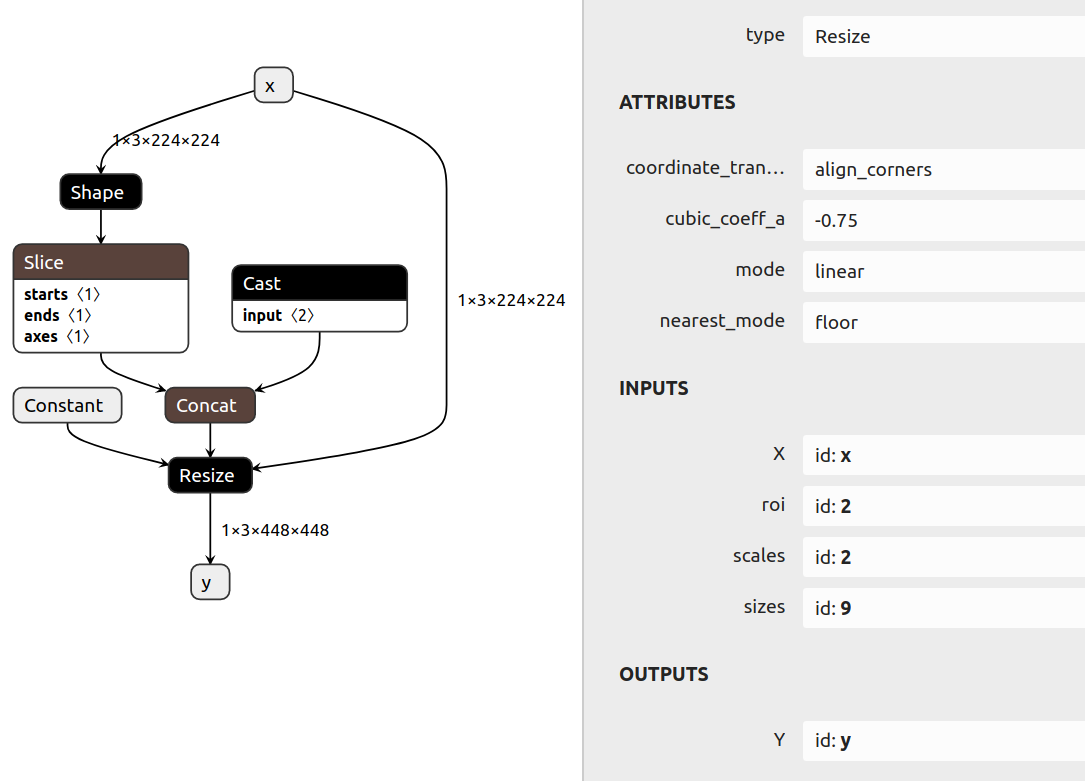
Bohrhh
on 20 Apr 2020
It's OK with me for the onnx model generated by your pytorch code.
the onnx model is like below:
The resize node should have 4 inputs and the fourth input contains the size information. Your error may be caused by the pytorch version, which generates resize node with scale information instead of size information.
pytorch version I used: 1.4.0
my_onnx.
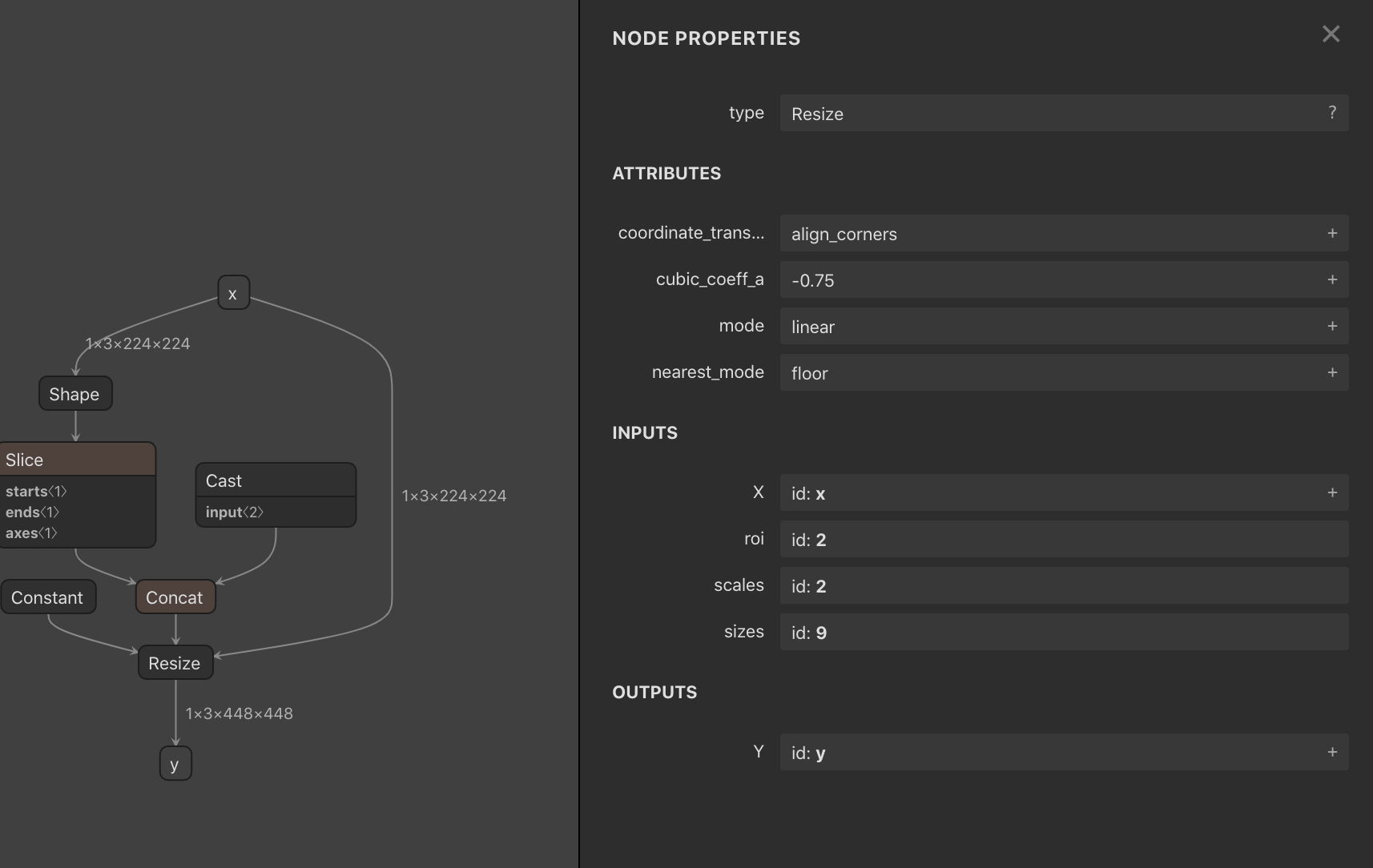
i try this command : ./trtexec --onnx=resize_align_corners.onnx --explicitBatch --verbose=True --workspace=9000
Hello.
I respect you for your great research.
I didn't even think.
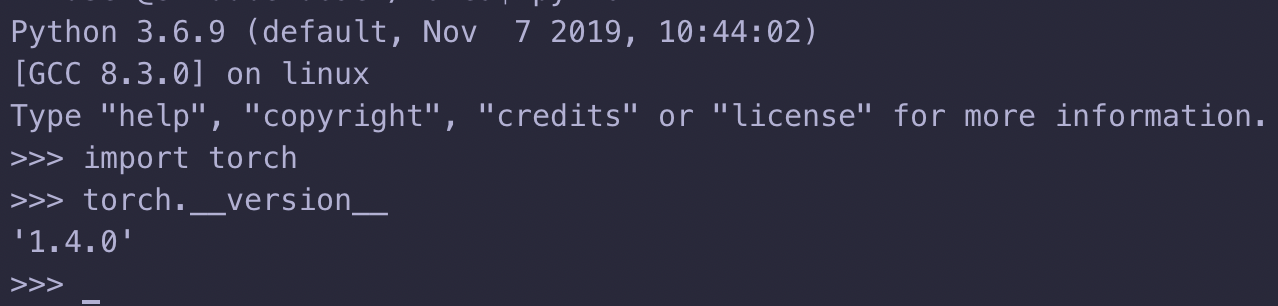
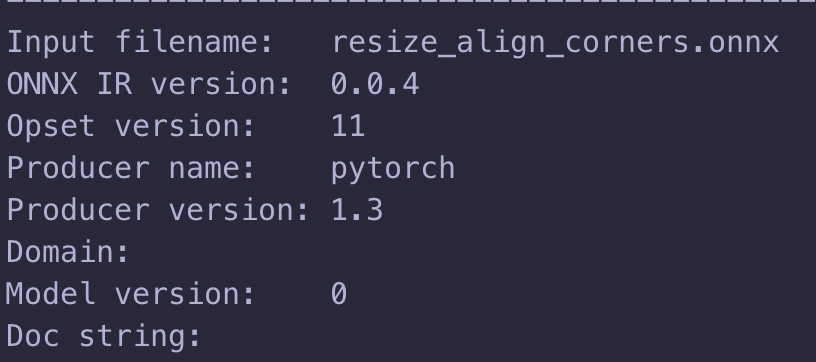
I'm sure, torch == 1.4.0,
output.onnx is recognized as 1.3.0. Can you comment on this issue ?.
I'm really very sorry for leaving so many comments.
If it's okay, if you're working in a container, can you share the container?
(Docker image)
koreadhkim
on 20 Apr 2020
I'm sure, torch == 1.4.0,
output.onnx is recognized as 1.3.0
This is a PyTorch bug, it's probably just cosmetic and safe to ignore: https://github.com/pytorch/pytorch/issues/32561
rmccorm4
on 20 Apr 2020
I have pushed a image to docker hub. You can do the following steps to convert your onnx model.
1: docker pull bohrhh/tensorrt:7.0
2: docker run -it --gpus all bohrhh/tensorrt:7.0 /bin/bash
(my docker version: 19.03, previous version 18.03 need --runtime=nvidia instead of --gpus all)
3: cd /opt/onnx-tensorrt
4: mkdir build && cd build
5: cmake -DCUDA_INCLUDE_DIRS=/usr/local/cuda/include/ ..
6: make -j$(nproc)
7: ./onnx2trt ../data/resize_align_corners.onnx -o resize_align_corners.trt
Bohrhh
on 21 Apr 2020
I confirmed it. I really really sincerely thank you.
I'm the first one who kindly informed me on github.
Thank you so much.
I confirmed that it works.
I sincerely pray that you will have many achievements in your research in
the future.
2020년 4월 21일 (화) 오전 10:42, kmlee notifications@github.com님이 작성:
I have pushed a image to docker hub. You can do the following steps to
convert your onnx model.1: docker pull bohrhh/tensorrt:7.0
2: docker run -it --gpus all bohrhh/tensorrt:7.0 /bin/bash
(my docker version: 19.03, previous version 18.03 need --runtime=nvidia
instead of --gpus all)
3: cd /opt/onnx-tensorrt
4: mkdir build && cd build
5: cmake -DCUDA_INCLUDE_DIRS=/usr/local/cuda/include/ ..
6: make -j$(nproc)
7: ./onnx2trt ../data/resize_align_corners.onnx -o resize_align_corners.trt—
You are receiving this because you commented.
Reply to this email directly, view it on GitHub
https://github.com/NVIDIA/TensorRT/issues/273#issuecomment-616899833,
or unsubscribe
https://github.com/notifications/unsubscribe-auth/ALVXWCNEDGCMNPBKEWKK46TRNT2ZDANCNFSM4J2LXJDA
.
koreadhkim
on 21 Apr 2020
If it is ok, can I get inference code for reference?
I know it is wrong to ask from 1 to 10, but there is an emergency.
Of course, even if you refuse, the words of thanks will not change.
2020년 4월 21일 (화) 오후 5:09, DH K eogks1525@gmail.com님이 작성:
I confirmed it. I really really sincerely thank you.
I'm the first one who kindly informed me on github.
Thank you so much.I confirmed that it works.
I sincerely pray that you will have many achievements in your research in
the future.Can I follow you if you like?
2020년 4월 21일 (화) 오전 10:42, kmlee notifications@github.com님이 작성:
I have pushed a image to docker hub. You can do the following steps to
convert your onnx model.1: docker pull bohrhh/tensorrt:7.0
2: docker run -it --gpus all bohrhh/tensorrt:7.0 /bin/bash
(my docker version: 19.03, previous version 18.03 need --runtime=nvidia
instead of --gpus all)
3: cd /opt/onnx-tensorrt
4: mkdir build && cd build
5: cmake -DCUDA_INCLUDE_DIRS=/usr/local/cuda/include/ ..
6: make -j$(nproc)
7: ./onnx2trt ../data/resize_align_corners.onnx -o
resize_align_corners.trt—
You are receiving this because you commented.
Reply to this email directly, view it on GitHub
https://github.com/NVIDIA/TensorRT/issues/273#issuecomment-616899833,
or unsubscribe
https://github.com/notifications/unsubscribe-auth/ALVXWCNEDGCMNPBKEWKK46TRNT2ZDANCNFSM4J2LXJDA
.
koreadhkim
on 21 Apr 2020
Sorry for late response.
I have python inference code which is modifed from onnx2trt python API and hope it is helpful to you.
I have pushed a tensorrt image with python API. You can do the following steps to do inference.
1: docker pull bohrhh/tensorrt:7.0-python3.6
2: docker run -it --gpus all bohrhh/tensorrt:7.0-python3.6 /bin/bash
3: cd /opt/onnx-tensorrt
4: generate trt engine
5: python code
import numpy as np
from inference_python.backend import prepare
model = prepare("build/resize_align_corners.trt")
x = np.random.rand(1,3,224,224).astype('float32')
y = model.run(x)
Thanks so much for the reply.
I'm sorry to bother you.
Do you have any information you know about the warnings below? Can I ignore
it? iffy.
[TensorRT] WARNING: Current optimization profile is: 0. Please ensure there
are no enqueued operations pending in this context prior to switching
profiles
Additionally, deeplabv3 was converted to measure the speed. However, the performance improvement is too small. Was it originally?
2020년 4월 22일 (수) 오후 3:22, DH K eogks1525@gmail.com님이 작성:
Thanks so much for the reply.
I'm sorry to bother you.
I followed the whole process.
But,from inference_python.backend import prepareI encountered an import error. Is there a workaround?
koreadhkim
on 22 Apr 2020
@koreadhkim the warning is just an advisory to the user. The application must ensure all pending enqueue operations are completed (stream sync) before switching execution contexts.
I'll close the issue due to lack of activity.
 rajeevsrao
on 17 Nov 2020
rajeevsrao
on 17 Nov 2020
Related issues
 peijason
·
3Comments
peijason
·
3Comments
 aininot260
·
3Comments
dhkim0225
·
6Comments
dhkim0225
·
4Comments
aininot260
·
3Comments
dhkim0225
·
6Comments
dhkim0225
·
4Comments
 anmol039w
·
5Comments
anmol039w
·
5Comments
Most helpful comment
and further more, the project onnx-tensorrt master branch do not support
align_cornersparam nowresize op set align_corner=False hard-coding
upsample op do not parse
align_cornerparam