Tensorboard: Image scroll slider: only 10 positions
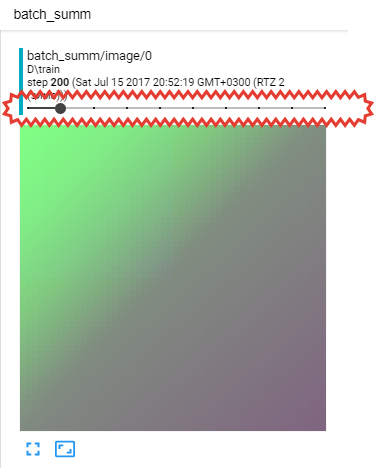
When I use slider at Image tab to scroll my images it is not possible to show all saved images: only 10 steps works. I think it because slider to scroll images has only 10 fixed positions. It must be able to scroll over all saved data. May be additional buttons like "step forward" are needed.
 Belerafon
>All comments
As we describe in the README, TensorBoard downsamples data to preserve memory usage. You should apply the following patch if you want TensorBoard to retain more images:
diff --git a/tensorboard/backend/application.py b/tensorboard/backend/application.py
index e6e9540..3a19903 100644
--- a/tensorboard/backend/application.py
+++ b/tensorboard/backend/application.py
@@ -45,7 +45,7 @@ from tensorboard.plugins.core import core_plugin

 DEFAULT_SIZE_GUIDANCE = {
     event_accumulator.COMPRESSED_HISTOGRAMS: 500,
-    event_accumulator.IMAGES: 10,
+    event_accumulator.IMAGES: 1000,
     event_accumulator.AUDIO: 10,
     event_accumulator.SCALARS: 1000,
     event_accumulator.HISTOGRAMS: 50,
 wchargin
on 17 Jul 2017
wchargin
on 17 Jul 2017
👍3
Was this page helpful?
0 / 5 - 0 ratings
Related issues
 yfarjoun
·
3Comments
yfarjoun
·
3Comments
 dniku
·
3Comments
dniku
·
3Comments
 agrinh
·
3Comments
agrinh
·
3Comments
 KylePiira
·
4Comments
KylePiira
·
4Comments
 decentralion
·
3Comments
decentralion
·
3Comments
Most helpful comment
As we describe in the README, TensorBoard downsamples data to preserve memory usage. You should apply the following patch if you want TensorBoard to retain more images: