Teams-for-linux: Opening meeting links does not work
Describe the bug
Opening meeting links does not work - Teams opens, however nothing else happens.
To Reproduce
Steps to reproduce the behavior:
- Click a meeting link.
- See Teams open and nothing else happening.
Expected behavior
Teams opens and joins the call.
Desktop (please complete the following information):
- OS: Ubuntu 20.10
- Snap, v1.0.6
Great work otherwise, I have to use Teams for work sometimes. It's horrible but this makes it bearable ;)
 geez0x1
All 36 comments
Hi, can you try using another package? Other people have reported that previously using snap. Hope helps.
Examples https://github.com/IsmaelMartinez/teams-for-linux/issues/173 .
It might be related to your snap configuration, check this comment (https://github.com/IsmaelMartinez/teams-for-linux/issues/173#issuecomment-521897795)
 IsmaelMartinez
on 14 Dec 2020
IsmaelMartinez
on 14 Dec 2020
+1
Desktop (please complete the following information):
OS: Ubuntu 20.10
Snap, v1.0.6 and v1.0.5
 mikejavier
on 16 Dec 2020
mikejavier
on 16 Dec 2020
@mikejavier , have you tried with another package and check the changes mention in the comment https://github.com/IsmaelMartinez/teams-for-linux/issues/173#issuecomment-521897795 ?
IsmaelMartinez
on 17 Dec 2020
Hi @IsmaelMartinez, yes I did it.
1 - I remove the configs
2 - update do edge version
and it still doesn't work
mikejavier
on 17 Dec 2020
have you tried sudo dpkg-reconfigure apparmour ? |
More info in:
https://github.com/IsmaelMartinez/teams-for-linux/issues/187
IsmaelMartinez
on 17 Dec 2020
Did you mean apparmor? I tried now and nothing
mikejavier
on 17 Dec 2020
Yep, typo there in the apparmor...
To take "snap" out the equation, can you try another package? rpm or deb.
https://github.com/IsmaelMartinez/teams-for-linux/releases/tag/v1.0.5
Thanks
IsmaelMartinez
on 17 Dec 2020
I'm on https://github.com/IsmaelMartinez/teams-for-linux/releases/tag/v1.0.5 DEB, Ubuntu 20.04 and opening meetings is not working for me.
 hovancik
on 13 Jan 2021
hovancik
on 13 Jan 2021
Hi @hovancik , can you detail what/how do you open the links? From the command line? just click?
Also, some long time ago there was some oddities for some people that had to have chrome as default browser for some stuff to work (and I am not sure if the links was one of those)
Alternatively, it could also be the configuration for xdg-open... if you put
xdg-open <link>
what happens?
Hope helps
IsmaelMartinez
on 13 Jan 2021
also, can you check if other solutions proposed in here do work? https://github.com/IsmaelMartinez/teams-for-linux/issues/47
IsmaelMartinez
on 13 Jan 2021
I open the link in browser, in Firefox. I click on the link in email, Firefox asks me what app I want to use to open the link and I choose Teams. xdg-open opens link in FF with the same result.
hovancik
on 14 Jan 2021
can you check the work around in #47 ? Try copy/paste the link in a chat, post it and then click in it... Try otherwise in a channel (either use a channel that you are only or one where it doesn't matter if people know the link to the meeting)
I think it might be xdg-open configuration on the msteams link.
Hope helps
IsmaelMartinez
on 14 Jan 2021
Hi, I went back to Teams in broswer as sharing screen did not work in this app for me.
hovancik
on 22 Jan 2021
There is an open ticket for the screenshare issue. I got little to no time (and no linux) so things do take time. Glad to hear you managed to find a solution.
-- Edit, not closing just yet as the main reported was other person
IsmaelMartinez
on 22 Jan 2021
I had this very problem just today on Fedora 33 with Teams 1.3.00.30857-1 (clicking on an emailed Teams URL would not load the meeting). I had to manually log into Teams and then click the URL
 moschlegel
on 25 Jan 2021
moschlegel
on 25 Jan 2021
Hi @moschlegel , that teams version is for the MS Teams official one. I recommend going to their uservoice and log your problem there with them. Ta
IsmaelMartinez
on 26 Jan 2021
Sorry for taking a while to get back here. I've now tried:
sudo dpkg-reconfigure apparmor: No differencexdg-open: Also opens the link in FF for me, which asks me to open it in Teams, i.e. same as usual.- Pasting the link in a chat within teams and clicking that: Works, opens the meeting.
- Checking the debug console (of Teams) when opening a link (through Firefox); no errors (although there are plenty of startup errors).
geez0x1
on 8 Feb 2021
hey @geez0x1, then it does smell like an xdg-open configuration issue. It can be quite temperamental. xdg-open should be opening the teams client. If it is opening firefox means it is misconfigured. Hope helps.
IsmaelMartinez
on 10 Feb 2021
@IsmaelMartinez: How would xdg-open understand to open Teams though? The meeting links are provided to me as https://..., not msteams://.... The https link are effectively: https://teams.microsoft.com/dl/launcher/launcher.html?url=..., where the url argument is an url-encoded URL that is somehow transformed into an msteams:// link causing Firefox to try to open Teams. I tried doing the decoding myself and putting that into xdg-open but without success (Teams did open, but nothing happened).
geez0x1
on 10 Feb 2021
You can then try doing
teams-for-linux <your http meeting URL here>
It should work the same way as the copy paste.
You are correct in that your browser will open 1st if you just click on the link, as Xdg-open will have that https associated with it.
Hope helps
IsmaelMartinez
on 10 Feb 2021
Good point; I had not tried that yet. This results in Teams opening, but opening the website in it. However, I can then click 'Continue in this browser' (as it recognizes it as a supported browser, being an Electron wrapper, I suppose), after which it continues to the right meeting. Does that information help at all?
Here is my CLI output:
~$ teams-for-linux https://teams.microsoft.com/l/meetup-join/...
configPath = /home/user/snap/teams-for-linux/150/.config/teams-for-linux
Failed to get the config file, using default values
configFile = {}
processArgs [ '/snap/teams-for-linux/150/teams-for-linux',
  'https://teams.microsoft.com/l/meetup-join/...' ]
meetup-join argument received with https protocol
/usr/share/libdrm/amdgpu.ids: No such file or directory
did-finish-load
second-instance started
processArgs [ '/snap/teams-for-linux/150/teams-for-linux' ]
did-finish-load
[83424:0211/125206.563898:ERROR:adm_helpers.cc(73)] Failed to query stereo recording.
before-quit
window close
will-quit
quit
window closed
Good point; I had not tried that yet. This results in Teams opening, but opening the website in it. However, I can then click 'Continue in this browser' (as it recognizes it as a supported browser, being an Electron wrapper, I suppose), after which it continues to the right meeting. Does that information help at all?
Here is my CLI output:
~$ teams-for-linux https://teams.microsoft.com/l/meetup-join/...
configPath = /home/user/snap/teams-for-linux/150/.config/teams-for-linux
Failed to get the config file, using default values
configFile = {}
processArgs [ '/snap/teams-for-linux/150/teams-for-linux',
  'https://teams.microsoft.com/l/meetup-join/...' ]
meetup-join argument received with https protocol
/usr/share/libdrm/amdgpu.ids: No such file or directory
did-finish-load
second-instance started
processArgs [ '/snap/teams-for-linux/150/teams-for-linux' ]
did-finish-load
[83424:0211/125206.563898:ERROR:adm_helpers.cc(73)] Failed to query stereo recording.
before-quit
window close
will-quit
quit
window closed
it only works when is not running, right??
 dgmvecuador
on 17 Mar 2021
dgmvecuador
on 17 Mar 2021
I don't remember now but I think it should work either way. If is not, it
might be possible to change that behaviour so it works for both cases.
On Tue, 16 Mar 2021, 23:32 Diego Estévez, @.*> wrote:
Good point; I had not tried that yet. This results in Teams opening, but
opening the website in it. However, I can then click 'Continue in this
browser' (as it recognizes it as a supported browser, being an Electron
wrapper, I suppose), after which it continues to the right meeting. Does
that information help at all?Here is my CLI output:
~$ teams-for-linux https://teams.microsoft.com/l/meetup-join/...
configPath = /home/user/snap/teams-for-linux/150/.config/teams-for-linux
Failed to get the config file, using default values
configFile = {}
processArgs [ '/snap/teams-for-linux/150/teams-for-linux',
'https://teams.microsoft.com/l/meetup-join/...' ]
meetup-join argument received with https protocol
/usr/share/libdrm/amdgpu.ids: No such file or directory
did-finish-load
second-instance started
processArgs [ '/snap/teams-for-linux/150/teams-for-linux' ]
did-finish-load
[83424:0211/125206.563898:ERROR:adm_helpers.cc(73)] Failed to query stereo recording.
before-quit
window close
will-quit
quit
window closedit only works when is not running, right??
—
You are receiving this because you were mentioned.
Reply to this email directly, view it on GitHub
https://github.com/IsmaelMartinez/teams-for-linux/issues/402#issuecomment-800680672,
or unsubscribe
https://github.com/notifications/unsubscribe-auth/AADJHEDOI6H4F23DNEK54XDTD7S7FANCNFSM4U2U55SA
.
IsmaelMartinez
on 17 Mar 2021
+1
Ubuntu 20.04.2 LTS
Tried different versions and can make it work
 Thuener
on 19 Mar 2021
Thuener
on 19 Mar 2021
I had this very problem just today on Fedora 33 with Teams 1.3.00.30857-1 (clicking on an emailed Teams URL would not load the meeting). I had to manually log into Teams and then click the URL
@moschlegel since you appear to be using the official Microsoft Teams client for Linux you might be affected by https://docs.microsoft.com/en-us/answers/questions/298724/open-teams-meeting-link-on-linux-doens39t-work.html?childToView=309406#
HTH.
 simonflood
on 19 Mar 2021
simonflood
on 19 Mar 2021
it only works when is not running, right??
I don't remember now but I think it should work either way. If is not, it might be possible to change that behaviour so it works for both cases.
Yes, it just prints App already running and bails out.
 doak
on 1 Apr 2021
doak
on 1 Apr 2021
It can be a bit confusing, but both apps will get the event. One print the App already running, but the other should print second-instance started. The way to test this is to run them both from the console.
Code is here:
Second app will go down this route (as doesn't got the lock)
https://github.com/IsmaelMartinez/teams-for-linux/blob/7649cacecf38147cc295bace3e8b1f39b0eb0864/app/index.js#L17
While the original app will go down the else clause down to this:
https://github.com/IsmaelMartinez/teams-for-linux/blob/7649cacecf38147cc295bace3e8b1f39b0eb0864/app/mainAppWindow/index.js#L74
Is it possible for you to confirm if the initial app does print the second-instance started ? Thanks
IsmaelMartinez
on 1 Apr 2021
It does. I will open a PR in a few minutes.
doak
on 1 Apr 2021
Here it it is, see #422.
doak
on 1 Apr 2021
@IsmaelMartinez, did I miss something?
it only works when is not running, right??
@dgmvecuador, the mentioned #422 should fix that, i.e. it opens the call within the alrady existing instance.
doak
on 7 Apr 2021
@IsmaelMartinez, did I miss something?
it only works when is not running, right??
@dgmvecuador, the mentioned #422 should fix that, i.e. it opens the call within the alrady existing instance.
Sorry I havent tested it, is your PR not merged??
Also -- How I build it?? I seriously want to test
dgmvecuador
on 8 Apr 2021
I will see if I can have a look at it today. It is a bit of a tricky part as the focus, openURL and stuff like that did work
IsmaelMartinez
on 12 Apr 2021
ops, wrong button. I have reviewed the PR. Only a wee comment/change requested. Once that is ready I am happy to do a pre-release so @dgmvecuador can test it also.
IsmaelMartinez
on 12 Apr 2021
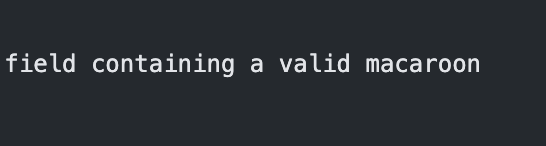
@dgmvecuador , a pre-release is in here https://github.com/IsmaelMartinez/teams-for-linux/releases/tag/v1.0.7 I think the snap is, somehow, failing to build due some fancy 🍰
IsmaelMartinez
on 15 Apr 2021
@dgmvecuador , a pre-release is in here https://github.com/IsmaelMartinez/teams-for-linux/releases/tag/v1.0.7 I think the snap is, somehow, failing to build due some fancy
I generated a deb and its working!!! Thank you!!!
dgmvecuador
on 16 Apr 2021
I will leave a few more days and close / release. Some (around 400) snap people are using it (the ones on the edge channel) so waiting to see if are any complaints before releasing it to the 50K.
IsmaelMartinez
on 20 Apr 2021
Related issues
 Strauman
·
5Comments
Strauman
·
5Comments
 wagnst
·
5Comments
wagnst
·
5Comments
 tulanian
·
6Comments
tulanian
·
6Comments
 adithyank
·
6Comments
adithyank
·
6Comments
 sakthicsk
·
6Comments
sakthicsk
·
6Comments
Most helpful comment
@moschlegel since you appear to be using the official Microsoft Teams client for Linux you might be affected by https://docs.microsoft.com/en-us/answers/questions/298724/open-teams-meeting-link-on-linux-doens39t-work.html?childToView=309406#
HTH.