Teammates: New contributor self intro Luan N. Pham
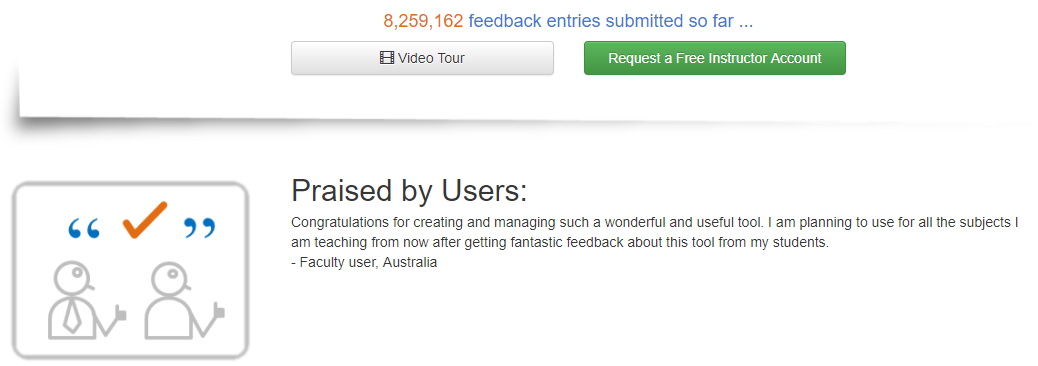
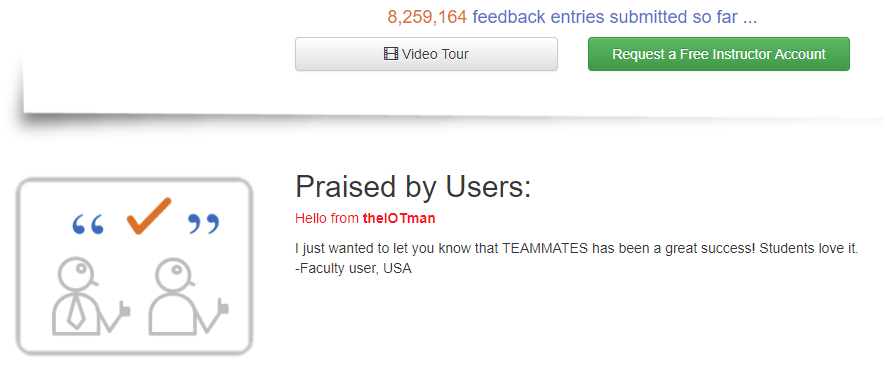
C: For my UI change, I simply added one hello line into index page. They change red when a mouse is hovered over:
Before:
After:
D:
Intro: @luanpham107
Hello everyone, my full mane is Luan N. Pham. Currently, I'm a software engineer working with the embedded system. While researching about IOT (internet of thing) I found that web technology is very interested. I think that contributes to an opensource project help me and another learn a lot. I love to write clean code and have a deep understanding of any line of code.
Issue with staging server:
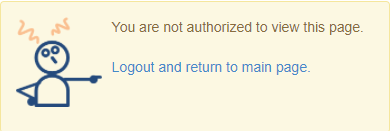
Although my google account is authenticated with GEA I still can not use it to register it for an instructor account. Please, response!
Nice to meet you!
 luanpham107
All 9 comments
Hi @LuanPham107, Welcome to TEAMMATES. We look forward to your contributions.
Although my google account is authenticated with GEA I still can not use it to register it for an instructor account. Please, response!
Can you provide more details, i.e. what exact steps did you do?
 tran-tien-dat
on 9 Mar 2018
tran-tien-dat
on 9 Mar 2018
The steps for creating an instructor account can be found in the development.md document.
 whipermr5
on 9 Mar 2018
whipermr5
on 9 Mar 2018
I have followed this document deploying-to-a-staging-server.
- Here is what were modified inside build.properties (I modified 3 lines of code: app.url, app.gcs.bucketname, app.crashreport.email)
app.url=https\://teammates-theiotman.appspot.com

app.gcs.bucketname=teammates-theiotman.appspot.com

app.backdoor.key=samplekey

app.encryption.key=5360b12f6a07af7be93437d215f72fca

app.persistence.checkduration=4000

app.crashreport.email = [email protected]

app.student.motd.url = test-student-motd.html

app.email.senderemail = [email protected]

app.email.sendername = TEAMMATES Admin

app.email.replyto = [email protected]

app.email.service = javamail

app.sendgrid.apikey =

app.mailgun.apikey =

app.mailgun.domainname =

app.mailjet.apikey =

app.mailjet.secretkey =
- Here is what were modified inside src/main/webapp/WEB-INF/appengine-web.xml
<application>teammates-theiotman</application>
luanpham107
on 9 Mar 2018
@LuanPham107 Do you mean that you could not log in as an Administrator, or do you mean that you could log in but could not create an instructor account? Can you give a more exact description for this sentence of yours:
I still can not use it to register it for an instructor account
as well as the context of the screenshot
E.g. what's the URL you are trying to access, what you are trying to log in as, what have you done before that which makes you think it should work, etc.
tran-tien-dat
on 9 Mar 2018
I tried to log in at https://teammates-theiotman.appspot.com/admin/adminHomePage and the message returned as I mentioned above. But everything is ok with this local address: https:localhost:8080/admin/adminHomePage. I can log in using [email protected], create instructor, courses,..
Could please tell me why ? I'm very new to web technology.
luanpham107
on 11 Mar 2018
To log into https://teammates-theiotman.appspot.com/admin/adminHomePage as admin you need to use the google account with which you made the google app on GCP.
 tshradheya
on 11 Mar 2018
tshradheya
on 11 Mar 2018
After creating an instructor, you need to use the join link before the instructor can login. Edit: I misread your message; my bad.
whipermr5
on 11 Mar 2018
@LuanPham107 So it means that you couldn't log in as an Administrator. Do you have multiple account and the account that you are currently logged in is not the one you used to deploy teammates (the theiotman account)?
tran-tien-dat
on 11 Mar 2018
Thank to @tshradheya @tran-tien-dat @whipermr5 ,
You are right, I removed my 2nd account and using theiotman account. Problem is resolved.
luanpham107
on 11 Mar 2018
Related issues
 damithc
·
32Comments
damithc
·
32Comments
 xpdavid
·
25Comments
damithc
·
25Comments
damithc
·
32Comments
xpdavid
·
25Comments
damithc
·
25Comments
damithc
·
32Comments
 nkshschdv
·
23Comments
nkshschdv
·
23Comments