Teammates: Instructor: feedback edit page: align tooltip to fit label for rank (recipients) question
Description of feature/enhancement
As an instructor, creating a rank (recipients) question can produce the following:
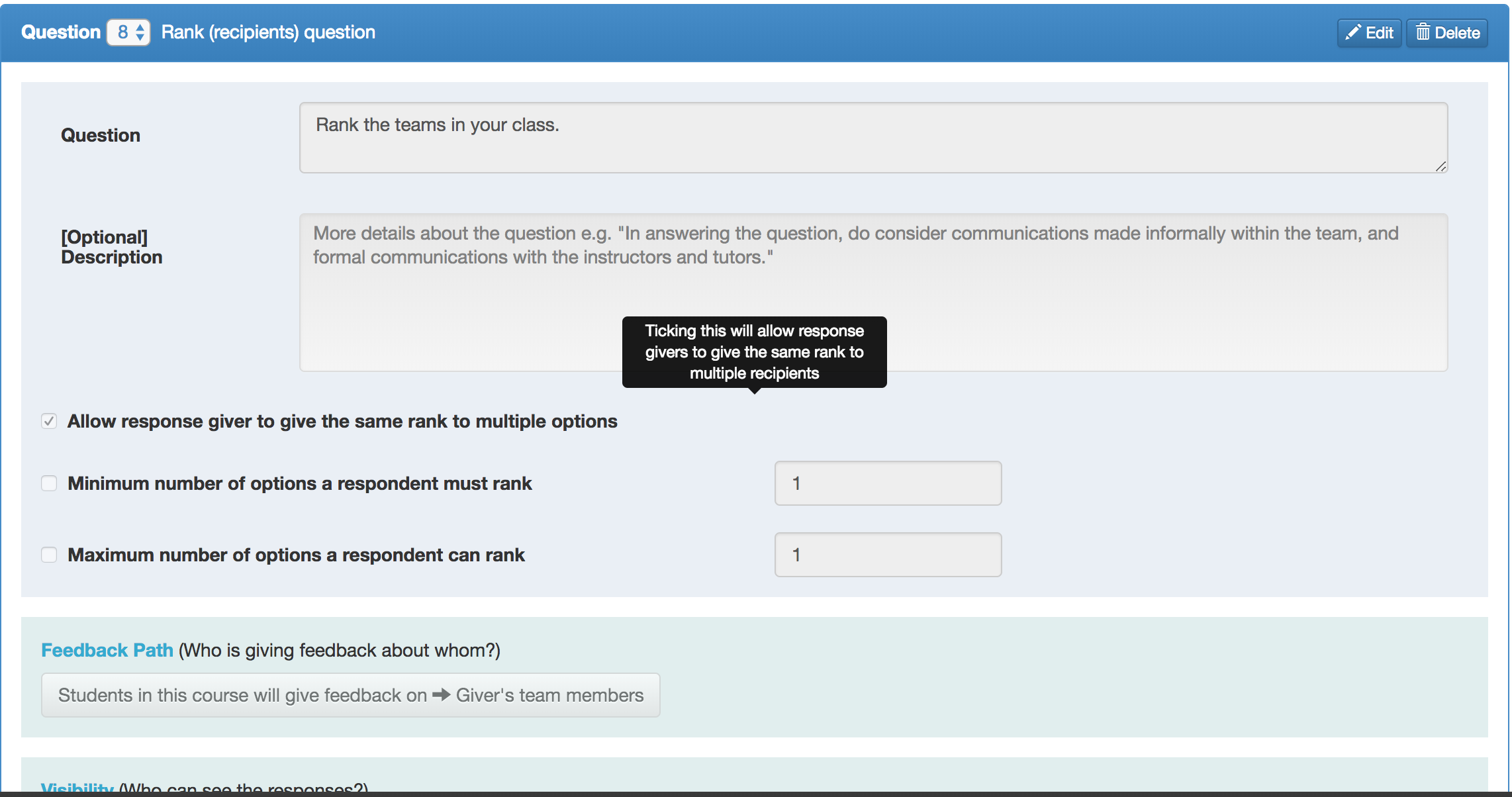
Here, the tooltip is obviously not aligned with the label which it is referring to. This can be a d.firstTimers issue since it should be a relatively simple fix.
 joanneong
All 52 comments
I would like to work in this issue, if this is still unassigned and open.
 gaurab4163
on 26 Feb 2018
gaurab4163
on 26 Feb 2018
@gaurab4163 Unfortunately as @VirinchiSainath has already opened a pull request for this issue recently, I would recommend that you find another issue to work on. For example, consider this issue or search for the d.FirstTimers tag on GitHub :)
joanneong
on 26 Feb 2018
My apologies for asking this question, but if a PULL request has already been raised, why does the issue still show as unassigned. I am new to open source contribution, so forgive me if it is a naive question.
Thanks
 pmanjunath29
on 20 Apr 2018
pmanjunath29
on 20 Apr 2018
@pmanjunath29 Please feel free to take this up if you want to - the pull request has been closed due to inactivity :)
joanneong
on 20 Apr 2018
Hi @joanneong , I am a new contributer and i will work on this issue if it is possible .thank you :)
 douihechmaha
on 22 Apr 2018
douihechmaha
on 22 Apr 2018
Hi @douihechmaha, as @pmanjunath29 asked first to work on this issue, you can find another d.FirstTimers issue to work on, or if you feel strongly about taking up this issue, you can discuss it with @pmanjunath29.
 sukanta-27
on 22 Apr 2018
sukanta-27
on 22 Apr 2018
thank you @sukanta-27. Ok ,i will ask @pmanjunath29 if he can let me fix this issue :) .Please let me know if it is possible that you let me work on it, I'am waiting for your reply @pmanjunath29 .
thank you.
douihechmaha
on 23 Apr 2018
Hi @everyone :) , I have made some modifications locally to fix this issue. And i would like to test, but I have not an instructor account yet. Is there any way to test on dev server without an instructor account ?
If not, I have just sent an 'instructor account' request with my official mail (knowing that i am just a university student). Is this the right way to get the account?
thank you.
douihechmaha
on 23 Apr 2018
@douihechmaha
You don't need to send any requests for instructor account, you can set up an account in Dev server by following this process.
P.S. It is a good idea to read the whole document not just the part I mentioned as it contains a lot of information that are helpful to new contributors.
sukanta-27
on 23 Apr 2018
@sukanta-27 ,
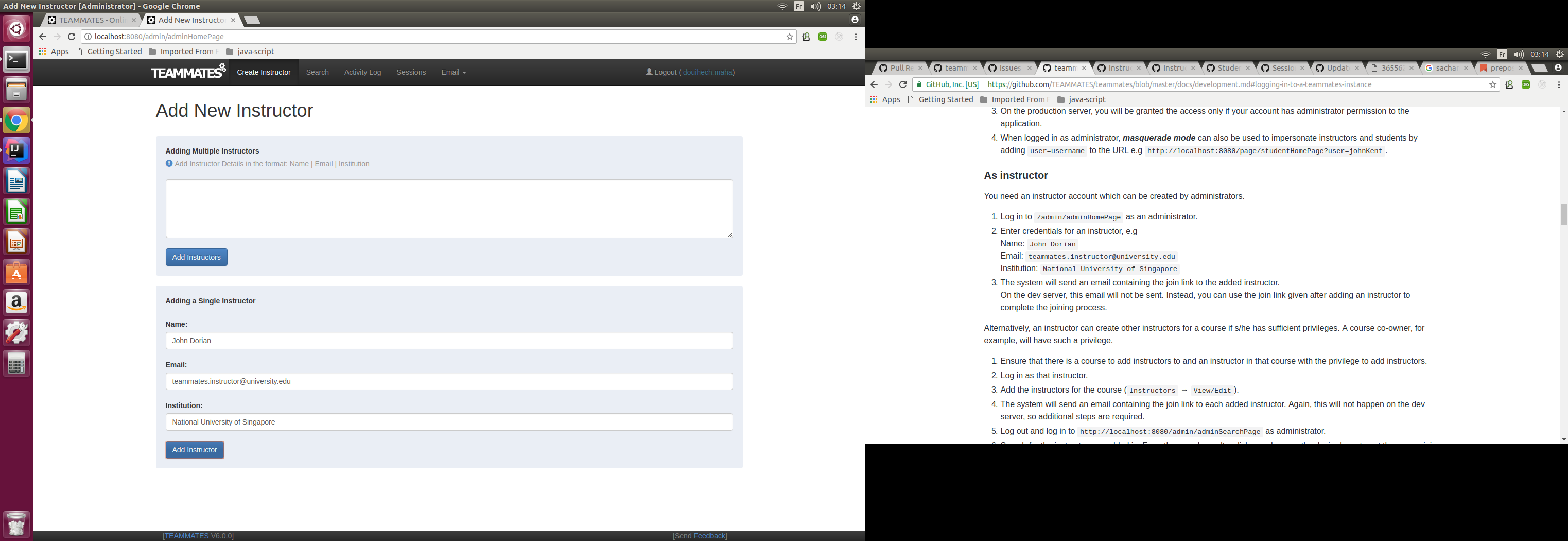
I am already following the same steps . I logged in as an administrator, and put credentials for an instructor as shown in the example .but the button 'Add instructor' doesn't work for me: When I click nothing happened.
douihechmaha
on 23 Apr 2018
@douihechmaha Can you confirm that you ran npm run build? If you haven't, can you run the command and then restart the Dev server to check if the problem goes away?
sukanta-27
on 23 Apr 2018
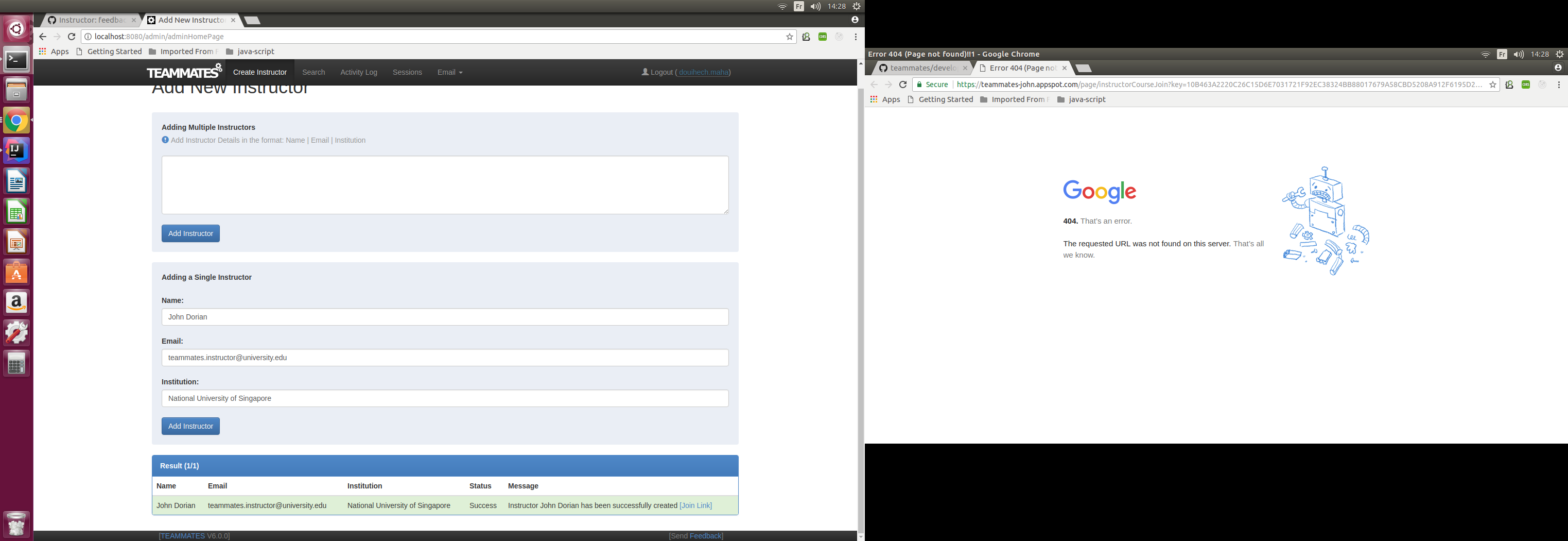
@sukanta-27 I did what you told me and the button 'add instructor' works .the instructor is successfully created .
but when I open the join link i have 404 error. and when I tried to log in as this (created) instructor ,it doesn't work .
douihechmaha
on 23 Apr 2018
@douihechmaha change https://teammates-john.appspot.com part in the join Link's URL to http://localhost:8080/
sukanta-27
on 23 Apr 2018
Or, you can update to the latest master, restart the dev server and simply click on the link. #8801 has taken care of this.
 whipermr5
on 24 Apr 2018
whipermr5
on 24 Apr 2018
thanks @sukanta-27,it works . @whipermr5 ,okey
douihechmaha
on 24 Apr 2018
Hi,
I would like to explain to you how i figure out the problem :
The problem was in the file called 'feedbackQuestionRankRecipientsEditFormTemplate.html'
In this file, you used a spatial organization called Bootstrap grid (which is a 12-column split proportional to the width of the window, we can organize the content of this grid ;we can insert an element, for example, a container of width 6 columns.
but you inserted a container of size 12 columns, which contains a sentence that occupies only half of the container. This explains why the tooltip refers to the end of the text (which is half container)
I realized also that there were html tags
I am ready for Pull Request :) .
douihechmaha
on 28 Apr 2018
@douihechmaha If you feel like you are ready to make a pull request, go ahead and open one against teammate's master branch :) Do remember to follow the procedure here.
joanneong
on 28 Apr 2018
Hi, I have noticed that almost all the first timers issue have open pull requests. I am new to open source and really want to contribute to this project. Is there any way I can help?
 heisenberg-2505
on 12 Aug 2018
heisenberg-2505
on 12 Aug 2018
Hi @heisenberg-2505, Welcome to TEAMMATES!
This issue does not have a open PR. You can start with this if you want.
sukanta-27
on 12 Aug 2018
Thanks a lot! If I have any other doubts about the project, what is the best way to reach you and the team?
heisenberg-2505
on 13 Aug 2018
If I have any other doubts about the project, what is the best way to reach you and the team?
@heisenberg-2505 The best way to reach me or any other team member is through the issue tracker itself. In case you have a problem you can create an issue for that.
sukanta-27
on 13 Aug 2018
Thanks.
heisenberg-2505
on 13 Aug 2018
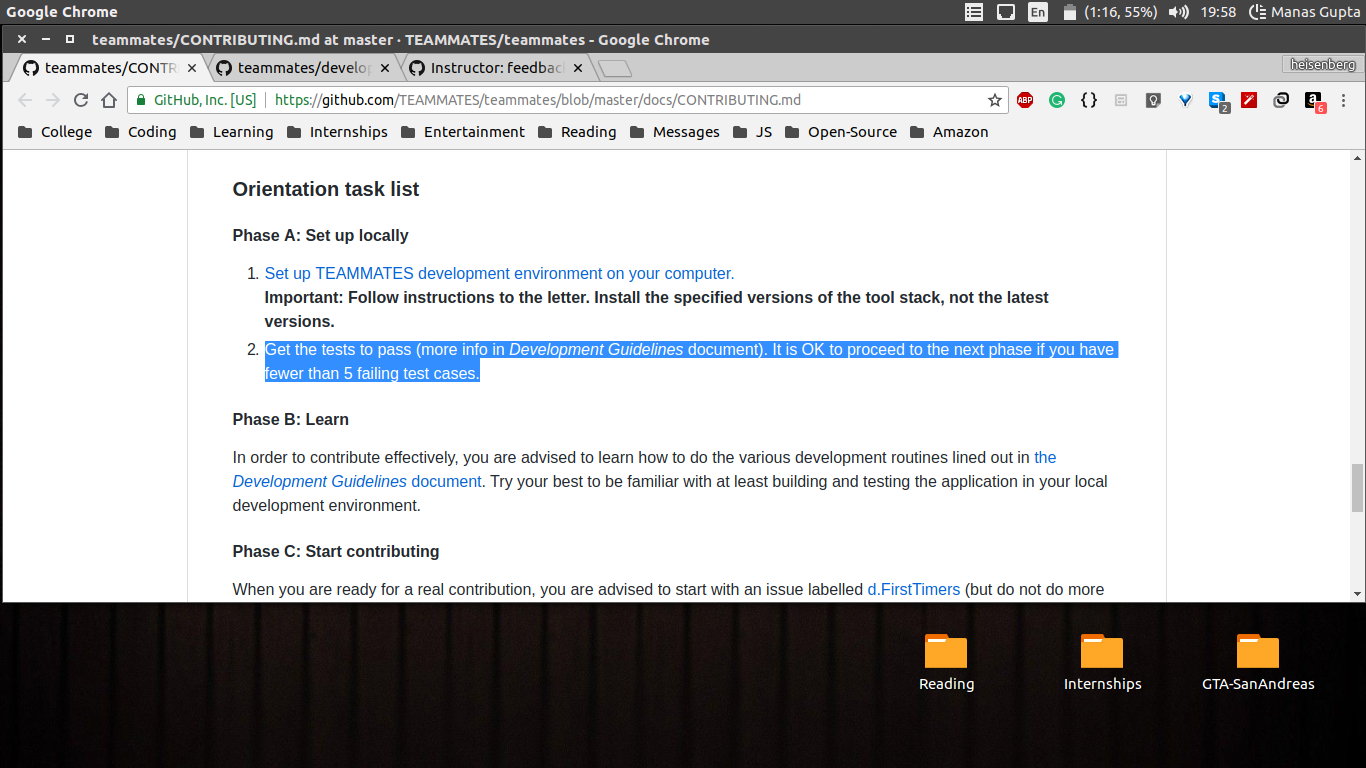
Which test do I have to run and get them to pass before moving onto fixing the issue?
heisenberg-2505
on 13 Aug 2018
@heisenberg-2505 Try to run all tests. You can refer to this document. Personally, I think just running all tests via IntelliJ is the fastest way
joanneong
on 14 Aug 2018
Running All Tests might take too long
Run the CI Test configuration which should come automatically there in the dropdown of Run
 tshradheya
on 14 Aug 2018
tshradheya
on 14 Aug 2018
Hi,
I have fixed the issue and made the code changes for it. So I need to test it before submitting a PR?
If I have to test it, then do I need to test it first in God mode?
heisenberg-2505
on 14 Aug 2018
Hi,
I ran the localTests first with GodMode enabled and then ran them again after disabling the GodMode.
The build was successful both times.
Do I need to run the CI tests as well?
heisenberg-2505
on 14 Aug 2018
@heisenberg-2505 It takes a good amount of time (on average 30 mins) for the ciTests to run, if you want to then you can run ciTests on your system before submitting a PR, but remember that only run GodMode on the tests that are failing due to the changes you made. Running GodMode on all the tests may result in some unrelated changes.
sukanta-27
on 15 Aug 2018
Thanks a lot.
The change in the UI looks like this now.
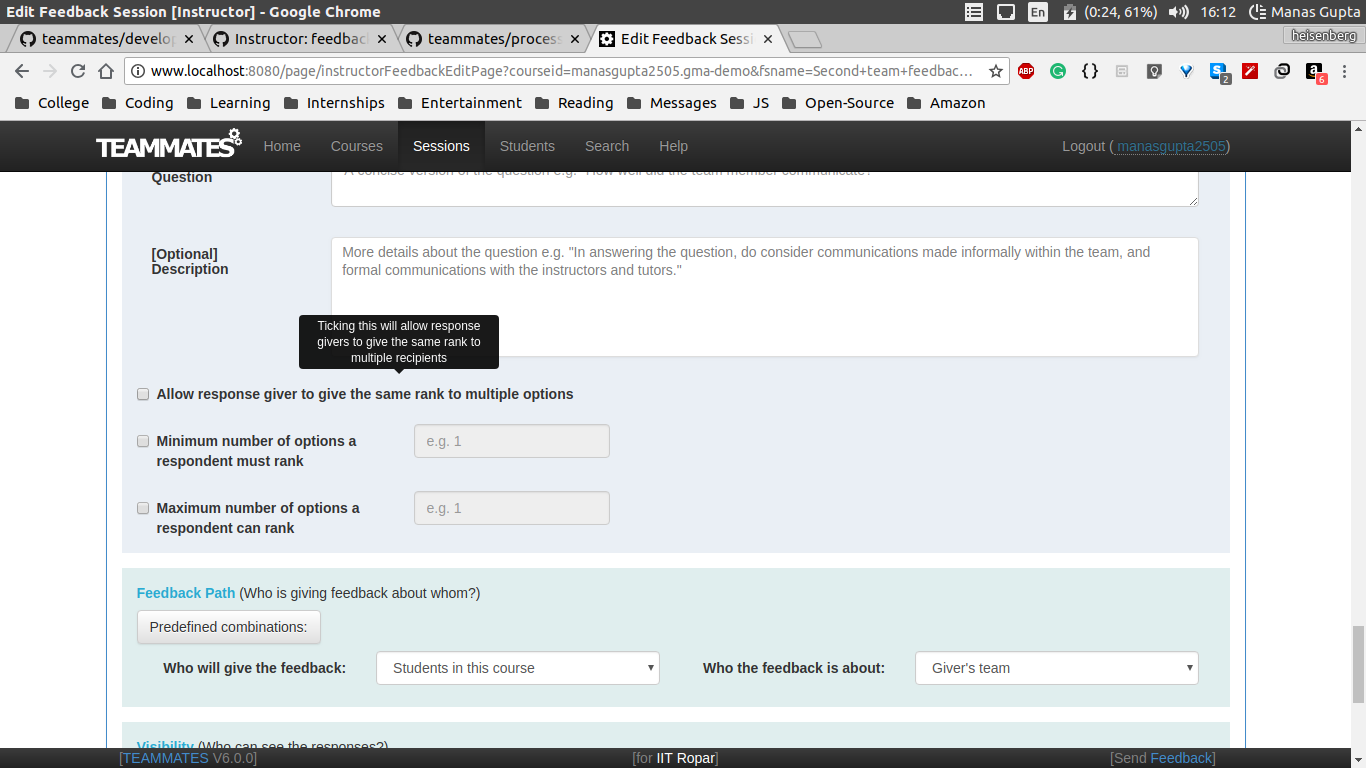
Should I create a pull request against the master branch of your repository?
heisenberg-2505
on 15 Aug 2018
@heisenberg-2505 No. Create a PR against TEAMMATES master branch.
Note: Go through the process documentation before sending a PR.
sukanta-27
on 15 Aug 2018
Hi, the travis ci build is failing.
How to resolve this problem?
heisenberg-2505
on 15 Aug 2018
To add to @sukanta-27's point:
Generally speaking, the workflow is as follows:
- Make sure your setup is correct by first running all tests locally
- Everytime you submit a PR Travis will run the tests again, and tests that require changes will fail
- By looking at the tests that fail on Travis, determine if you need to make changes to tests or run GodMode.
- However, there are times when you should re-run all tests locally and it will depend on the situation. This will require your personal judgment based on the situation to make.
In this case, you can see that many tests on Travis have failed, I suggest it is probably better that you re-run all tests locally and ensure they pass before continuing.
 LiHaoTan
on 15 Aug 2018
LiHaoTan
on 15 Aug 2018
Correct me if I am wrong but what I gather from reading the documentation and your comments is -
- First run all the tests with godmode disabled.
- Then run all the failed tests with godmode enabled.
- Then run all the failedtests with godmode d disabled.
- Finally run all the tests to confirm that nothing is broken.
heisenberg-2505
on 15 Aug 2018
You are roughly correct but it should be more of:
- Run all the tests with Godmode disabled. (This is a one-time setup you should have done initially to ensure a correct setup such as if your environment matches TEAMMATES' environment)
- Run the failed tests (that Travis shows) with Godmode enabled.
Not all tests that fail on Travis is due to Godmode so if you know the tests are not failing due to Godmode there is no point running them with Godmode enabled because it won't do anything (Don't worry about this initially, as you gain experience with the project you should be able to identify easily which tests are Godmode related which are not, running tests with Godmode enabled will not cause tests unrelated to Godmode will not have any effect).
- Re-run the failed tests without GodMode to ensure that they are passing, if they are not passing it is likely that the tests require modification not due to Godmode. In that case, you have to check if you should be modifying the tests for new logic or that your logic is incorrect so the tests are failing.
There is no step 4 but sometimes you need to run all tests locally because of various reasons but not limited to:
- You want to run tests in a different kind of environment that Travis cannot produce.
- Travis is failing to catch an error that should have been caught.
LiHaoTan
on 15 Aug 2018
The problem I am facing is my ci Tests are failing. But when I try to run failedTests it shows the following output.
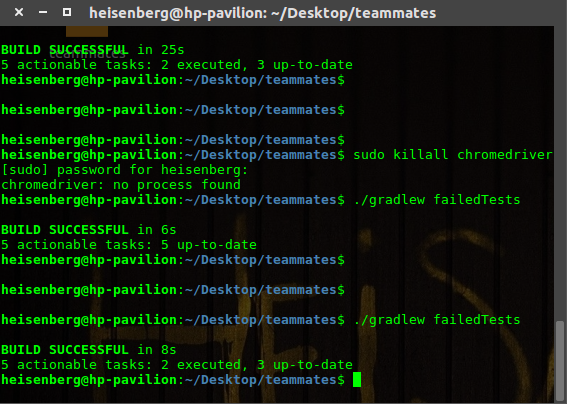
Any help will be appreciated.
heisenberg-2505
on 15 Aug 2018
@heisenberg-2505 Did you run CI Tests locally? If you did not, you will not be able to see any failed tests locally. Originally, our build script will call generateFailedCmd and show you the command to download the failed tests but it seems like it's broken for some time (looks like we need to fix it).
Also, is there a file test-output/testng-failed.xml?
LiHaoTan
on 16 Aug 2018
Yes, I ran the CI tests locally.
What should I do now?
heisenberg-2505
on 16 Aug 2018
Also, is there a file
test-output/testng-failed.xml?
Try ./gradlew failedTests --rerun-tasks.
LiHaoTan
on 16 Aug 2018
No, I could not find any occurrence of the file testng-failed.xml?
Can you please specify the full path, where this file is supposed to be? Just to be sure.
heisenberg-2505
on 16 Aug 2018
./gradlew failedTests --rerun-tasks
Ran this command and it produced more or less the same result as before.
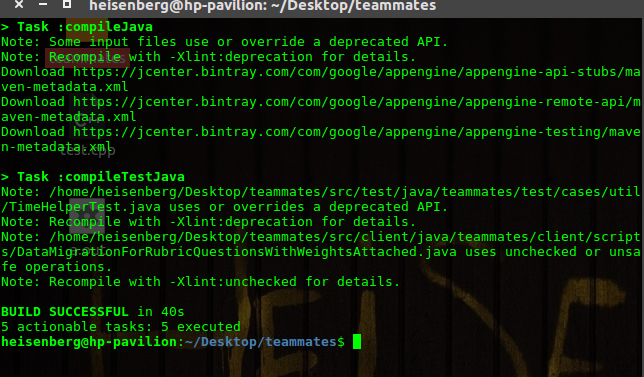
heisenberg-2505
on 16 Aug 2018
Relative to your project root there should test-output/testng-failed.xml. Are you sure there are failing tests when running CI tests? Because it should generate the file testng-failed.xml and if you don't have that file there will be no effect when running failed tests.
On a side note, I suggest you use an IDE to run the tests. The command line has its set of advantages but requires you to understand what you are doing.
LiHaoTan
on 16 Aug 2018
Are you sure there are failing tests when running CI tests?
When running the tests using terminal ci tests are failing.
On a side note, I suggest you use an IDE to run the tests.
I will use the IDE to run the tests and get back to you.
Will the file be located at /teammates/test-output/testing-failed.xml?
heisenberg-2505
on 16 Aug 2018
I ran the tests using IDE, some 40 CI tests failed, but when I ran the failed tests using the IDE it showed that it had no tests to run.
What to do now?
heisenberg-2505
on 31 Aug 2018
Are you using Eclipse or IntelliJ? If you are using Eclipse I believe it should work correctly.
On IntelliJ however our workflow currently has a missing step where failed tests are not saved, but you can always use IntelliJ's built-in to re-run failed tests (https://www.jetbrains.com/help/idea/rerunning-tests.html).
LiHaoTan
on 1 Sep 2018
Thanks a lot. I am currently using IntelliJ, should I switch to Eclipse?
heisenberg-2505
on 1 Sep 2018
There is no need to, you can still re-run failed tests? (https://www.jetbrains.com/help/idea/rerunning-tests.html)
LiHaoTan
on 2 Sep 2018
I ran the tests as mentioned above and there were some test cases that were failing even after enabling the God Mode. How to fix those tests?
heisenberg-2505
on 3 Sep 2018
Also using IntelliJ we can only run the failed tests so
Re-run the failed tests without GodMode to ensure that they are passing, if they are not passing it is likely that the tests require modification not due to Godmode. In that case, you have to check if you should be modifying the tests for new logic or that your logic is incorrect so the tests are failing.
all the tests of this step cannot be run.
heisenberg-2505
on 3 Sep 2018
all the tests of this step cannot be run.
I'm afraid I'm not getting what you are saying. If the tests runs and fails it's because of various reasons like mentioned below? You are supposed to figure out why the tests are breaking by walking through the logic. If there is something you don't understand you should give some details otherwise it's hard for anyone to provide input.
Re-run the failed tests without GodMode to ensure that they are passing, if they are not passing it is likely that the tests require modification not due to Godmode. In that case, you have to check if you should be modifying the tests for new logic or that your logic is incorrect so the tests are failing.
LiHaoTan
on 5 Sep 2018
What I'm not getting is why the tests are failing when I've only changed a small html file?
heisenberg-2505
on 8 Sep 2018
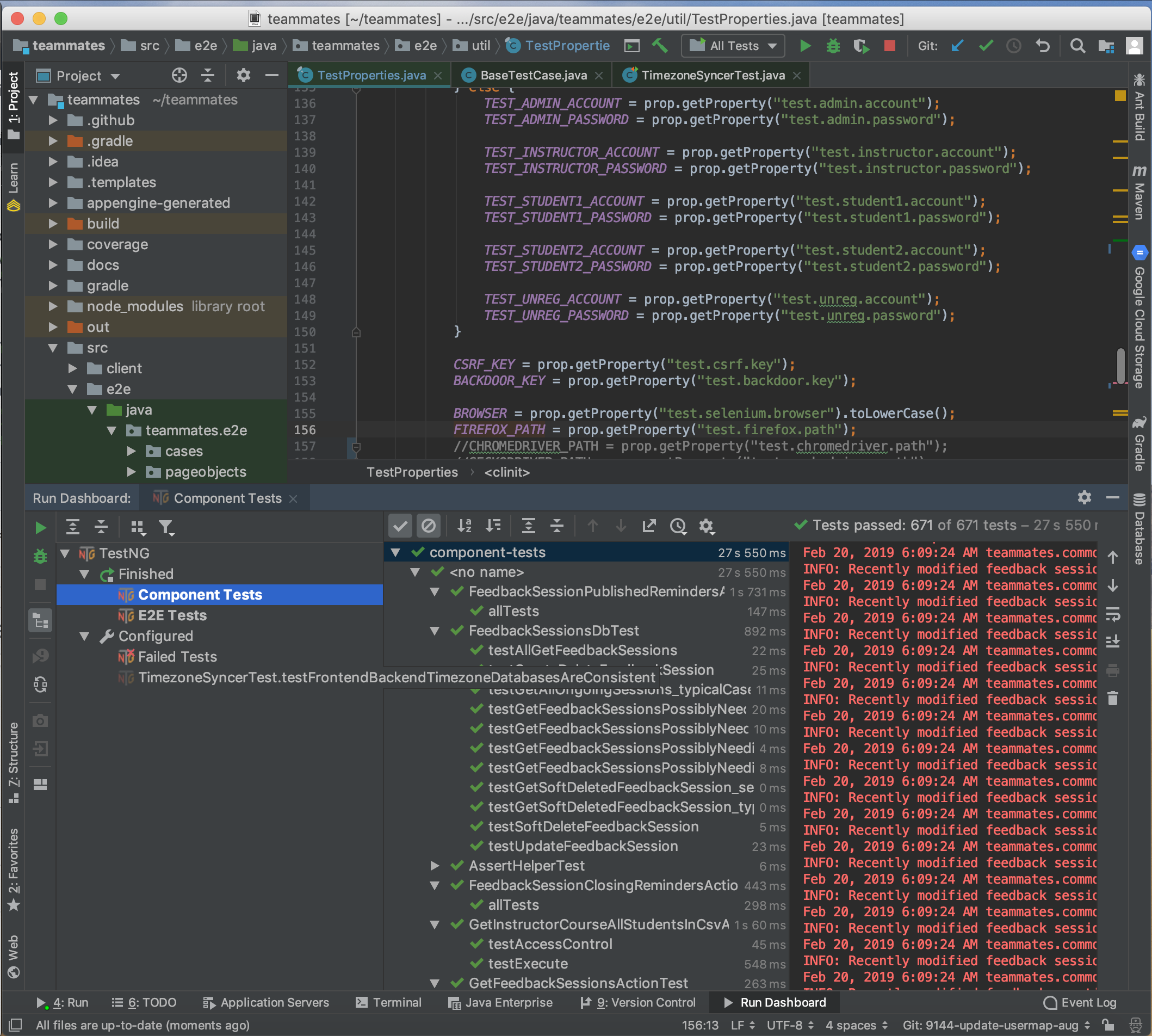
Hi, I've seemed to solve the issue on my environment using heisenbergs-2505's way with all tests passing. I've attached the screenshots of the tests. What should I do next?
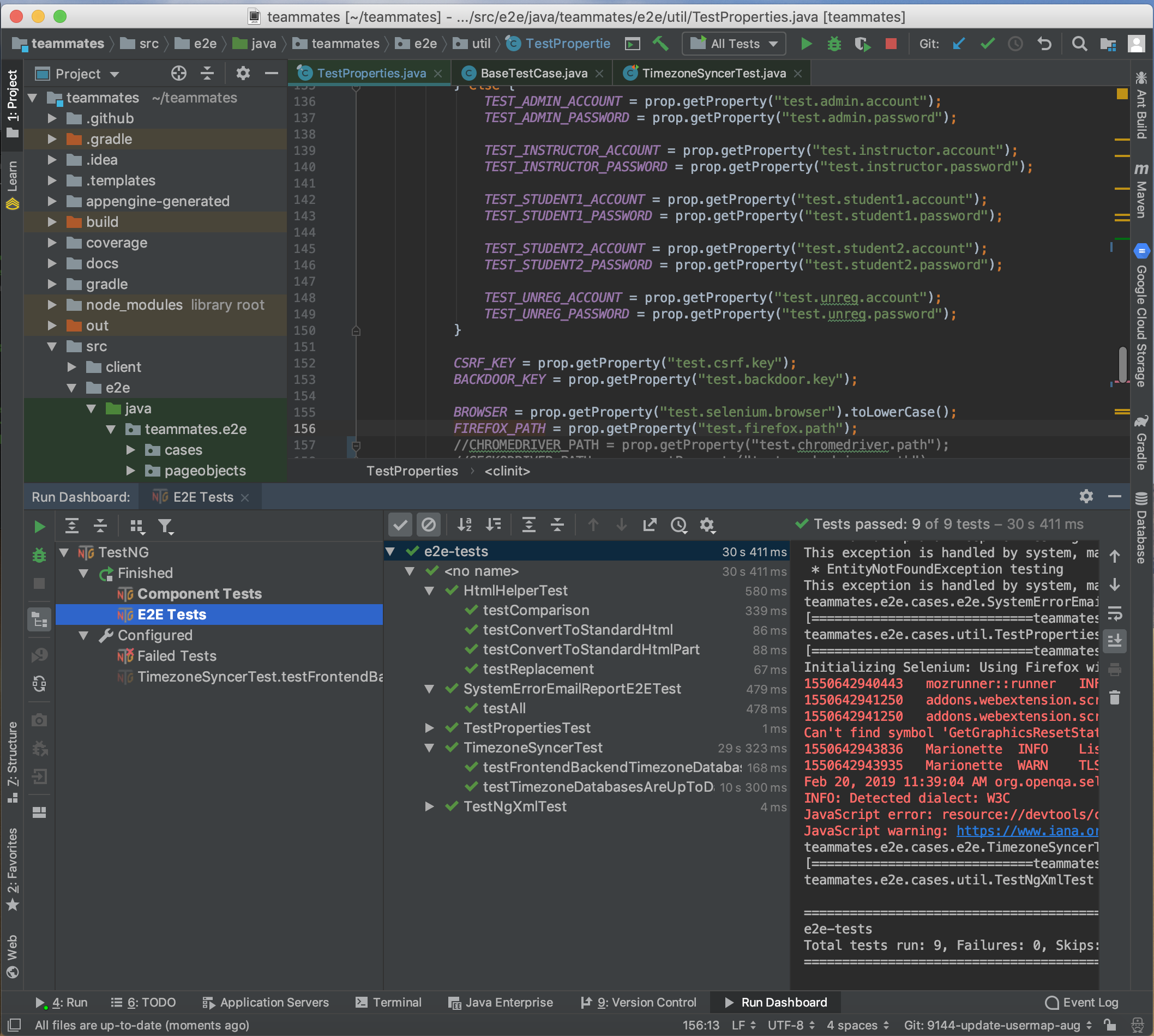
 Ayush517
on 20 Feb 2019
Ayush517
on 20 Feb 2019
Hi @Ayush517 , you can proceed to create a pull request to share your work with the team :) Refer to this link for more details.
joanneong
on 20 Feb 2019
Related issues
whipermr5
·
4Comments
 rchliu
·
3Comments
whipermr5
·
4Comments
rchliu
·
3Comments
whipermr5
·
4Comments
 JosephineKwa
·
4Comments
whipermr5
·
3Comments
JosephineKwa
·
4Comments
whipermr5
·
3Comments
Most helpful comment
@douihechmaha change
https://teammates-john.appspot.compart in the join Link's URL tohttp://localhost:8080/