Teammates: Help Request : Create app on GAE
- Operating System: Not Required
- JDK Version: Not Required
- Eclipse Version : Not Required
- Firefox Version : Not Required
What I was trying to do / What I need help with
In the document "development.md"
Can tell me exactly how to reach this step "Create your own app on GAE"? I mean do I have to pay after 12 months
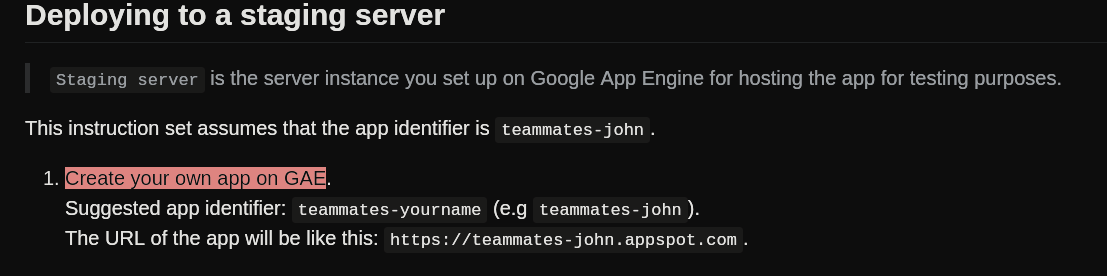
What should I write in business name?
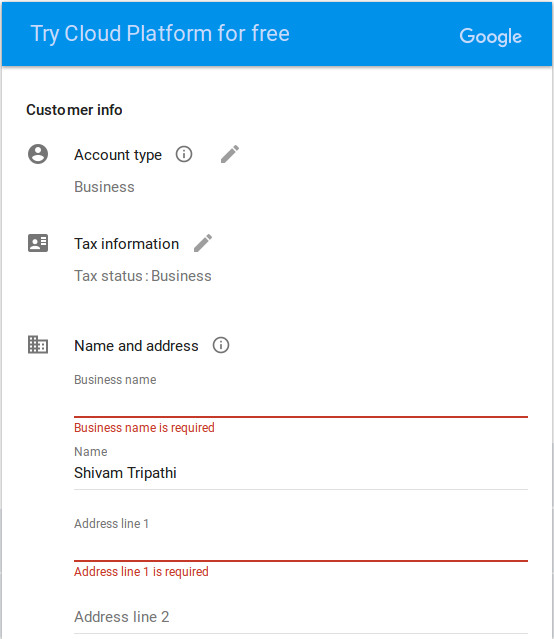 n
n
If I don't have card no. , does this mean i can't contribute ?
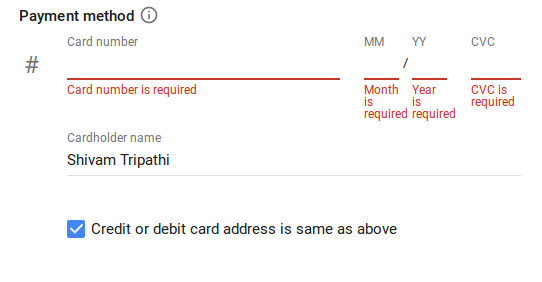
Attempts to resolve the problem
 shivamtrip53
All 14 comments
Setting up the staging server is not a mandatory task, and most of the issue do not require you to deploy the app in the staging server (unless it is explicitly mentioned in the issue itself), and most of it can be done on the dev server itself.
Although to start contributing you must complete this task list
 sukanta-27
on 6 Feb 2018
sukanta-27
on 6 Feb 2018
It'll continue to be free after 12 months unless you're exceeding the monthly usage quotas. I believe there is a personal account type?
 whipermr5
on 7 Feb 2018
whipermr5
on 7 Feb 2018
@whipermr5 There may also be a problem with using a GAE app which I came across , and that is
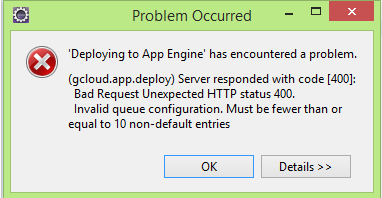
Free account allows <= 10 queue entries
Paid account allows <= 100 queue entries.
But There is one way around this problem which @wkurniawan07 has mentioned in https://github.com/TEAMMATES/teammates/issues/6363#issuecomment-272698976, but for this a credit card number is needed.
sukanta-27
on 7 Feb 2018
Yes; you need to link your credit card for the limit to be increased. I meant that they will not charge your linked credit card after 12 months, as long as your usage remains within the free quota. As he suggested, can set the spending limit to 0.
whipermr5
on 7 Feb 2018
Let me just get this straight: right now you need a credit card even to deploy anything, much less with more than 10 task queue entries, right? Reference: https://github.com/TEAMMATES/teammates/issues/6691#issuecomment-283680985
 wkurniawan07
on 7 Feb 2018
wkurniawan07
on 7 Feb 2018
@wkurniawan07 Maybe that's not the case. I have an GCP account, and have deployed the teammates project to the staging server. Though I don't use the staging server as I think the project is not completely deployed because of the error stated above. (I don't have a credit card no,)
This is the link to my staging server.
And this is what my billing section looks like :
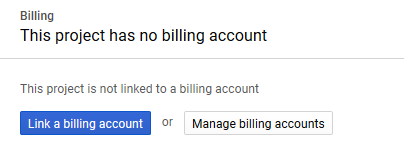
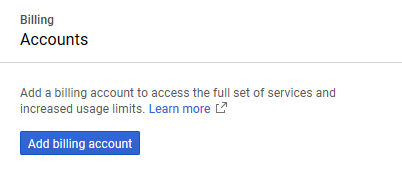
P.S.: I think all google accounts receive a free service for GCP upto a limit, as they do for any other google product. After that it is to the user if he/she wants to add a billing account and wants to continue his/her service.
sukanta-27
on 7 Feb 2018
@sukanta-27 do you happen to have this GCP account since some time before mid-2016?
wkurniawan07
on 7 Feb 2018
@wkurniawan07 I created the account in GCP (Or rather used my google account to sign in) in NOV 2016 2017, while I was following the orientation task list.
sukanta-27
on 7 Feb 2018
@whipermr5 , @wkurniawan07, @sukanta-27, Google has mentioned reason for why they are forcing users to enter credit card no.
Its just to ensure that you are not a robot.

shivamtrip53
on 7 Feb 2018
@shivamtrip53 First sign into your google account. And then can you check if you can simply sign into the GCP using the Sign In button instead of clicking Try It Free
sukanta-27
on 7 Feb 2018
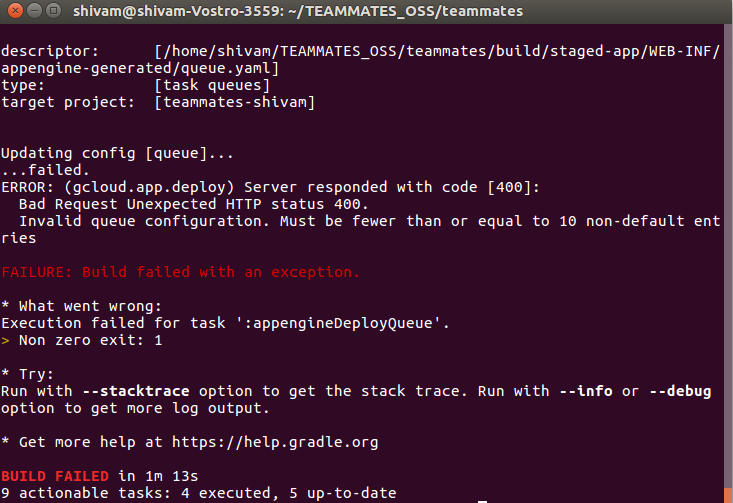
@sukanta-27 Though Try It Free is not a mandatory thing to do for deploying the app, but still I'm not able to deploy my app on staging server and receiving the following error when I try to run gcloud auth login followed by ./gradlew appengineDeployAll.
shivamtrip53
on 9 Feb 2018
When using GCP for free and without putting your card details, it doesn't support queues( i think there is a limit of 10 which can be changed in queue.yaml). [ I am assuming the build failed is only dueue to appEngineDeployQueue cause this happens often to me cause I use it for free]
I am using the similar way and get Build Failed everytime, however it has actually deployed the app and you can access it by going to the link
 tshradheya
on 9 Feb 2018
tshradheya
on 9 Feb 2018
@shivamtrip53 This is the same error I mentioned in https://github.com/TEAMMATES/teammates/issues/8407#issuecomment-363680407.
As @tshradheya mentioned, though you are getting the build failure, you can check if your app is deployed or not. Chances are it has.
sukanta-27
on 9 Feb 2018
@tshradheya , @sukanta-27 , Yes, it has been deployed.
shivamtrip53
on 9 Feb 2018
Related issues
 taniach
·
3Comments
taniach
·
3Comments
 rchliu
·
3Comments
whipermr5
·
3Comments
whipermr5
·
4Comments
rchliu
·
3Comments
whipermr5
·
3Comments
whipermr5
·
4Comments
 JosephineKwa
·
4Comments
JosephineKwa
·
4Comments
Most helpful comment
Yes; you need to link your credit card for the limit to be increased. I meant that they will not charge your linked credit card after 12 months, as long as your usage remains within the free quota. As he suggested, can set the spending limit to 0.