Tdesktop: [Feature Reqeust] Take fonts from the system theme
It would be great if the telegram could take a font and a font size from the system theme. Because many people can have different fonts from a telegram, and what you can see when you open a telegram on a low resolution 1920×1080 monitor at 21.5 inches (like me, or even up to 27 inches at the same resolution) is terrible.
 ivan-tretyak
All 28 comments
I'm using Telegram without DirectWrite (Windows 10). Embedded fonts absolutely unreadable without font smoothing. I'd like to use Tahoma or Arial for sharp fonts.
Temporary solution is patching exe in HxD by font names.
 grandsilence
on 26 Apr 2020
grandsilence
on 26 Apr 2020
I have 2 monitors 4K and 2K. Font is ok on 4K monitor and it is awful on 2K.
 filimo
on 26 Apr 2020
filimo
on 26 Apr 2020
@filimo you are absolutely right. 2K and 1080 just a pain to read.
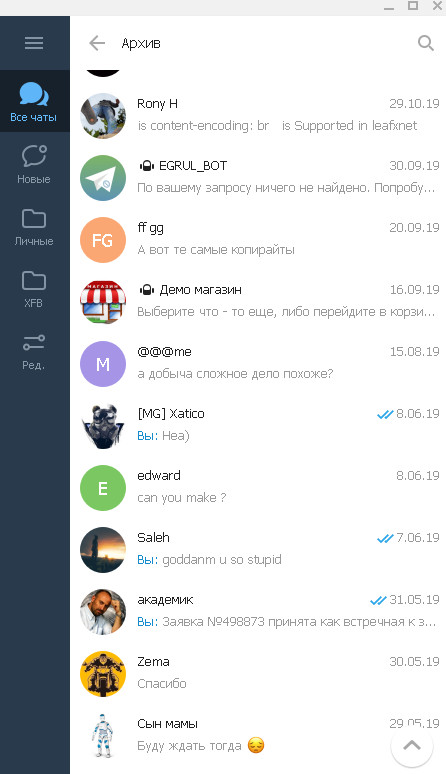
Patched to Arial font version:
grandsilence
on 26 Apr 2020
I'm using Telegram without DirectWrite (Windows 10).
What do you mean? Qt always uses GDI until app specifies custom hinting settings (which is not right in case of tdesktop)
https://github.com/qt/qtbase/blob/v5.12.8/src/platformsupport/fontdatabases/windows/qwindowsfontenginedirectwrite.cpp#L210
 ilya-fedin
on 27 Apr 2020
ilya-fedin
on 27 Apr 2020
I'm using Telegram without DirectWrite (Windows 10).
What do you mean? Qt always uses GDI until app specifies custom hinting settings (which is not right in case of tdesktop)
https://github.com/qt/qtbase/blob/v5.12.8/src/platformsupport/fontdatabases/windows/qwindowsfontenginedirectwrite.cpp#L210
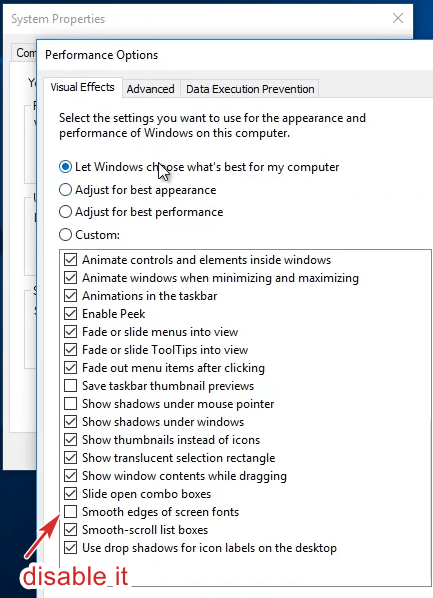
I mean disabling font smoothing in Advanced system settings.
grandsilence
on 27 Apr 2020
That's called ClearType :)
ilya-fedin
on 27 Apr 2020
I have 2 monitors 4K and 2K. Font is ok on 4K monitor and it is awful on 2K.
I forgot to point that I am using telegram-desktop on macOS.
filimo
on 27 Apr 2020
Stop fighting over font choices and provide a font selection option
https://github.com/telegramdesktop/tdesktop/issues/7837
 oldherl
on 8 May 2020
oldherl
on 8 May 2020
I mean disabling font smoothing in
Advanced system settings.
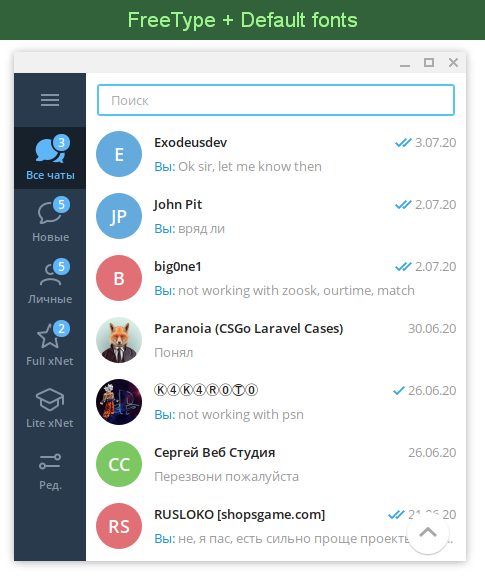
btw, there are a way to enable another font rendering engine: type freetype in settings like a cheat code. It works better with disabled font smoothing.
ilya-fedin
on 14 Aug 2020
I mean disabling font smoothing in
Advanced system settings.btw, there are a way to enable another font rendering engine: type
freetypein settings like a cheat code. It works better with disabled font smoothing.
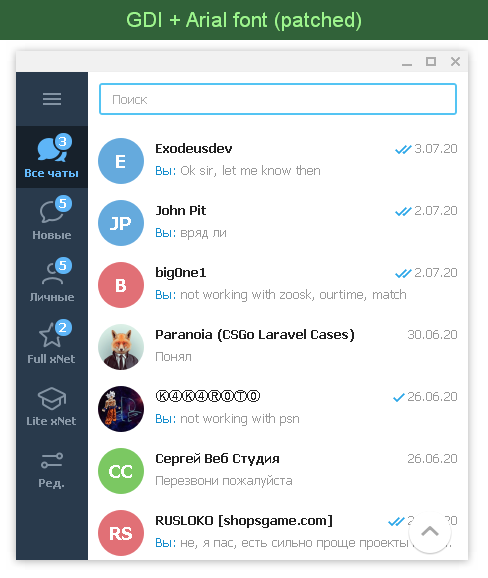
GDI without ClearType anyways much more readable and sharper.
It is important for me to keep my eyesight sharp, not to look at beautiful blurred fonts.
grandsilence
on 14 Aug 2020
Hey there!
This issue will be automatically closed in 7 days if there would be no activity. We therefore assume that the user has lost interest or resolved the problem on their own.
Don't worry though; if this is an error, let us know with a comment and we'll be happy to reopen the issue.
Thanks!
![stale[bot] picture](https://avatars3.githubusercontent.com/in/1724?v=4&s=40) stale[bot]
on 23 Oct 2020
stale[bot]
on 23 Oct 2020
The feature hasn't lost its relevance. A lot of working computers working without font smoothing for reducing blur and low PPI screens (around 90-110). With custom fonts Telegram is unreadable.
grandsilence
on 23 Oct 2020
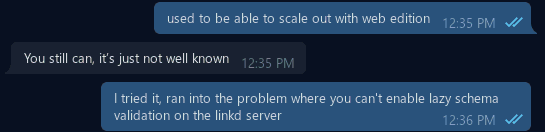
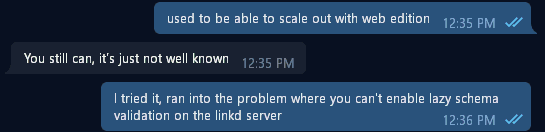
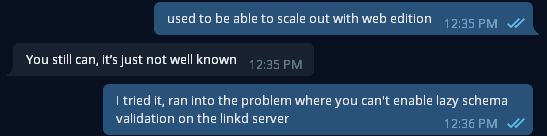
It also looks pretty lumpy if you use flat/grayscale antialiasing instead of cleartype (which you can set via Better ClearType Tuner):
cleartype (rgb):
cleartype (grayscale):
cleartype (disabled):
..it looks like bad autohinting to me. swapping the font for something with good embedded hinting should look much better (or check if whatever is doing the autohinting has a grid-fitting feature to enable).
I've tried patching the fonts w/Mactype but Telegram seems to be loading its fonts in such a way that Mactype cannot change them. @grandsilence how did you manage to patch Arial?
 gfody
on 27 Oct 2020
grandsilence
on 27 Oct 2020
gfody
on 27 Oct 2020
grandsilence
on 27 Oct 2020
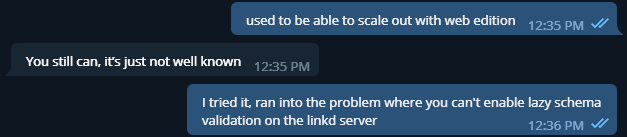
adding this line to lib_ui/ui/style/style_core_font.cpp fixes it up:
    auto appFont = QApplication::font();
    appFont.setStyleStrategy(QFont::PreferQuality);
+   appFont.setHintingPreference(QFont::PreferVerticalHinting);
    QApplication::setFont(appFont);
gfody
on 29 Oct 2020
@gfody you just forced vertical hinting and system settings aren't used anymore
ilya-fedin
on 29 Oct 2020
@ilya-fedin it's still honoring the system Cleartype setting, here it is with RGB:
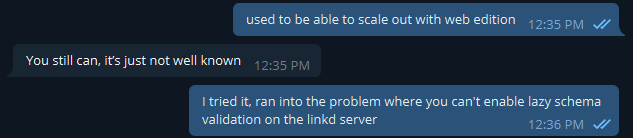
..maybe you mean the system Freetype settings, but I'm using Windows and there are no such things afaik
gfody
on 29 Oct 2020
it's still honoring the system Cleartype setting, here it is with RGB:
RGB is an antialiasing type, not a hinting type
ilya-fedin
on 29 Oct 2020
oh sure, I thought you meant the antialiasing.. the system hinting is bad in this case so that was intentional. would this not be a reasonable thing to do on Windows considering the alternative looks so bad?
gfody
on 29 Oct 2020
btw, there are a way to enable another font rendering engine: type
freetypein settings like a cheat code. It works better with disabled font smoothing.
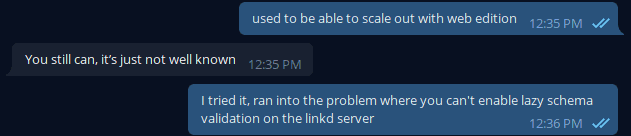
I just realized you meant to literally type "freetype" into the settings dialog - this looks good enough for me though it doesn't seem to be honoring my grayscale Cleartype setting, the RGB is faint enough that it doesn't look so bad:
gfody
on 29 Oct 2020
the system hinting is bad in this case so that was intentional
This is not right, a lot of people like full hinting with RGB antialiasing, forcing vertical hinting definitely is not an option
ilya-fedin
on 29 Oct 2020
This is not right, a lot of people like full hinting with RGB antialiasing, forcing vertical hinting definitely is not an option
those people are crazy 😄 I would probably switch to vertical hinting at least when Cleartype is disabled, but either way I'm satisfied with the "freetype" cheat code. maybe a similar thing could be added to set QFont::NoAntialias for the likes of grandsilence et al
gfody
on 29 Oct 2020
I'm not sure... Core developers are strongly against adding any font settings.
ilya-fedin
on 29 Oct 2020
btw, this is a duplicate of #90
ilya-fedin
on 29 Oct 2020
The point is that the Telegram Client should check whether the font smoothing is disabled in the system.
If it's really turned off — use system fonts rather than built-in ones.
Because built-in fonts always look awful without font smoothing. And the system fonts should be obtained from the Windows registry.
The default for Windows 7 and 10 is Segoe UI, but you can change them to Arial or Tahoma (Windows XP default UI fonts) using the registry editor, and then the fonts will be crystal clear everywhere (excepting Telegram).
To get system font smoothing state using WinAPI call, use:
user32.dll
SystemParametersInfo(iuiAction, uiParam, pvParam, fWinIni);
where uiAction = SPI_GET_FONT_SMOOTHING = 74
And the system fonts should be obtained from the Windows registry.
This sounds like a hack, system fonts should be obtained by Qt
ilya-fedin
on 29 Oct 2020
And the system fonts should be obtained from the Windows registry.
This sounds like a hack, system fonts should be obtained by Qt
Possibly. But the Enpass application, which is also written in Qt, uses the correct system fonts, without hard-coding the names of system fonts.
grandsilence
on 29 Oct 2020
But the Enpass application, which is also written in Qt, uses the correct system fonts, without hard-coding the names of system fonts.
I don't know why you talking about hardcoding, I said "obtained by Qt"...
ilya-fedin
on 29 Oct 2020
Related issues
 whywhyy
·
3Comments
whywhyy
·
3Comments
 qwitriy
·
3Comments
qwitriy
·
3Comments
 FunctionalHacker
·
3Comments
FunctionalHacker
·
3Comments
 matteotumiati
·
3Comments
matteotumiati
·
3Comments
 Mindstormer619
·
3Comments
Mindstormer619
·
3Comments