Tdesktop: If system have 2 display with different scale, Telegram always use scaling from main display
Steps to reproduce
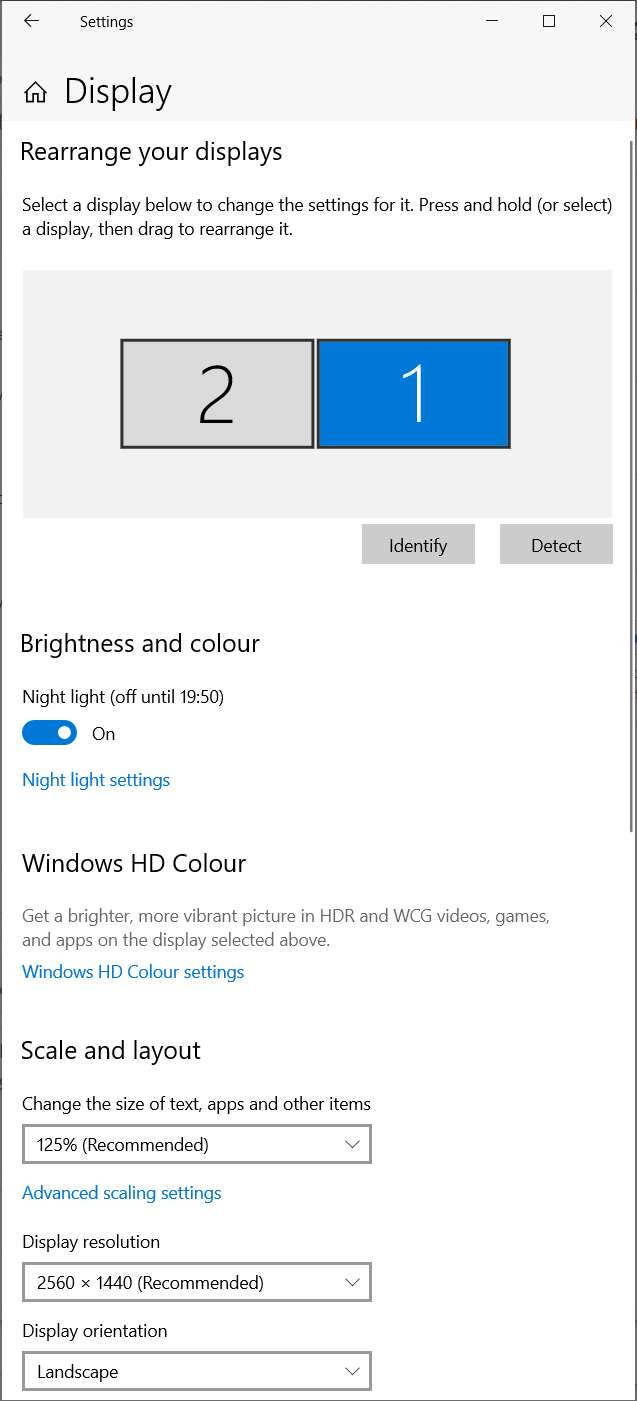
- Connect 2 display and set different scale
- Run Telegram
- Move telegram window to other display
Expected behaviour
It should re-scale ui and fonts according to diplay settings there it's window located
Actual behaviour
It still have UI/font scaling from main display
Configuration
Operating system:
Windows 10 x64
Version of Telegram Desktop:
1.7
Used theme:
Dark
 T-Troll
All 6 comments
Another variation on this issue. When switching between docked (dual monitors) and un-docked (built in screen only) Telegram doesn't redraw/rescale for the active screen's scale setting.
 iamGavinJ
on 7 Aug 2019
iamGavinJ
on 7 Aug 2019
The same issues are for Ubuntu 18.04 (DE by default)
 vskubriev
on 22 Aug 2019
vskubriev
on 22 Aug 2019
Another variation on this issue. When switching between docked (dual monitors) and un-docked (built in screen only) Telegram doesn't redraw/rescale for the active screen's scale setting.
More precisely, Telegram doesn't mention any display configuration change and always use the scale from the display it starts from.
T-Troll
on 22 Aug 2019
I have seen this bug since 2017. Is there any plan to fix it?
 ElectronicElephant
on 6 Feb 2020
ElectronicElephant
on 6 Feb 2020
maybe this can give a light.
https://doc.qt.io/qt-5/highdpi.html
https://doc.qt.io/qt-5/scalability.html
 Aokromes
on 11 Mar 2020
Aokromes
on 21 Mar 2020
Aokromes
on 11 Mar 2020
Aokromes
on 21 Mar 2020
Related issues
 luisalvarado
·
3Comments
luisalvarado
·
3Comments
 matteotumiati
·
3Comments
matteotumiati
·
3Comments
 abhyrz
·
3Comments
abhyrz
·
3Comments
 Justinzobel
·
3Comments
Justinzobel
·
3Comments
 hosseinab
·
3Comments
hosseinab
·
3Comments
Most helpful comment
Another variation on this issue. When switching between docked (dual monitors) and un-docked (built in screen only) Telegram doesn't redraw/rescale for the active screen's scale setting.