Tcomb-form-native: Remove unnecessary bottom border Android from default style
Version
Tell us which versions you are using:
- tcomb-form-native v0.6.1
- react-native v0.34.0
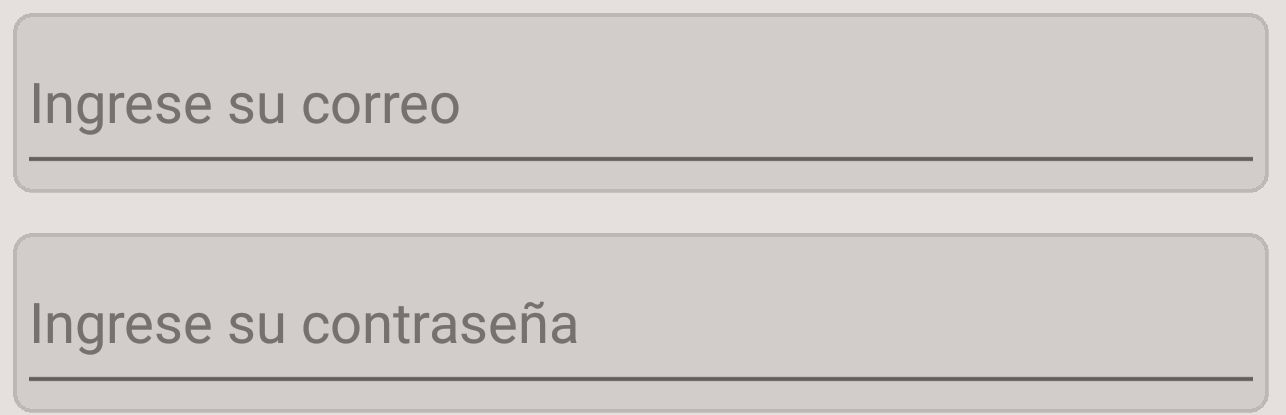
Every TextInput has unnecessary bottom border after RN34
https://github.com/facebook/react-native/issues/10108

we should set underlineColorAndroid='transparent' as the default
 sibelius
All 24 comments
Hi @sibelius!
Thanks for reporting this. Can you send a PR? 😄
Many thanks!
 alvaromb
on 27 Sep 2016
alvaromb
on 27 Sep 2016
should I change just this style: https://github.com/gcanti/tcomb-form-native/blob/master/lib/stylesheets/bootstrap.js#L62?
sibelius
on 27 Sep 2016
I've added there, but I'm receiving an error
invalid props.style key underlineColorAndroid supplied to TextInput
sibelius
on 27 Sep 2016
I'm working on the same thing.
underlineColorAndroid is not a style property, but a property of TextInput. You'll have to pass it in your options for the field...
@alvaromb - maybe we should make a global property for the options underlineColorAndroid that would be automatically applied to all fields?
 compojoom
on 28 Sep 2016
compojoom
on 28 Sep 2016
I'm in for maintaining the actual behaviour, add it to the options of the text field.
alvaromb
on 28 Sep 2016
how can I solve this problem right now?
I've tried this
const options = {
auto: 'placeholders',
fields: {
email: {
maxLength: 250,
autoCorrect: false,
keyboardType: 'email-address',
autoCapitalize: 'none',
underlineColorAndroid: 'transparent',
onSubmitEditing: () => this.refs.form.getComponent('password').refs.input.focus()
},
password: {
maxLength: 70,
secureTextEntry: true,
underlineColorAndroid: 'transparent',
error: 'Must have 6-12 characters with at least 1 number and 1 special character'
}
}
};
but it did not worked
sibelius
on 28 Sep 2016
But it should. This is what I have in my options as well:
{
        stylesheet: stylesheet,
        auto: 'none',
        fields: {
            name: {
                placeholder: 'Name',
                underlineColorAndroid: 'transparent',
            },
and it works...
compojoom
on 28 Sep 2016
I did a clean install, and worked well, tks
@alvaromb I just feel that underlineColorAndroid: 'transparent', should be the default, but style is just a matter of taste
feel free to close this issue if u wanna keep the current defaults
sibelius
on 28 Sep 2016
The problem with this not being the default is that the style on android looks bad.
But it's hard to make it default as it is not a style property. So maybe updating the docs would solve the issue. I'm sure that there a lot of users out there, that have no clue why the form looks bad on android out of the box :(
compojoom
on 28 Sep 2016
You are talking about adding a default, so is not a breaking change, right?
What are the possibile issues of adding a default to underlineColorAndroid?
 gcanti
on 28 Sep 2016
gcanti
on 28 Sep 2016
it is not a breaking change
the only issue is that it will not show the underlineColor on android as it was the behavior before RN34
sibelius
on 28 Sep 2016
Let me understand, if we add underlineColorAndroid = 'transparent' as a default, will users of < RN34 be affected in some way? If the answer is yes, it _is_ a breaking change and we should stick with the current behaviour
gcanti
on 28 Sep 2016
the answer is no
check this out - https://github.com/facebook/react-native/issues/10108
sibelius
on 28 Sep 2016
:+1: for being a default
 cmrichards
on 7 Oct 2016
cmrichards
on 7 Oct 2016
Is there a way to set it as a global default without needing to add "underlineColorAndroid: 'transparent'' to the config for every field I create with tbomb-form-native? That would be really useful.
Great library btw!
cmrichards
on 7 Oct 2016
I agree it shouldn't show the line by default.
 adamrainsby
on 17 Oct 2016
adamrainsby
on 17 Oct 2016
Pull request here: https://github.com/gcanti/tcomb-form-native/pull/254
adamrainsby
on 17 Oct 2016
I don't think this is a breaking change because it was transparent by default before 0.34.
adamrainsby
on 17 Oct 2016
👍 for setting underlineColorAndroid=' transparent as default, i.e. merging #254 . Also I agree with @cmrichards it would be nice to be able to change this prop globally.
 javiercr
on 20 Dec 2016
gcanti
on 20 Dec 2016
javiercr
on 20 Dec 2016
gcanti
on 20 Dec 2016
 Bmkaradia
on 12 Jul 2018
Bmkaradia
on 12 Jul 2018
you can set the underlineColorAndroid property to RGBA(0,0,0,0) as shown bellow
<TextInput underlineColorAndroid="rgba(0,0,0,0)"
 guillaume250
on 23 Aug 2018
guillaume250
on 23 Aug 2018
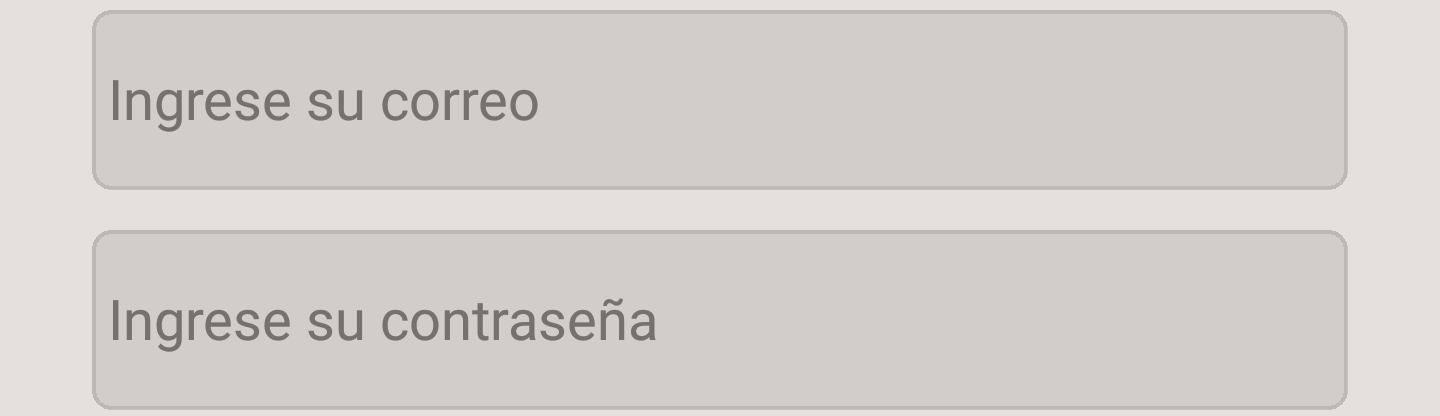
Prop of the component TextInput
underlineColorAndroid="transparent"
This work for me!
 Darkiring
on 20 Sep 2018
Darkiring
on 20 Sep 2018
In dark mode underlineColorAndroid="transparent" not working .
 ghost
on 26 Feb 2020
ghost
on 26 Feb 2020
Related issues
 chauthai
·
4Comments
chauthai
·
4Comments
 semirturgay
·
4Comments
semirturgay
·
4Comments
 scarlac
·
4Comments
scarlac
·
4Comments
 pgmemk
·
4Comments
pgmemk
·
4Comments
 albertogugliotta
·
3Comments
albertogugliotta
·
3Comments
Most helpful comment
But it should. This is what I have in my options as well:
and it works...