Tasmota: New bulb type similar to AIthinker named Lohas 9W E27
Hi,
I ordered a bulb named Lohas 9W E27 (810lm, multicolored and dimmable) and looked inside and found another ESP8266 and the necessary pins. The idea was to have a more powerful Sonoff B1 version. It was heavily glued and I needed much more force to open it than any other tasmota-able bulb before:

After successfully soldering wires to the pins, fashing worked on the first try and it "kind-a" works with the AI-light driver. It lit up and it can be dimmed but to a color instead of anything else. As I found not really much on the bulb itself, it looks very similar to the AI-light, yet different. It as two MY9231 chips, not the MY9291 ones and the PCB is labeled TYLD1R, yielding only one electronic-specify link on Google pointing to some page on alipay with a PCB similar to the one in the bulb, yet the ESP stuff is totally different.
The Sonoff B1, which uses the MY9231 according to the source code does not work at all, after playing around with the AI-lIght dimmer settings and changing bulb types, I now have only color, no white at all.
What can I do to help to get it to work?
 lnxbil
All 18 comments
Did you find a solution to your problems and do you maybe have some tips on how you flashed your Lohas lamp?
I’ve ordered the slightly bigger 10W version from Lohas but I don’t seem to be able to flash it at all. When I try to read or erase the flash with esptool it doesn’t connect, I think the chip is not in flash mode, but connecting GPIO0 to ground isn’t changing anything. I’ve successfully flashed some Sonoff switches etc. with the same connection layout, so my FTDI connector and the drivers on my computer (MacBook) are working correctly.
 Lhonco
on 19 Apr 2018
Lhonco
on 19 Apr 2018
@Lhonco I'm having the exact same issue as you. Easily able to flash other ESP devices with my computer, FTDI cable, and other hardware, but my bulb (9w from Lohas, no version, TYLD1R board) refuses to enter flash mode when I connect GPIO0 to ground. I'm using the Arduino IDE to program my devices, and it behaves just as if there is nothing connected to the other end of the FTDI cable.
 MechanicalMink
on 21 May 2018
MechanicalMink
on 21 May 2018
@MechanicalMink That’s unfortunate, but at least it apparently doesn’t have to do with something I did wrong if you have the same problems. I couldn’t get it solved, I’m afraid, and returned the bulb. But please let us know if you or someone else finds a solution. I would have really liked to flash the Lohas bulbs because they seem to be the closest to the Milight bulbs concerning brightness and colours (Milight bulbs don’t send their current status with their custom 2.4 GHz protocol which ist why I would have liked a WIFI bulb).
Lhonco
on 21 May 2018
@Lhonco Just to give feedback: No, I did not find a solution. I'm currently using Milight stuff with an ESP bridge to have a working E14 setup.
lnxbil
on 22 May 2018
@Lhonco @Inxbil I figured out our problem as soon as I threw away any regard for my personal safety. It's some sort of an issue regarding powering the chip. As a last resort, I decided to plug the bulb into mains as it usually would be and only connect Tx, Rx, Gnd to my programmer, and IO0 through a button or a toggle switch to Gnd. What-hey, it flashed. Do this at your own risk, obviously. Some other relevant info for anyone who wants to know how to flash a Lohas 9w RGB bulb: the 2 My9231s are connected on pin 13 (DI) and 15 (DCKI). When you're talking to those chips, Red is Ch0, Green Ch1, Blue Ch2, and white is Ch3 and Ch4. Hope this helps!
MechanicalMink
on 22 May 2018
This issue has been automatically marked as stale because it has not had recent activity. It will be closed if no further activity occurs. Thank you for your contributions.
![stale[bot] picture](https://avatars3.githubusercontent.com/in/1724?v=4&s=40) stale[bot]
on 6 Jul 2018
stale[bot]
on 6 Jul 2018
This issue will be auto-closed because there hasn't been any activity for a few months. Feel free to open a new one if you still experience this problem.
stale[bot]
on 21 Jul 2018
Also verified that I'm only able flash these bulb when there using mains power.
 darkfiberiru
on 12 Jan 2019
darkfiberiru
on 12 Jan 2019
Thanks to all who contributed to this thread. I was able to flash these bulbs OTA using tuya-convert.
https://smile.amazon.com/gp/product/B07544GPWR/ref=oh_aui_search_asin_title?ie=UTF8&psc=1
https://github.com/ct-Open-Source/tuya-convert
Got the bulb working with slight modifications to
xdrv_04_light.ino - Modify channels for red, green, blue and white
Set the bulb to AiLight and profit.
 DavinKD
on 12 Feb 2019
DavinKD
on 12 Feb 2019
@DavinKD
Got the bulb working with slight modifications to
xdrv_04_light.ino - Modify channels for red, green, blue and whiteSet the bulb to AiLight and profit.
What mod did you do to xdrv_04_light.ino? I have the 9w lohas which I also flashed using tuya-convert.
I'm hoping by using the new "template" feature of tasmota, re-building from source won't be required for the lohas (and similar) bulbs. I haven't had a chance to play with recent development builds that include this feature, but plan to.
 ZericE
on 2 Mar 2019
ZericE
on 2 Mar 2019
By using the template function of version 6.4.1.19, I was able to get the LoHas RGB 9w bulb mostly working, except for the color blue. Due to the way the channels are arranged for the two my9231 driver ICs, there is no way to get the blue LEDs to illuminate without changing the tasmota code.
I ended up making a couple of small code changes to the sonoff B1 bulb in 6.4.1, and made a special FW that completely works with this bulb. One needs to change the GPIO pins in template.h for the sonoff b1 to use GPIO 13 and 15, and change the order of the channels in xdrv_04_light.ino, function LightMy92x1Duty, from { duty_w, duty_c, 0, duty_g, duty_r, duty_b } to { duty_r, duty_g, duty_b, duty_w, duty_c, 0 } .
It would be rather easy to add support directly for that bulb since it's very similar to the sonoff b1, except for pins and color channels.
ZericE
on 4 Mar 2019
@ZericE could you share the firmware please?
 tungmeister
on 12 Jun 2019
tungmeister
on 12 Jun 2019
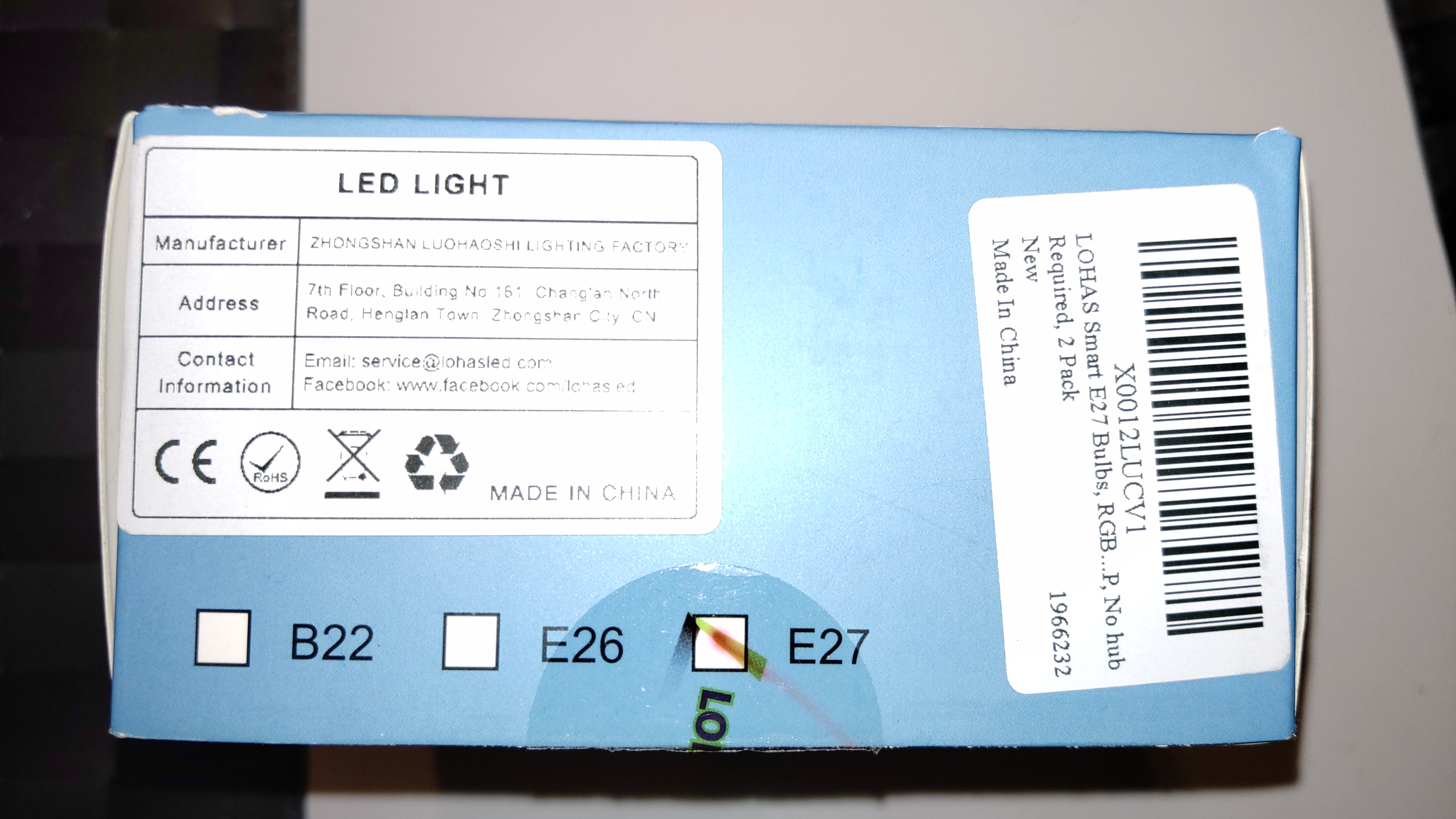
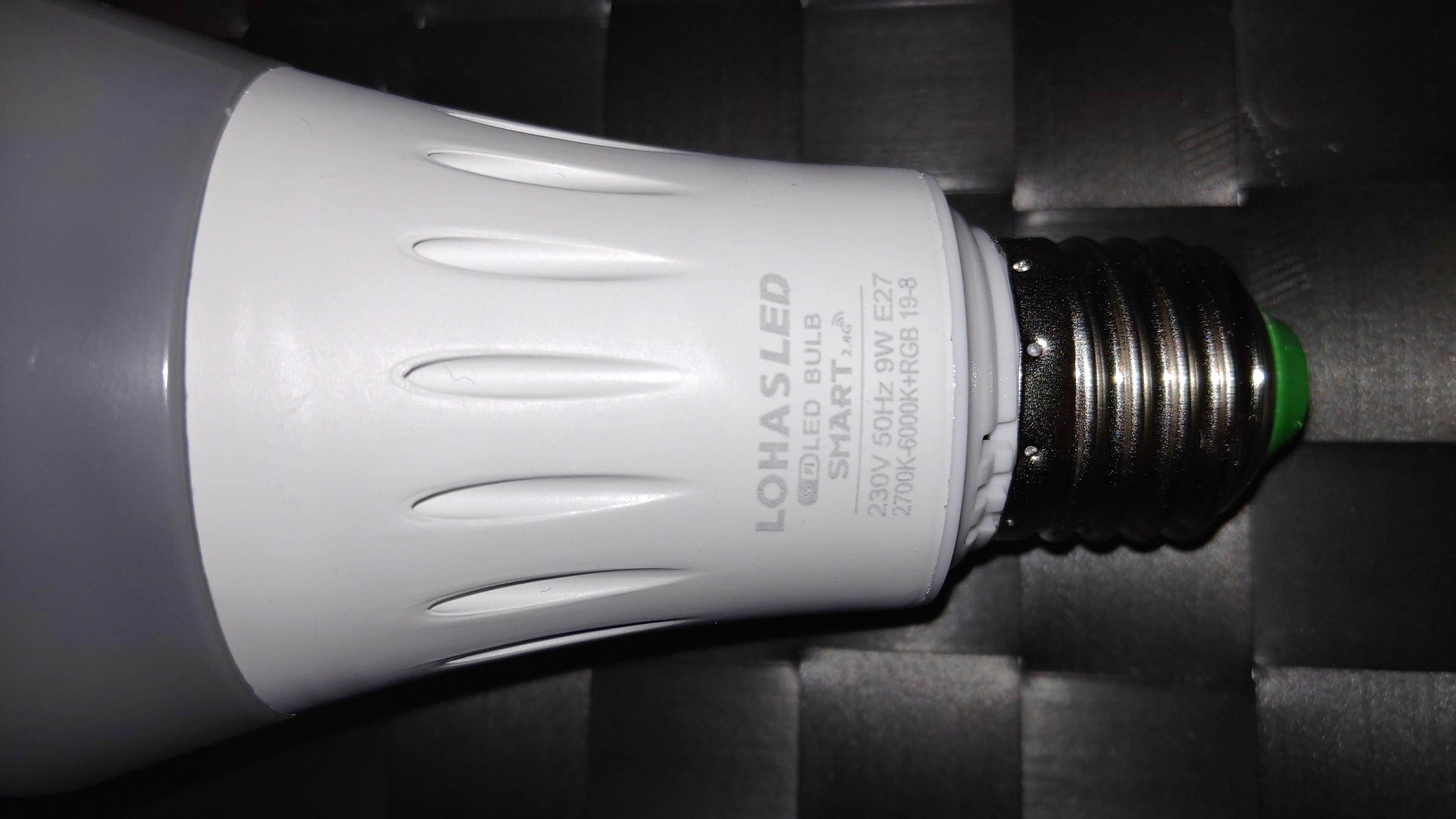
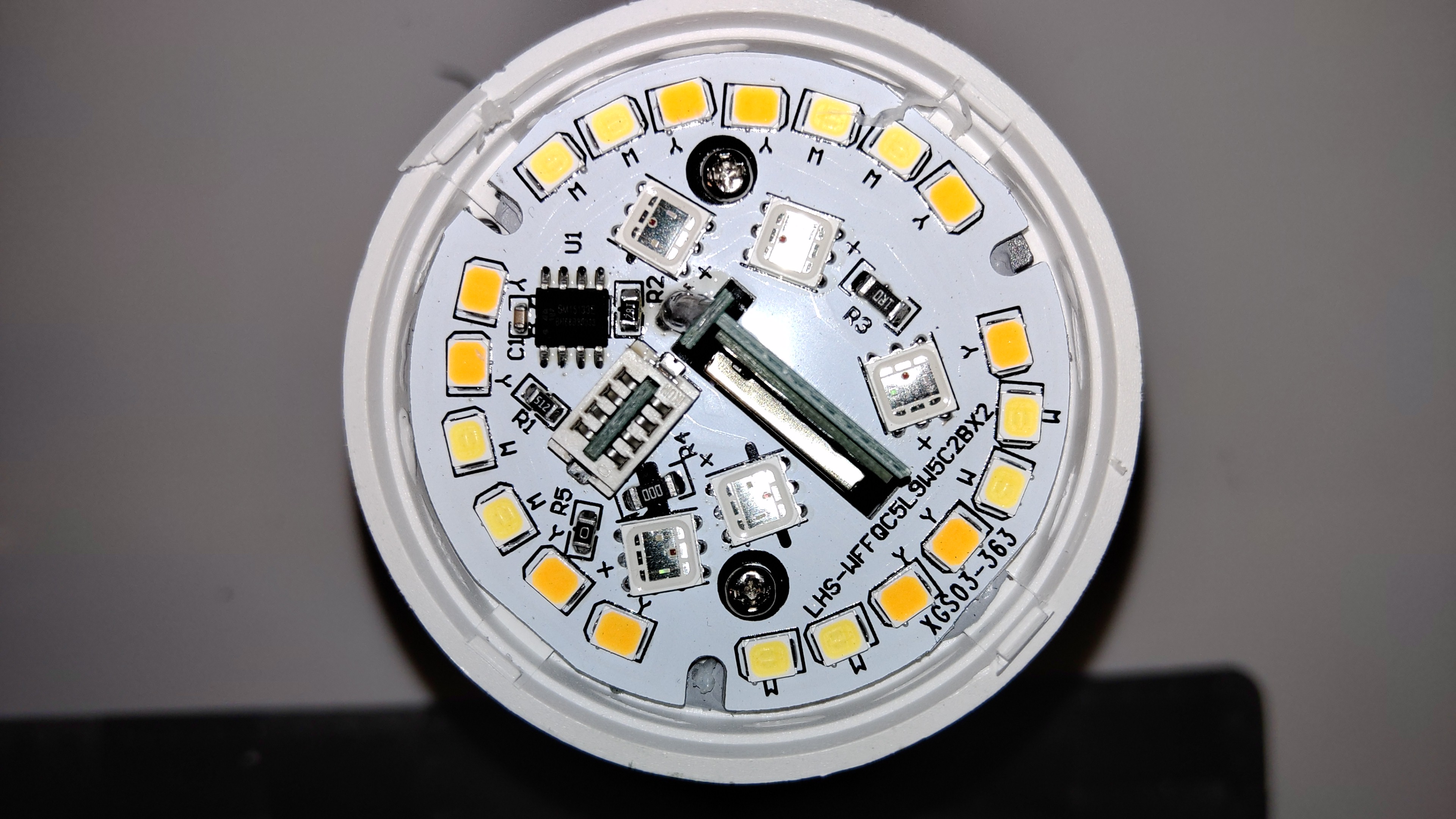
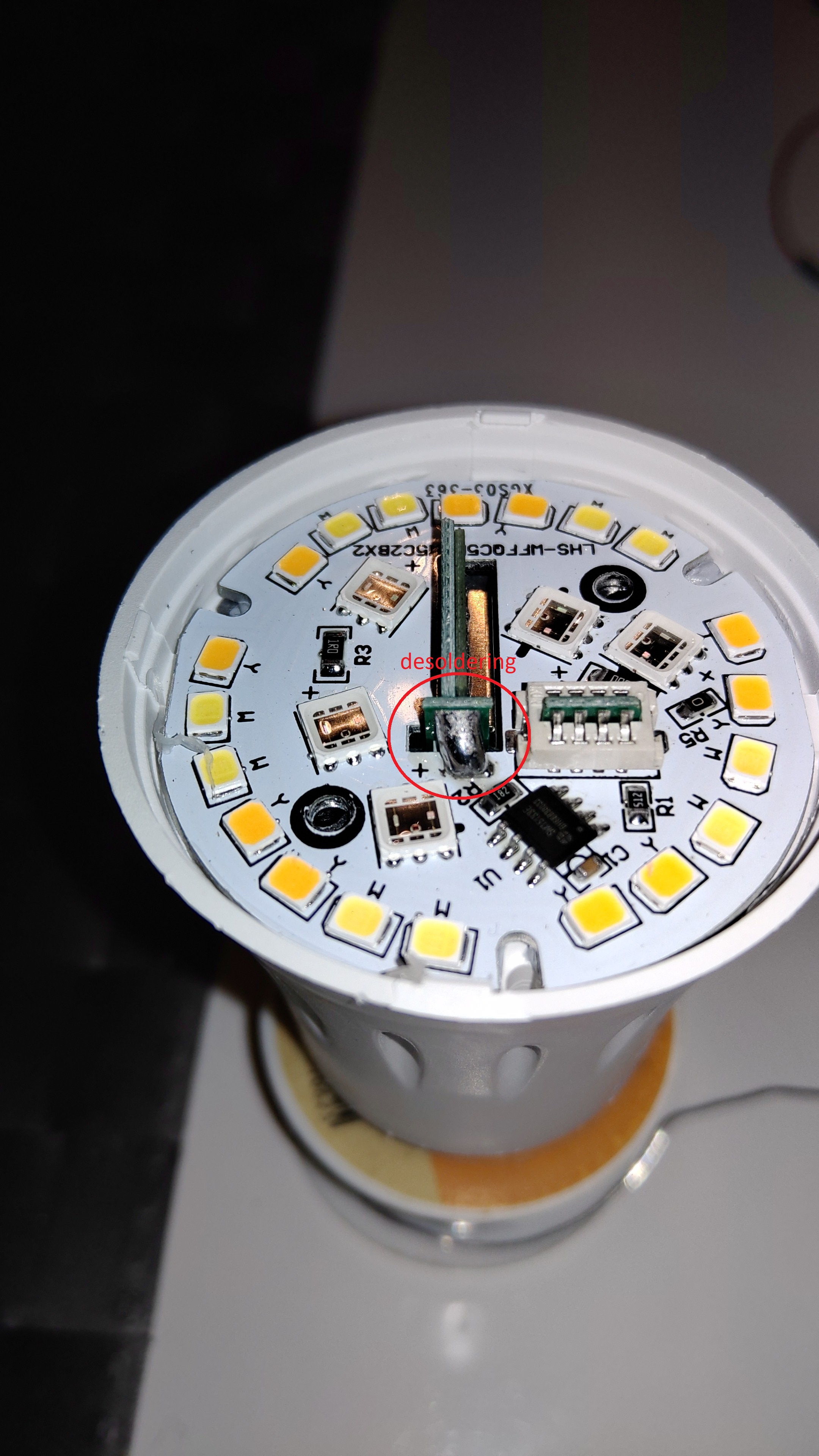
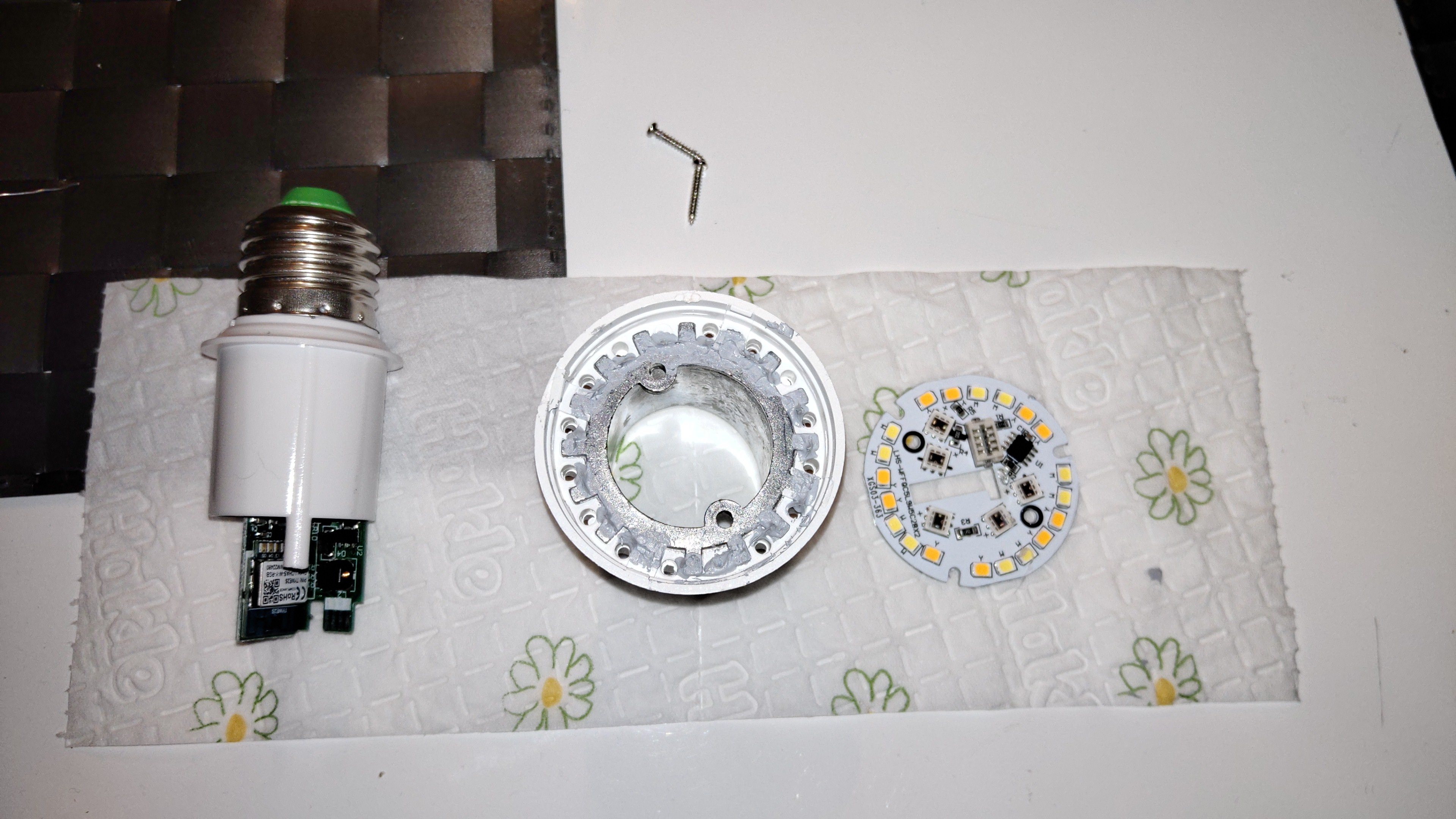
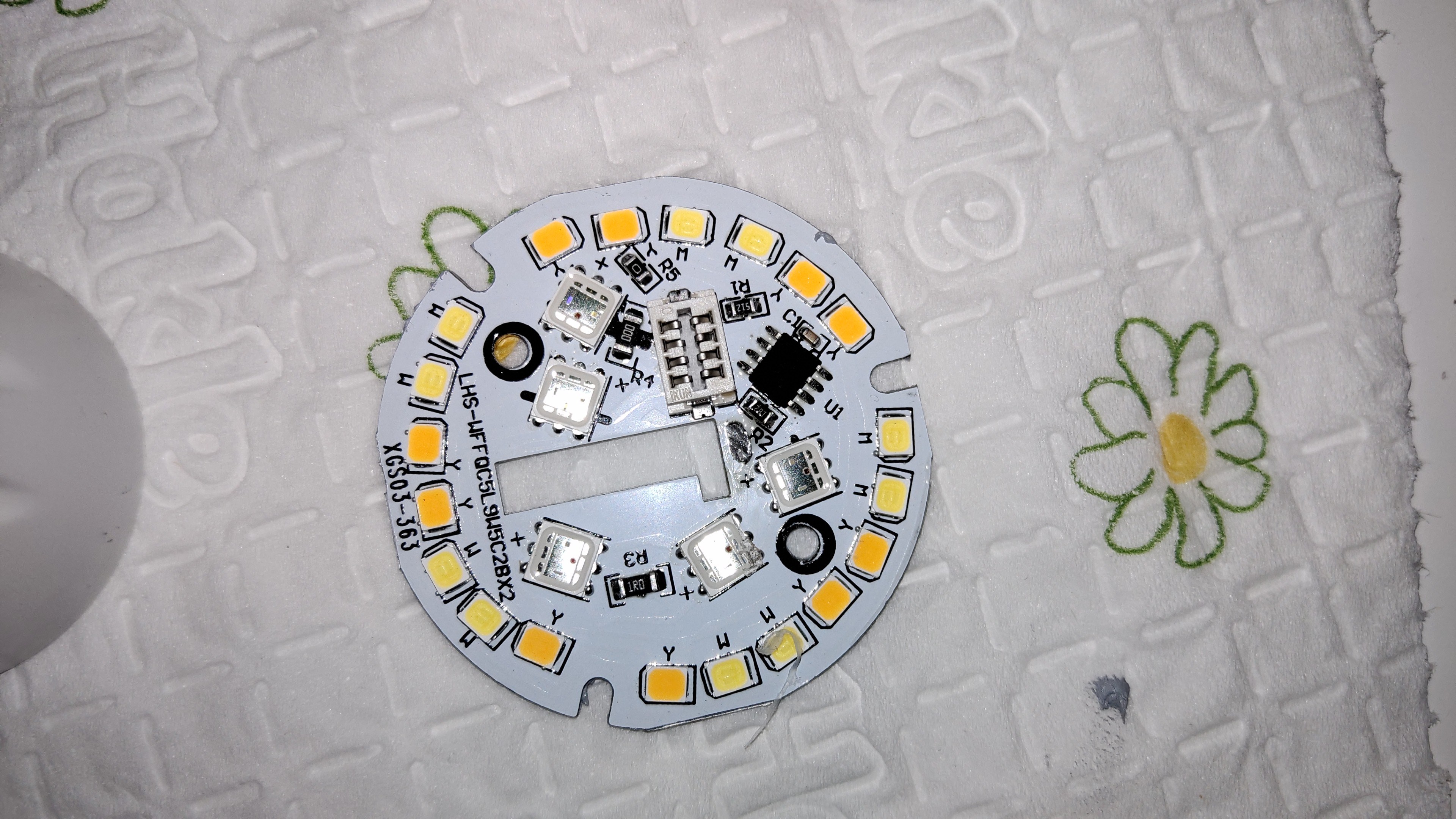
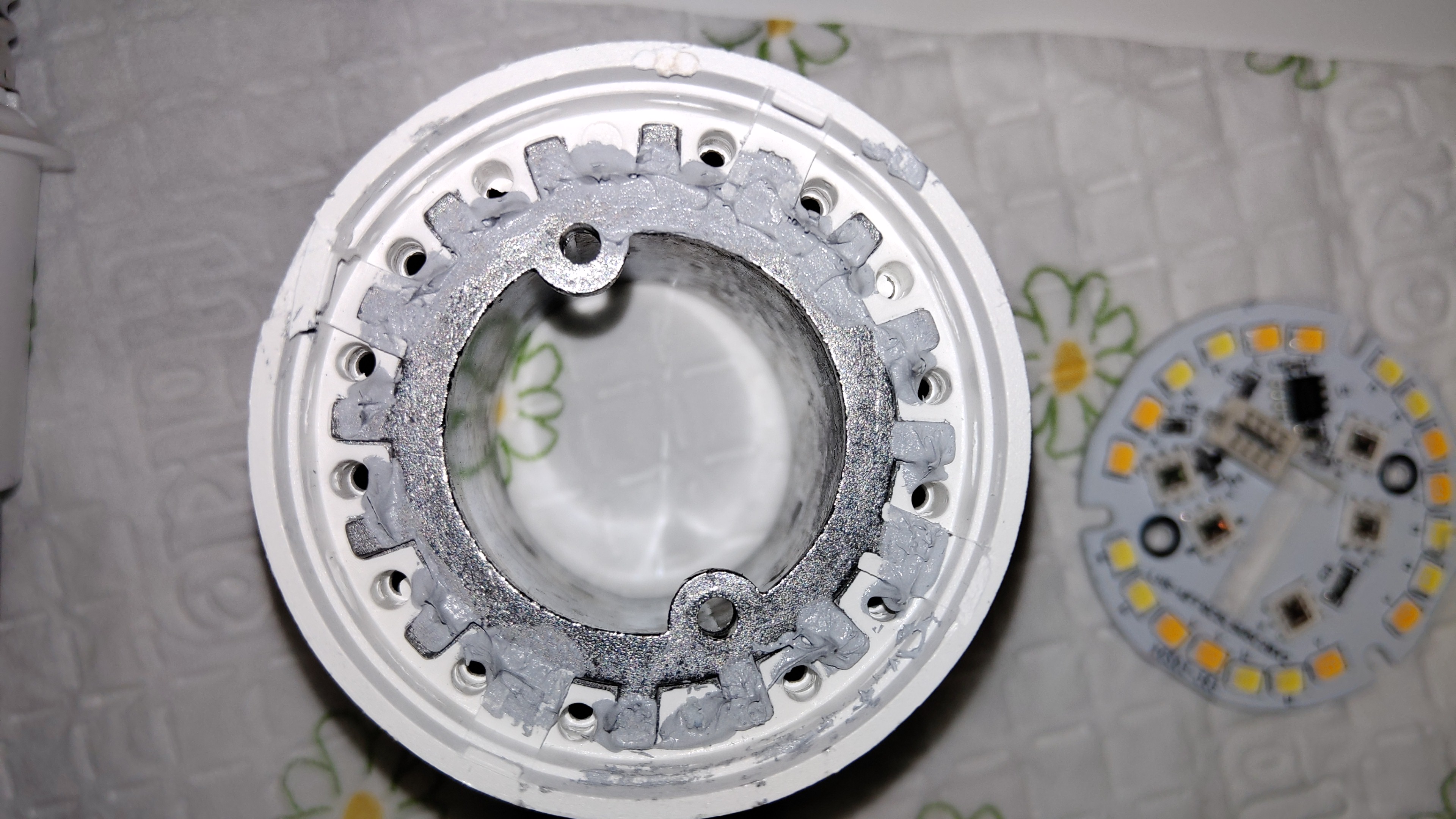
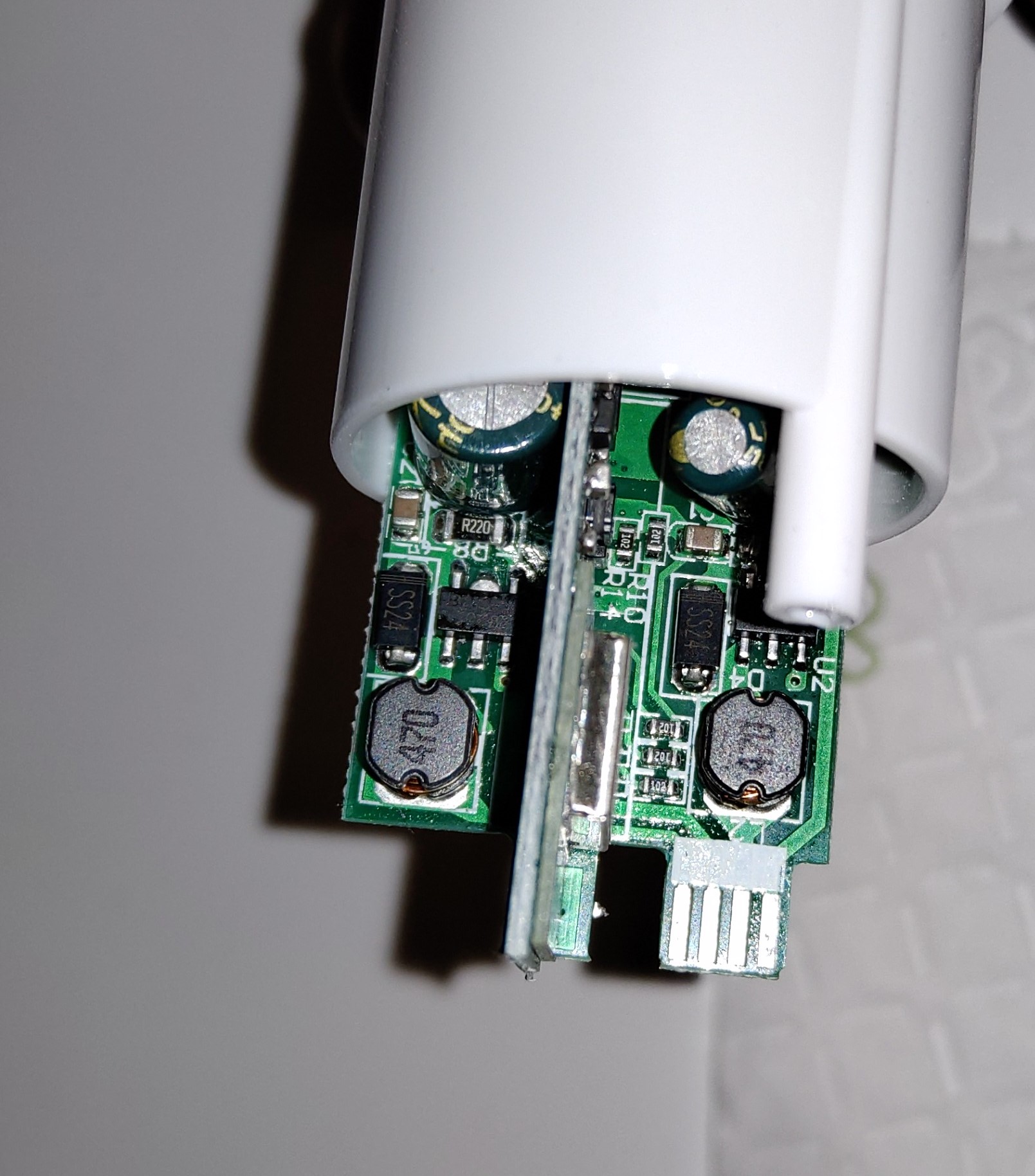
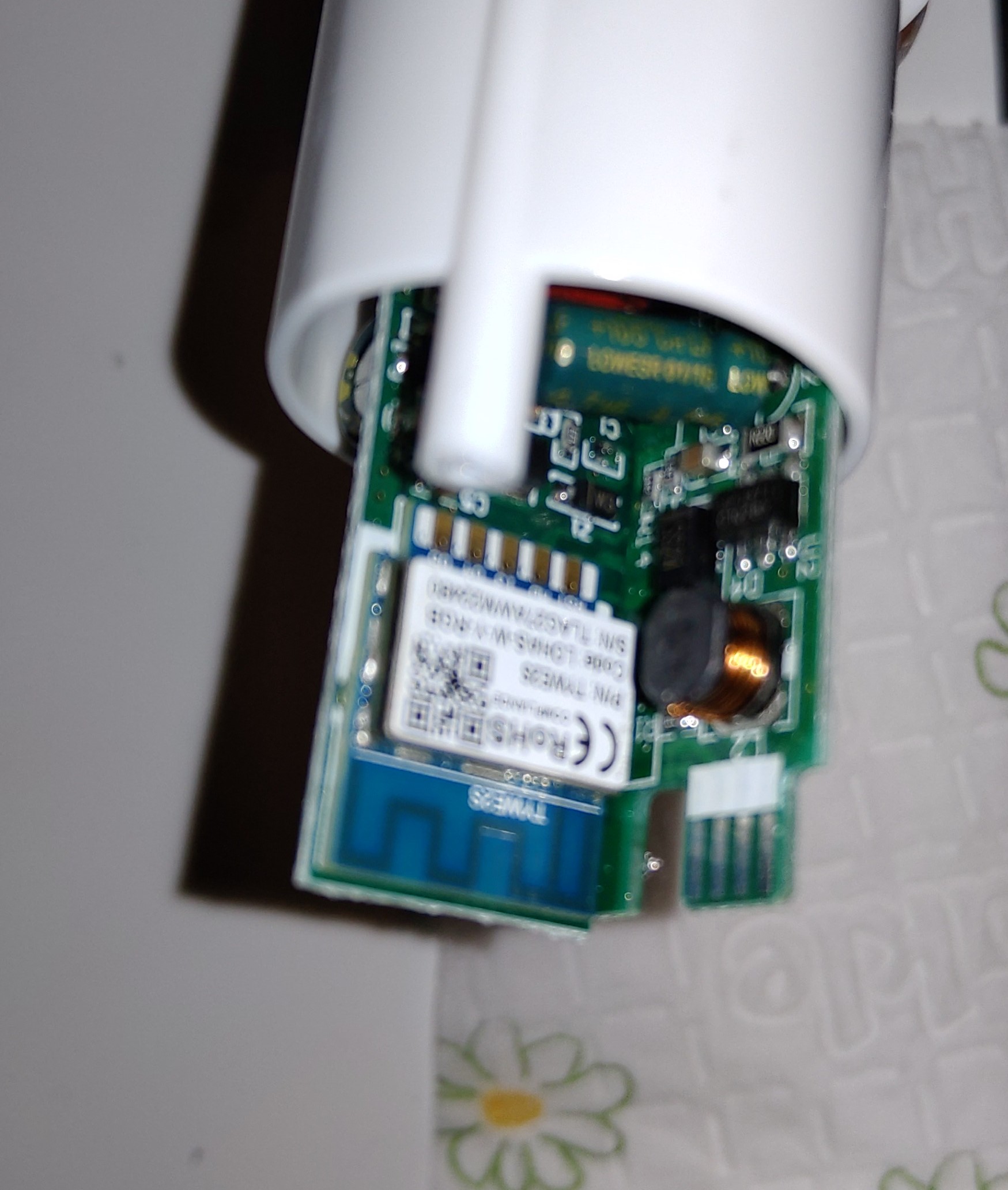
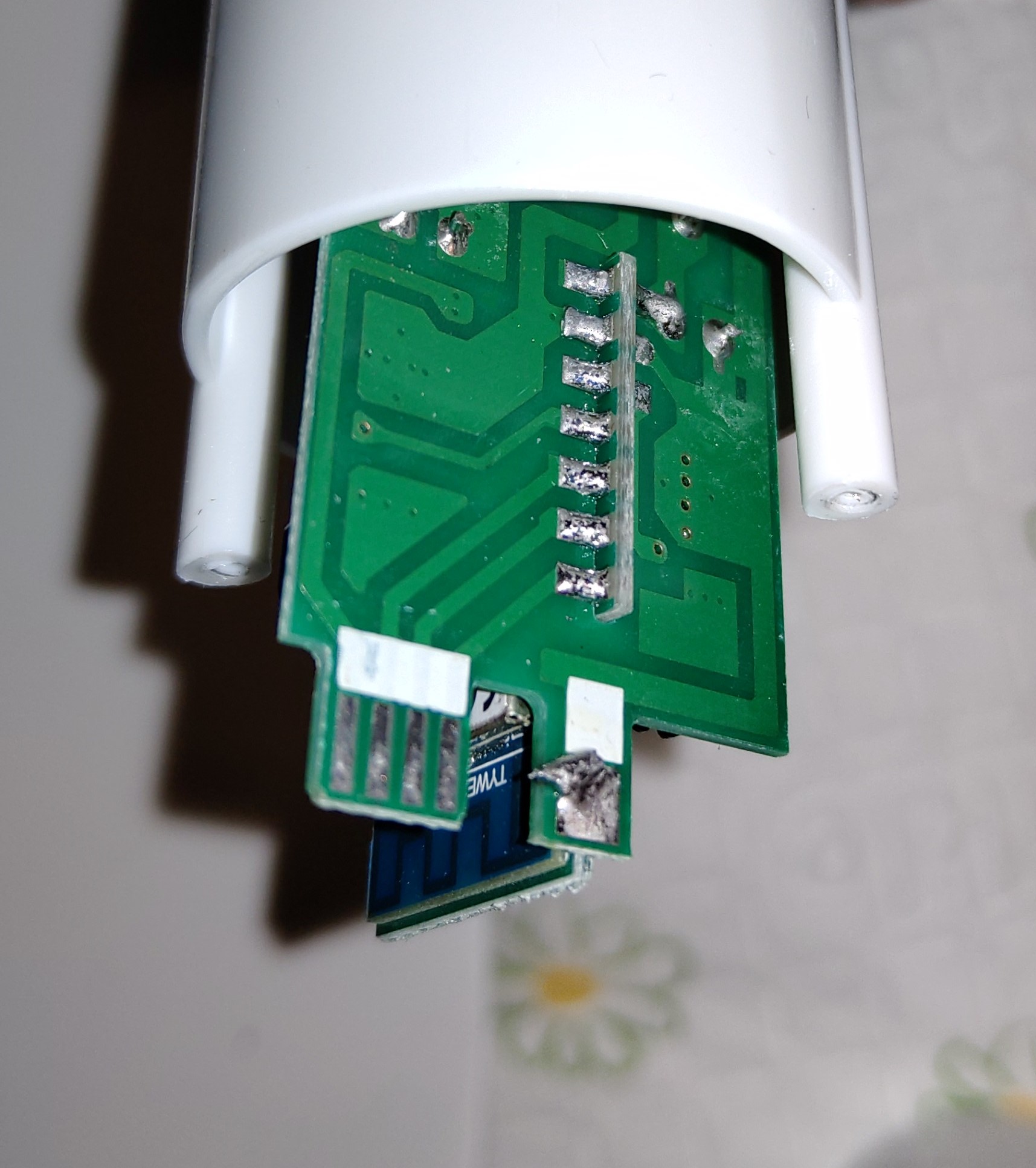
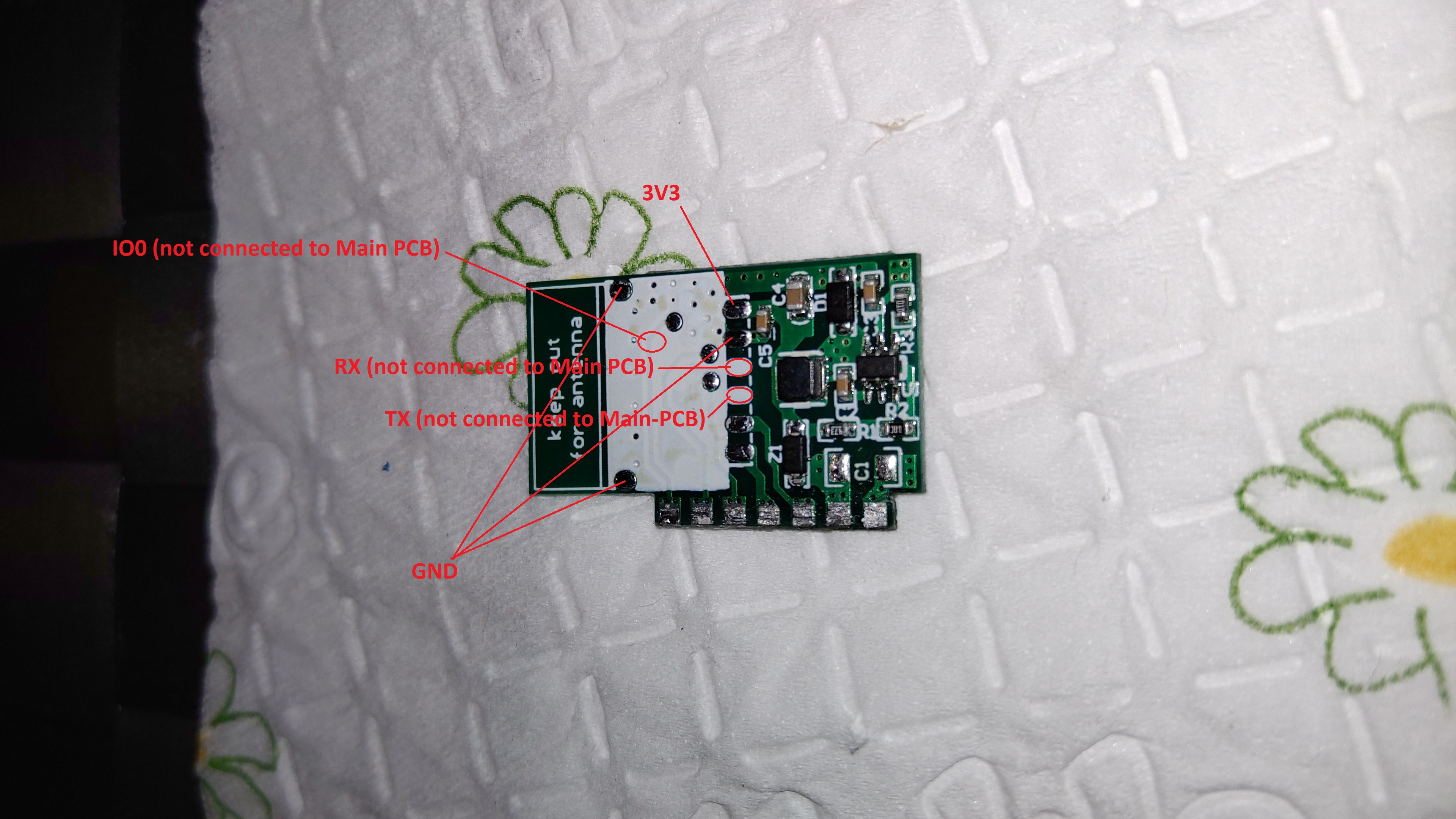
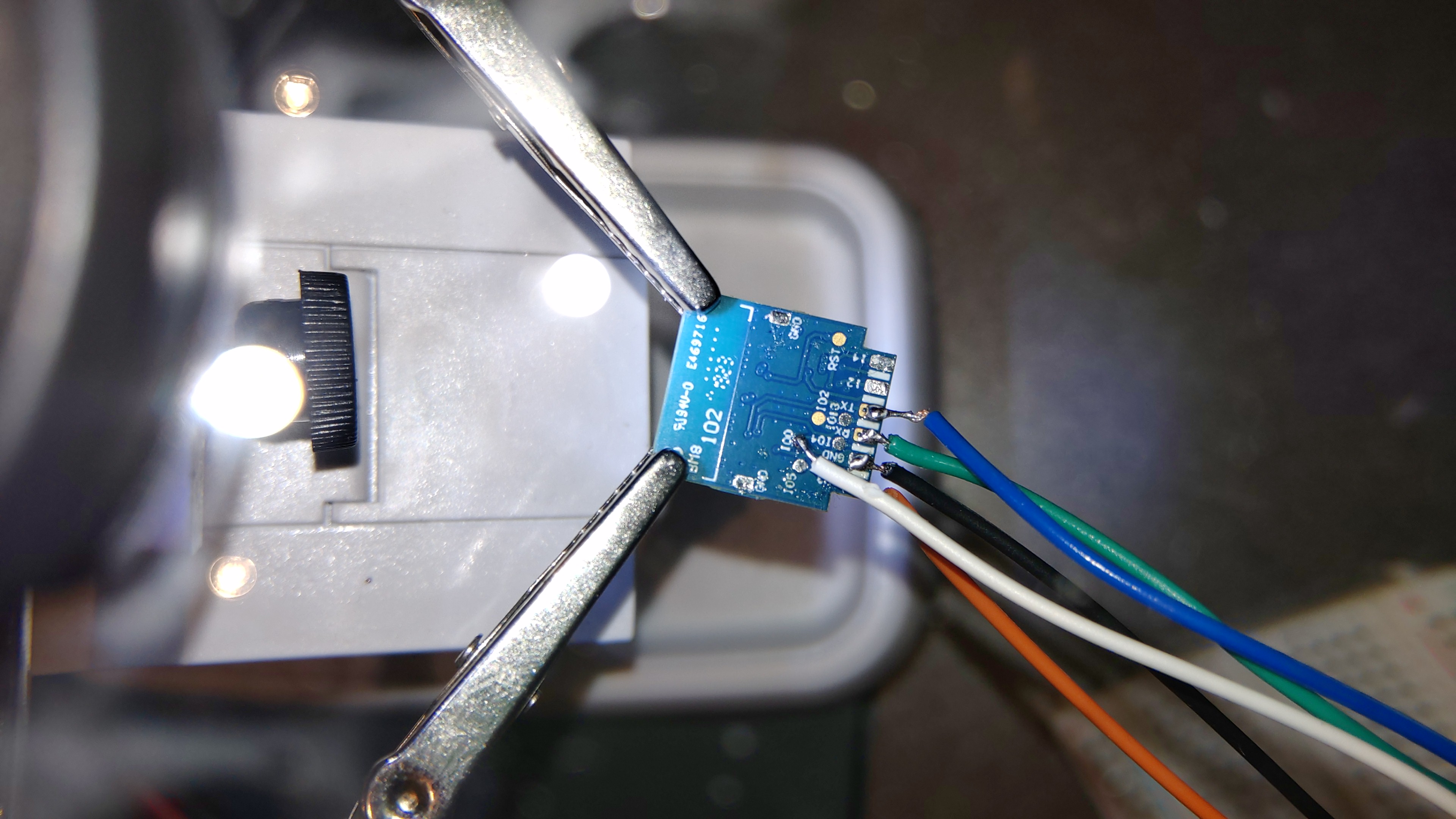
"New" Revision of the LOHAS 9W E27 Bulbs?
ordered at Amazon Germany 01.10.2019 https://www.amazon.de/gp/product/B07WV7TVBF/ref=ppx_yo_dt_b_asin_title_o02_s00?ie=UTF8&psc=1

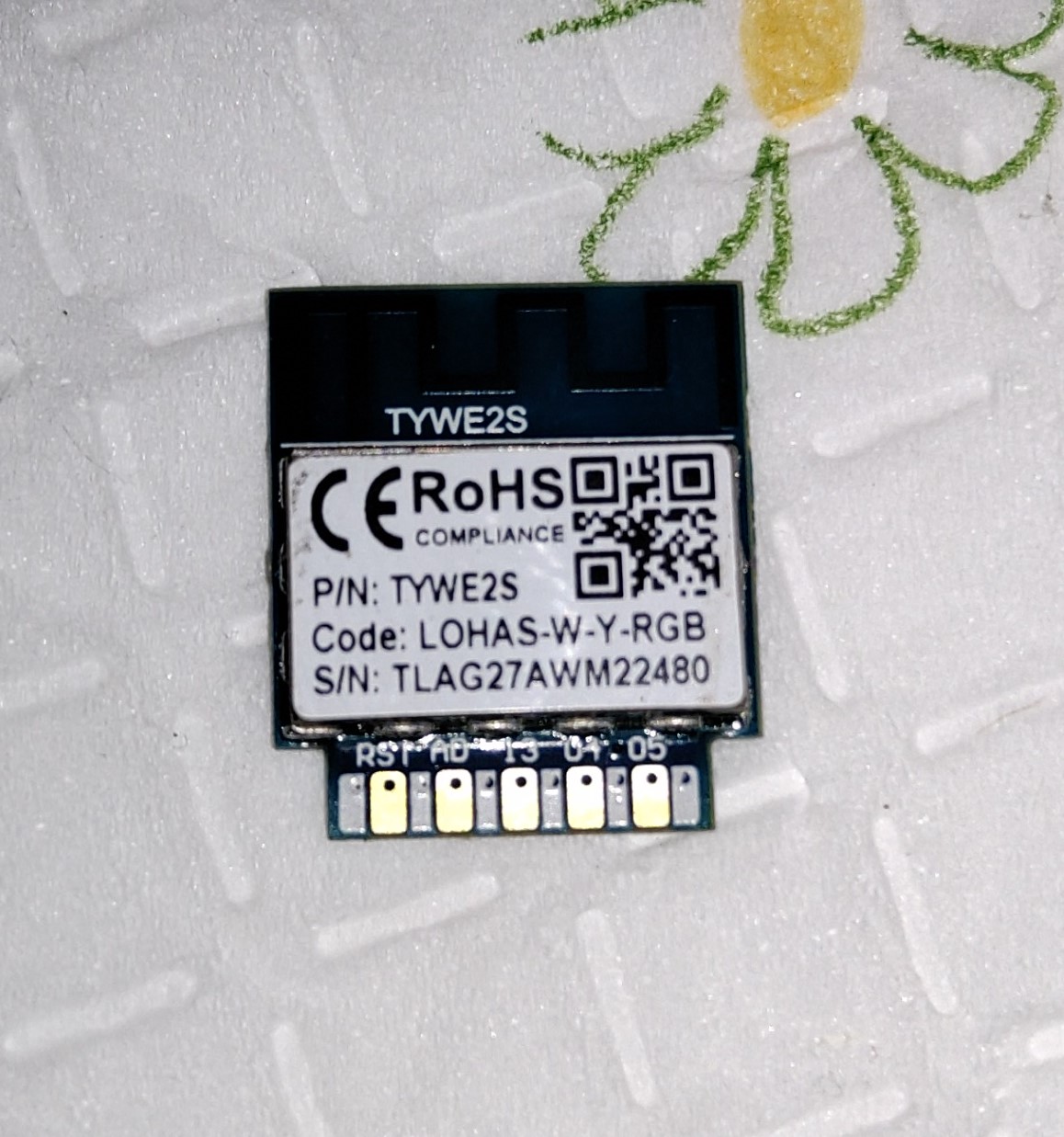
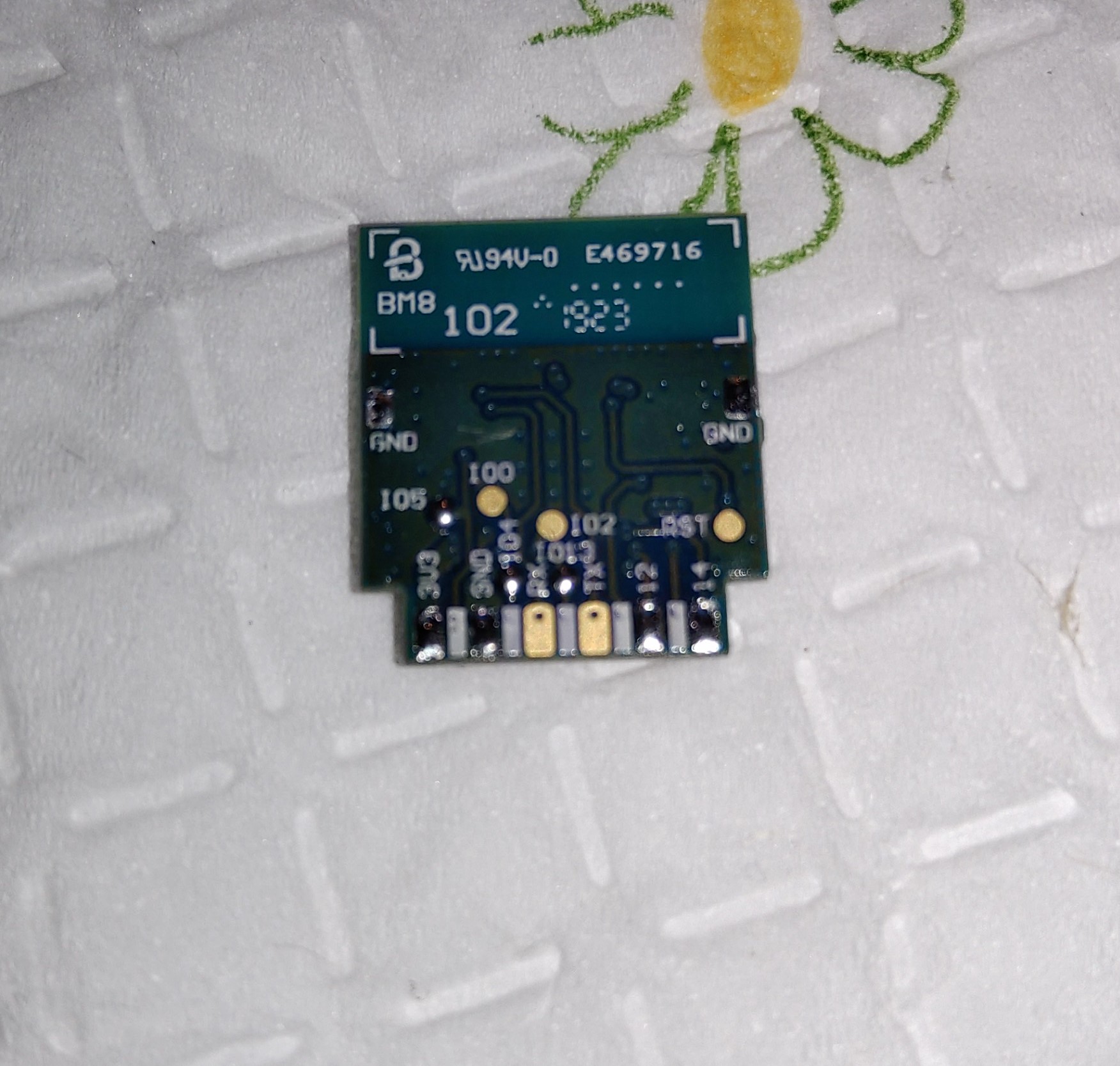
 rctableoverload
on 5 Oct 2019
rctableoverload
on 5 Oct 2019
@ZericE could you please share your firmware as im struggling to get mine to work thanks would be so grateful
 djmyst
on 17 Oct 2019
djmyst
on 17 Oct 2019
Just flashed tasmota 6.7.1 and used this template and the bulb is working only as white . HELP
in " command " I can change to res and green that is it.
{"NAME":"Lohas RGBW","GPIO":[0,0,0,0,0,0,0,0,0,143,0,144,0],"FLAG":0,"BASE":18}
 Vendo232
on 28 Oct 2019
Vendo232
on 28 Oct 2019
Just for reference
Someone figured out how to safely power lohas bulbs to flash them https://majenko.co.uk/blog/more-esp8266-hacking-lohas-led
darkfiberiru
on 6 Dec 2019
If anyone is interested, the bin for the modification I made to Tasmota to get these working is here.
https://github.com/DavinKD/SmartThings/blob/master/Lohas1.bin
It's an older version of Tasmota, but it works.
DavinKD
on 12 Dec 2019
For anyone who stumbles on to this later, the latest tasmota supports this bulb without custom code changes. Template is {"NAME":"Lohas RGBW","GPIO":[255,255,255,255,255,255,255,255,255,143,255,144,255],"FLAG":15,"BASE":18}
DavinKD
on 13 Dec 2019
Related issues
 esp32x
·
3Comments
esp32x
·
3Comments
 grizewald
·
3Comments
grizewald
·
3Comments
 jensuffhaus
·
3Comments
jensuffhaus
·
3Comments
 garret
·
3Comments
garret
·
3Comments
 renne
·
3Comments
renne
·
3Comments
Most helpful comment
For anyone who stumbles on to this later, the latest tasmota supports this bulb without custom code changes. Template is {"NAME":"Lohas RGBW","GPIO":[255,255,255,255,255,255,255,255,255,143,255,144,255],"FLAG":15,"BASE":18}