Tasmoadmin: Run SonWEB as a docker container on Synology DSM
I've been running SonWEB from a PC and love the effort, but need the PC off. I tried to run the RPI Ubuntu docker image on a Synology DSM with no success. If anyone more abled can contribute, help would be much appreciated.
I'll contribute as I can... namely translation!
 MimbaMonkeyHouse
All 13 comments
Hello @MimbaMonkeyHouse,
The images (rpi-sonweb-alpine and rpi-sonweb-ubuntu) available are only for raspberry pi's since they are build for the arm architecture, they will not work on Synology DSM. I have myself also a Synology NAS, which has a different architecture (x86) than raspberry pi's.
If there is enough interest I am willing to build an image for Synology as well.
 RaymondMouthaan
on 26 Feb 2018
RaymondMouthaan
on 26 Feb 2018
Hey @RaymondMouthaan,
Yea, I've actually tried to run these images on my Synology and it obviously did not work.
I'd really love a Syno compatible image. Such an image would work with any x86 platform and would definitely add value to SonWEB.
At the moment, it's a bit of a pain to have a PC running when I need to use this... I'd love to use this in a Syno docker as I could stop the docker image when not used directly from Home Assistant (via Dockermon) and start it when updates need to be made! Unfortunately, my skills are not there (yet!) to make one myself!
MimbaMonkeyHouse
on 28 Feb 2018
@MimbaMonkeyHouse i'll dig into building an image for x86_64 as soon as I can and inform you about is a soon its ready.
@reloxx13 can you assign this to me and also change the label to Enhancement? :)
RaymondMouthaan
on 28 Feb 2018
@MimbaMonkeyHouse After spending some hours of research how to build multi architecture docker images ... I've found a solution that works :)
Install SonWEB on a Synology NAS running Docker
- Login to DSM
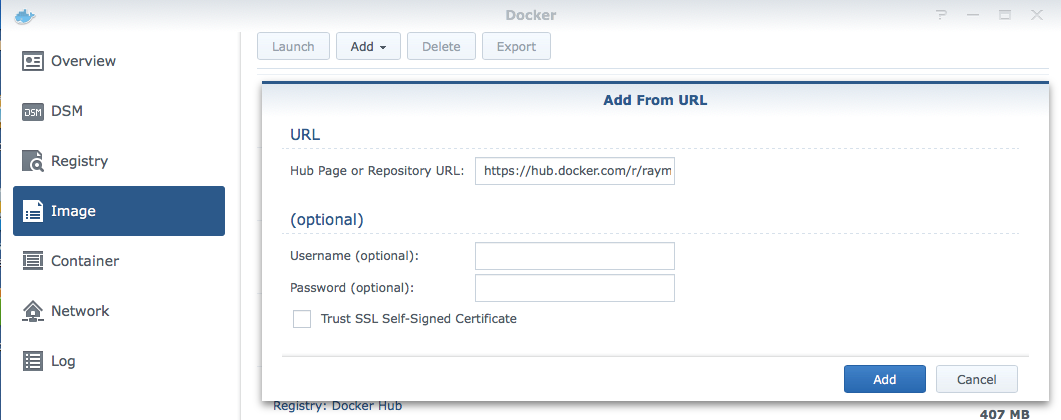
- Go To Docker -> Image (for unknown reason it doesn't find the image using the registry)
- Click Add -> Add from Url
- Copy / Paste this url : https://hub.docker.com/r/raymondmm/sonweb/
- Leave all other fields blank
- Click Add
- Choose Tag: latest and Click Select
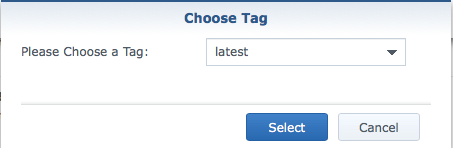
After a couple of seconds it downloads the image and you are ready to deploy a SonWEB Container.
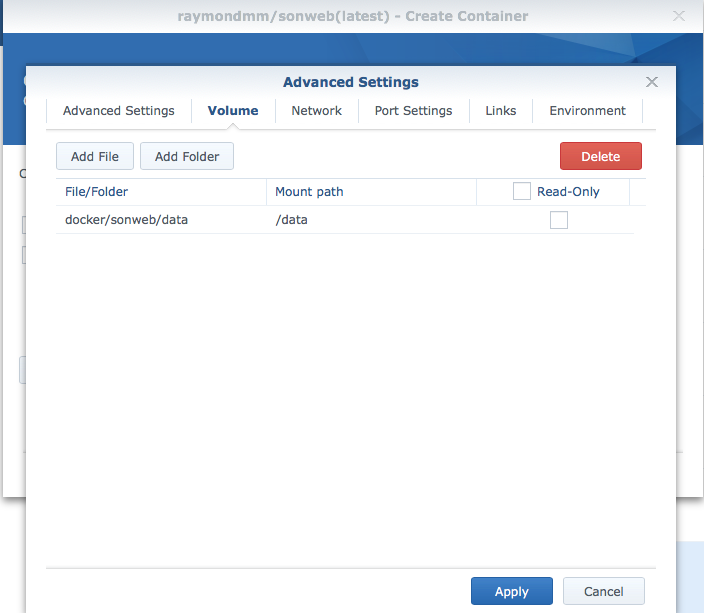
- Make sure you create a host directory which you link to the container to persist your SonWEB data (/host/data:/data)
Let me know if it works for you!
RaymondMouthaan
on 1 Mar 2018
I shall try this straight away and comment here
MimbaMonkeyHouse
on 2 Mar 2018
Good news: we can now access the image via the registry.
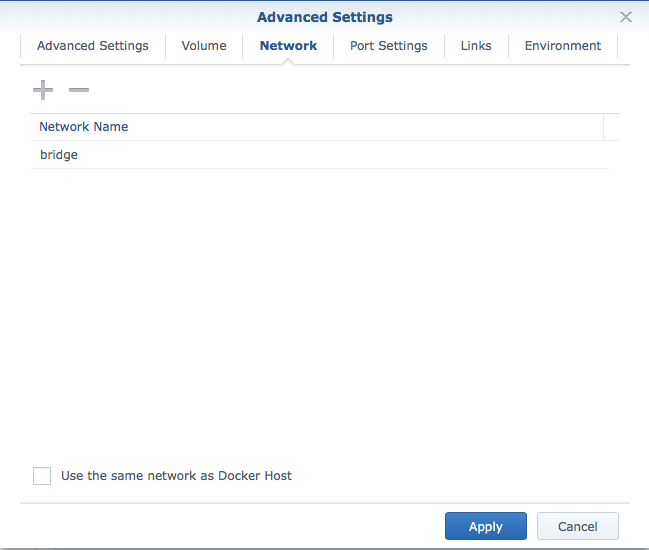
Bad news: the container crashes on both my machine. Defined the host directory as advised. Tried to run as both host and bridge... No luck!
Here is the log:
date | stream | content
-- | -- | --
2018-03-02 08:02:28 | stdout | AH00558: httpd: Could not reliably determine the server's fully qualified domain name, using 172.17.0.4. Set the 'ServerName' directive globally to suppress this message
2018-03-02 08:02:28 | stdout | Starting apache...
2018-03-02 08:02:28 | stdout | Clearing any old processes...
2018-03-02 08:02:28 | stdout | NOTICE: Change 'ServerName' globally and hide server message by setting environment variable >> 'SERVER_NAME=your.server.name' in docker command or docker-compose file
2018-03-02 08:01:04 | stdout | AH00558: httpd: Could not reliably determine the server's fully qualified domain name, using 172.17.0.4. Set the 'ServerName' directive globally to suppress this message
2018-03-02 08:01:03 | stdout | Starting apache...
2018-03-02 08:01:03 | stdout | Clearing any old processes...
2018-03-02 08:01:03 | stdout | NOTICE: Change 'ServerName' globally and hide server message by setting environment variable >> 'SERVER_NAME=your.server.name' in docker command or docker-compose file
Not sure what's not right. What port is this set to/accessible from? Maybe, I've got a clash as few servers are running (Home Assistant, Grafana, Influxdb, Plex, Dockermon, etc)...
MimbaMonkeyHouse
on 2 Mar 2018
Yes, I saw too this morning that looking up using the registry works :-)
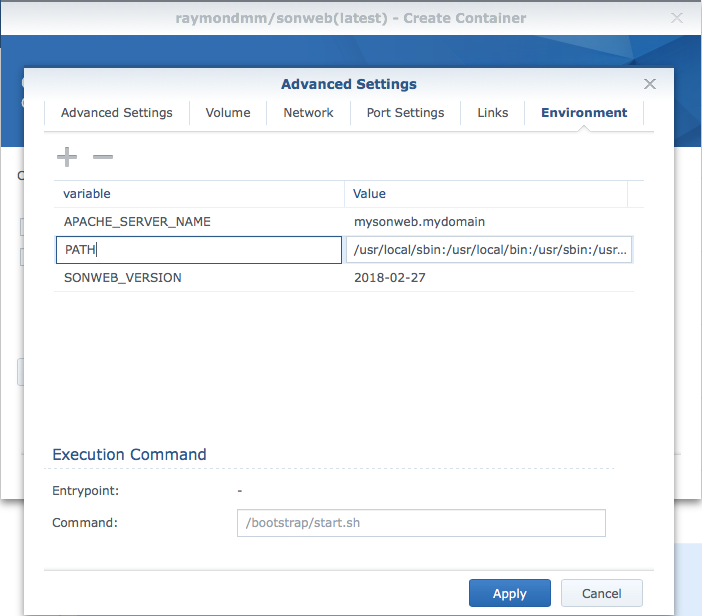
Above doesn't show any signs of crashing. AH00558 is just warning but can be avoided if you add an environment variable APACHE_SERVER_NAME=mysonweb.mydomain , but without it it should work. Have you tried accessing SonWeb using http://
RaymondMouthaan
on 2 Mar 2018
Beh, I got it working... Sorry about the stress! Am now logging in.
Thanks so much for this. Owe you a beer or let me know if I can help!
MimbaMonkeyHouse
on 2 Mar 2018
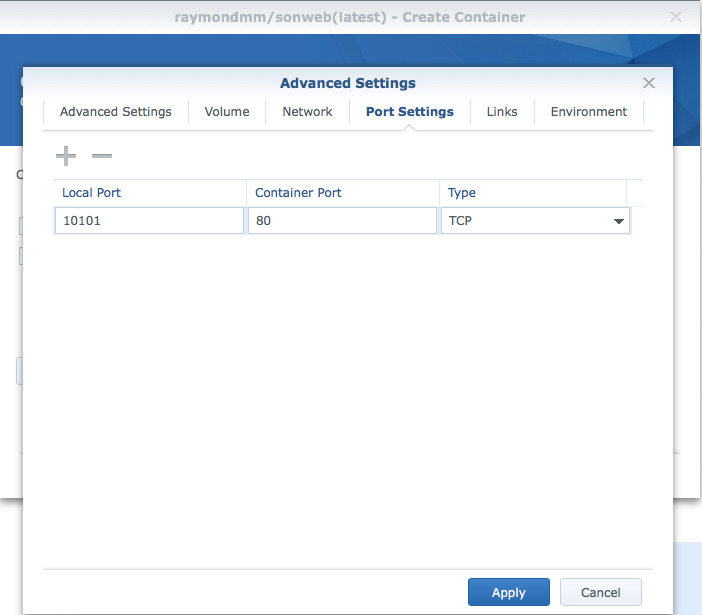
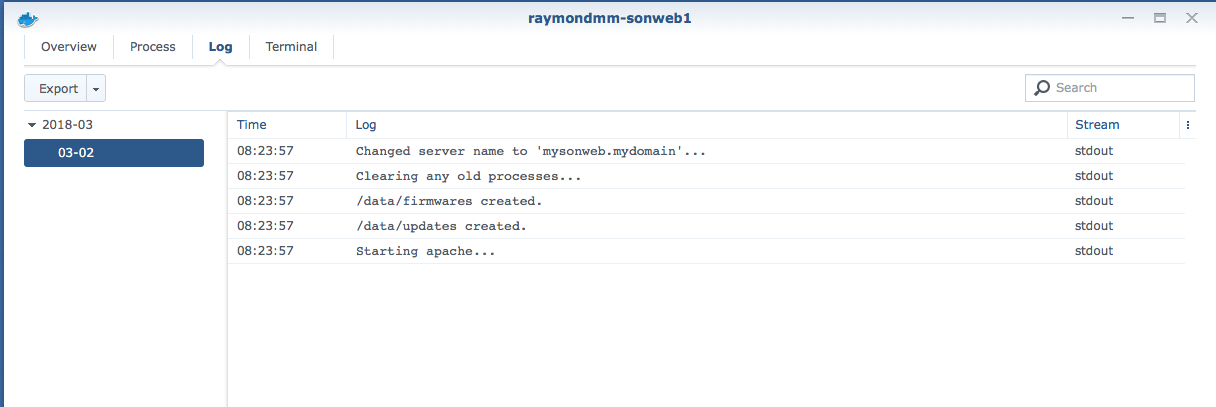
Some more screenshots ...
RaymondMouthaan
on 2 Mar 2018
Yup, works great. Just used self-update and played around with some setings of my many Sonoffs... Autoscan almost detected all my devices. Now I'll check the French translation: sure I'll find some issues!
MimbaMonkeyHouse
on 2 Mar 2018
Great the hear you have it working 💯 . I guess this issue can be closed now :-)
RaymondMouthaan
on 2 Mar 2018
Yup, all is good
MimbaMonkeyHouse
on 3 Mar 2018
:+1:
 ascillato
on 3 Mar 2018
ascillato
on 3 Mar 2018
Related issues
 reloxx13
·
9Comments
reloxx13
·
9Comments
 danmed
·
10Comments
danmed
·
10Comments
 jokerigno
·
6Comments
jokerigno
·
6Comments
 timota
·
4Comments
timota
·
4Comments
 Zwerver91
·
4Comments
Zwerver91
·
4Comments