Wow!!! Nice project!!! Nice integration with Tasmota.
After following the Ubuntu installation procedure it still failed to show the login page.
It seems it looks for a login file while it is called login.php. I changed the following line in index.php to get it to work:
    if ( !$loggedin ) {
        header( "Location: "._BASEURL_."login.php" );
    }
Issue is partly touched in #40Wow
 arendst
All 8 comments
Heya,
we had this problem yesterday #52.
it should stay on /login
their is a .htacces fill which is routing the url to the php files
if this is not working, your rewrite module of apache is not working correctly.
it seems like the newest version of apache need some other adjustment, in #52 we got it working with changing the following:
From here: https://github.com/reloxx13/SonWEB/issues/52#issuecomment-366091496
New apache version has change in some way. If your apache version is 2.4 then you have to go to /etc/apache2/. There will be a file named apache2.conf. You have to edit that one(you should have root permission). Change directory text like this

<Directory /var/www/>
Options Indexes FollowSymLinks
AllowOverride All
Require all granted

Now restart apache.

service apache2 reload

Hope it works.
in the orginal apache2.conf AllowOverride None is the problem, it seems it does not get overwritten with teh sonweb.conf.
pls change it to AllowOverride All and try again 👍
 reloxx13
on 16 Feb 2018
reloxx13
on 16 Feb 2018
Guys, I am still investigating this issue because last nights solution didn't work at all times.
... but the good news is that i might have found a solution :)
Change back any modifications to apache2.conf, so in other words:
<Directory /var/www/>
        Options Indexes FollowSymLinks
        AllowOverride None
        Require all granted
</Directory>
Please remove this line from sonweb.conf
Options Indexes FollowSymLinks MultiViews
And restart apache.
I have no idea what side effects it has removing this line, but sofar it seems to work and solve the issue.
Please confirm if this the right way to do it and works for you as well.
 RaymondMouthaan
on 16 Feb 2018
RaymondMouthaan
on 16 Feb 2018
Can confirm the above change did the trick. All else failed on me.
arendst
on 16 Feb 2018
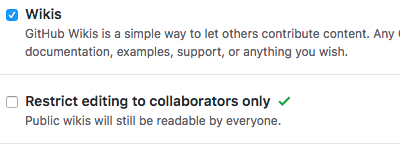
TODO: add to wiki
reloxx13
on 16 Feb 2018
I have no permissions to do so, otherwise I did 👌
RaymondMouthaan
on 16 Feb 2018
uhh thanks, changed it :D
reloxx13
on 16 Feb 2018
Wiki has been updated accordingly : https://github.com/reloxx13/SonWEB/wiki/Guide-for-Ubuntu-Server-16.04
RaymondMouthaan
on 16 Feb 2018
I have followed the workaround, but i'm not getting a login page when i pull up the localip:9999 . I get the following:
read( "homepage" ); if( isset( $_GET ) ) { if( isset( $_GET[ "page" ] ) ) { $page = $_GET[ "page" ]; } } switch( $page ) { case "device_action": $title = __( "MANAGE_DEVICE", "PAGE_TITLES" ); if( isset( $_GET[ "action" ] ) && $_GET[ "action" ] == "add" ) { $title = __( "ADD_DEVICE", "PAGE_TITLES" ); } elseif( isset( $_GET[ "action" ] ) && $_GET[ "action" ] == "edit" ) { $title = __( "EDIT_DEVICE", "PAGE_TITLES" ); } break; case "devices": $title = __( "DEVICES", "PAGE_TITLES" ); break; case "device_update": case "update_devices": case "upload_form": case "upload": $title = __( "DEVICE_UPDATE", "PAGE_TITLES" ); break; case "device_config": $title = __( "DEVICE_CONFIG", "PAGE_TITLES" ); break; case "site_config": $title = __( "SITE_CONFIG", "PAGE_TITLES" ); break; case "selfupdate": $title = __( "SITE_SELFUPDATE", "PAGE_TITLES" ); break; default: $title = __( strtoupper( str_replace( " ", "_", $page ) ), "PAGE_TITLES" ); } ?>
I am super psyched to use this tool. Any pointers on what I'm missing? This is on a raspberry pi 3 with raspbian running
Apache/2.4.25 (Raspbian) Server at 10.0.0.7 Port 80 / 9999
Any help or thoughts greatly appreciated!
 Janstander2011
on 1 Jun 2019
Janstander2011
on 1 Jun 2019
Related issues
 Zwerver91
·
4Comments
Zwerver91
·
4Comments
 MaxBec
·
5Comments
MaxBec
·
5Comments
 tatunts
·
8Comments
tatunts
·
8Comments
 eeprom23
·
5Comments
eeprom23
·
5Comments
 riddik14
·
3Comments
riddik14
·
3Comments
Most helpful comment
Can confirm the above change did the trick. All else failed on me.