Please, make it compatible with NextCloud 13, this app is so useful !
 Larsene
All 33 comments
It is already, just not released to the appstore yet. It will be released before/together NC13.
 raimund-schluessler
on 17 Dec 2017
raimund-schluessler
on 17 Dec 2017
I can confirm git-master works with Nextcloud 13 beta 3. Hope a new release will be tagged soon 👍
 yan12125
on 18 Dec 2017
yan12125
on 18 Dec 2017
@skjnldsv What would be the best way to proceed here? Release a version 0.9.6 compatible with NC12 and 0.9.7 compatible with NC13? I guess there is not really a way to have one version compatible with both NC12 and 13?
raimund-schluessler
on 18 Dec 2017
You can make a single release compatible if you want :)
You need to add a css fallback for 12 with the props you need from server's apps.scss.
Then ship it. ;)
You will then remove the fallback when your min-version will be at least 13 :)
 skjnldsv
on 19 Dec 2017
skjnldsv
on 19 Dec 2017
You can make a single release compatible if you want :)
This sounds good. Are there examples how to do this?
raimund-schluessler
on 19 Dec 2017
See the mail app! :)
We edited the template to fit the css guidelines and create a nc13 compatibility, then we copied the needed rules from apps.scss to the mail scss (but only the needed one!)
https://github.com/nextcloud/mail/pull/565
https://github.com/nextcloud/mail/pull/594
skjnldsv
on 19 Dec 2017
@yan12125 I can't confirm this! I also cloned the master to my apps folder which resulted in not working CSS.
 acidwars
on 20 Dec 2017
acidwars
on 20 Dec 2017
@acidwars: I didn't clone the repo to the apps folder. My steps are a little bit complicated and those are useful for Arch Linux-based systems only (Manjaro, Antergos, ...). Here are details:
- Clone https://aur.archlinux.org/nextcloud-app-tasks-git.git
- Replace
yarnwithnpmin PKGBUILD - Run
makepkg - Install the package via
sudo pacman -U. Now the old nextcloud-app-tasks will be uninstalled - Run nextcloud again
I guess there are some build steps to generate CSS files, so simply cloning the repo won't work.
yan12125
on 20 Dec 2017
Thanks I will try that!!
acidwars
on 20 Dec 2017
The repository is not meant for production use. Various JS libraries are not present here, which have to be pulled from their own repositories. Also, the CSS code for the icon sprite files needs to be compiled.
If you really want to use the app from the repository source code, you need to run the make file.
raimund-schluessler
on 20 Dec 2017
Thanks for all your answers. As i'm using NextCloud 13 B 3 in production (i know, beta != production), i'll wait to reinstall this app from the store.
Definitively, thanks for this useful app ! Can't wait to work with again 👍
Larsene
on 21 Dec 2017
Any plans when the version is available in the NC store?
 nougad
on 25 Dec 2017
nougad
on 25 Dec 2017
Thanks for this great app. I'd have a suggestion about NC13.
Just updated to NC 13 Beta 3 and I this app and the two factor authentication app where incompatible. However the TOTP App already had a new version available so I just clicked the update button after returning to the NC instance, after the upgrade. Maybe do the same here?
 valir
on 29 Dec 2017
valir
on 29 Dec 2017
There will be a version for NC13 on the appstore. The app is already compatible with NC13, but atm this breaks compatibility with NC12. Since I want to support both versions, we have to do some more work. It will be released once this is done.
raimund-schluessler
on 29 Dec 2017
Hmm, I just adjusted info.xml to allow enabling v0.9.5 on NC13 Beta and it works without recognized issues.
What exactly breaks usage on NC12+NC13?
€: Okay, found https://github.com/nextcloud/tasks/pull/130
I anyway just use it as caldav server extension, so no problem with these.
 MichaIng
on 6 Jan 2018
MichaIng
on 6 Jan 2018
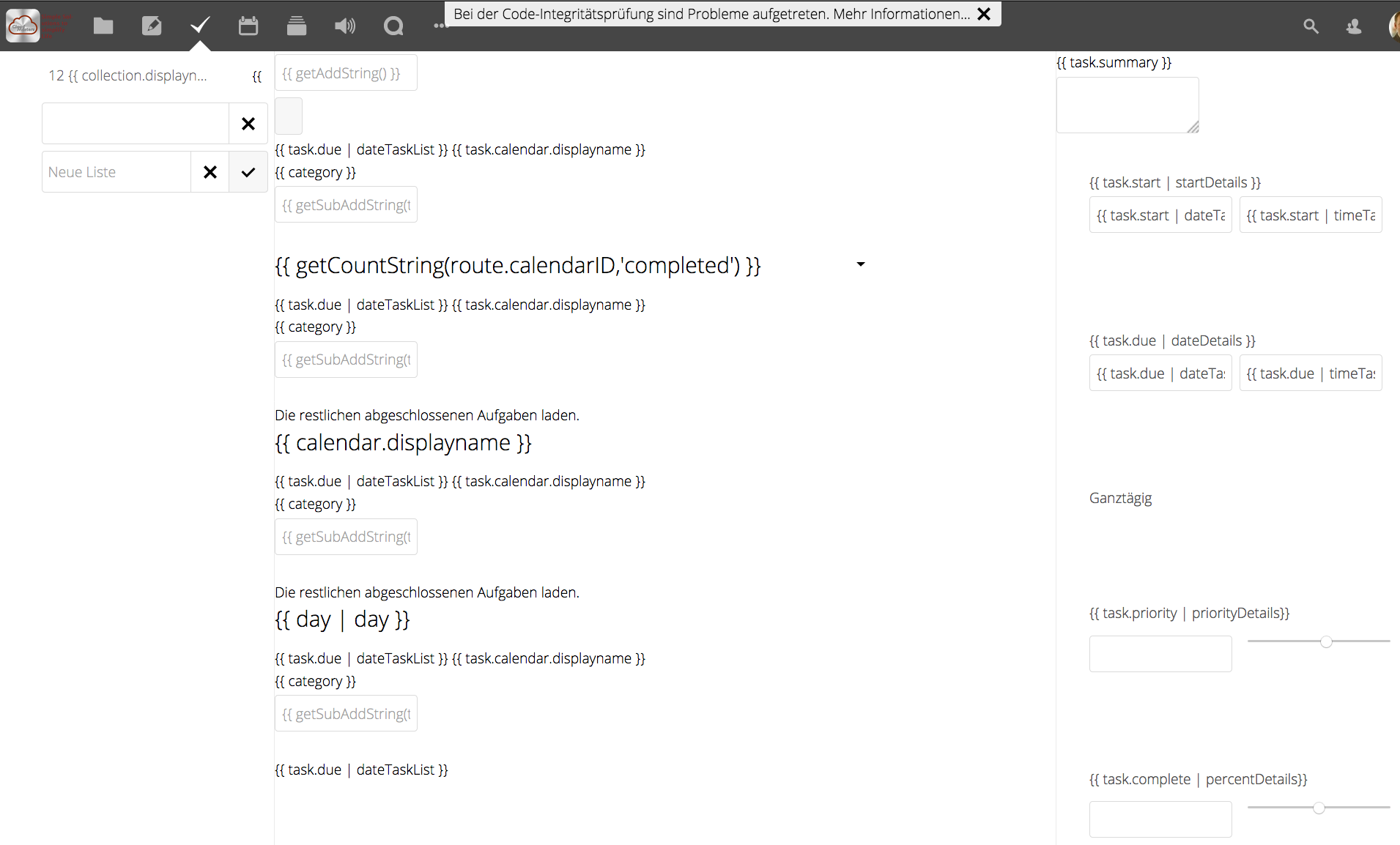
omg - in my instance, the ui is completly broken in my nextcloud 13 Beta RC1 :-o Got the app through git by sudo git clone https://github.com/nextcloud/tasks.git . That app is so great and i use it on a dayly basis. pls pls ....
 frogueat
on 12 Jan 2018
frogueat
on 12 Jan 2018
@frogueat Getting it by git is not meant for production. If you do it like this, you need to run the makefile as well, otherwise, all javascript and css is missing. This leads the issue you have in the screenshot.
There will be a version in the appstore, I just need to find the time to prepare everything.
raimund-schluessler
on 12 Jan 2018
Did sudo make. Looked good, many npm-activities ;-) but in the end, the app's ui didnt change much ;-) Seems like i have to wait for the app-store. Looking forward to :-)
frogueat
on 12 Jan 2018
Please, make it compatible with NextCloud 13, this app is so useful !
 mikweb2017
on 25 Jan 2018
mikweb2017
on 25 Jan 2018
If you have Docker but don't have npm installed, then you can use my pull request to build your own Tasks for Nextcloud 13: https://github.com/nextcloud/tasks/pull/141
 Mortal
on 27 Jan 2018
Mortal
on 27 Jan 2018
v13 stable will be released tomorrow
 xf-
on 30 Jan 2018
xf-
on 30 Jan 2018
I know guys, sorry that no compatible version is in the appstore yet. I was very busy with other stuff and will likely not have time before the weekend either. But there will be a release, just stay patient a bit, please.
raimund-schluessler
on 30 Jan 2018
Looks like the 13.0 release is delayed - https://github.com/nextcloud/server/pull/8109#issuecomment-361957109
yan12125
on 31 Jan 2018
And now released
xf-
on 6 Feb 2018
I am working on it, I hope to finish it in the next days. If not, I will upload a signed version for NC13 to github, for manual install at least.
raimund-schluessler
on 6 Feb 2018
@raimund-schluessler is there anything I can do to help?
skjnldsv
on 6 Feb 2018
Thank you for your hard work and sacrificing your time for this. It is much appreciated.
 m3m0n
on 6 Feb 2018
m3m0n
on 6 Feb 2018
@skjnldsv I would like to have one version for NC12 and NC13. I started to fix everything which is not working in NC12 anymore by copying the missing rules from NC13 server to the app. I haven't pushed what I have done so far, but I will create a (yet incomplete) PR today. If you have time to help on that, it would be great. Also testing the fixes on a NC12 instance would already help.
raimund-schluessler
on 6 Feb 2018
PR is in https://github.com/nextcloud/tasks/pull/142, as soon as this is merged we can release the version for NC13
raimund-schluessler
on 6 Feb 2018
The version for NC13 is in the appstore now (works with NC12 as well). Have fun!
raimund-schluessler
on 7 Feb 2018
You're awesome @raimund-schluessler ! :)
skjnldsv
on 7 Feb 2018
Looks great! And manual sorting do make sense a lot! Thx!
frogueat
on 8 Feb 2018
yes it's working ok thansks
 Ricardosgeral
on 9 Feb 2018
Ricardosgeral
on 9 Feb 2018
Related issues
 tschiu
·
3Comments
tschiu
·
3Comments
 schiessle
·
9Comments
schiessle
·
9Comments
 jakobroehrl
·
5Comments
jakobroehrl
·
5Comments
 thomas-mc-work
·
3Comments
thomas-mc-work
·
3Comments
 CordlessWool
·
8Comments
CordlessWool
·
8Comments
Most helpful comment
I am working on it, I hope to finish it in the next days. If not, I will upload a signed version for NC13 to github, for manual install at least.