问题描述
安装taro报错
复现步骤
[复现问题的步骤]
1.npm和node均升级到最新
2.执行‘sudo npm install -g @tarojs/cli ’
期望行为
如何做可以正常安装
报错信息
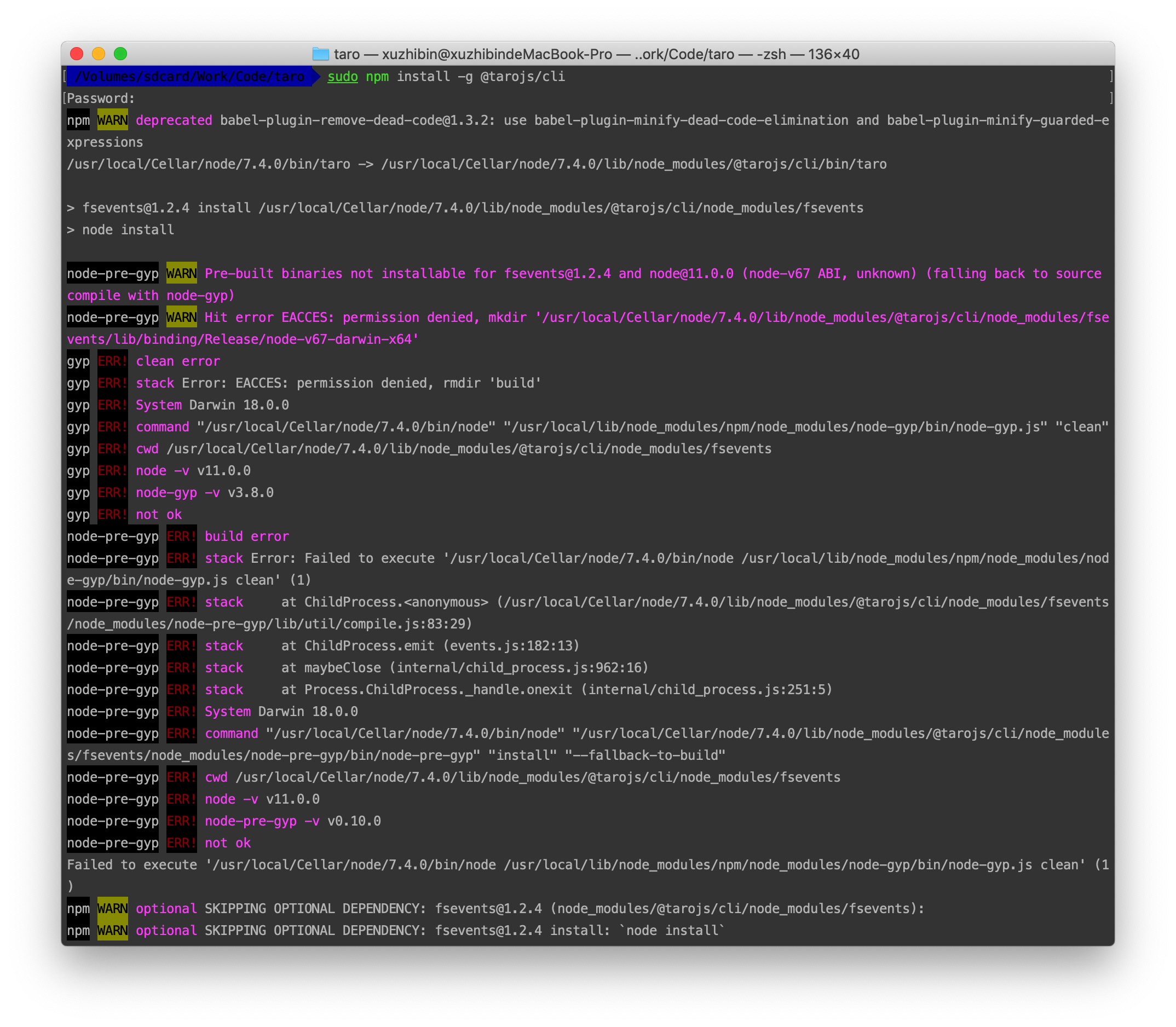
/Volumes/sdcard/Work/Code/taro sudo npm install -g @tarojs/cli
Password:
npm WARN deprecated [email protected]: use babel-plugin-minify-dead-code-elimination and babel-plugin-minify-guarded-expressions
/usr/local/Cellar/node/7.4.0/bin/taro -> /usr/local/Cellar/node/7.4.0/lib/node_modules/@tarojs/cli/bin/taro
> [email protected] install /usr/local/Cellar/node/7.4.0/lib/node_modules/@tarojs/cli/node_modules/fsevents
> node install
node-pre-gyp WARN Pre-built binaries not installable for [email protected] and [email protected] (node-v67 ABI, unknown) (falling back to source compile with node-gyp)
node-pre-gyp WARN Hit error EACCES: permission denied, mkdir '/usr/local/Cellar/node/7.4.0/lib/node_modules/@tarojs/cli/node_modules/fsevents/lib/binding/Release/node-v67-darwin-x64'
gyp ERR! clean error
gyp ERR! stack Error: EACCES: permission denied, rmdir 'build'
gyp ERR! System Darwin 18.0.0
gyp ERR! command "/usr/local/Cellar/node/7.4.0/bin/node" "/usr/local/lib/node_modules/npm/node_modules/node-gyp/bin/node-gyp.js" "clean"
gyp ERR! cwd /usr/local/Cellar/node/7.4.0/lib/node_modules/@tarojs/cli/node_modules/fsevents
gyp ERR! node -v v11.0.0
gyp ERR! node-gyp -v v3.8.0
gyp ERR! not ok
node-pre-gyp ERR! build error
node-pre-gyp ERR! stack Error: Failed to execute '/usr/local/Cellar/node/7.4.0/bin/node /usr/local/lib/node_modules/npm/node_modules/node-gyp/bin/node-gyp.js clean' (1)
node-pre-gyp ERR! stack at ChildProcess.<anonymous> (/usr/local/Cellar/node/7.4.0/lib/node_modules/@tarojs/cli/node_modules/fsevents/node_modules/node-pre-gyp/lib/util/compile.js:83:29)
node-pre-gyp ERR! stack at ChildProcess.emit (events.js:182:13)
node-pre-gyp ERR! stack at maybeClose (internal/child_process.js:962:16)
node-pre-gyp ERR! stack at Process.ChildProcess._handle.onexit (internal/child_process.js:251:5)
node-pre-gyp ERR! System Darwin 18.0.0
node-pre-gyp ERR! command "/usr/local/Cellar/node/7.4.0/bin/node" "/usr/local/Cellar/node/7.4.0/lib/node_modules/@tarojs/cli/node_modules/fsevents/node_modules/node-pre-gyp/bin/node-pre-gyp" "install" "--fallback-to-build"
node-pre-gyp ERR! cwd /usr/local/Cellar/node/7.4.0/lib/node_modules/@tarojs/cli/node_modules/fsevents
node-pre-gyp ERR! node -v v11.0.0
node-pre-gyp ERR! node-pre-gyp -v v0.10.0
node-pre-gyp ERR! not ok
Failed to execute '/usr/local/Cellar/node/7.4.0/bin/node /usr/local/lib/node_modules/npm/node_modules/node-gyp/bin/node-gyp.js clean' (1)
npm WARN optional SKIPPING OPTIONAL DEPENDENCY: [email protected] (node_modules/@tarojs/cli/node_modules/fsevents):
npm WARN optional SKIPPING OPTIONAL DEPENDENCY: [email protected] install: `node install`
npm WARN optional SKIPPING OPTIONAL DEPENDENCY: Exit status 1
+ @tarojs/[email protected]
added 441 packages from 485 contributors in 111.967s
系统信息
- 操作系统: [e.g. mac 10.14]
- Taro 版本 [e.g. v.1.1.7]
- Node.js 版本 [e.g. v11.0.0]
 xuzhibin
All 6 comments
同问
 moxiaobei2
on 15 Nov 2018
moxiaobei2
on 15 Nov 2018
这个我重新安装npm和node解决了,下载地址:http://nodejs.cn/download/
xuzhibin
on 15 Nov 2018
这个我重新安装npm和node解决了,下载地址:http://nodejs.cn/download/
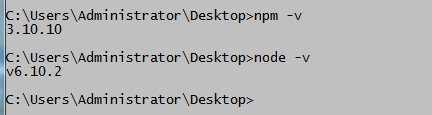
安装taro 需要node和npm更新到最新版本吗?我安装也显示报错
 ulo-huangsz
on 23 Nov 2018
ulo-huangsz
on 23 Nov 2018
安装网页上下载的版本,不用装新版
xuzhibin
on 26 Nov 2018
安装网页上下载的版本,不用装新版
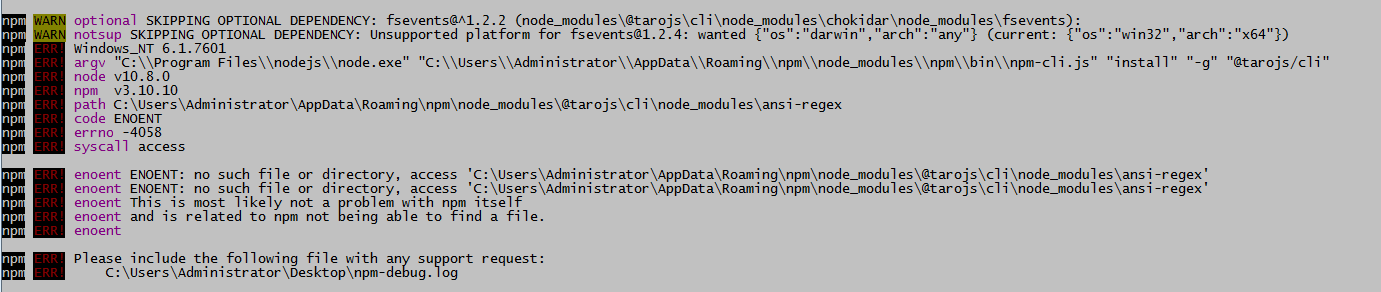
报了这个错,node版本是10.8
 ulo-huangsz
on 26 Nov 2018
ulo-huangsz
on 26 Nov 2018
不用卸载node & npm, 直接用sudo npm i -g @tarojs/cli --unsafe-perm=true --allow-root安装就可以
@xuzhibin @moxiaobei2
 aiiua
on 3 Apr 2019
aiiua
on 3 Apr 2019
👍5
Was this page helpful?
0 / 5 - 0 ratings
Related issues
 XT-0515
·
3Comments
XT-0515
·
3Comments
 fuyue111
·
3Comments
fuyue111
·
3Comments
 liu-dongyu
·
3Comments
liu-dongyu
·
3Comments
 liuchuzhang
·
3Comments
liuchuzhang
·
3Comments
 leafchao
·
3Comments
leafchao
·
3Comments
Most helpful comment
不用卸载node & npm, 直接用
sudo npm i -g @tarojs/cli --unsafe-perm=true --allow-root安装就可以@xuzhibin @moxiaobei2