Talk: Installing CoralProject Talk v.5; issues on gui installation
Expected behavior:
Finish installing Talk v.5
Actual behavior:
After following the documentation on installing v.5, I got an "Internal Error" message after clicking the "Finish Install" button. Then clicking the same button a second time, I get the following message "Tenant has already been installed already":

If I refresh, I get redirected to the following url:
http://localhost:3000/admin/moderate/reported
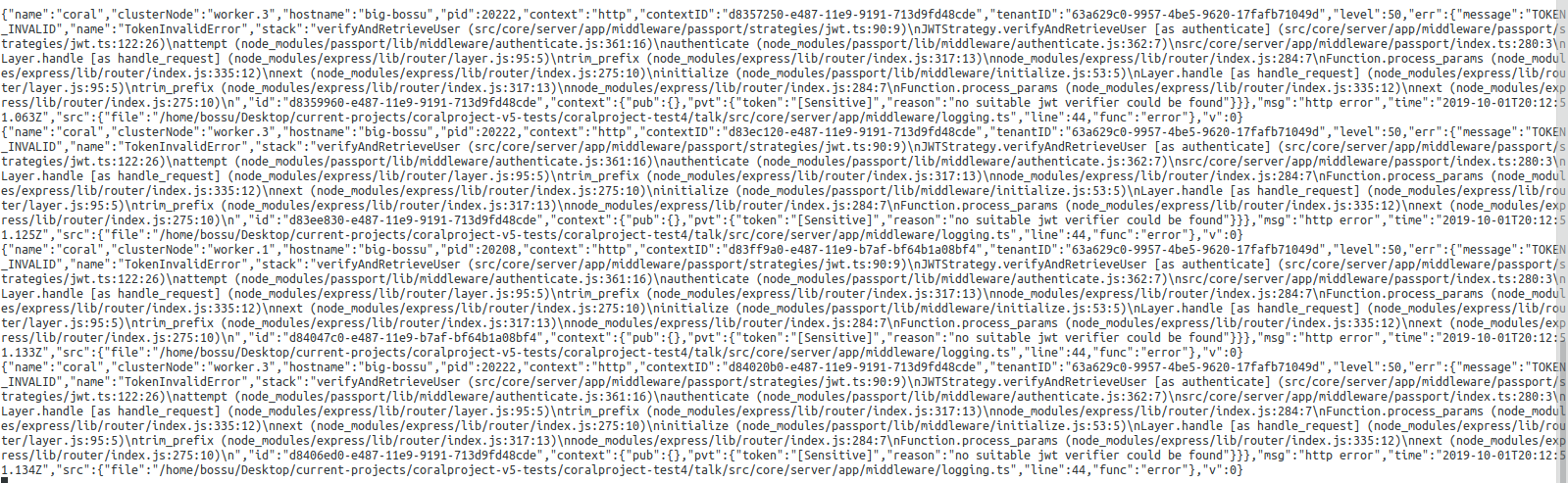
In the browser's console, I notice the following errors:
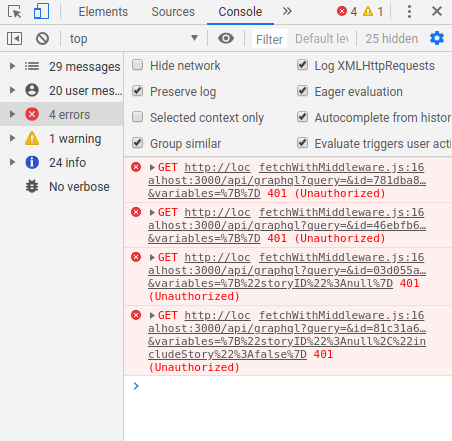
In my local terminal console, I get the following output:
Related Issues:
Versions:
- NodeJS: v10.16.3
- NPM: 6.9.0
- MongoDB: v.4.2.0
- Redis: 4.0.9
- Browser: Google Chrome Version 77.0.3865.75 (Official Build) (64-bit)
- OS: Ubuntu 18.04.3 LTS
 martinmags
All 4 comments
From the outputted errors you're seeing on the server, I'm guessing that at some point, you had Coral installed. You may already have a cookie/localstorage item from a prior installation that is causing the error you're seeing.
Try dropping the Coral database you're interacting with and retrying the install after clearing all cookies from your browser.
 wyattjoh
on 1 Oct 2019
wyattjoh
on 1 Oct 2019
Hmm, that's weird. I cleared the cookies and everything. It fixed the redirection issue, but I was still getting the tenant error during the installation after a fresh install. When I refresh, I get redirected to the sign in now, but the email and password I registered during the installation won't work.
martinmags
on 3 Oct 2019
I got the same errors when I tried to run coral from source and install locally on Ubuntu 19.4. Mongo and redis was running via docker on the same host.
I tried several times and deleted the database and redis containers and cleared cache between every try.
At the last step in the installation when I click finish install, I get the Internal Error message. And in the the log it shows up as "MongoError: ns not found." (ns not found)
exports.errorLogger): http error (clusterNode=master, context=http, contextID=0271b3d0-e8ed-11e9-ab7f-255026512170)
    err: {
      "message": "ns not found",
      "name": "MongoError",
      "stack": "Connection.<anonymous> (node_modules/mongodb-core/lib/connection/pool.js:443:61)\nConnection.emit (events.js:209:13)\nprocessMessage (node_modules/mongodb-core/lib/connection/connection.js:364:10)\nSocket.<anonymous> (node_modules/mongodb-core/lib/connection/connection.js:533:15)\nSocket.emit (events.js:209:13)\naddChunk (_stream_readable.js:305:12)\nreadableAddChunk (_stream_readable.js:286:11)\nSocket.Readable.push (_stream_readable.js:220:10)\nTCP.onStreamRead (internal/stream_base_commons.js:182:23)\n"
    }
If I press finish install again I get the "Tenant has already been installed already"-error. This shows up in the log as:
[2019-10-07T10:27:35.673Z] ERROR: coral/28659 on (/src/core/server/app/middleware/logging.ts:44 in exports.errorLogger): http error (clusterNode=master, context=http, contextID=14480c30-e8ed-11e9-ab7f-255026512170, tenantID=9f7e42ae-fd64-4afa-87ec-d09692c86106)
    err: {
      "message": "TENANT_INSTALLED_ALREADY",
      "name": "TenantInstalledAlreadyError",
      "stack": "src/core/server/app/handlers/api/install.ts:78:19\nLayer.handle [as handle_request] (node_modules/express/lib/router/layer.js:95:5)\ntrim_prefix (node_modules/express/lib/router/index.js:317:13)\nnode_modules/express/lib/router/index.js:284:7\nFunction.process_params (node_modules/express/lib/router/index.js:335:12)\nnext (node_modules/express/lib/router/index.js:275:10)\nsrc/core/server/app/middleware/tenant.ts:66:5\nprocessTicksAndRejections (internal/process/task_queues.js:93:5)\n",
      "id": "14483340-e8ed-11e9-ab7f-255026512170",
      "context": {
        "pub": {},
        "pvt": {}
      }
    }
Looks like its related to mongo. First it adds something to the database, but with an error. Then when I try again it says it's already installed.
This is the docker mongo log, not sure if it helps.
mongo_1         | 2019-10-07T10:53:05.877+0000 I NETWORK  [listener] connection accepted from 172.20.0.5:35838 #7 (6 connections now open)
mongo_1         | 2019-10-07T10:53:05.887+0000 I NETWORK  [conn7] received client metadata from 172.20.0.5:35838 conn7: { driver: { name: "nodejs", version: "3.2.7" }, os: { type: "Linux", name: "linux", architecture: "x64", version: "5.0.0-31-generic" }, platform: "Node.js v10.16.3, LE, mongodb-core: 3.2.7" }
mongo_1         | 2019-10-07T10:53:50.715+0000 I STORAGE  [conn4] createCollection: coral.tenants with generated UUID: d2fe0eca-8388-45c2-b709-585a4c8e524a
mongo_1         | 2019-10-07T10:53:50.747+0000 I STORAGE  [conn4] createCollection: coral.migrations with generated UUID: 5b11c09e-f948-4499-9f80-0a0aa9d686af
mongo_1         | 2019-10-07T10:53:50.786+0000 I COMMAND  [conn4] CMD: dropIndexes coral.users
 felixdro
on 7 Oct 2019
felixdro
on 7 Oct 2019
We've discovered the issue you reported, it should be addressed in the next release. Thanks!
wyattjoh
on 16 Oct 2019
Related issues
 kgardnr
·
5Comments
kgardnr
·
5Comments
 Jetbo
·
4Comments
Jetbo
·
4Comments
 deepaksisodiya
·
4Comments
deepaksisodiya
·
4Comments
 allanassis
·
3Comments
allanassis
·
3Comments
 cristiandean
·
3Comments
cristiandean
·
3Comments
Most helpful comment
We've discovered the issue you reported, it should be addressed in the next release. Thanks!