Tailwindcss: Combining a positive skew transform with a gradient doesn't show up on Safari correctly
When creating a div with a skew transform and a gradient, it wouldn't show up in my project on Safari nor any of the main iOS-based browsers.
Upon testing on play.tailwindcss.com (nifty way to show issues, by the way!), the behaviour was very inconsistent.
 herunan
All 6 comments
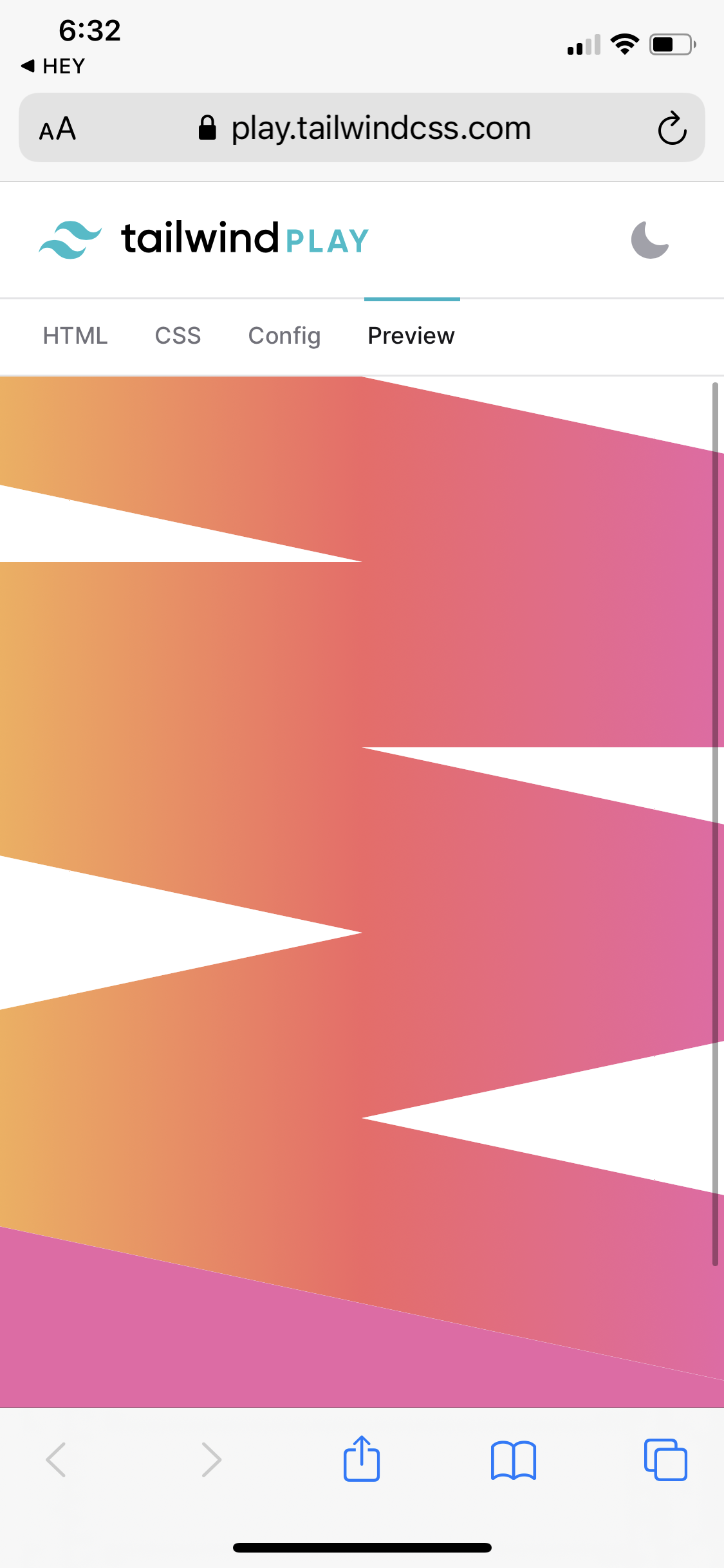
Hey can you explain the desired behavior more clearly? Here is what I am seeing which at least at first glance seems correct:
 adamwathan
on 19 Oct 2020
adamwathan
on 19 Oct 2020
My end goal is just to be able to consistently display something like this across all main browsers:
<div class="h-24 bg-gradient-to-r from-orange-400 via-red-500 to-pink-500 transform skew-y-12"></div>
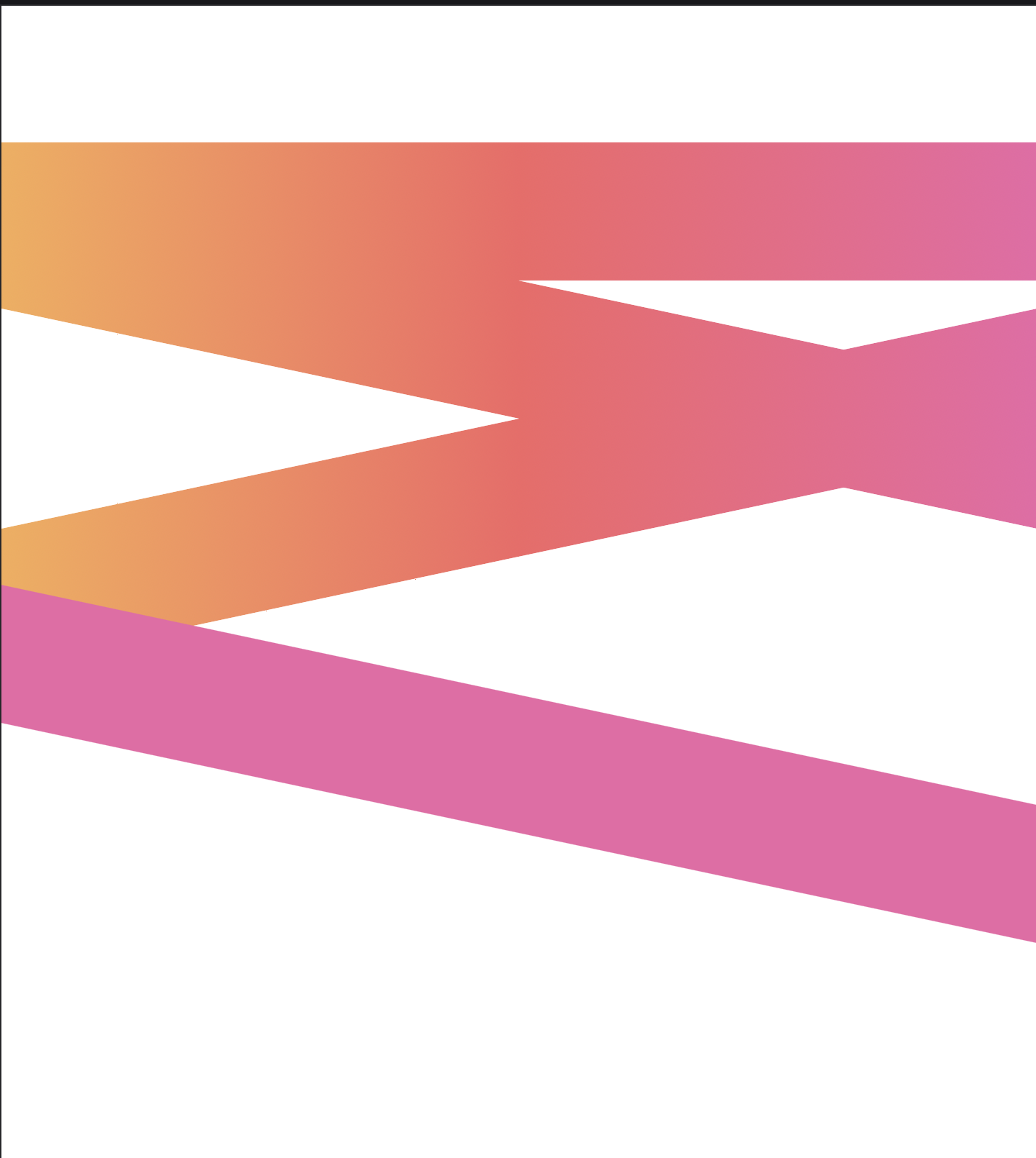
What you show me is interesting. It's more inconsistent than I thought. I never tested the Tailwind Play link on iOS Safari, only the issue on my website, which I tried to demonstrate on Tailwind Play. I _do_ see the same thing on iOS Safari as you do. However, you will notice the discrepancy when you open that up on desktop Safari on Mac. Screenshot below:
herunan
on 19 Oct 2020
Super weird, this appears to happen with just vanilla CSS as well. This div is a gradient in all browsers except Safari:
adamwathan
on 19 Oct 2020
This appears to just be a Safari CSS bug and is unfixable in Tailwind, it just fails to render gradients on skewed elements properly even when you hand-write the CSS yourself so unfortunately nothing we can do 😕
adamwathan
on 19 Oct 2020
I've tweeted it out in case anyone happens to know more about the underlying problem:
adamwathan
on 19 Oct 2020
Found a fix, need to force rendering to the GPU.
In Tailwind 2.0 you can do this with transform-gpu instead of transform, which you can copy for your own project here if you like:
.transform-gpu {
  --transform-translate-x: 0;
  --transform-translate-y: 0;
  --transform-rotate: 0;
  --transform-skew-x: 0;
  --transform-skew-y: 0;
  --transform-scale-x: 1;
  --transform-scale-y: 1;
  transform: translate3d(var(--transform-translate-x), var(--transform-translate-y), 0) rotate(var(--transform-rotate)) skewX(var(--transform-skew-x)) skewY(var(--transform-skew-y)) scaleX(var(--transform-scale-x)) scaleY(var(--transform-scale-y));
}
Related issues
 rgaufman
·
3Comments
rgaufman
·
3Comments
 AlexVipond
·
3Comments
AlexVipond
·
3Comments
 ghost
·
3Comments
ghost
·
3Comments
 afuno
·
3Comments
afuno
·
3Comments
 chasegiunta
·
3Comments
chasegiunta
·
3Comments
Most helpful comment
Found a fix, need to force rendering to the GPU.
In Tailwind 2.0 you can do this with
transform-gpuinstead oftransform, which you can copy for your own project here if you like: