Tailwindcss: Safari not respecting flex-containers inside a button
Describe the problem:
Safari (v14/macOS Catalina) seems to ignore flex containers inside buttons. I'm not sure, if this is a browser bug or intended behavior, since Firefox (v82.0b5 and v81) and Chrome (87.0) seem to work just fine.
Link to a minimal reproduction:
I've created a pen at https://codepen.io/mazedlx/pen/VwaOJpN?editors=1000
It should look like
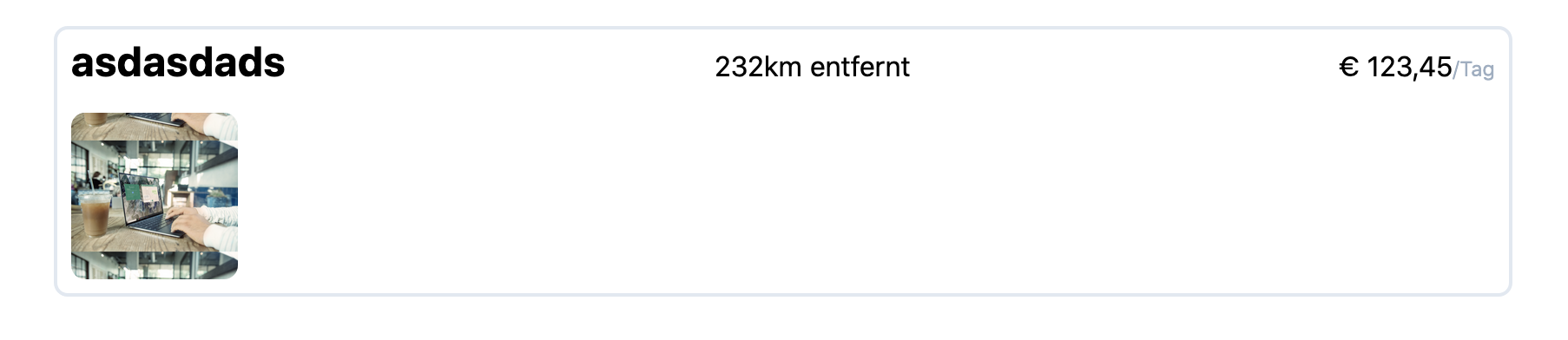
but Safari renders it as
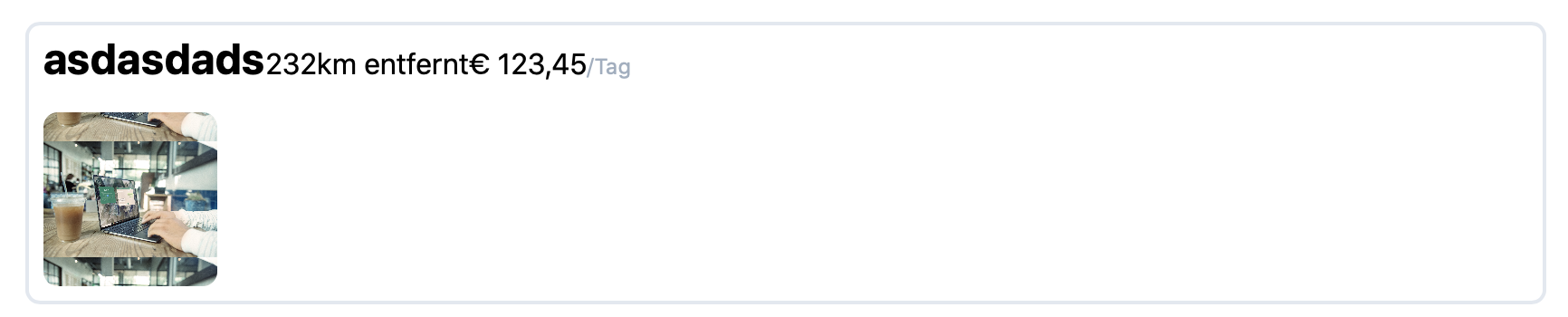
ignoring justify-between.
 mazedlx
All 4 comments
@mazedlx Flexbox in Safari needs a prefix to work as expected but Tailwind doesn't automatically add vendor prefixes. Using autoprefixer can help you with this. Check it on https://tailwindcss.com/docs/browser-support#vendor-prefixes
 txsang
on 1 Oct 2020
txsang
on 1 Oct 2020
According to caniuse.com (https://caniuse.com/?search=display%3A%20flex), Safari 14 does not need vendor-prefixed CSS classes for display: flex. I've also tried prefixing in my Codepen, the result, unfortunately, remains the same.
mazedlx
on 1 Oct 2020
@mazedlx I think flexbox cannot work with buttons on some browsers. Check https://stackoverflow.com/questions/35464067/flex-grid-layouts-not-working-on-button-or-fieldset-elements#answer-35466231 to see more detail.
txsang
on 1 Oct 2020
Safari is the next IE11.
-- Caleb Porzio
Seems Caleb was right :-)
I fixed it though - I removed flex, items-start, justify-between and flex-col from the button, and instead added block to it. It now behaves as I want it to. Also works in Firefox and Chrome.
Thanks anyway :-)
mazedlx
on 1 Oct 2020
Related issues
 chintanbanugaria
·
3Comments
chintanbanugaria
·
3Comments
 jvanbaarsen
·
3Comments
jvanbaarsen
·
3Comments
 rgaufman
·
3Comments
rgaufman
·
3Comments
 Quineone
·
3Comments
Quineone
·
3Comments
 ouun
·
3Comments
ouun
·
3Comments
Most helpful comment
Seems Caleb was right :-)
I fixed it though - I removed
flex,items-start,justify-betweenandflex-colfrom the button, and instead addedblockto it. It now behaves as I want it to. Also works in Firefox and Chrome.Thanks anyway :-)