Tailwindcss: `italics` rule breaks encoding in print
Using the italics class breaks the encoding of my page and results in garbled text when trying to print.
using:
chrome: Version 78.0.3904.108 (Official Build) (64-bit)
mac-os: Version 10.15.1 (19B88)
Using Chrome's print preview I get the following preview with garbled text instead of the expected text of Making this text italic breaks the encoding for this document in print (which you can see in the background).
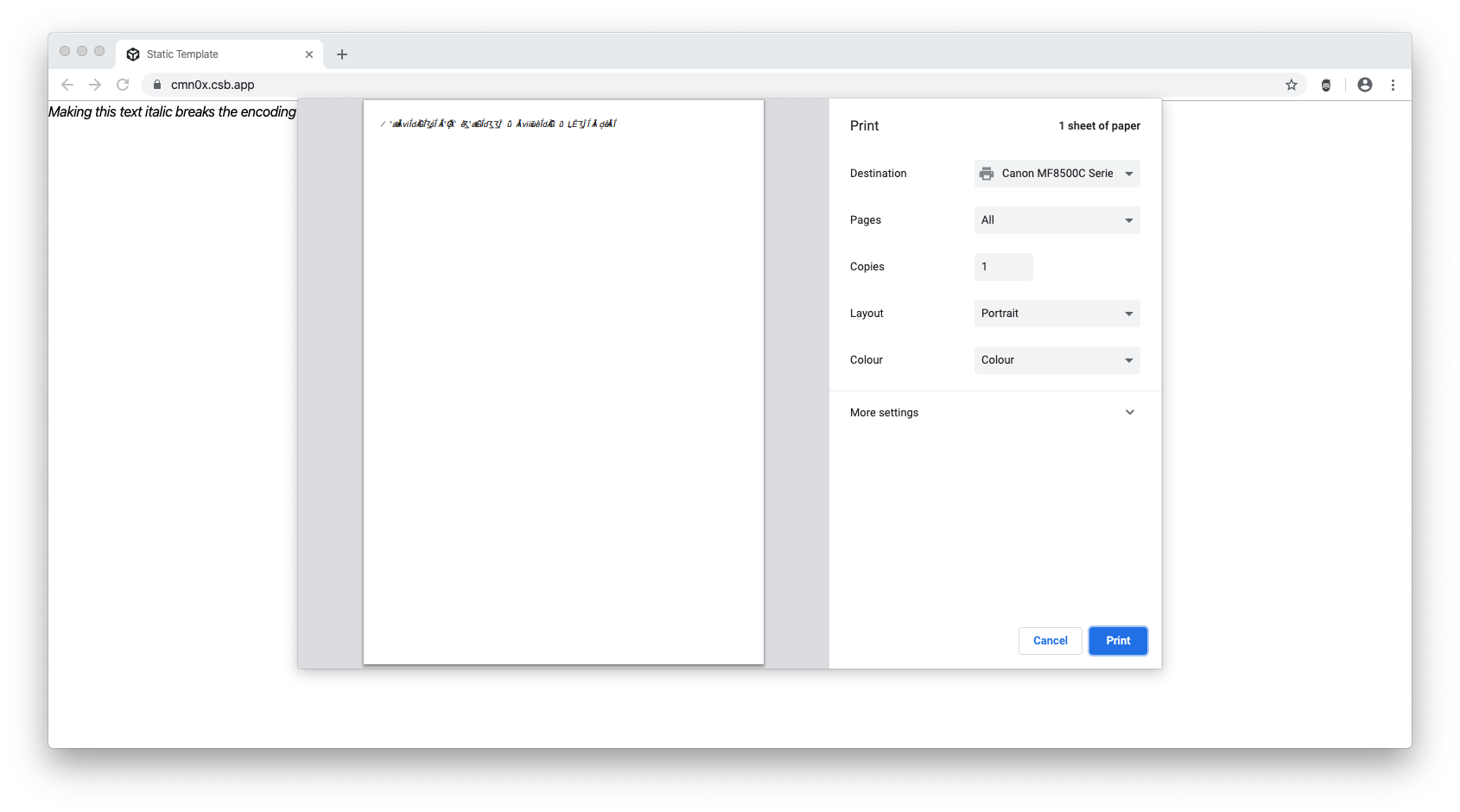
When I remove either the italic class or the tailwind import the issue goes away. Applying the css font-style: italic manually without any tailwind works normally and doesn't cause any issue.
I've created a minimal reproduction of the issue here https://codesandbox.io/s/static-cmn0x. The issues is reproducible by following these steps:
- Open codesandbox link
- In Codesandbox, "Open page in new window" (https://cmn0x.csb.app/)
- Open print preview (⌘+p)
- Observe the garbled text
 andrenanninga
All 5 comments
I really can't think of any reason why things would get messed up when using .italic besides something being wrong with the fonts you're using. Since you're not even using custom fonts, I'm not sure where this could be coming from but I can say it looks good on Safari and Firefox (not Chrome Canary though).
Have you checked how this looks like on other Chromium-based browsers?
 hacknug
on 1 Dec 2019
hacknug
on 1 Dec 2019
Dug into it a bit more and seems to be an issue with the BlinkMacSystemFont font. I've created an example without tailwind but with a list of <p> each using one of the font-families defined in the tailwind fontstack. (https://codesandbox.io/s/static-uwipl)
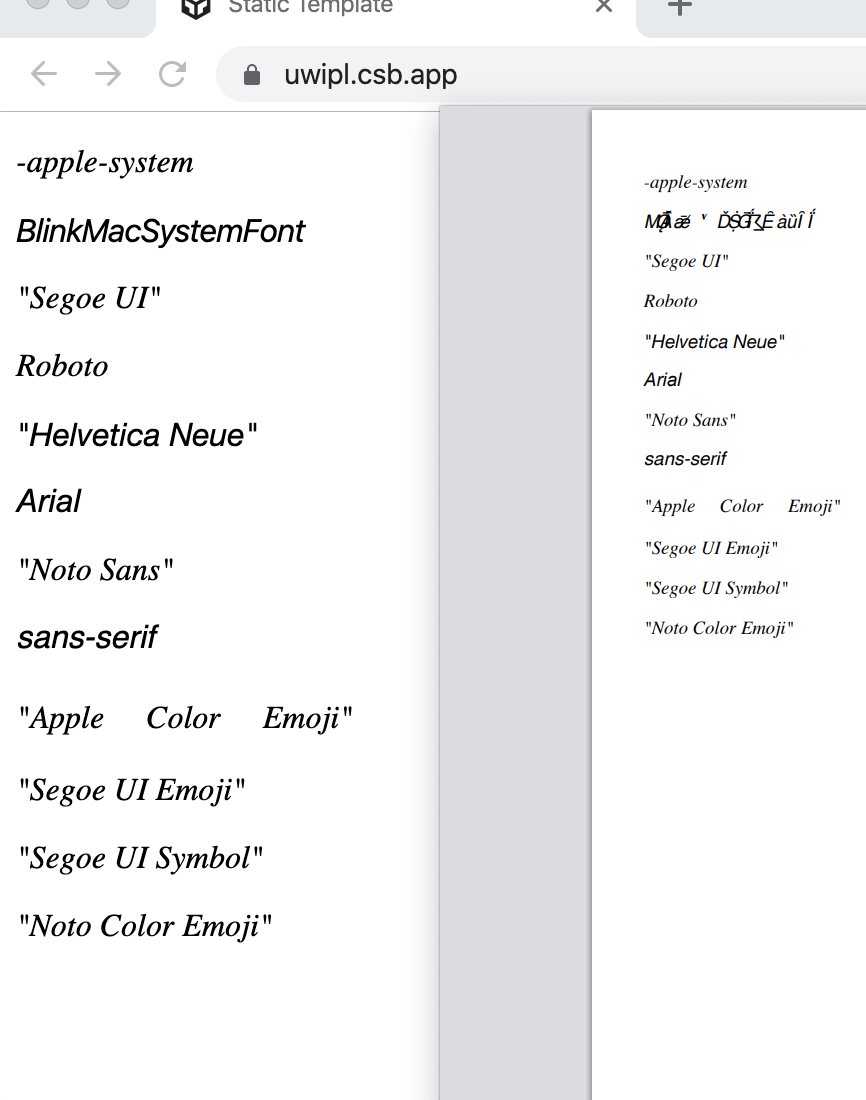
As you can see, only the row with BlinkMacSystemFont is showing the issue.
andrenanninga
on 1 Dec 2019
I found a issue concerning this bug in the chromium bugtracker. I will close the issue here.
andrenanninga
on 1 Dec 2019
Found out about this bug the hard way.
Came here to report it & saw this issue. It's still unresolved as of now in chromium.
If it may help others: Just remove italics and your print/preview will render fine.
 MrSunshyne
on 4 Feb 2020
MrSunshyne
on 4 Feb 2020
This issue has been resolved in Chromium 86.0.4184.0.
Read comment 39 on https://bugs.chromium.org/p/chromium/issues/detail?id=1018581#c39.
 damo-da
on 11 Jul 2020
damo-da
on 11 Jul 2020
Related issues
 lamberttraccard
·
3Comments
lamberttraccard
·
3Comments
 paulhuisman
·
3Comments
paulhuisman
·
3Comments
 chintanbanugaria
·
3Comments
chintanbanugaria
·
3Comments
 spyric
·
3Comments
spyric
·
3Comments
 benface
·
3Comments
benface
·
3Comments
Most helpful comment
I found a issue concerning this bug in the chromium bugtracker. I will close the issue here.