Tailwindcss: Issue with Google Map marker info windows caused by border-style: solid; on *
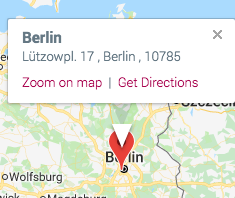
There looks to be an issue with https://github.com/tailwindcss/tailwindcss/pull/116 that causes a gap with Google Map markers. I removed this and the gap disappeared.
 richardwiggins
>All comments
The fix here is to add your own CSS that resets border-style back to none for the map and it's children, something like:
#map * {
  border-style: none;
}
If we tried to fix this from the Tailwind side it would mean you could no longer add a border to an element just by adding the border class; instead you'd have to add border-solid border. I think writing an extra line of CSS just to undo this style for Google Maps is probably the better trade off.
If you'd prefer to choose the other side of that trade-off, just remove our preflight styles from your CSS and provide your own base styles instead 👍
 adamwathan
on 8 Jun 2018
adamwathan
on 8 Jun 2018
👍7
🎉4
Was this page helpful?
0 / 5 - 0 ratings
Related issues
 lamberttraccard
·
3Comments
lamberttraccard
·
3Comments
 ghost
·
3Comments
ghost
·
3Comments
 benface
·
3Comments
benface
·
3Comments
 smbdelse
·
3Comments
smbdelse
·
3Comments
 dbpolito
·
3Comments
dbpolito
·
3Comments
Most helpful comment
The fix here is to add your own CSS that resets
border-styleback tononefor the map and it's children, something like:If we tried to fix this from the Tailwind side it would mean you could no longer add a border to an element just by adding the
borderclass; instead you'd have to addborder-solid border. I think writing an extra line of CSS just to undo this style for Google Maps is probably the better trade off.If you'd prefer to choose the other side of that trade-off, just remove our
preflightstyles from your CSS and provide your own base styles instead 👍