Taiko: Intercept() not returning mocked data in 1.0.24
Describe the bug
The intercept() function of taiko is no longer returning the expected json, I have an existing worked been done a month ago, and it was working fine until yesterday when the 1.0.24 update came in which cause this function to not return the items.
Please note that I have done no changes at all to my work, have tried it by fixing the version to 1.0.19 and everything worked fine again, it clearly failing for the new version 1.0.24
const {openBrowser, goto, intercept } = require('taiko');
openBrowser('');
goto('url')
intercept(url, mockObj(json))
Expected behavior
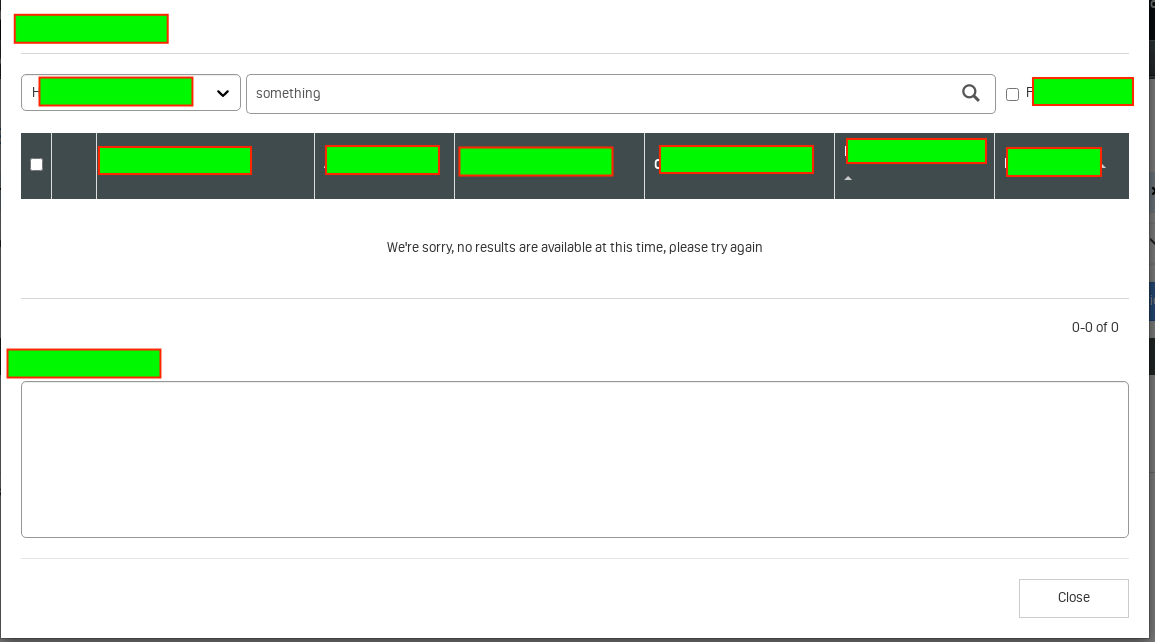
the intercept function expected to intercept an api and return two mocked item from json mock when I search for 'something', however no items return in the box, see below screenshot
Screenshots
Versions:
- Taiko: [e.g. 1.0.24 (use
taiko --version)] - Mac OS [10.14.6]
- Node.js [v12.18.4]
gauge -v
```
Gauge version: 1.1.3
Plugins
html-report (4.0.12)
js (2.3.12)
screenshot (0.0.1)
 mohammedalnuaimi
All 13 comments
(async () => {
    try {
        await openBrowser({headless:false});
        await intercept("https://localhost/employees/(\\d+)/address", { body: {"city":"City1","State":"State1"} });
        await goto("https://localhost/employees/1/address");
        assert.ok(await text('{"city":"City1","State":"State1"}').exists());
        await intercept("https://localhost/employees/1/address", { body: {"city":"CityOne","State":"StateOne"} });
        await goto("https://localhost/employees/1/address");
        assert.ok(await text('{"city":"CityOne","State":"StateOne"}').exists());
        await goto("https://localhost/employees/2/address");
        assert.ok(await text('{"city":"City1","State":"State1"}').exists());
    } catch (e) {
        console.error(e);
    } finally {
        await closeBrowser();
    }
})();
I could see the above script working fine with 1.0.24...can you please provide a sample which is failing for you ?
 NivedhaSenthil
on 7 Oct 2020
NivedhaSenthil
on 7 Oct 2020
Thanks @NivedhaSenthil for the quick response
so my function is implemented in this way, just pasting the code related to intercept
const jsonData = require('../test-data/data.json')

const mockObj = resObj => {
    return {
        body: JSON.stringify(resObj),
        contentType: 'application/vnd.api+json',
        status: 200,
    }
}

const interceptUrl = (id, queryParam) => {
        return `${lmServiceUrl}/v1/xxx/${id}/xxx/${queryParam}`
    }

await intercept(interceptUrl(id, data.params.xxx), mockObj(jsonData))
For reference the jsonData is basically json file
mohammedalnuaimi
on 7 Oct 2020
@NivedhaSenthil I have tried my test against 1.0.23 and it works fine as well, so there must be something changed in 1.0.24!
mohammedalnuaimi
on 7 Oct 2020
Are you seeing any error with executing the script ?
Not sure whats going wrong, I am not able to replicate the issue. Below script which is almost similar to your setup works fine for me,
data.json
{ "city": "City1", "State": "State1" }
code.js
(async () => {
    try {
        await openBrowser({ headless: false });
        const jsonData = require('./data.json');

        const mockObj = resObj => {
            return {
                body: JSON.stringify(resObj),
                contentType: 'application/vnd.api+json',
                status: 200,
            }
        }

        const interceptUrl = (host) => {
            return `https://${host}/employees/(\\d+)/address`
        }

        await intercept(interceptUrl('localhost'), mockObj(jsonData))
        await goto("https://localhost/employees/1/address");
        assert.ok(await text('"{\\"city\\":\\"City1\\",\\"State\\":\\"State1\\"}"').exists());
    } catch (e) {
        console.error(e);
    } finally {
        await closeBrowser();
    }
})();
Can you please try running if the above script works for you?
NivedhaSenthil
on 9 Oct 2020
@mohammedalnuaimi Do you see options call in the network tab?
 saikrishna321
on 9 Oct 2020
saikrishna321
on 9 Oct 2020
thank @NivedhaSenthil @saikrishna321
Here is the thing, the reason the items return not presented in the UI, is that it expected the data to be pure json string with no backward slash to the double quotes, like this { "city": "City1", "State": "State1" }, and that was the case until 1.0.23v
however, in the new taiko 1.0.24v release, it started returning the json data with escaping the quotes like { \"city\": \"City1\", \"State\": \"State1\" } that's why my UI was not able to interpret the items mocked
I can see @NivedhaSenthil assertion expecting them, however the previous version the escapes where not needed/expected
Do you guys think this is something would be fixed?
mohammedalnuaimi
on 11 Oct 2020
@mohammedalnuaimi I can reproduce the issue. Thanks for detail info. We will fix this.
saikrishna321
on 11 Oct 2020
@NivedhaSenthil Code that works till v1.0.23 and breaks in v1.0.24
    await intercept('http://localhost:3000', (request) => {
      if (request.request.url.includes('/employee'));
      request.respond({
        body: `${rawdata}`,
      });
    });
${rawdata} is a Object and the check here (https://github.com/getgauge/taiko/blob/master/lib/handlers/fetchHandler.js#L119) stringify the response and it breaks.
Issue got introduced in v1.0.24 => https://github.com/getgauge/taiko/pull/1496/files#diff-edd552e5b38c38c77f6df11eb7b22ebeR75-R76
@mohammedalnuaimi As a workaround please try
```
const jsonData = require('../test-data/data.json')
const mockObj = resObj => {
return {
body: JSON.parse(resObj),
contentType: 'application/vnd.api+json',
status: 200,
}
}
const interceptUrl = (id, queryParam) => {
return ${lmServiceUrl}/v1/xxx/${id}/xxx/${queryParam}
}
await intercept(interceptUrl(id, data.params.xxx), mockObj(jsonData))
```
saikrishna321
on 11 Oct 2020
Thanks @saikrishna321 with re the workaround, it looks to me the exact same sample I sent in the top, unless I'm missing something here?
mohammedalnuaimi
on 11 Oct 2020
JSON.parse is what you missed!
saikrishna321
on 11 Oct 2020
@saikrishna321 ah missed the word parse, actually parse is not working in this instance, however when passing the jsonData/resObj without stringify or parse, it works, i.e. like this body: resObj, I think the resObj already translated as obj here which is then stringified later in your code
mohammedalnuaimi
on 11 Oct 2020
tbf @saikrishna321 @NivedhaSenthil looks to me the stringfy for the body that I was doing, is a workaround for an existing behaviour, but in 1.0.24v you guys have implemented the stringfy in your code which fixed it, that's why as mentioned in the previous comment I just removed JSON.stringfy wrapping the body content like this body: resObj and that worked. Not sure if you need to fix something here 😁
mohammedalnuaimi
on 11 Oct 2020
@mohammedalnuaimi Please try installing the latest version from master and check if the same code which was working with 1.0.23 works.
saikrishna321
on 12 Oct 2020
Related issues
 sguptatw
·
7Comments
sguptatw
·
7Comments
 lchrennew
·
3Comments
lchrennew
·
3Comments
 rmallof
·
8Comments
rmallof
·
8Comments
 sriv
·
5Comments
sriv
·
5Comments
 ceisele-r
·
8Comments
ceisele-r
·
8Comments