Taichi: Python3 -m python taichi example not working properly
- os : Windows 10
- python version: 3.7.0
- install method: through pip, using qinhua origin
- taichi version: 0.6.5
It seems that I can import properly:

But when I run this command python3 -m python taichi example, I get this issue, please help me!

 Zju-George
All 13 comments
I have an other question like this : on the windows system , i run the example using cli ,but can't find matching name,

 mmx1960
on 1 Jun 2020
mmx1960
on 1 Jun 2020
@mmx1960 You can check if you have bitmasked in that path and directly run the bitmasked.py
Btw, I checkout the commit to version 0.65 and find *.py under examples/ can be run directly without errors.
0.65 release seems to have some bugs with 'example' command, would you fix old version of taichi? If you don't, I will install 0.67 instead.
Zju-George
on 1 Jun 2020
Sorry for the confusing here. ti example command requires v0.6.6+ to work. If you couldn't upgrade to v0.6.7, please check out https://github.com/taichi-dev/taichi/blob/master/examples and copy them by hand.
 archibate
on 1 Jun 2020
archibate
on 1 Jun 2020
@
@mmx1960 You can check if you have bitmasked in that path and directly run the bitmasked.py
Btw, I checkout the commit to version 0.65 and find
*.pyunderexamples/can be run directly without errors.
0.65 release seems to have some bugs with 'example' command, would you fix old version of taichi? If you don't, I will install 0.67 instead.
my taichi's version is 0.67 and in the path of examples/ i directly run the .py taichi program successfully , you can install the 0.67 version and find if you have the same question
mmx1960
on 1 Jun 2020
Thanks for reporting the issue! As @archibate already pointed out, both of ti example and python3 -m python taichi example are introduced in v0.6.6 and require v0.6.6+ to work.
In v0.6.5 and previous versions, ti example will treat example as a "task" and thus raise the error you run into.
So
If you couldn't upgrade to v0.6.7, please check out https://github.com/taichi-dev/taichi/blob/master/examples and copy them by hand.
 rexwangcc
on 1 Jun 2020
rexwangcc
on 1 Jun 2020
I have an other question like this : on the windows system , i run the example using cli ,but can't find matching name,
@rexwangcc Could you address this issue? It seems that ti example is not working correctly on Windows even in v0.6.7.
archibate
on 1 Jun 2020
Thanks guys!
Zju-George
on 1 Jun 2020
@archibate Yup, I'm trying to reproduce this on a Windows VM now.
@mmx1960 Sorry for the inconvenience it caused to you, while we are resolving this, maybe you could try to run the example directly with python3 *.py from within the examples directory (cloned codebase or from the site-packages dir you showed above)?
(hopefully the test cases for CLI we are working on could reduce the issues like this in the future...)
rexwangcc
on 1 Jun 2020
but can't find matching name,
ti example 'C:\ProgramData\Anaconda3\Lib\site-packages\taichi\examples\mpm99'
works well.
@archibate
❯ python -c "print(__import__('sys').argv[1])" 'C:\\ProgramData\\xxx'
C:\\ProgramData\\xxx
❯ python -c "print(__import__('sys').argv[1])" 'C:\ProgramData\xxx'
C:\ProgramData\xxx
❯  python -c "print(__import__('sys').argv[1] == 'C:\\ProgramData\\xxx')" 'C:\ProgramData\xxx'
True
❯  python -c "print(__import__('sys').argv[1] == 'C:\\\\ProgramData\\\\xxx')" 'C:\\ProgramData\\xxx'
True
We may store (name, path) in a dict, and use name mpm99 to choose an example.
 inkydragon
on 2 Jun 2020
inkydragon
on 2 Jun 2020
We may store (name, path) in a dict, and use name mpm99 to choose an example.
Thank for the suggestion! But we want to use the following codes to keep name sync with path:
https://github.com/taichi-dev/taichi/blob/bee2ba83c4ce8d909a8be554623c63f1e3836a1b/python/taichi/main.py#L91-L94
@rexwangcc please use os.path.sep instead of / for portability, Windows use \ as their path separator.
archibate
on 2 Jun 2020
Thanks! It was a stupid mistake to simply rely on split(), the issue should be fixed once the pending PR gets merged (#1085 ).
It now uses platform agnostic methods to parse the names:
- https://github.com/taichi-dev/taichi/pull/1085/files#diff-54e9c326d68839f8cc6d23471881df32R156
- https://github.com/taichi-dev/taichi/pull/1085/files#diff-54e9c326d68839f8cc6d23471881df32R128
rexwangcc
on 2 Jun 2020
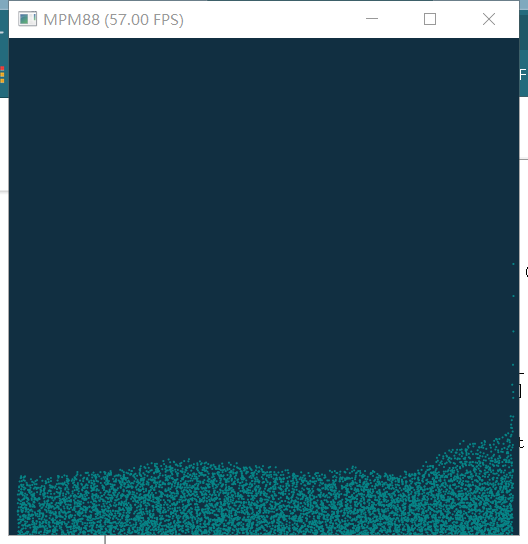
With the current master branch, I just confirmed commands such as ti example, ti example mpm88, ti example mpm88.py are functional on Windows 10. This issue should be resolved once we have a new release out!
rexwangcc
on 3 Jun 2020
Great! Nice to see you resolving the issue so quickly!
archibate
on 3 Jun 2020
Related issues
 GeoffreyPlitt
·
4Comments
GeoffreyPlitt
·
4Comments
 Xayahp
·
3Comments
archibate
·
4Comments
archibate
·
4Comments
archibate
·
4Comments
Xayahp
·
3Comments
archibate
·
4Comments
archibate
·
4Comments
archibate
·
4Comments
Most helpful comment
With the current master branch, I just confirmed commands such as
ti example,ti example mpm88,ti example mpm88.pyare functional on Windows 10. This issue should be resolved once we have a new release out!