Hi @yairEO, The change I proposed to you (this.input.value || s) was working for 2.20.1.
I've upgraded to latest version today and I get this behavior now. This has the same code as before and I did not changed my code.
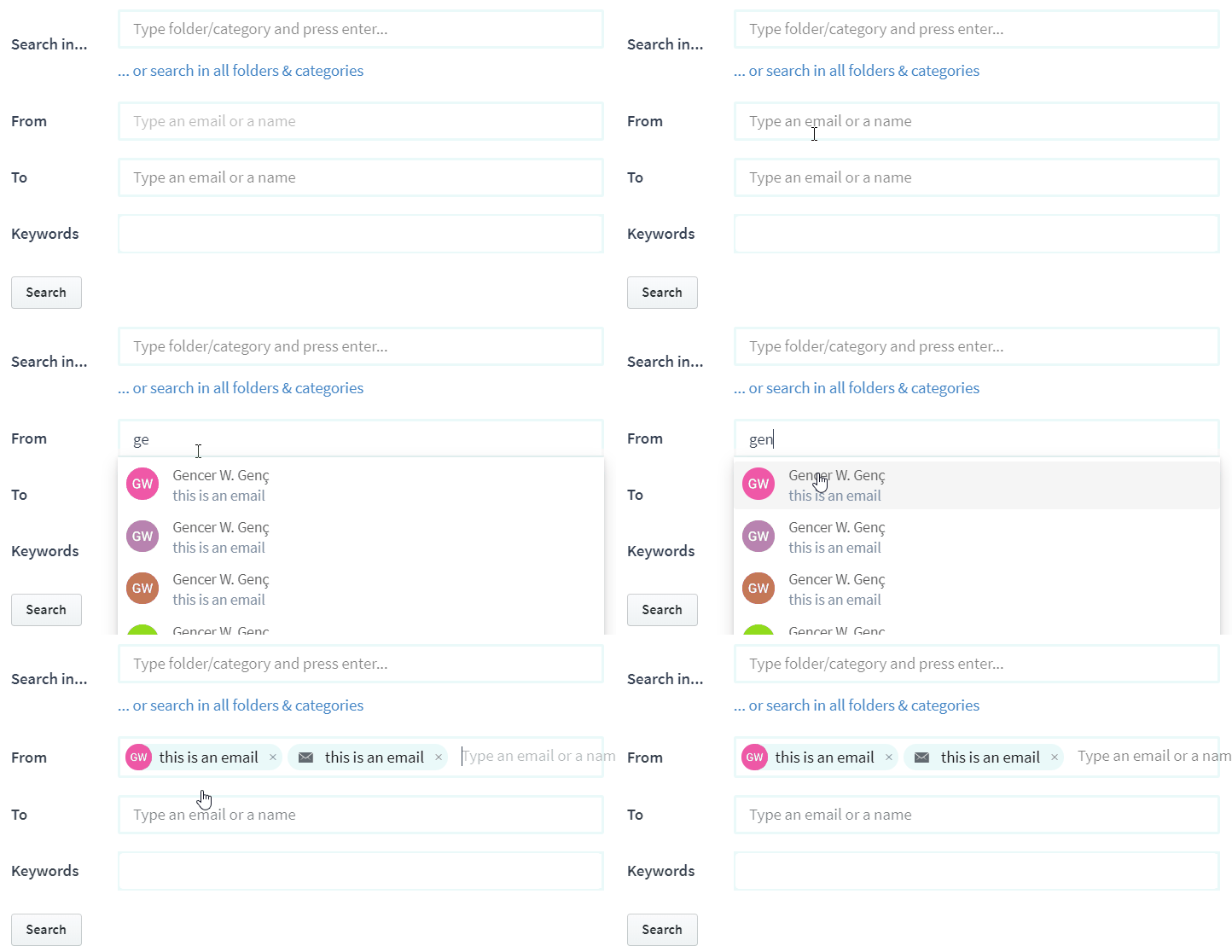
First behavior:
When an item selected, it adds two times. See in action:
Second behavior:
When any item added, you cannot type anything. It gets removed from input. See in action:
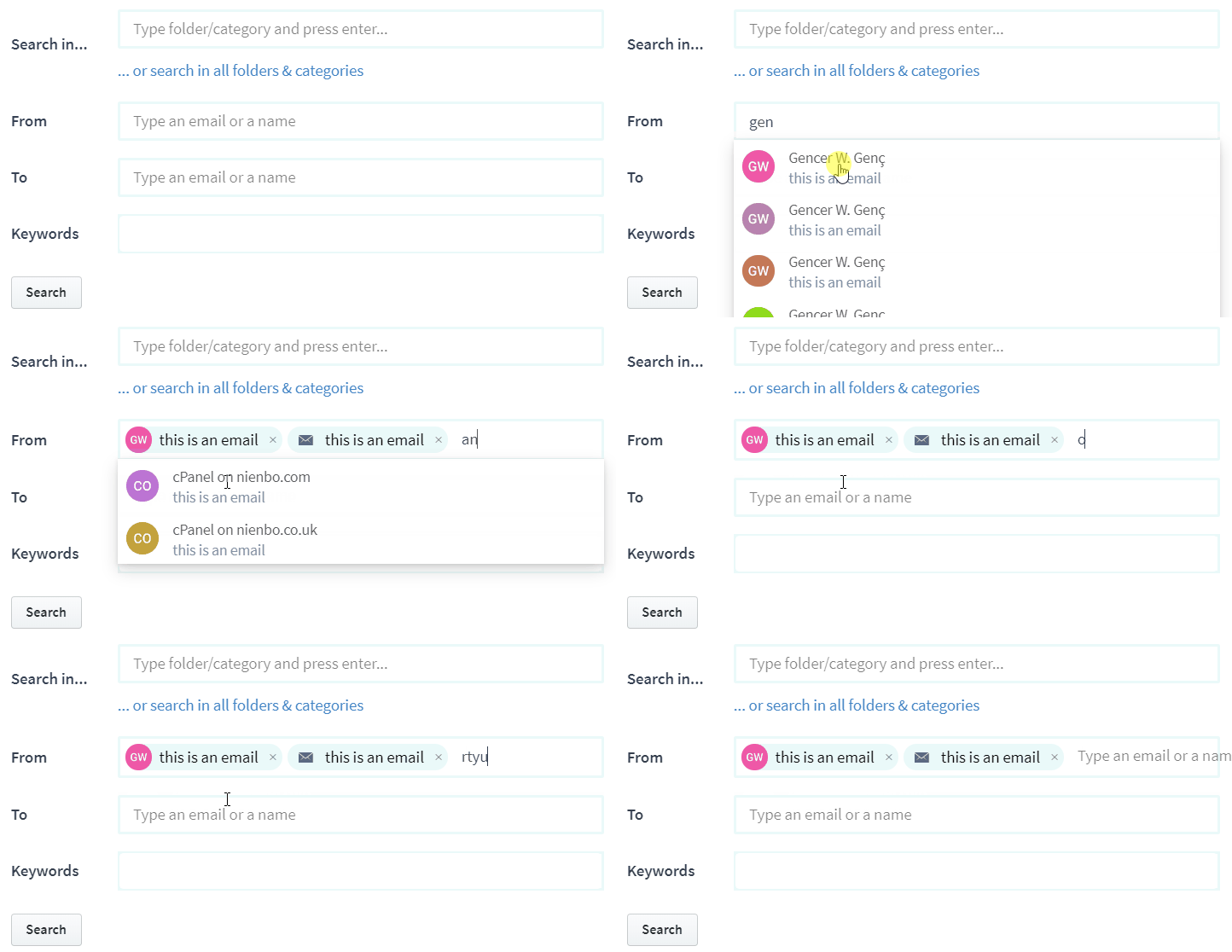
From field has event listener for input that searches via fetch/ajax.
 gencer
All 8 comments
I will fix this in a few hours. Can you share your tagify templates and a whitelist item example?
 yairEO
on 29 May 2019
yairEO
on 29 May 2019
BTW - you should modify the CSS of the placeholder (::after) width so it won't overflow from the right of your Tagify box
yairEO
on 29 May 2019
Here is templates for from:
 templates: {
        dropdownItem: function (item) {
          try {
            const value: string = item.value || item
            const name: string = item.name || value
            const email: string = item.email
            const avatar: string = item.avatar[0].url
            return `<div ${this.getAttributes(item)} class='${styles.uFlex} ${styles.uJustifyStart} ${styles.uAlignItemsCenter} tagify__dropdown__item ${item.class ? item.class : ""}'>
                <div class="${styles.uPrSmall}">
                  <img style="border-radius: 50%;" src="${avatar}" />
                </div>
                <div>
                  ${name}
                  <br />
                  <span class="${styles.uTextMute}">
                    ${email}
                  </span>
                </div>
            </div>`
          }
          catch (err) { }
        },
        tag: function (value, item) {
          try {
            const value: string = item.value || item
            const name: string = item.name || value
            const email: string = item.email || null

            if (email === null) { // this is direct typing value. no data in it just value.

return `<tag contenteditable='false' title='${value}' spellcheck="false" class='tagify__tag--contact ${item.class ? item.class : ""}' ${this.getAttributes(item)}>
                            <x title='remove tag' class='tagify__tag__removeBtn'></x>
                            <div>
                                <i class="${styles.ionIosEmail}"></i>
                                <span class='tagify__tag-text'>${name}</span>
                            </div>
                        </tag>`

            }

            const avatar: string = item.avatar[0].url
            return `<tag contenteditable='false' title='${value}' spellcheck="false" class='tagify__tag--contact ${item.class ? item.class : ""}' ${this.getAttributes(item)}>
                            <x title='remove tag' class='tagify__tag__removeBtn'></x>
                            <div>
                                <img style="border-radius: 50%;" src="${avatar}" />
                                <span class='tagify__tag-text'>${email}</span>
                            </div>
                        </tag>`
          }
          catch (err) { }
        }
This is whitelist array item:
[
  {
    avatar: [{…}],
    email: "this is an email",
    items: 556,
    name: "Gencer W. Genç",
    value: "Gencer W. Genç <[email protected]>",
  },
  ...
]
This is input listen (callback for input):
        const value: string = e.detail
        this.controller && this.controller.abort()
        this.controller = new AbortController()

        fetch('/api/mail/v1/initials/persons', {
          method: 'POST',
          headers: {
            'Accept': 'application/json',
            'Content-Type': 'application/json'
          },
          body: JSON.stringify({ query: value }),
          signal: this.controller.signal
        })
          .then(RES => RES.json())
          .then((data) => {
              let d: Array<any> = []
              try {
                for (let item of data.data) {
                  let name: string = item.name === null ? item.email : item.name
                  if (item.name !== null)
                    name = `${name} <${item.email}>`
                  d.push({ ...item, email: 'this is an email', value: name })
                }
                this.setState({ whitelistedEmails: d })
              } catch (ex) {
                console.log(ex)
              }
          })
BTW - you should modify the CSS of the placeholder (::after) width so it won't overflow from the right of your Tagify box
Will do it definitely. Just playing with CSS at the moment and still did not decide about styling yet.
gencer
on 29 May 2019
When you click on a suggestion item in the dropdown (like you show in the gif) then the value property is taken from that chosen whitelist item :
[
  {
    avatar: [{…}],
    email: "this is an email",
    items: 556,
    name: "Gencer W. Genç",
    value: "Gencer W. Genç <[email protected]>",    //   <----------
  },
  ...
]
This value is then sent to the addTags method where it gets broken into multiple tags, as you show, because of your specific Tagify instance delimiters.
What do you want to be displayed in the tag? the whole value property or just the name property?
Anyway, this is most likely a delimiters issue
yairEO
on 29 May 2019
It would help if you could create a demo page with minimal setup so I could investigate what's going on regarding the removed typed text in the input:
yairEO
on 29 May 2019
I will try to make a demo for you.
delimeters is default so it is comma ,. value does not have comma in it. So i do not think it is delimeters issue.
I want to list via value, but show name to user. I hide real value from user. This allows me to add same name with duplicate (remember my old issue about this?) I made possible by injecting values uniquely but show to the name to user.
BTW, it was working one version before. It gets broken on latest version. I will test and dig more.
gencer
on 30 May 2019
Also, second GIF in my issue shows that, i cannot type anything after I select a tag. This is also an issue for new version.
gencer
on 30 May 2019
Nope. I manually tested on previous version again. Same behavior. I will dig more. I think I did something wrong somewhere...
gencer
on 30 May 2019
Related issues
 Synchro
·
6Comments
Synchro
·
6Comments
 biznickman
·
6Comments
gencer
·
4Comments
biznickman
·
6Comments
gencer
·
4Comments
 raoul2000
·
6Comments
raoul2000
·
6Comments
 Hardikraja
·
4Comments
Hardikraja
·
4Comments