Tachiyomi: [Bug] Not showing PT-BR extensions
Device information
- Tachiyomi version: Preview r2903 (tried on stable build too).
- Android version: 10
- Device: Xiaomi Mi A2 Lite
Steps to reproduce
- Click on browse
- Click on sources
Expected behavior
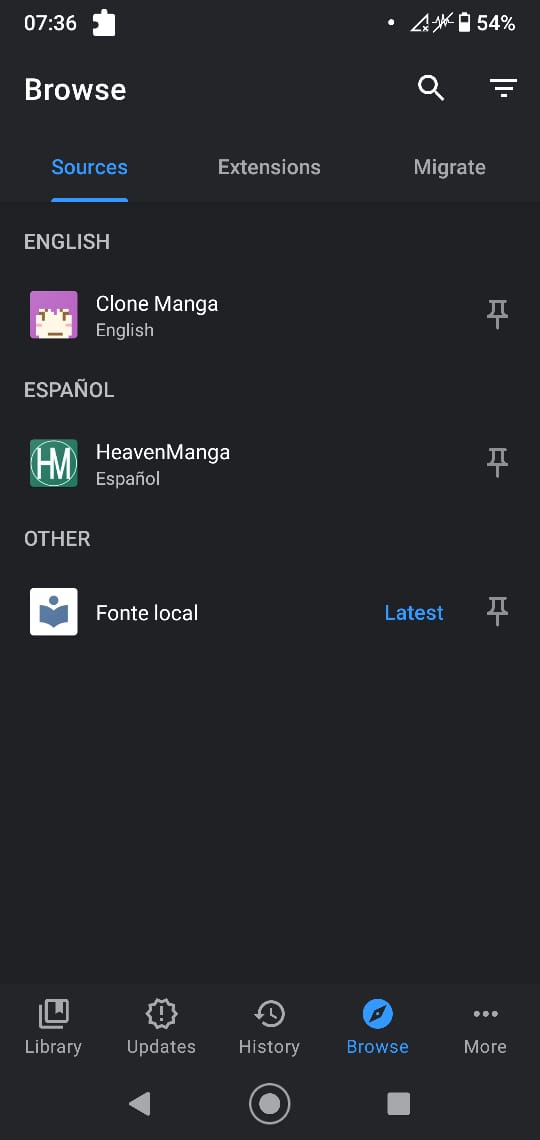
Show my installed PT-BR extensions.
Actual behavior
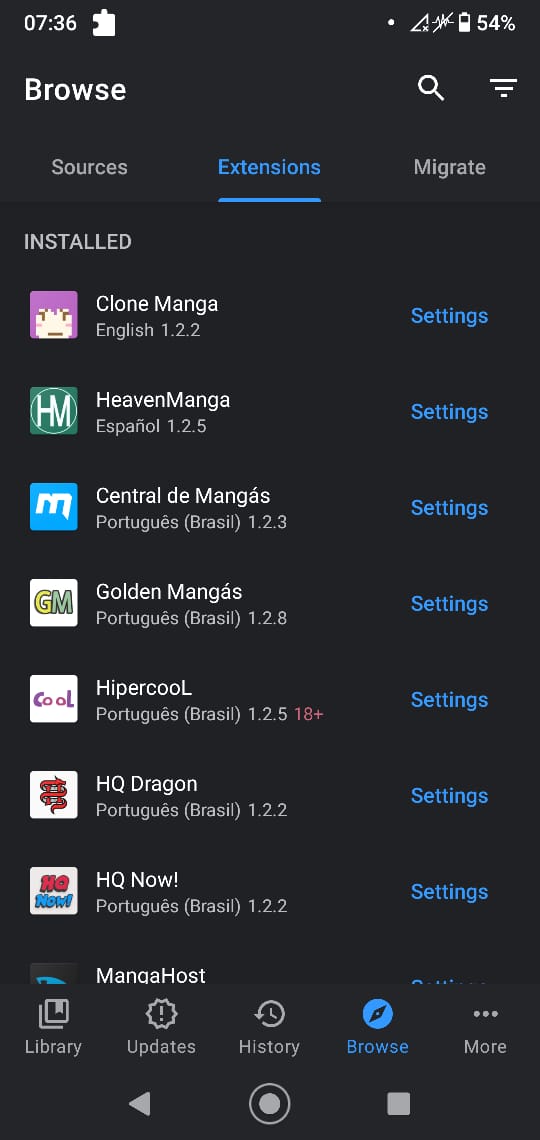
Not showing anything.
Other details
The problem is only with PT-BR, another extensions like English, or Spanish are working. Because of this I can't search PT-BR mangas.
 kreyr
kreyr
All 4 comments
Make sure you enable the Português (Brasil) in source filter. The source filter is in the top right corner.
 HaruSasaki
on 21 Dec 2020
HaruSasaki
on 21 Dec 2020
Make sure you enable the Português (Brasil) in source filter. The source filter is in the top right corner.
Oh lol, that's it, I never saw this option. Just a question, why only the PT-BR is disabled? I installed stable build, preview, hard reset my phone, and the PT-BR never showed (I'm also not using any backup).
Also, thanks!
kreyr
on 21 Dec 2020
Make sure you enable the Português (Brasil) in source filter. The source filter is in the top right corner.
Oh lol, that's it, I never saw this option. Just a question, why only the PT-BR is disabled? I installed stable build, preview, hard reset my phone, and the PT-BR never showed (I'm also not using any backup).
Also, thanks!
I dunno, but the default language are enabled when I use Tachiyomi is English.
HaruSasaki
on 21 Dec 2020
It should have your device's language enabled by default.
Closing since the issue is resolved.
 arkon
on 21 Dec 2020
arkon
on 21 Dec 2020
Related issues
 MaryWeeb
·
4Comments
MaryWeeb
·
4Comments
 as280093
·
3Comments
as280093
·
3Comments
 dinosw
·
3Comments
dinosw
·
3Comments
 K1LL3RR0N1N
·
3Comments
K1LL3RR0N1N
·
3Comments
 Pepsyy
·
4Comments
Pepsyy
·
4Comments
Most helpful comment
Make sure you enable the Português (Brasil) in source filter. The source filter is in the top right corner.