Tachiyomi: [Feature Request] Add magnifying glass
Why/User Benefit/User Problem
It would be nice to be able to read without having to zoom or force the view, it becomes annoying and tiring to have to zoom to each image to be able to read what is written.
What/Requirements
This function could work by touching and holding the screen getting the magnifying glass to zoom in that area, it would also be good to be able to specify in the settings the area covered by this magnifying glass and the zoom level
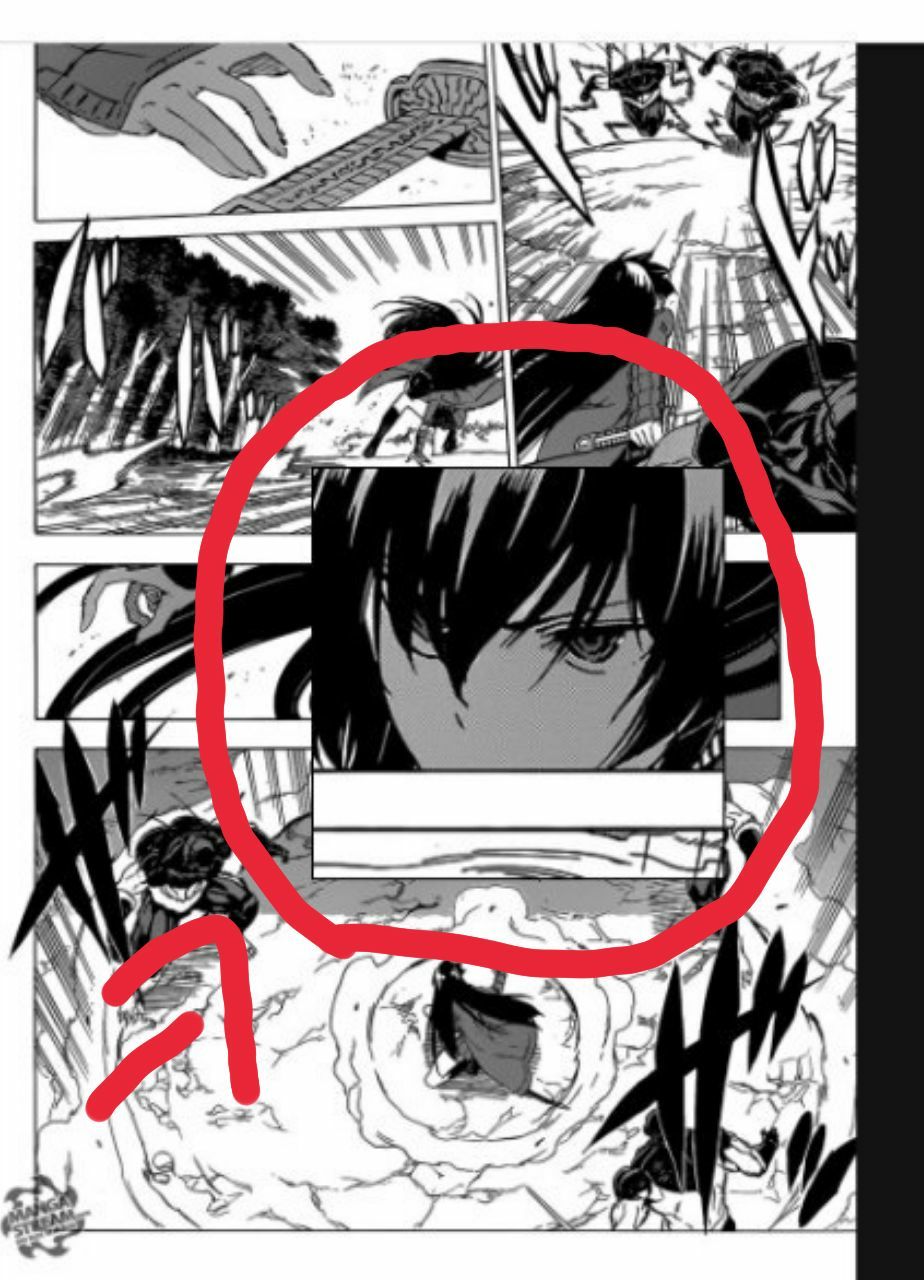
Example
 Rafael7-7
All 2 comments
Would the built-in magnification accessibility tool in Android be good enough?
 arkon
on 23 Feb 2020
arkon
on 23 Feb 2020
Would the built-in magnification accessibility tool in Android be good enough?
I already knew that function but I think that implementing a magnifying glass would be better since that Android function is kind of poorly done and has some bugs, in addition in order to activate that function you have to tap the screen 3 times and when you tap the screen having the app's reader opened, a config toolbar shows up, therefore half of the times that you want to zoom with that function that bar will show up
Rafael7-7
on 24 Feb 2020
Related issues
 Septolum
·
3Comments
Septolum
·
3Comments
 ghost
·
3Comments
ghost
·
3Comments
 MaryWeeb
·
4Comments
MaryWeeb
·
4Comments
 NoodleMage
·
4Comments
NoodleMage
·
4Comments
 squadz3
·
3Comments
squadz3
·
3Comments
Most helpful comment
I already knew that function but I think that implementing a magnifying glass would be better since that Android function is kind of poorly done and has some bugs, in addition in order to activate that function you have to tap the screen 3 times and when you tap the screen having the app's reader opened, a config toolbar shows up, therefore half of the times that you want to zoom with that function that bar will show up