Tachiyomi: [Bug] Unable to uninstall tachiyomi
Device information
- Tachiyomi version: r1611...r1680
- Android version: Android 10
Steps to reproduce
- Install Tachiyomi from apk
- Try to uninstall Tachiyomi from Settings
Expected behavior
The uninstalling process exits unexpectedly. When trying to uninstall Tachiyomi multiple times, the system will notify that _Package installer keeps stopping_.
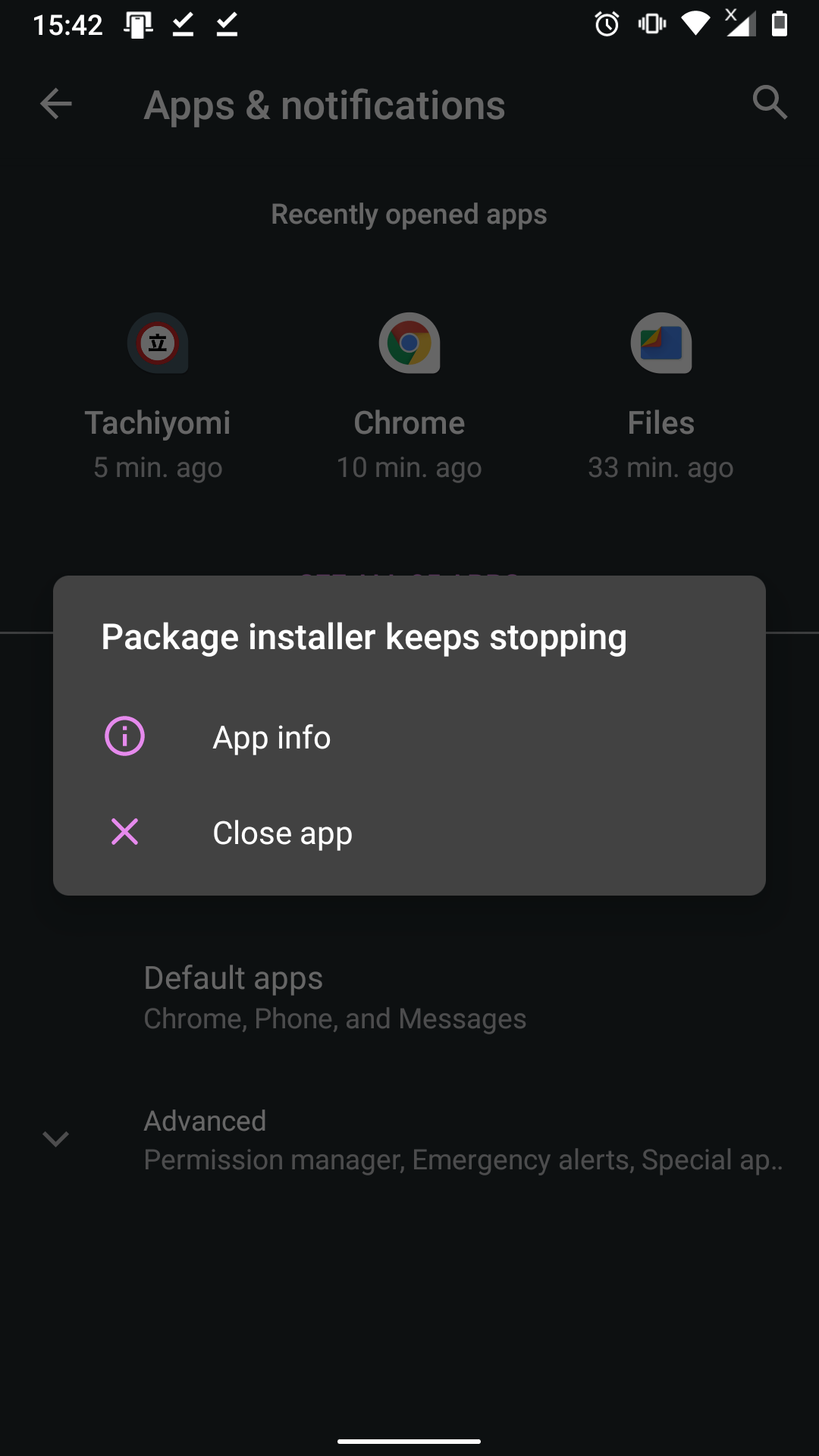
Actual behavior
Package installer should have asked _Do you want to uninstall the app_.
Other details
I've tried to downgrade the app, and I can only uninstall the app with r1610 and previous versions. Starting r1611, the app is no longer uninstallable.
Screen capture: MNML-January30-035751PM.zip
 dungwinux
All 8 comments
Why are you trying to downgrade?
 joseph619
on 30 Jan 2020
joseph619
on 30 Jan 2020
If I don't go back to older version, I can't uninstall it.
dungwinux
on 30 Jan 2020
What phone are you using?
 arkon
on 30 Jan 2020
arkon
on 30 Jan 2020
Nokia 6.1
dungwinux
on 30 Jan 2020
I think I found the problem. The package installer crashed because of this line in AndroidManifest.xml :
android:hasFragileUserData="true"
Below should be the actual behaviour:
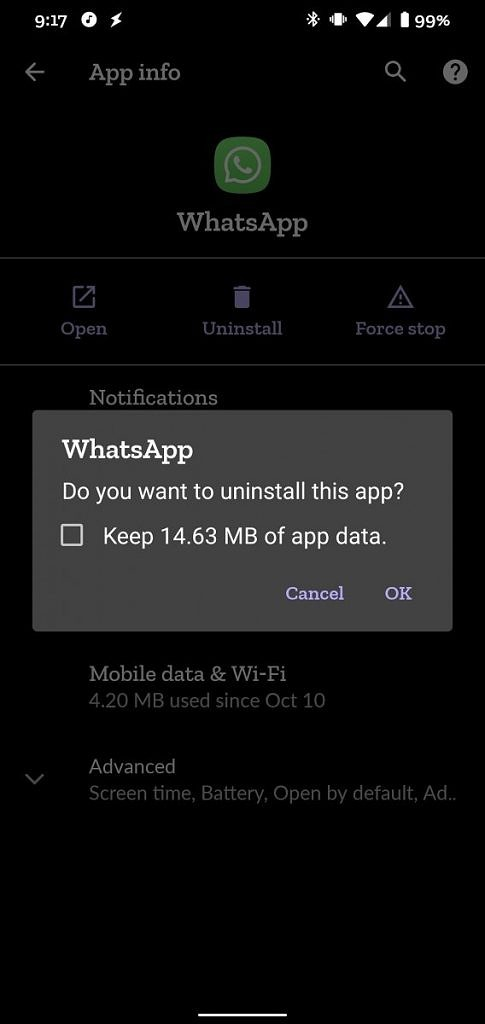
This is probably caused by the system, not the app, so I'm closing the issue.
dungwinux
on 30 Jan 2020
Interesting bug.
@dungwinux Is that WhatsApp screenshot taken from this https://officialsmartphoneblog.blogspot.com/2019/11/xda-developers-android-10-lets.html
and not actually from your phone? Cause it should crash for WhatsApp as well.
I also assume you have an SD card as well, cause that seems to be what causes the issue.
I filed a bug report actually https://issuetracker.google.com/issues/148573843
Seems like another case of sloppiness from Google 😔
 MCAxiaz
on 30 Jan 2020
MCAxiaz
on 30 Jan 2020
@MCAxiaz, yes, the photo is from xda, sorry for not clarifying the source. Also, thanks for the info, I'll try to fix it on my phone
dungwinux
on 31 Jan 2020
@MCAxiaz It seems that you're right. Removing SD card can solve the issue.
dungwinux
on 31 Jan 2020
Related issues
arkon
·
3Comments
 ElerTheMagnanimous
·
3Comments
ElerTheMagnanimous
·
3Comments
 NoodleMage
·
4Comments
NoodleMage
·
4Comments
 K1LL3RR0N1N
·
3Comments
K1LL3RR0N1N
·
3Comments
 Septolum
·
3Comments
Septolum
·
3Comments
Most helpful comment
Interesting bug.
@dungwinux Is that WhatsApp screenshot taken from this https://officialsmartphoneblog.blogspot.com/2019/11/xda-developers-android-10-lets.html
and not actually from your phone? Cause it should crash for WhatsApp as well.
I also assume you have an SD card as well, cause that seems to be what causes the issue.
I filed a bug report actually https://issuetracker.google.com/issues/148573843
Seems like another case of sloppiness from Google 😔