Tachiyomi: [Feature Request] View cover images
The ability to open cover images in full screen by tapping on the cover in manga info page.
 hXtreme
All 7 comments
someting like this
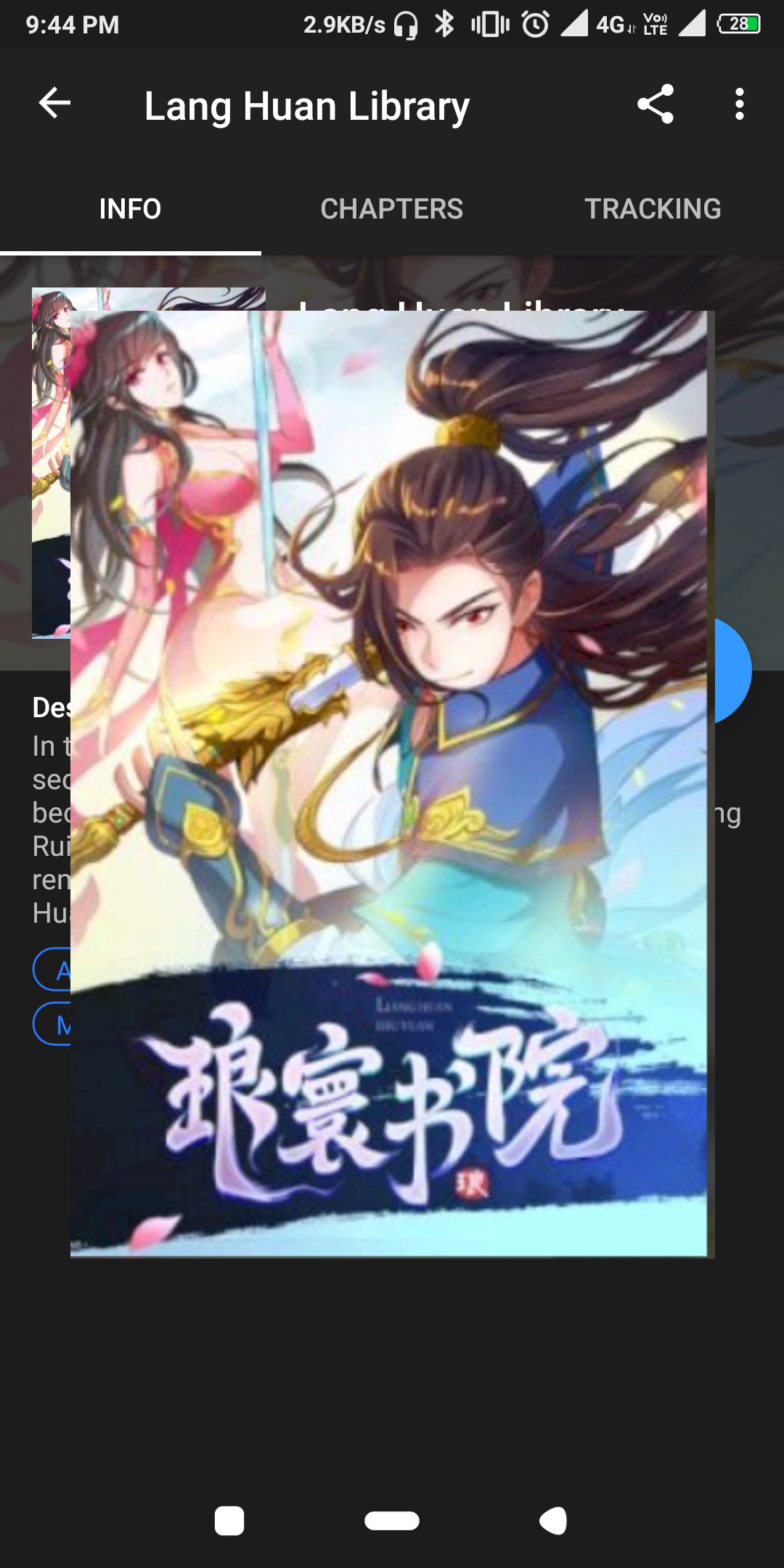
with close button and hold & save image 💾
with pinch annd zoom or double tap and zoom
 as280093
on 12 Jul 2019
as280093
on 12 Jul 2019
Yes but cover should be even larger (covering the whole page).
hXtreme
on 12 Jul 2019
i don't think its necessary for a full screen cover preview
adding double to fit to screen
and pinch to zoom
could be enough
as280093
on 12 Jul 2019
If you look at your mock up image there's all kinds of things poking out from under the cover preview; on right there's the fab and a few letters. On left there's words, tags and part of the cover image.
One way to get around this is to completely dim out the background and the other way is by making the preview full screen, I'm actually fine with either of these two solutions.
hXtreme
on 12 Jul 2019
I agree, this should be a feature. Much easier than opening the manga info in your browser to look at or save the cover images.
 GuyInDogSuit
on 4 Aug 2019
GuyInDogSuit
on 4 Aug 2019
Fit to screen will just blur if it's low quality image
Based on image size high it full screen if possible and blur background if image is small and show based on size
as280093
on 4 Aug 2019
Having two different behaviour on clicking doesn't sound that good, perhaps it should always just dim the background and show the cover.
hXtreme
on 5 Aug 2019
Related issues
 dinosw
·
3Comments
dinosw
·
3Comments
 NoodleMage
·
3Comments
NoodleMage
·
3Comments
 farahnur42
·
3Comments
farahnur42
·
3Comments
 arkon
·
3Comments
arkon
·
3Comments
 ElerTheMagnanimous
·
3Comments
ElerTheMagnanimous
·
3Comments
Most helpful comment
someting like this
with close button and hold & save image 💾
with pinch annd zoom or double tap and zoom