Tachiyomi: [SOLVED] Notch space issue on Xiaomi mi 9
Hello, thanks for this great app.
I'm having an issue regarding the use of the notch.
App version:
r1517
Android version:
miui 10.2.26.0 / android 9 pkq1.181121.001
Issue/Request:
issue regarding the use of the notch space in read mode
It works great in the menu and settings pages but not in reading mode.
Steps to reproduce (if applicable)
1.
2.
3.
Other details:
I'm on a Xiaomi mi 9
Full screen mode activated in both app and xiaomi preferences for notch mode use.
 tonarii
All 7 comments
Please describe your problem accurately and in detail.
 hXtreme
on 1 Jul 2019
hXtreme
on 1 Jul 2019
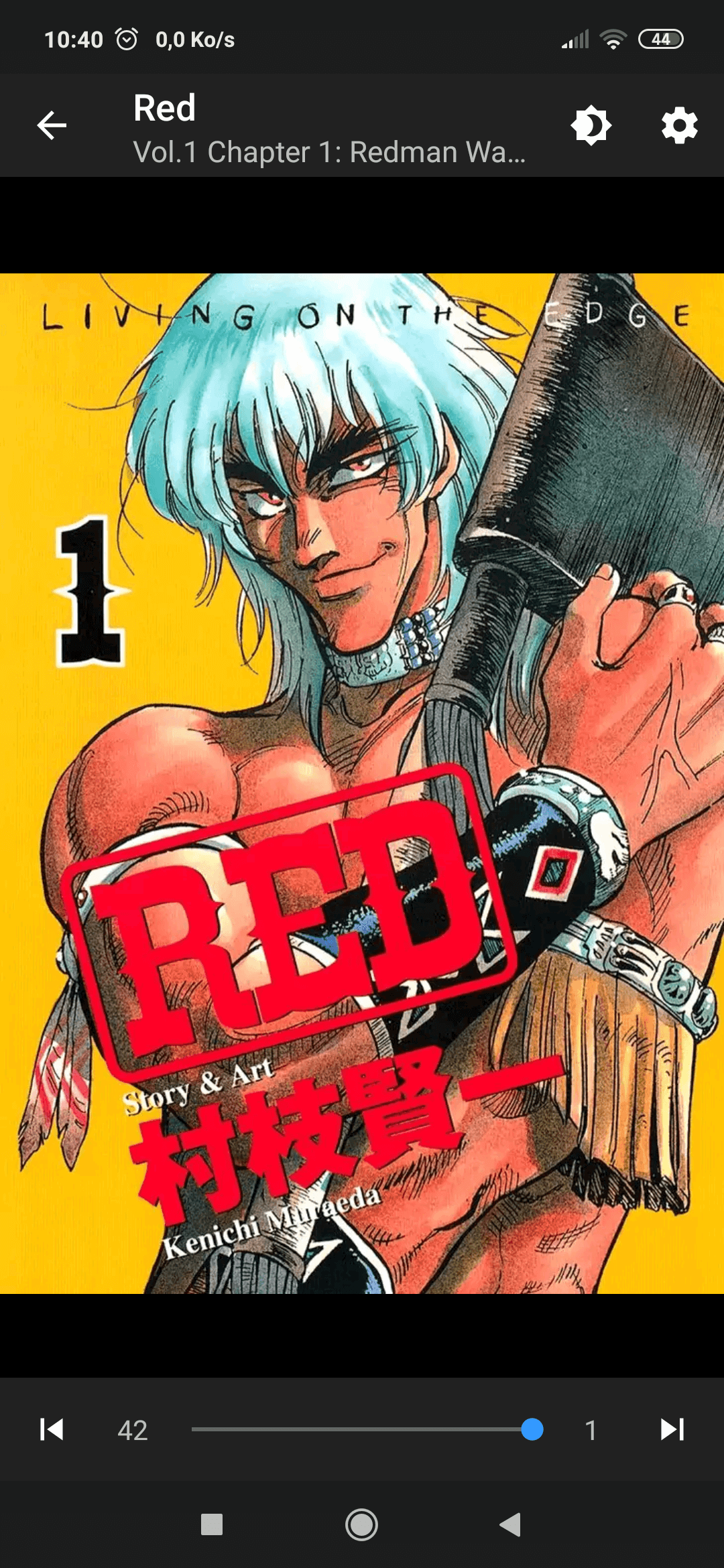
when i start the app, it's in full screen, for instance if i click on the menu, to change settings, i can see that the app use the notch space area. But when i start to read a manga, if i zoom in, i can see that the notch space is not used, even with the full screen mode activated.


tonarii
on 1 Jul 2019
Now that you mention it, seems like I also have this problem on my Pocofone (also by Xiaomi)
hXtreme
on 6 Jul 2019
I solved it on Neko, and that also works here (i tried on the last beta, but that should be ok on the normal release i think), it would be great to have it inside the official release in case of a new update.
I edited the styles.xml file inside the value-26 folder to add this line :
<item name="android:windowLayoutInDisplayCutoutMode">shortEdges</item>
So here is the complet file :
<?xml version="1.0" encoding="utf-8"?>
<resources>
    <style name="Base.Theme.AppCompat" parent="@style/Base.V26.Theme.AppCompat" />
    <style name="Base.Theme.AppCompat.Light" parent="@style/Base.V26.Theme.AppCompat.Light" />
    <style name="Base.Widget.AppCompat.Toolbar" parent="@style/Base.V26.Widget.AppCompat.Toolbar" />
    <style name="Base.Widget.Design.AppBarLayout" parent="@style/Base.V26.Widget.Design.AppBarLayout" />
    <style name="Base.V26.Theme.AppCompat" parent="@style/Base.V23.Theme.AppCompat">
        <item name="colorError">?android:colorError</item>
        <item name="android:windowLayoutInDisplayCutoutMode">shortEdges</item>
    </style>
    <style name="Base.V26.Theme.AppCompat.Light" parent="@style/Base.V23.Theme.AppCompat.Light">
        <item name="colorError">?android:colorError</item>
        <item name="android:windowLayoutInDisplayCutoutMode">shortEdges</item>
    </style>
    <style name="Base.V26.Widget.AppCompat.Toolbar" parent="@style/Base.V7.Widget.AppCompat.Toolbar">
        <item name="android:touchscreenBlocksFocus">true</item>
        <item name="android:keyboardNavigationCluster">true</item>
        <item name="android:windowLayoutInDisplayCutoutMode">shortEdges</item>
    </style>
    <style name="Base.V26.Widget.Design.AppBarLayout" parent="@style/Base.V21.Widget.Design.AppBarLayout">
        <item name="android:touchscreenBlocksFocus">true</item>
        <item name="android:keyboardNavigationCluster">true</item>
        <item name="android:windowLayoutInDisplayCutoutMode">shortEdges</item>
    </style>
</resources>
And now we can enjoy a full screen reading :)
tonarii
on 7 Jul 2019
Did you make a pull request for the fix? You might want to refer this issue from the request.
hXtreme
on 7 Jul 2019
No i did not, i don't really know how to do it.
Edit: it looks like i can't do it, when i click on "New pull request" i arrive on "Compare changes" page.
EDIT 2 : Pull request done :)
tonarii
on 7 Jul 2019
Duplicate of #1621
 arkon
on 22 Dec 2019
arkon
on 22 Dec 2019
Related issues
 nataliejean2412
·
4Comments
nataliejean2412
·
4Comments
 j2ghz
·
3Comments
j2ghz
·
3Comments
 ElerTheMagnanimous
·
3Comments
ElerTheMagnanimous
·
3Comments
 farahnur42
·
3Comments
farahnur42
·
3Comments
 Septolum
·
3Comments
Septolum
·
3Comments
Most helpful comment
when i start the app, it's in full screen, for instance if i click on the menu, to change settings, i can see that the app use the notch space area. But when i start to read a manga, if i zoom in, i can see that the notch space is not used, even with the full screen mode activated.


