Tachiyomi: Library auto update and manual update for new manga not working
App version: 0.7.4
Issue/Request: (issue) After updating the device, a couple of days ago the library auto update stopped working it self at first, then later the manual update also stopped along with the notification of updating(looking for library updates popup also stopped). Also even if they get updated there are no notification showing that the manga is updated, I only got to know by checking recently updated.
Also notification popping up that tachiyomi is running in background from "android system" got frequent after this happened.
Steps to reproduce (if applicable):
(don't really know the cause but..)
- Updating to latest system build from old version
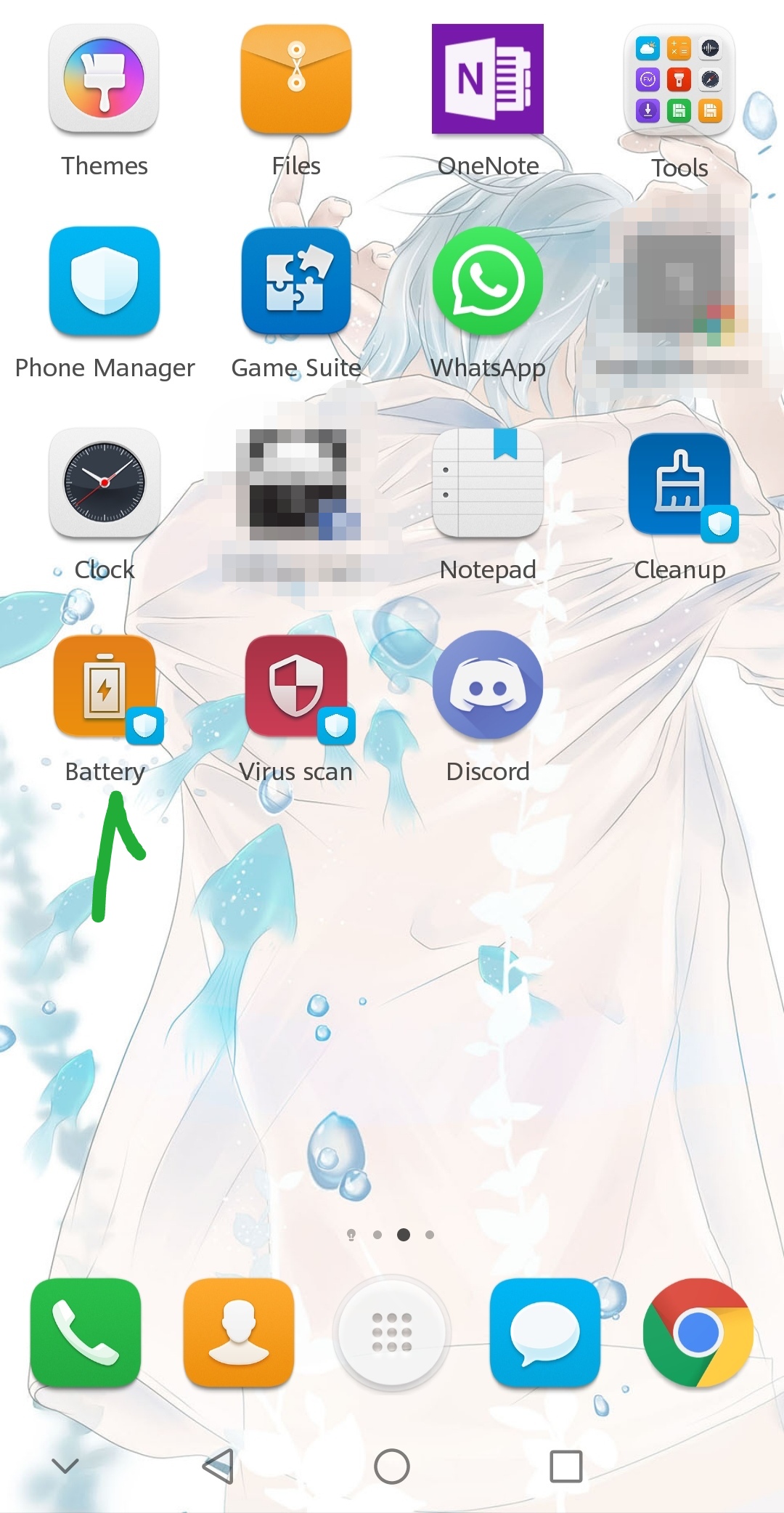
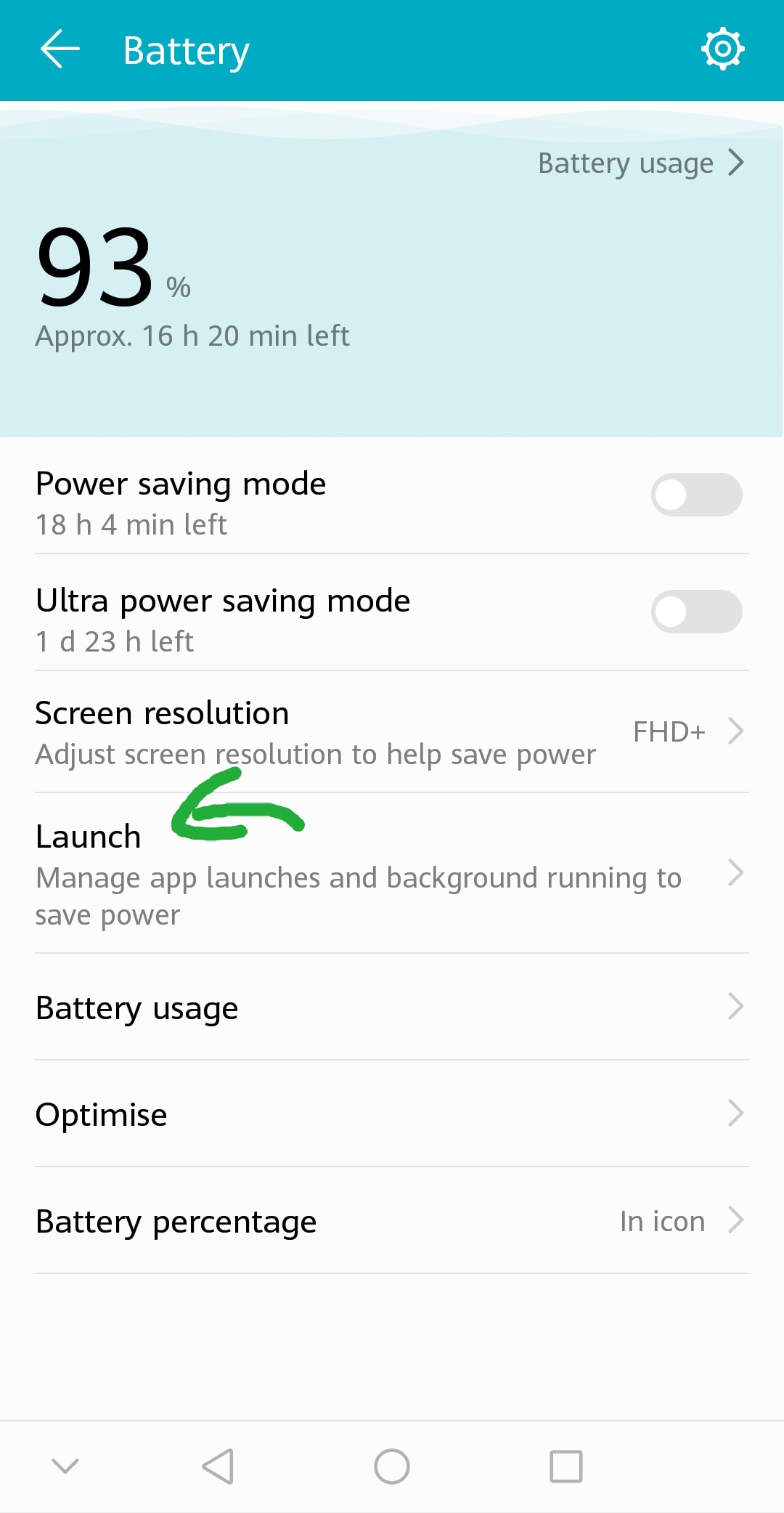
- Battery manager of the honor devices(specially adding to launch manager which restrict auto launch)
- Fiddling with device notification settings(though I never did, but maybe)
Other details:
Device: Honor 9 lite
OS: android 8.0.0
EMUI: 8.0.0
After reinstalling and restoring back up, removing it from "launch list" from "battery manager", its back to normal


(never changed the notification settings before too)
 Meganekun98
All 10 comments
I got the same problem too, but on dev version (r1427) and updated to 8.0.0 long ago. This bug only happened days ago...
Edit: I got 800+ mangas in my library, probably this is the reason?
 Trung0246
on 16 Jul 2018
Trung0246
on 16 Jul 2018
Same problem on r1427 where update doesn't work.
Edit: reinstall+restore backup fixed the problem and works now. I am not using EMUI.
 rontieu
on 17 Jul 2018
rontieu
on 17 Jul 2018
Are all of you using EMUI? It's working fine on AOSP. The library updater received a minor change on r1427 but I'm quite sure that's not the reason.
Also notification popping up that tachiyomi is running in background from "android system" got frequent after this happened.
This bugs me. From the looks of it, the service never calls the start command.
Edit: I got 800+ mangas in my library, probably this is the reason?
No.
 inorichi
on 17 Jul 2018
inorichi
on 17 Jul 2018
Samsung Galaxy S8+, not Huawei :
Edit: Yep uninstall and reinstall probably fixed, I should wait for next day to see if this bug happen again...
Edit 2: the bug appeared again...
Trung0246
on 18 Jul 2018
I reinstall the app but now like 100 of the manga that I've saved, have been deleted from my manga list. Help me pls
I don't know what to do.
 KoyLyria
on 20 Jul 2018
KoyLyria
on 20 Jul 2018
Did you make a backup before uninstall? If not you are out of luck. If so restore the backup
 CarlosEsco
on 20 Jul 2018
CarlosEsco
on 20 Jul 2018
Same problem here on a Lenovo P8 (not EMUI), but it's working fine on my Huawei Honor 7 (EMUI 4.0.3). I've not already try to reinstall and Tachiyomi and it's plugins are all whitelisted in my power and notifications settings. Ask me if you need logs or more detailled specs.
 QuentinLB
on 30 Jul 2018
QuentinLB
on 30 Jul 2018
Nervermind, it was fixed after a reboot.
QuentinLB
on 6 Aug 2018
Sorry to necro but Ver 0.8.4 and same issue, tried to reboot, clear cache, force stop, reinstall, restore, nothing seems to work. Please help.
 EbolaMeister
on 25 Mar 2020
EbolaMeister
on 25 Mar 2020
No idea how this slipped through my issue triaging, but we don't provide support for old versions.
See #2741 for a duplicate issue for the current versions.
 arkon
on 25 Mar 2020
arkon
on 25 Mar 2020
Related issues
 K1LL3RR0N1N
·
3Comments
K1LL3RR0N1N
·
3Comments
 joseph619
·
3Comments
joseph619
·
3Comments
 basilg3
·
3Comments
basilg3
·
3Comments
 NoodleMage
·
3Comments
NoodleMage
·
3Comments
 farahnur42
·
3Comments
farahnur42
·
3Comments