Tachiyomi-extensions: [Bug] <OH漫画>: <unable to read using app>
Device information
- Tachiyomi version: Stable 0.10.5
- Android version: Android Version 10
Source information
- Name: OH漫画 (OhManhua/OneManHua)
- Extension version: 1.2.5
Steps to reproduce
Opening a chapter
Expected behavior
Chapter opens
Actual behavior
Black page with retry button
Other details
Tried retrying multiple times but failed to show any pictures. Able to show pictures when using WebView.
Affecting all chapters in OH漫画 extension. Other extensions functioning as normal.
OH漫画 (OhManhua/OneManHua) url in the past: https://www.ohmanhua.com/
Current OH漫画 (OhManhua/OneManHua) url: https://www.cocomanhua.com/


 tsunaliew
All 13 comments
same issue
 lamlam1926
on 7 Oct 2020
lamlam1926
on 7 Oct 2020
The name itself change to https://www.cocomanhua.com/
 JudiciousVick
on 7 Oct 2020
JudiciousVick
on 7 Oct 2020
The name isn't the problem, it redirects to coco manhua just fine.
The problem seems to lie in:
where it picks up some Chinese name, which is then encoded here:
So the final URL looks somewhat like this: https://img.cocomanhua.com/comic/12202/%E4%BB%80%E4%B9%88%E5%8A%9F%E6%B3%95%EF%BC%9F/0006.jpg, which returns a 404.
It should look something like: https://img.cocomanhua.com/comic/12202/cEhCekxtSXNnTWRsWGpnenU5a2hIUT09/0004.jpg, but I couldn't find cEhCekxtSXNnTWRsWGpnenU5a2hIUT09 in the decrypted data - so not sure where that's coming from
 AbdullahM0hamed
on 7 Oct 2020
AbdullahM0hamed
on 7 Oct 2020
Urls have changed in weird ways.
There's technically 3 different ways it processes image urls but we're only processing 2 of them.
(Because the last way does not seem to be properly implemented yet for any manga I've browsed. The parameter doesn't exist in C_DATA)
Here's the pre-release apk for testing
https://github.com/lmk1988/tachiyomi-extensions/releases/tag/v1.2.6-prerelease
 lmk1988
on 7 Oct 2020
lmk1988
on 7 Oct 2020
Urls have changed in weird ways.
There's technically 3 different ways it processes image urls but we're only processing 2 of them.
(Because the last way does not seem to be properly implemented yet for any manga I've browsed. The parameter doesn't exist in C_DATA)Here's the pre-release apk for testing
https://github.com/lmk1988/tachiyomi-extensions/releases/tag/v1.2.6-prerelease
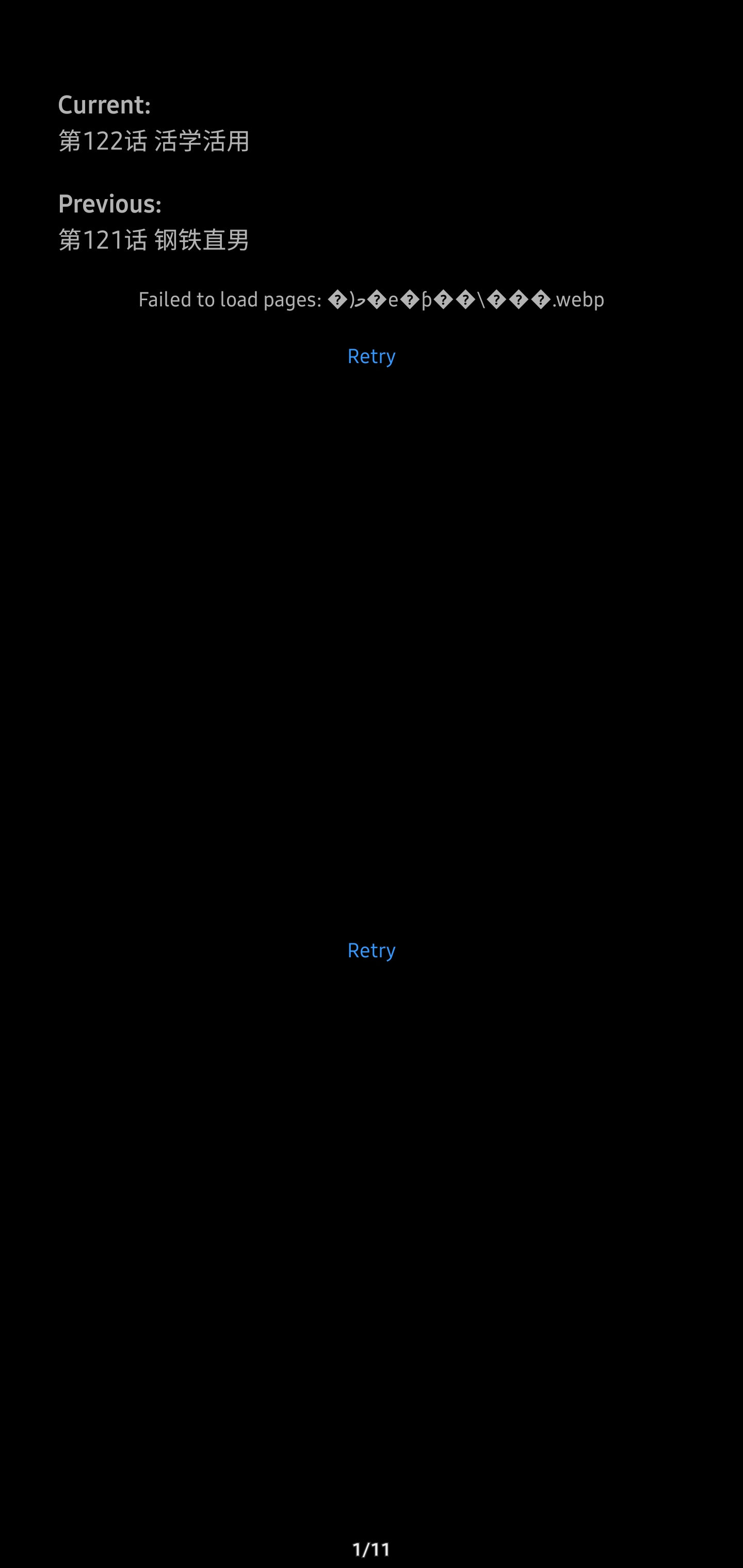
Installed and trusted but it show this instead.
tsunaliew
on 7 Oct 2020
Urls have changed in weird ways.
There's technically 3 different ways it processes image urls but we're only processing 2 of them.
(Because the last way does not seem to be properly implemented yet for any manga I've browsed. The parameter doesn't exist in C_DATA)
Here's the pre-release apk for testing
https://github.com/lmk1988/tachiyomi-extensions/releases/tag/v1.2.6-prereleaseInstalled and trusted but it show this instead.
Yeah, was trying to find a manga like that. Do you have a url to that?
Does it happen to all manga or only that manga?
lmk1988
on 7 Oct 2020
Urls have changed in weird ways.
There's technically 3 different ways it processes image urls but we're only processing 2 of them.
(Because the last way does not seem to be properly implemented yet for any manga I've browsed. The parameter doesn't exist in C_DATA)
Here's the pre-release apk for testing
https://github.com/lmk1988/tachiyomi-extensions/releases/tag/v1.2.6-prereleaseInstalled and trusted but it show this instead.
Yeah, was trying to find a manga like that. Do you have a url to that?
Does it happen to all manga or only that manga?
Happen to all manga that belong to this extension. Not sure what url you want but i am sure WebView have it.
tsunaliew
on 7 Oct 2020
@tsunaliew
My bad, uploaded old apk.
Try again with tachiyomi-zh.onemanhua-v1.2.6-release2.apk
https://github.com/lmk1988/tachiyomi-extensions/releases/tag/v1.2.6-prerelease
lmk1988
on 7 Oct 2020
@tsunaliew
My bad, uploaded old apk.
Try again with tachiyomi-zh.onemanhua-v1.2.6-release2.apk
https://github.com/lmk1988/tachiyomi-extensions/releases/tag/v1.2.6-prerelease
It works now, thank you guys. So i have to migrate all the manga i have in ohmanga to cocomanga?
tsunaliew
on 7 Oct 2020
@tsunaliew
My bad, uploaded old apk.
Try again with tachiyomi-zh.onemanhua-v1.2.6-release2.apk
https://github.com/lmk1988/tachiyomi-extensions/releases/tag/v1.2.6-prereleaseIt works now, thank you guys. So i have to migrate all the manga i have in ohmanga to cocomanga?
Nope, it should work fine, the ID of the extension did not change
Just that when it is merged, you might need to reinstall the official merged version again
lmk1988
on 7 Oct 2020
i realized that some manga are still black page with retry button but some manga are working fine with the new apk installed.
tsunaliew
on 7 Oct 2020
i realized that some manga are still black page with retry button but some manga are working fine with the new apk installed.
I had that issue before, think it is due to cache.
Try clearing your database cache
Settings -> Advanced -> Clear database
lmk1988
on 7 Oct 2020
i realized that some manga are still black page with retry button but some manga are working fine with the new apk installed.
I had that issue before, think it is due to cache.
Try clearing your database cache
Settings -> Advanced -> Clear database
It worked, once again thank you guys. Much appreciated.
tsunaliew
on 7 Oct 2020
Related issues
 MerradOklom
·
4Comments
MerradOklom
·
4Comments
 jadoff630
·
4Comments
jadoff630
·
4Comments
 Kediny
·
4Comments
Kediny
·
4Comments
 ppp821203
·
3Comments
ppp821203
·
3Comments
 DiabloPiotr
·
4Comments
DiabloPiotr
·
4Comments