Tachiyomi-extensions: [Bug] Various sources: "java.lang.Exception: Challenge not found"
A variety of Cloudflare-protected sources aren't working properly on first try within Tachiyomi.
Workarounds include retrying and loading in Webview. It appears to only affect older versions of Android (up to 7.x).
Issue in main repo: https://github.com/inorichi/tachiyomi/issues/2344
 arkon
arkon
All 21 comments
It appears to only affect older versions of Android (up to 7.x).
I have two devices running Android 9 and this problem happens systematically on ReadComicOnline source (which is indeed Cloudflare-protected).
Works OK on second try.
 yurigiu
on 19 Jan 2020
yurigiu
on 19 Jan 2020
I also get this message from time to time, on Android 9 (Miui 11).
 asakurato
on 21 Jan 2020
asakurato
on 21 Jan 2020
I just got this problem since yesterday on MangaKisa
Android 10
 namv22
on 23 Jan 2020
namv22
on 23 Jan 2020
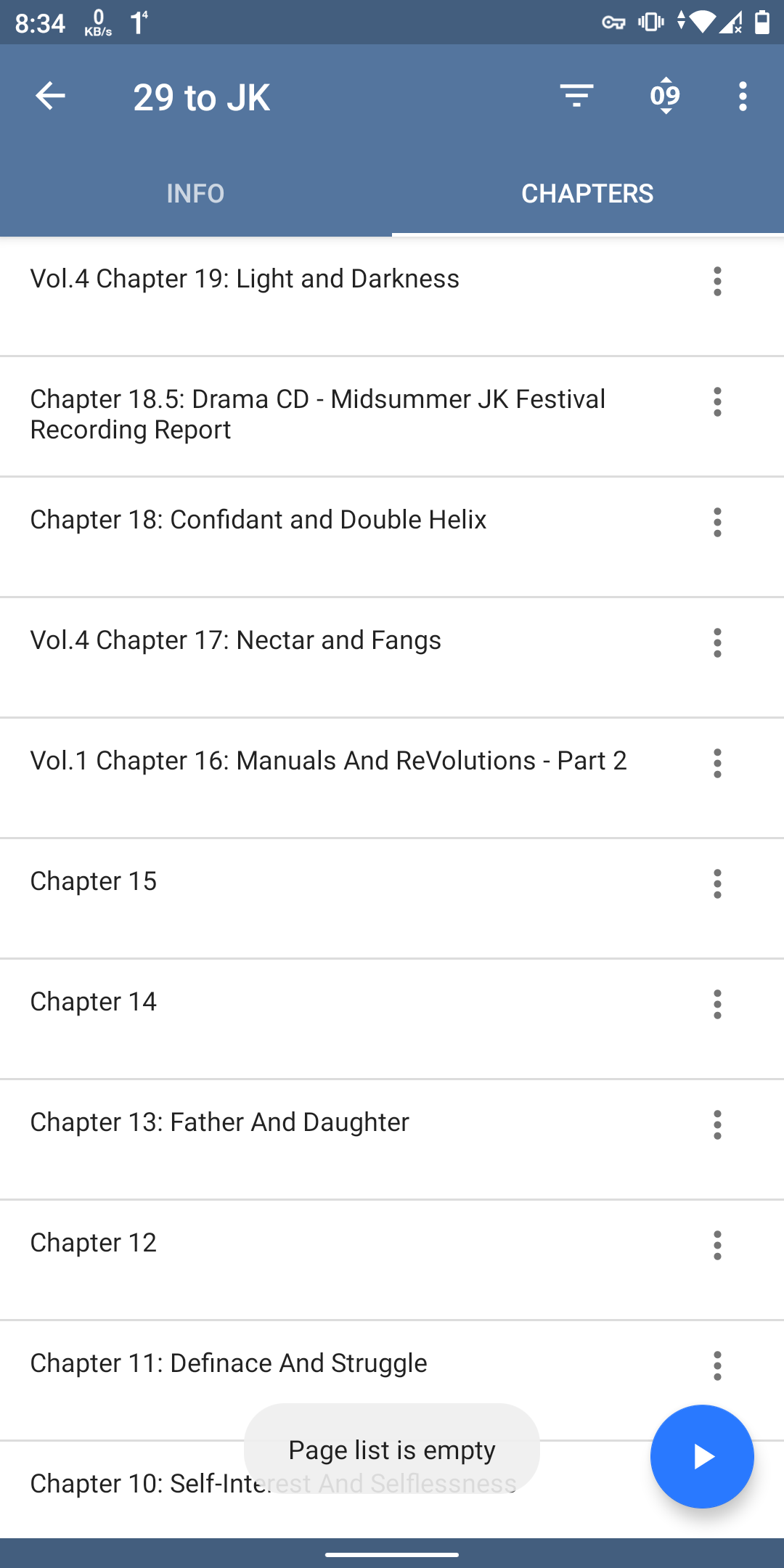
did manganelo also affected by this bug? android 10,
 ara8ara
on 23 Jan 2020
ara8ara
on 23 Jan 2020
did manganelo also affected by this bug? android 10,
I think it's starting to affect every extension, I was getting it with MangaKisa but now Mangarock is affected by it too
namv22
on 25 Jan 2020
@ara8ara "Page list is empty" is probably due to something else.
@namv22 Manga Rock is dead--it won't work not due to any bug but because they shut down.
 SnakeDoc83
on 25 Jan 2020
SnakeDoc83
on 25 Jan 2020
I also have this issue with KissManga whenever I press browse or latest it has the same error message
 ManjaWarior
on 8 Feb 2020
ManjaWarior
on 8 Feb 2020
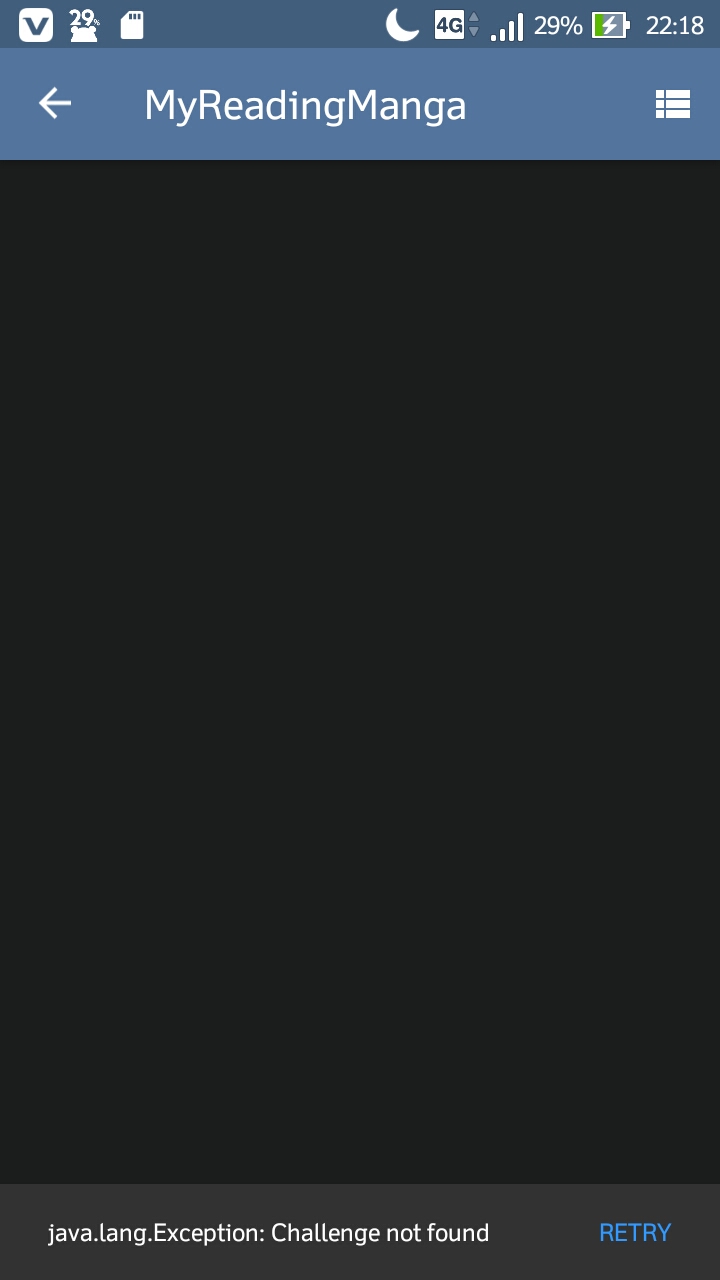
Send help ;((
 Harunyaanuwu
on 9 Feb 2020
Harunyaanuwu
on 9 Feb 2020
- Check to see if you can update webview.
- Also try to clear your cookies in app to reset cloudflare. MRM recently changed from auto check to manual captcha too.
 happywillow0
on 9 Feb 2020
happywillow0
on 9 Feb 2020
- Check to see if you can update webview.
- Also try to clear your cookies in app to reset cloudflare. MRM recently changed from auto check to manual captcha too.
Tried both of these multiple times and it did nothing.
 QuietusWolfe
on 10 Feb 2020
QuietusWolfe
on 10 Feb 2020
Try using the dev version of Tachiyomi.
arkon
on 10 Feb 2020
I tried, but since I'm a Fire tablet, I keep getting "update WebView" warnings (even after I installed the WebView for Andorid app from the Google store) and the dev build won't import anything other than my categories from my backup file.
When I tried to just load a catalog, I got the WebView warning and then "failed to bypass Cloudfire".
QuietusWolfe
on 11 Feb 2020
Go to developer settings and set webview to latest version.
 joseph619
on 11 Feb 2020
joseph619
on 11 Feb 2020
@joseph619 There is no option for that in developer settings so there needs to be a option for that for Fire tablet users?
And if there is a way to change it, tell us how...
 TheWrightStuff1994
on 11 Feb 2020
TheWrightStuff1994
on 11 Feb 2020
Nothing can be done about Webview then. If Webview is a deal breaker for you, I would suggest getting an actual android tablet.
joseph619
on 11 Feb 2020
Nothing can be done about Webview then. If Webview is a deal breaker for you, I would suggest getting an actual android tablet.
And I'd suggest not being snarky.
QuietusWolfe
on 11 Feb 2020
I don't believe he was being snarky. There is no way for us or you to update webview on an Amazon device. They push out updates to webview when they see fit, see here.
 Flat
on 11 Feb 2020
Flat
on 11 Feb 2020
I don't believe he was being snarky. There is no way for us or you to update webview on an Amazon device. They push out updates to webview when they see fit, see here.
The "get a real Android tablet" was the snarky part. As for the rest, I know, it's just an annoyance because it means I have to migrate my entire bookmarked library to another source, which is going to take a while. If there's nothing to be done other than that, so be it, 'cause I'm not in a position to get another tablet at this point.
QuietusWolfe
on 15 Feb 2020
I was not being snarky, I was being serious. Webview is an essential feature on Tachiyomi to solve captcha or login to various sites. And webview is often outdated on Amazon tablets with no way to update. You would need an actual Android tablet to use latest webview.
joseph619
on 15 Feb 2020
I was not being snarky, I was being serious. Webview is an essential feature on Tachiyomi to solve captcha or login to various sites. And webview is often outdated on Amazon tablets with no way to update. You would need an actual Android tablet to use latest webview.
And Fire tablets are Android tablets. The fact that Amazon wanted to be dumb and use their own version of the OS and not update it and it's components as often as they should doesn't lessen that IMO. But again, I get your point, and since I can't really spare the cash for a new tablet I just went through the process of migrating to a different source. Hopefully Amazon pushes an update at some point, if not no big loss.
QuietusWolfe
on 17 Feb 2020
This should be fine on most devices using Tachiyomi 0.8.5 or newer.
Unfortunately I don't think there's a good solution for devices that don't have updated or configurable webview apps. Regardless, that should be an issue on the main app repo, not this one.
arkon
on 9 Mar 2020
Related issues
 throwaway56545853
·
4Comments
throwaway56545853
·
4Comments
 alireda22
·
4Comments
alireda22
·
4Comments
 o01210o
·
3Comments
joseph619
·
3Comments
o01210o
·
3Comments
joseph619
·
3Comments
 Shironep
·
4Comments
Shironep
·
4Comments