Tabulator: Cell Context Menu Placement Incorrect (Sometimes)
Describe the bug
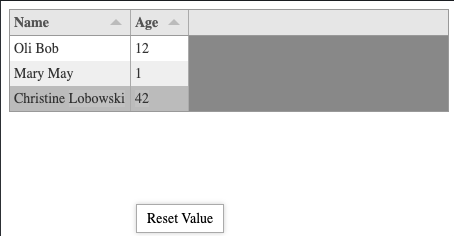
Using the cell contextMenu option, the context menu does not always appear at the click location. It appears somewhere towards the bottom of the screen in the fiddle.
Tabulator Info
4.6.1
Working Example
https://jsfiddle.net/d8gr3uby/
To Reproduce
A step by step guide to recreate the issue in your JS Fiddle or Codepen:
- Open Fiddle
- Right click the age column.
- Look for the context menu.
It seems to happen with the last row every time. It happens if you right click towards the bottom of the second row. It does not happen with the first row.
Expected behavior
Menu should appear at the click location.
Screenshots
Desktop:
- OS: macOS Catalina 10.15.4
- Browser: Chrome
- Version: 80.0.3987.163
 nrayburn-tech
All 4 comments
Hey @nrayburn-tech
Thanks for the headsup, i will have a look into it this week and get a fix in the weekend patch release.
Cheers
Oli :)
 olifolkerd
on 7 Apr 2020
olifolkerd
on 7 Apr 2020
I am not sure how related the menus are, but I also have this issue with the rowContextMenu on the table.
The only difference is, it seems to apply regardless of which column I right click.
It is in a more complex app, so I don't have an example to share.
nrayburn-tech
on 8 Apr 2020
The rowContextMenu will appear for all columns. It is bound to the row whole row. Not a special column
olifolkerd
on 8 Apr 2020
Hey @nrayburn-tech
I have pushed a fix for this to master and will include it in sundays patch release.
The issue arose when the table was close to the bottom edge of the body element but when there was still space in the viewport. Tabulator wasn't taking into account both heights
Cheers
Oli :)
olifolkerd
on 11 Apr 2020
Related issues
 yaxino
·
3Comments
yaxino
·
3Comments
 alainpannetier
·
3Comments
alainpannetier
·
3Comments
 AndrewHutcheson
·
3Comments
AndrewHutcheson
·
3Comments
 tomheaps
·
3Comments
tomheaps
·
3Comments
 Manbec
·
3Comments
Manbec
·
3Comments