Tabulator: ajaxLoaderLoading loader doesn't show up when loading big chunk of data
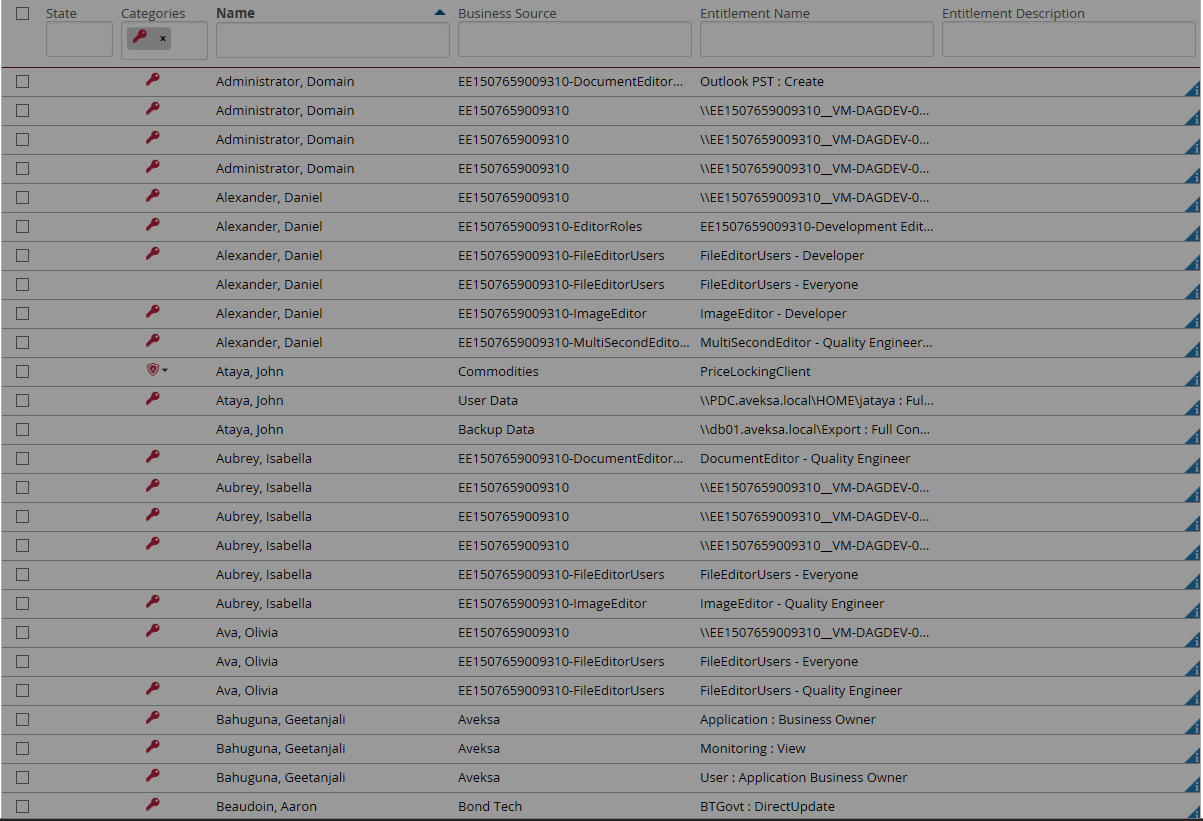
It only happens when loading big chunk data (i.e. 250 rows), the loader doesn't show up. That issue doesn't happen for loading small chunk of data. We are using tabulator v 3.3.0.
let tabulator = this.$("#av-tabulator").tabulator({
.....
ajaxLoader: true,
ajaxLoaderLoading: 'updating data',
.....
}
e.g. loading page with 200 rows:
e.g. loading page with 20 rows:

Could you please help with it?
 jadtelstar
All 8 comments
Hey @jadtelstar
That is odd, i've not seen that before.
Which browser are you using?
Have you made any CSS tweaks?
Could you post a copy of your table constructor so i can run a test that matches yours.
Cheers
Oli :)
 olifolkerd
on 4 Apr 2018
olifolkerd
on 4 Apr 2018
We found the loader is actually displayed but because the page is stuck in loading data and it is a long page(200 rows) so user could not scroll down to see the loader.
Is there a way to display the loader on the center of viewport?
jadtelstar
on 8 Apr 2018
Hey @jadtelstar
It sounds like you are using the table without the Virtual DOM enabled. Tabulator can handle 100,000's of rows with no reduction in performance, so 200 shouldn't be a problem, but this is only the case if the Virtual DOM is enabled.
Have a look at the Quickstart Guide for information on how to ensure you are using the Virtual DOM.
Cheers
Oli
olifolkerd
on 8 Apr 2018
Thanks for your advice. Yeah, we are planning to enable Virtual DOM later. But meanwhile want to find a simple way to resolve the loader position issue.
Anyway, thanks a lot for your support.
jadtelstar
on 8 Apr 2018
Hey @jadtelstar
The issue arises because the message will always be displayed in the vertical center of the table. When the virtual DOM isn't used, the table can be as long as as you want, so the message wont necessarily be visible if it is out of the viewport or over the end of a overflowing div. In this mode the table has no way of knowing which bit of the table is visible to the user so it cannot position the message anywhere else.
Your other option would be to disable the inbuilt loading message and add your own one that you can position anywhere you like, triggered by the ajaxRequesting callback and removed by the ajaxResponse* callback.
If you need any advice on moving to the Virtual DOM I would be happy to help.
Cheers
Oli :)
olifolkerd
on 8 Apr 2018
Oli, thanks a lot for your advice! Virtual DOM is the way to go.
Before moving to it, I tried to put the loader html to the top of table with following css setting:
.tablulator-loader {
-ms-flex-align: start;
align-items: flex-start;
}
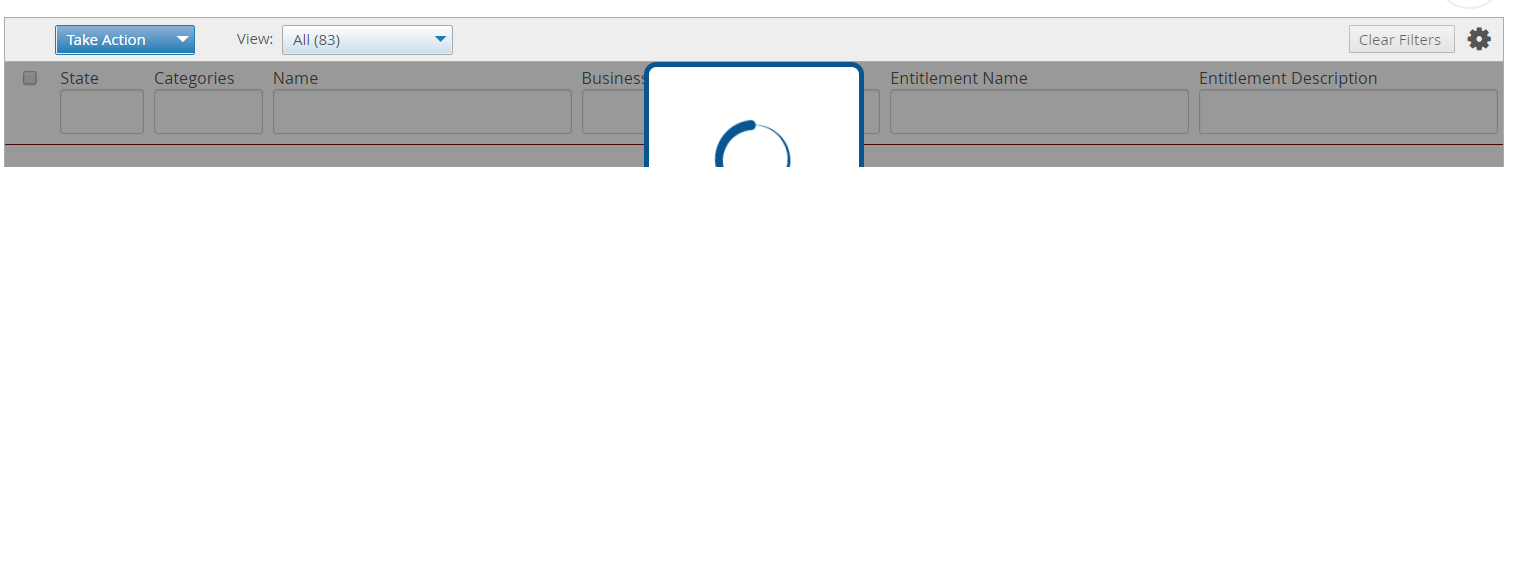
The loader does show on the top of the page, however, during initial loading stage, the loader spinner only show partially (see the screen), why is that?
jadtelstar
on 10 Apr 2018
Hey @jadtelstar,
Great news!
That is happening because in a non-virtual rendering mode, the table is only as big as the rows it contains, as it has no rows, it is not big enough to hold the ajax loader.
If that is classic rendering mode you could set a min-height on the .tabulator class to make sure it has enough space to hold the spinner. but you definitely shouldn't do that in virtual mode as it will break the virtual render.
Cheers
Oli :)
olifolkerd
on 10 Apr 2018
Hi,
I am not able to load loader, can you please help?
my tabulator instance is as below,
```
var _this = this;
this.tabulator = new Tabulator("#example", {
autoColumns:true,
height:"500px",
movableColumns: true,
ajaxProgressiveLoad:"scroll",
paginationSize:20,
ajaxProgressiveLoadScrollMargin: 400,
ajaxLoader: true,
ajaxLoaderLoading: 'updating data',
ajaxProgressiveLoadDelay: 200,
ajaxResponse:function(url, params, response){
return {last_page: _this.iTotalPage, data: response};
}
});
and below is my UI code
block content
div(style='display:inline-block; border:4px solid #333; border-radius:10px; background:#fff; font-weight:bold; font-size:16px; color:#000; padding:10px 20px;') Loading Data
div#appContent
div
input#searchInput(@change='onSearch' v-model='sSerachValue' type='search', placeholder='Type atleast 3 characters to search', aria-label='Search')
button.btn.btn-primary(type='button' @click='onDownload') download
table#example.display(width='100%')
```
 hello2parth
on 2 Apr 2019
hello2parth
on 2 Apr 2019
Related issues
 zeropage-io
·
24Comments
olifolkerd
·
20Comments
zeropage-io
·
24Comments
olifolkerd
·
20Comments
 stgraveyard
·
21Comments
stgraveyard
·
21Comments
 qlj
·
24Comments
qlj
·
24Comments
 carterwe
·
19Comments
carterwe
·
19Comments
Most helpful comment
Hi,
I am not able to load loader, can you please help?
my tabulator instance is as below,
```
var _this = this;
this.tabulator = new Tabulator("#example", {
autoColumns:true,
height:"500px",
movableColumns: true,
ajaxProgressiveLoad:"scroll",
paginationSize:20,
ajaxProgressiveLoadScrollMargin: 400,
ajaxLoader: true,
ajaxLoaderLoading: 'updating data',
ajaxProgressiveLoadDelay: 200,
ajaxResponse:function(url, params, response){
return {last_page: _this.iTotalPage, data: response};
}
});
block content
div(style='display:inline-block; border:4px solid #333; border-radius:10px; background:#fff; font-weight:bold; font-size:16px; color:#000; padding:10px 20px;') Loading Data
div#appContent
div
input#searchInput(@change='onSearch' v-model='sSerachValue' type='search', placeholder='Type atleast 3 characters to search', aria-label='Search')
button.btn.btn-primary(type='button' @click='onDownload') download
table#example.display(width='100%')
```