Tabulator: cellClick change ALL cells of the row
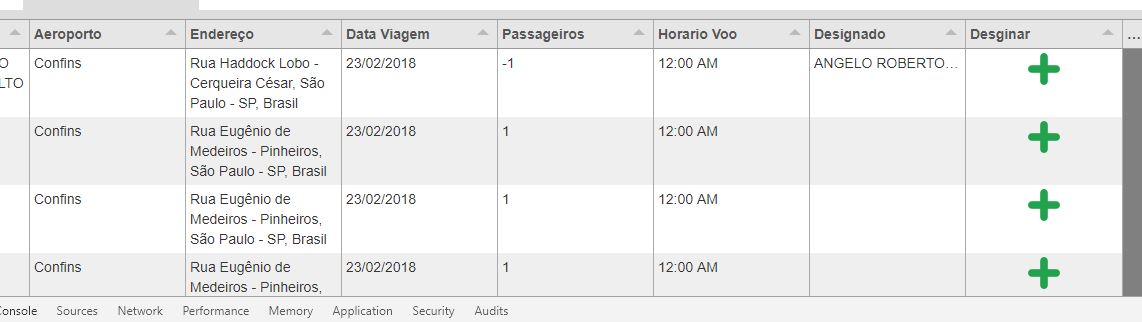
When i try to trigger cellClick, its changes ALL the cells of the same row.
Is that right?
 angeloghiotto
All 6 comments
Hey @angeloghiotto
What do you mean it changes all the cells on the row? could you provide a bit more detail of what you are trying to achieve.
Also a copy of your table constructor would help in diagnosing your issue.
Cheers
Oli :)
 olifolkerd
on 22 Feb 2018
olifolkerd
on 22 Feb 2018
Sorry for deleting all the things i was trying to make, i took that code version from git, and i've changed it a lot before delete everything and try another approach, but lets talk about what as happening:
Lets face the issue: This "cellClick" when i try to make something inside, ok happening in the cell clicked ( like change a icon , put some string and so on ) , BUT when i try the cell bellow, it also changes the cell above.
acctually i do not remeber what i was tryng to do im this moment ( i tryed for more than 6 hours ) of the code, but, the final result would be: I click the cell, comes out one modal, an then i select an option, then this options goes to the cell, good, for one cell, works like a charm, but, when i do it with the second one, its changed all the cells i've changed before
English is not my native language, but, i hope you understood what i want to explain.
$("#example-table").tabulator({
                    responsiveLayout: true, // this option takes a boolean value (default = false)
                    height: "100%", // set height of table (in CSS or here), this enables the Virtual DOM and improves render speed dramatically (can be any valid css height value)
                    placeholder: "No Data Set",
                    layout: "fitColumns",
                    columns: [//Define Table Columns
                        {title: "Name", field: "nome", formatter: "textarea"},
                        {title: "Aeroporto", field: "aeroporto"},
                        {title: "Endereço", field: "endereco", formatter: "textarea"},
                        {title: "Data Viagem", field: "data_viagem"},
                        {title: "Passageiros", field: "qtd_passageiros"},
                        {title: "Horario Voo", field: "horario_voo"},
                        {title: "Designado", field: "designado"},
                        {title: "Desginar", formatter: "image", field: "image", align: "center", cellClick: function (e, cell) {
                                //e - the click event object
                                //cell - cell component


                                firebase.database().ref('/motoristas/').once('value', function (snap) {
                                    var motoristas = snap.val();
                                    $('#motoristas_disponiveis').html("<option value='' >Selecione</option>");
                                    $.each(motoristas, function (key, motorista) {
                                        $('#motoristas_disponiveis').append($('<option>', {
                                            value: key,
                                            text: motorista.nome_motorista
                                        }));
                                    });
                                }).then(function () {
                                    $("#modal_definir_motorista").modal('show');
                                    $("#selecionar_motorista").on("click", function () {
                                        cell.getRow().getCell("designado").setValue($("#motoristas_disponiveis option:selected").text());
                                        $("#modal_definir_motorista").modal('hide');
                                    });
                                }, null);


                            }},
                        {title: "Estado", field: "estado", formatter: "color", width: 50}
                    ]
                });
Hey @angeloghiotto
Instead of trying to look up specific cells in the row, finding their component and calling setValue, i would recommend just calling the update function on the row component and passing in an object with the values you want to update:
cell.getRow().update({designado:$("#motoristas_disponiveis option:selected").text()})
In your example above it is set so that when you click the Desginar cell it will update the Designado cell with the chosen value. i have run your code and it seem to do exactly that.
olifolkerd
on 23 Feb 2018
I tryed exactly the same code you suggest, but, same problem....
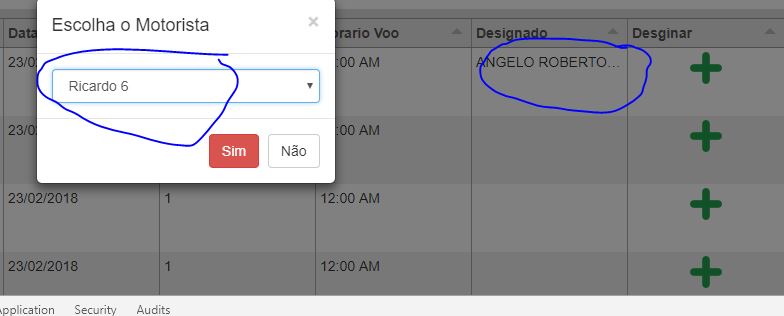
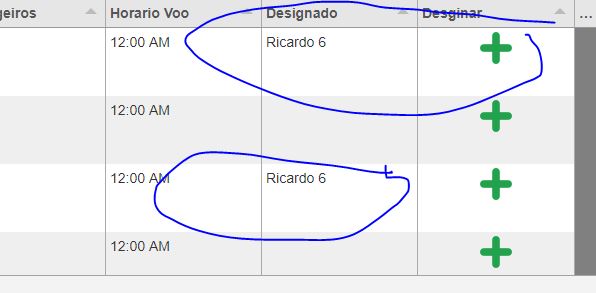
See, i used the code you sugget, the first was fine, then i select another , and its changed all the values of the column
angeloghiotto
on 23 Feb 2018
Updates: I tryed it with Math,random(), without that modal. firebase and so on... and it works fine, now, last me guess what is going on when firebase and modal get into the thing... probably async problems involved? Because everytime i open the modal, i check if there is a new item to choose in the modal.
angeloghiotto
on 23 Feb 2018
Fixed it, better saying, quick fixed it, see the screenshots bellow, and i hope do you understand that
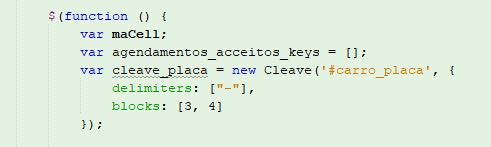
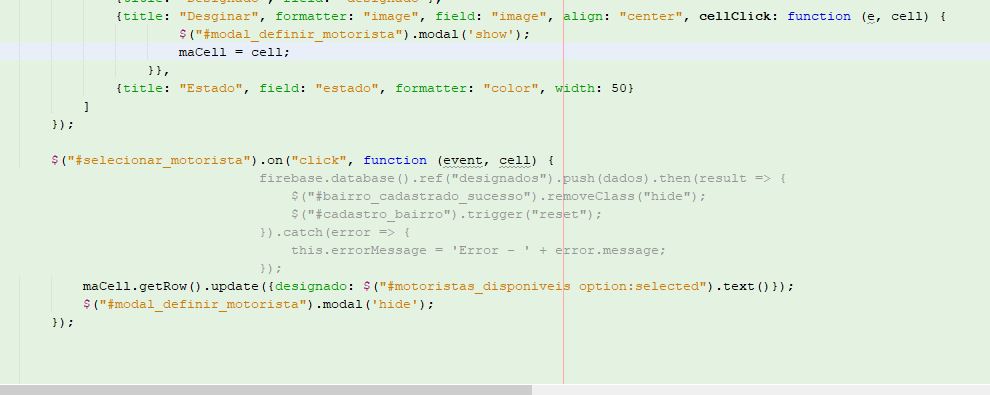
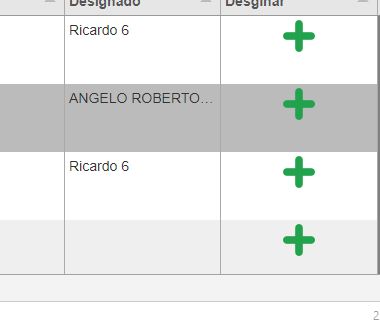
Thank you for you attention.
angeloghiotto
on 23 Feb 2018
Related issues
 KES777
·
3Comments
KES777
·
3Comments
 andreivanea
·
3Comments
andreivanea
·
3Comments
 aballeras01
·
3Comments
aballeras01
·
3Comments
 alainpannetier
·
3Comments
alainpannetier
·
3Comments
 cemmons
·
3Comments
cemmons
·
3Comments
Most helpful comment
Hey @angeloghiotto
Instead of trying to look up specific cells in the row, finding their component and calling setValue, i would recommend just calling the update function on the row component and passing in an object with the values you want to update:
In your example above it is set so that when you click the Desginar cell it will update the Designado cell with the chosen value. i have run your code and it seem to do exactly that.