Tab-session-manager: Session List is empty after 3.0.0 update
Hello,
I closed down my browser last evening and this morning the session list is empty. Looks like TSM was updated when I reopened the browser this morning. I am missing 3 manually saved and all of the auto saved.
Thanks
 BB8Rolls
All 48 comments
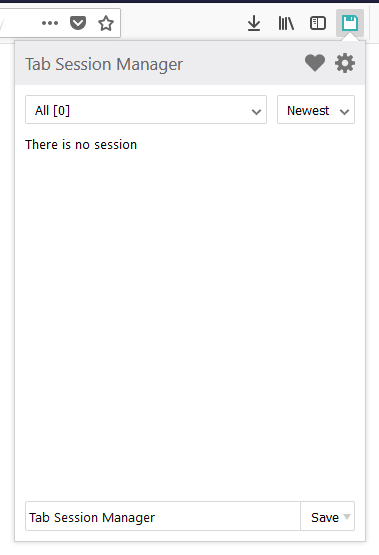
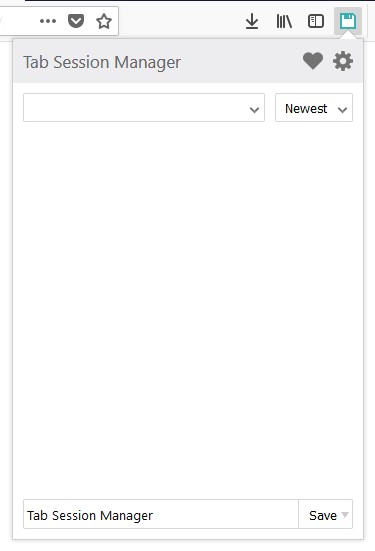
Is the state of the session list A or B?
A. "There is no session" is displayed
B. Nothing is displayed
 sienori
on 21 Mar 2018
sienori
on 21 Mar 2018
Image B
Thanks for the speedy response!
BB8Rolls
on 21 Mar 2018
Please restart Firefox.
Is the session list displayed?
sienori
on 21 Mar 2018
I closed Firefox and reopened. No luck.
Closed FireFox and rebooted. No luck
BB8Rolls
on 21 Mar 2018
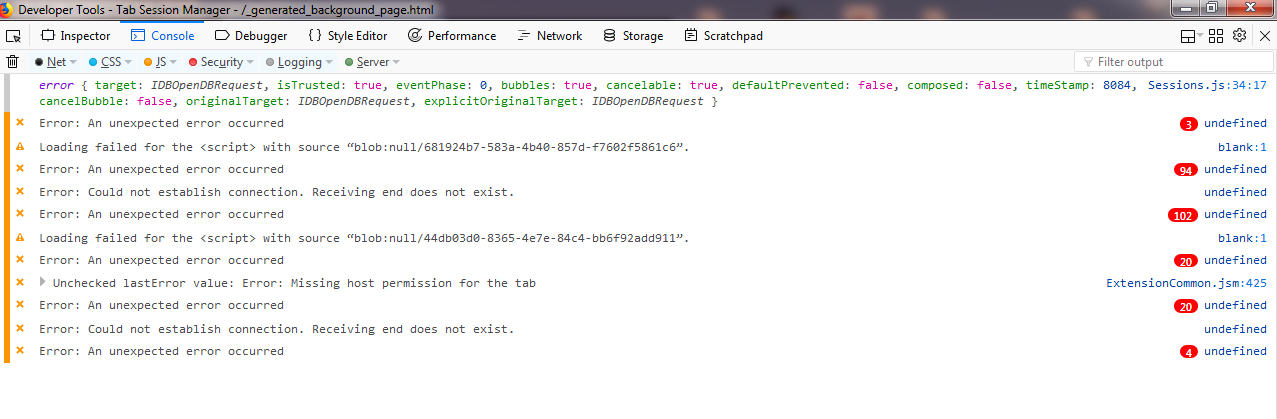
Please open about:debugging.
Check "Enable add-on debugging" at the top of the page and click on Tab Session Manager Debug.
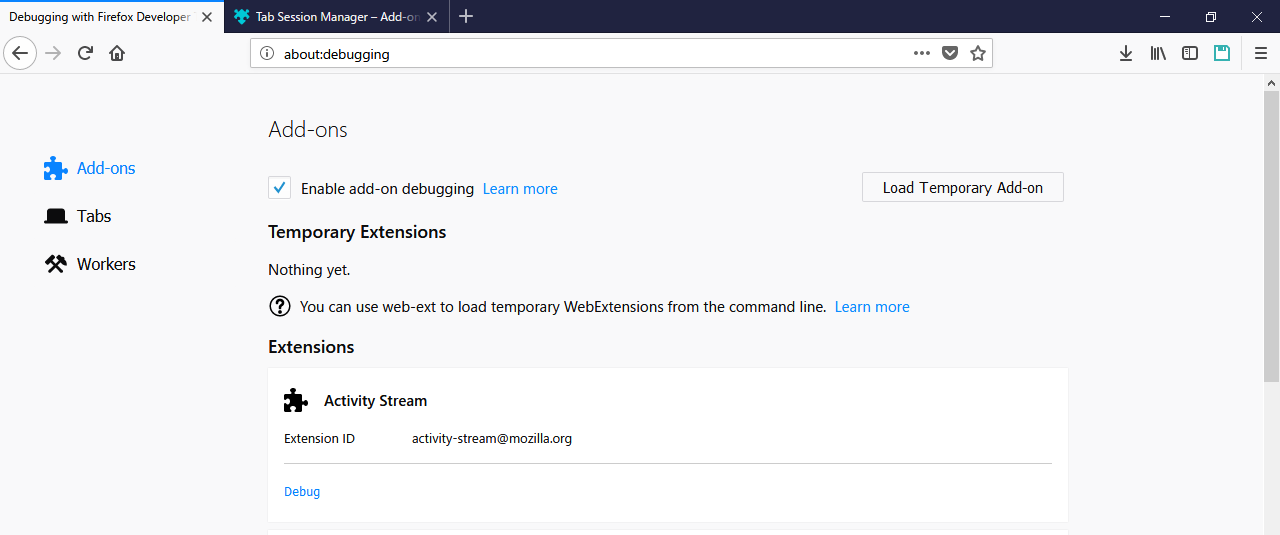

Open the "Console" tab of the development tool and tell me the logs shown there.
If possible, it will be helpful if you can take a screenshot.
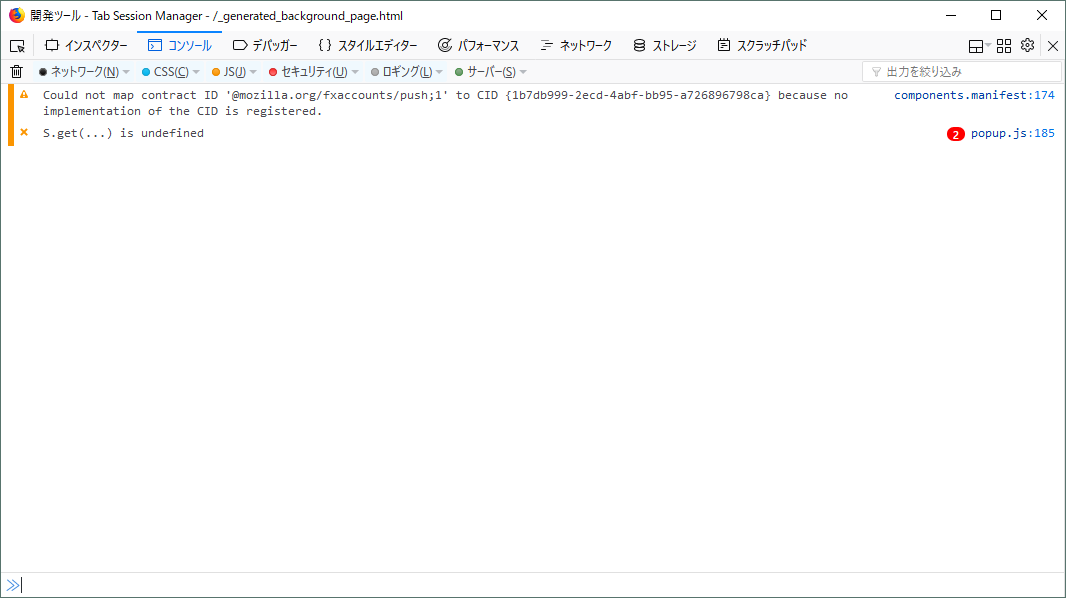
Thanks for your cooperation.
sienori
on 21 Mar 2018
Thanks so much
Here you go
BB8Rolls
on 21 Mar 2018
Thanks!
Hmm, It seems to have failed in database initialization processing.
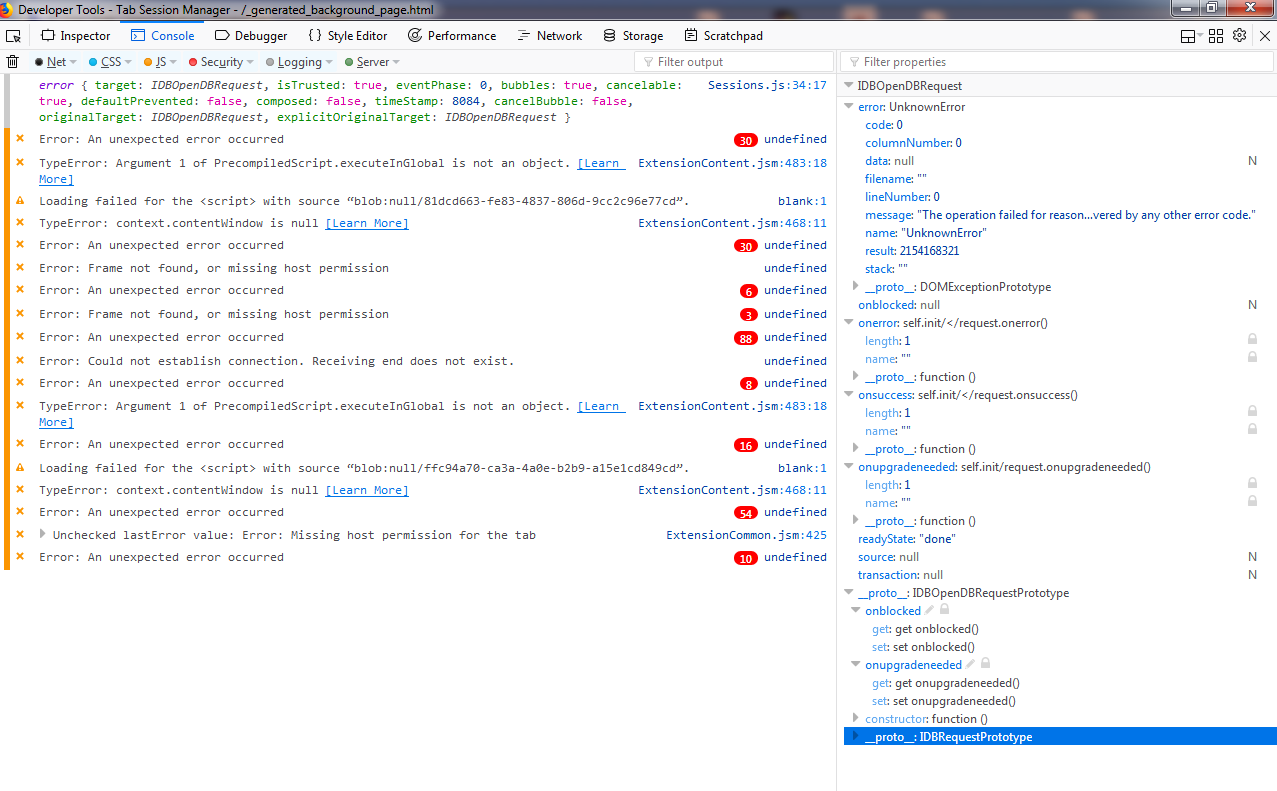
Please click "target" in the first line and tell me the logs.
Additional information should be displayed.
sienori
on 21 Mar 2018
Here you go
BB8Rolls
on 21 Mar 2018
Please copy the value of "message" on line 7 and tell me.
sienori
on 21 Mar 2018
Also, please tell me the version of Firefox
sienori
on 21 Mar 2018
Line 7 = The operation failed for reasons unrelated to the database itself and not covered by any other error code.
Firefox ver 59.0.1 (64-bit)
BB8Rolls
on 21 Mar 2018
Thank you very much!
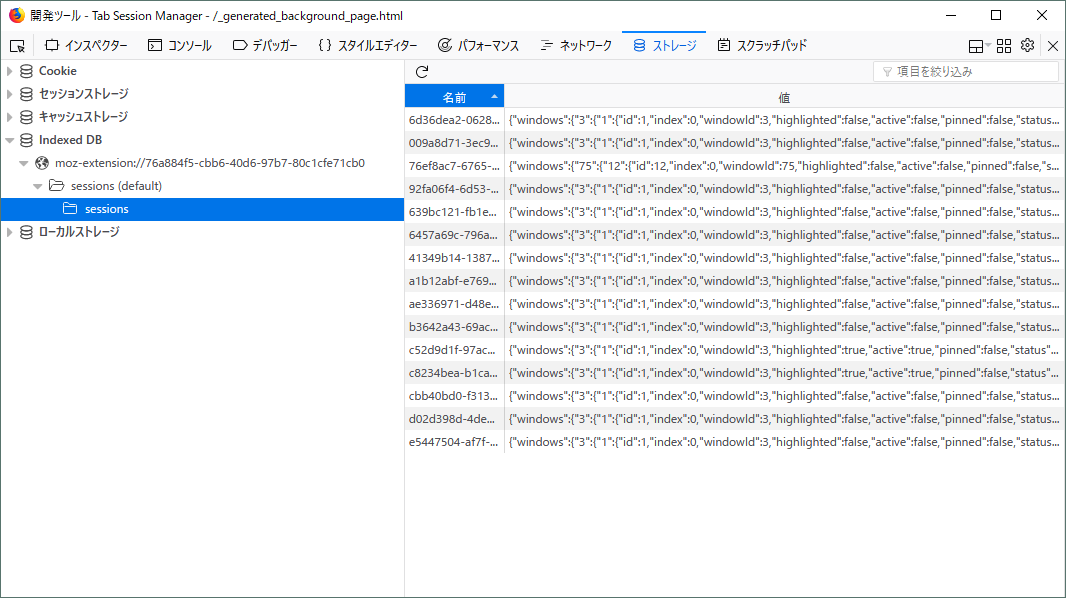
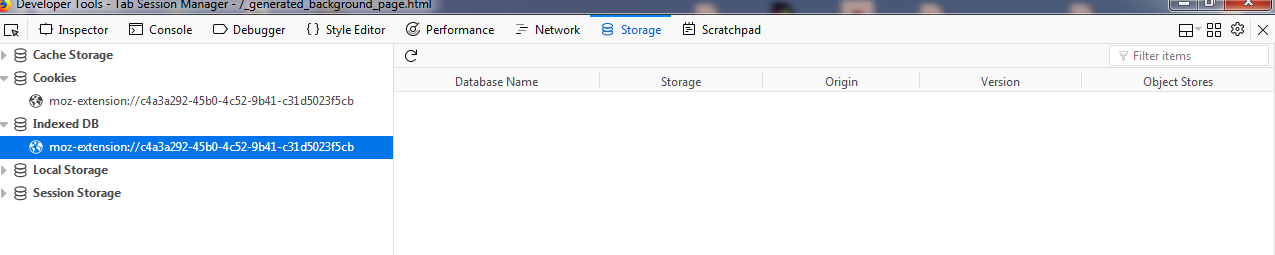
Please open "storage" tab.
What will be displayed when "Indexed DB" tree is opened?
sienori
on 21 Mar 2018
Thanks for stick with this
BB8Rolls
on 21 Mar 2018
OK, thanks.
I'd like to know if it is a problem specific to an extension.
Here is a sample of IndexedDB.
http://www.tohoho-web.com/html5/indexed_db_api_sample.html
Please click "Create" and check whether an error is output.
sienori
on 21 Mar 2018
Thanks!
START: createSample()
END : createSample()
ERROR: undefined:undefined
BB8Rolls
on 21 Mar 2018
Hi , i have the exact same problem ... all my sessions are gone when open the browser today :( ... had 10 user-saved and 10 autosaved .... really need my usersaved ! :( ... could you guys try to rollback latest update ?
Regards JC
 boheme61
on 21 Mar 2018
boheme61
on 21 Mar 2018
PS: its the only add-ons i have , so no coflict with other add-ons
boheme61
on 21 Mar 2018
firefox 58.0.2 (64-bit)
boheme61
on 21 Mar 2018
PS: cant even import old sessions , as previously
boheme61
on 21 Mar 2018
... it says import successful ... but still nothing shows up in session-list
boheme61
on 21 Mar 2018
@BB8Rolls
Thank you for your cooporation!
Please install version 2.1.1.
I think that sessions data has not disappeared.
https://addons.mozilla.org/en-US/firefox/addon/tab-session-manager/versions/
Unfortunately, It appears that your profiles of Firefox has a cause.
Similar cases have been reported, but the solution has not been found.
https://bugzilla.mozilla.org/show_bug.cgi?id=944918
To solve fundamentally, reset the profile. (Caution: Addons and settings will be deleted.)
https://support.mozilla.org/en-US/kb/refresh-firefox-reset-add-ons-and-settings
I will continue to investigate this issue.
sienori
on 21 Mar 2018
Hi ... thanks for fast response ... i roll-backed to 2.1.1 ... everything is back :) ... thanks alot
btw, i updated firefox to 59 , but it was buggy , wouldn't update/refresh pages properly
boheme61
on 21 Mar 2018
2.1.1 brought saved sessions back. Thank you. I will export/back up my sessions and try the reset profile and let you know.
BB8Rolls
on 21 Mar 2018
FWIW - I think it is saving sessions in storage.js (at least the auto-save stuff). The tail end of that json file had some pretty recent auto-save entries (even though I couldn't see any of them when the add-on popped up).
I'll wait until @BB8Rolls reports back with results before I reset my profile (this whole move to FF quantum has exhausted my capacity for wanting to set up again from scratch)
EDIT: After downgrading to 2.1.1 (and turning off auto-update), the old list(s) were restored. It turns out that none of my manual attempts worked (even invisibly), but the auto-save was working as usual (every 15 minutes, even though nothing displayed). Very odd.
 ci5er
on 21 Mar 2018
ci5er
on 21 Mar 2018
So, after reverting to 2.1.1 I had my saved sessions return.
I backed up the sessions and exported them just in case. Good thing I did.
Completed the reset Firefox then reinstalled TSM. No sassions. Dang. Restored from back. YEA! all there.
So far so good. All other add in back installed and TSM is 3.0.0
Closed and opened Firefox a number of times. Rebooted and so far so good. If you try this, BACK UP your sessions first.
BB8Rolls
on 21 Mar 2018
Thanks for relaying that closing note back.
I'm hoping that I can avoid the profile reset (because I'm both lazy and have a LOT of add-ons and about:config parameters that I've been toggling over the years), but given that the bug has been oustanding on the Mozilla end for over 4 years, I'm probably just going to have to bite the bullet this weekend... (Or stay with 2.1.1 forever! :smile:
ci5er
on 21 Mar 2018
I had the same problem with new v3. It was situation B shown in the second post. I solved it by switching "dom.indexedDB.enabled" in about:config from _false_ to _true_. After that the situation changed from B to A. So addon works again, but all sessions are gone.
Fortunately I had made a backup of my 154 open tabs with the addon tab2txt before, so I was able to bring them back by using Tab Session Mannager's option to create a session from a list of URLs by copy-pasting them out of the saved txt-file.
 Biggizen
on 22 Mar 2018
Biggizen
on 22 Mar 2018
@BB8Rolls
Thanks for the report!
You've been so helpful.
@Biggizen
Interesting. I was able to reproduce the behavior.
Once you install version 2.1.1 and install version 3.0.0 again, the sessions will be restored.
I will continue to investigate.
sienori
on 22 Mar 2018
I was having the same problem B today after starting Firefox. When I recognized that the storage.js file (in {profile}\browser-extension-data\Tab-Session-Manager@sienori) was still intact I went here and found this issue topic.
Rolling back to 2.1.1 solves the issue. But installing 3.0.0 afterwards brings it back.
I'm using Firefox 59.0.1 (64-Bit) on Windows 10 (64-Bit).
 mwld
on 22 Mar 2018
mwld
on 22 Mar 2018
I found a solution apart from resetting the profile.
Please access "about:config" and confirm that the value of "dom.indexedDB.enabled" is ”true".
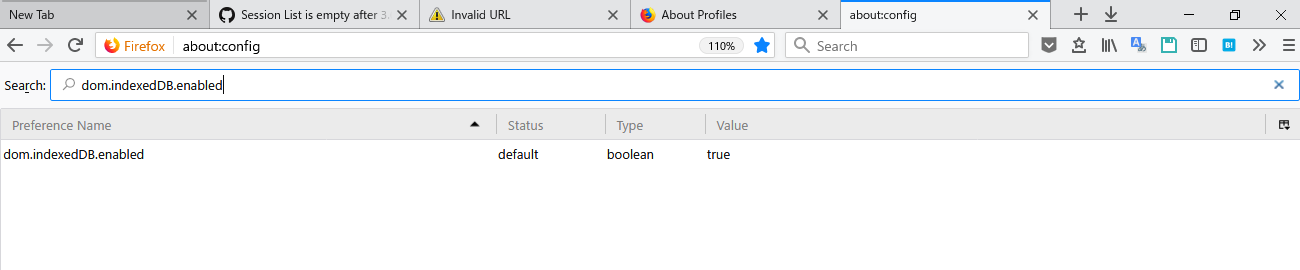
If "false", change it to true and go to 4.Please access ”about: profiles" and open the root directory.
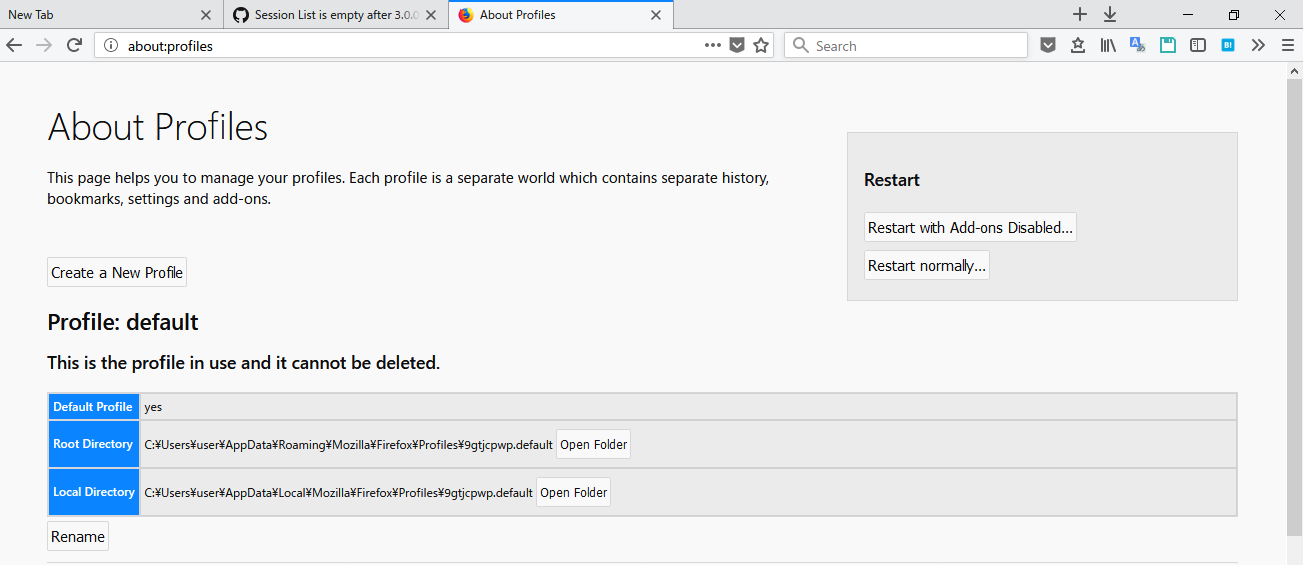
Please quit firefox and delete "storage" folder.
*Caution: Data on some add-ons and some of the services may be lost.
Please execute after understanding the risk.
I recommend you to keep a copy of the file*
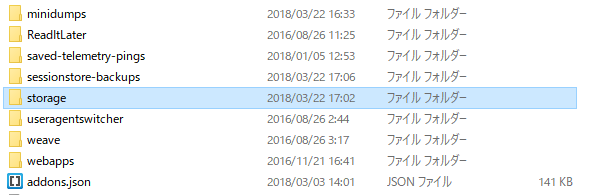
After that, once you install version 2.1.1 and install version 3.0.0 again, the sessions will be restored.
I am looking for someone to try this method.
sienori
on 22 Mar 2018
I got nervous when I read this report, but just wanted to report that after I was automatically upgraded to 3.0, all of my previously saved sessions are still showing up in Firefox 58.0.2. Just in case there is an issue between the two versions.
 hackel
on 22 Mar 2018
hackel
on 22 Mar 2018
@sienori
Hi, I tried what you proposed in your last message (without going back to v2.1.1) and it works on FF 59.0.1 (Linux 64-bit).
EDIT: It also solve a problem with another extension :D .
 MrLent
on 22 Mar 2018
MrLent
on 22 Mar 2018
@sienori
Hi , i also tried your proposed actions above , thou i just deleted "storage" (or everything within, storage) with current TSM 3.0 running and even Firefox running ... then back on "About:profiles" i chose "restart normally" .... then back in TSM 3.0 i imported my old sessions .... worked fine ... restarted FF, still ok ... rebooted pc, still ok
boheme61
on 22 Mar 2018
PS: Firefox 58.0.2 windows 10, 64-bit
boheme61
on 22 Mar 2018
@sienori The suggested solution works! After deleting storage, installing 2.1.1 first and then 3.0.0 again the add-on is working as expected and my sessions are present. Thanks a lot!
mwld
on 23 Mar 2018
@MrLent @boheme61 @mwld
Thanks for the report!
I posted a solution method.
https://github.com/sienori/Tab-Session-Manager/wiki/IndexedDB-Error
I released version 3.0.1.
If an error occurs, a link to the solution will be displayed.
It is not necessary to "install version 2.1.1 once".

sienori
on 23 Mar 2018
@sienori, with the change to IndexedDB, how does a user backup their sessions from the file system for offline backups with the idea of being able to restore if something gets corrupted? In the past, I just ran a scheduled script every hour to backup storage.js in case there were any problems.
I know you have the option to back things up when the browser starts, but that might only be once a day or every 3 days.
 irvinm
on 25 Mar 2018
irvinm
on 25 Mar 2018
You may backup the storage directory instead. All IndexedDB databases are
in there.
You can try searching for the specific database file if you want to.
On Sun, Mar 25, 2018 at 3:41 AM, irvinm notifications@github.com wrote:
@sienori https://github.com/sienori, with the change to IndexedDB, how
does a user backup their sessions from the file system for offline backups
with the idea of being able to restore if something gets corrupted? In the
past, I just ran a scheduled script every hour to backup storage.js in case
there were any problems.I know you have the option to back things up when the browser starts, but
that might only be once a day or every 3 days.—
You are receiving this because you are subscribed to this thread.
Reply to this email directly, view it on GitHub
https://github.com/sienori/Tab-Session-Manager/issues/210#issuecomment-375940890,
or mute the thread
https://github.com/notifications/unsubscribe-auth/AAnB648eC80a0dUA5CyvXP09EhG-mxd1ks5thwPAgaJpZM4S0b0B
.
 brunoais
on 25 Mar 2018
brunoais
on 25 Mar 2018
Thanks @brunoais. I have been looking into how IndexedDB is used and information stored.
This talks about the storage aspects and it looks like TSM is stored at:
- "profile"/storage/default
In my case:
- "profile"/storage/default/moz-extension+++3a2bd676-ce47-4d4c-9e87-3865c0c81d7f
It looks like the individual sessions (they are not clear text) are located:
- "profile"/storage/default/moz-extension+++3a2bd676-ce47-4d4c-9e87-3865c0c81d7f/idb/1782160246ssensosi.files
My concern is that backing up the root addon storage directory is probably only good for the installed instance of TSM due to how the data is probably tied into different aspects of that installation. I doubt zipping that folder and dropping into a fresh (or repaired) install will work.
I have a feeling the only true way to backup the data is via the "startup backup" or "manual export" as that is just plain JSON that can be imported back into any installation. I would either like to make backups myself on some schedule (automated at the file system level) or be able to backup my data more regularly in an automated way within the addon itself. [I sometimes go 1-5 days between restarting Firefox]
irvinm
on 25 Mar 2018
The 3a2bd676-ce47-4d4c-9e87-3865c0c81d7f part you see there is tied to the extension id. Extensions cannot change id, so that one's stable.
The *.files directories always only contain temporary data. They are safe to ignore.
The files you must backup are the *.sqlite files.
Additionally, if there are any *.sqlite-wal or *.sqlite-shm, you should pause and wait until they are deleted and then copy the the corresponding *.sqlite file. If firefox is not running, you may just copy the 3 types of files for each one.
By the way, the 1782160246ssensosi part is stable for as long as the metadata file doesn't change (at /storage/default/moz-extension+++3a2bd676-ce47-4d4c-9e87-3865c0c81d7f) and the database name is the same.
When I used FEBE, I used to have the backups for myself automatically. Currently, I'm still searching for an alternative....
brunoais
on 25 Mar 2018
Step 3: Please quit firefox and delete "storage" folder.
In my case it was enough to delete the following in storage/default/:
https+++*^userContextId=5where * is (in my case)amazon.deandyoutube.comhttps+++www.xing.com
The error comes back if I restore at least one of these three folders.
Maybe this helps you to figure out a more specific reason.
 auipga
on 5 Apr 2018
auipga
on 5 Apr 2018
Hi,
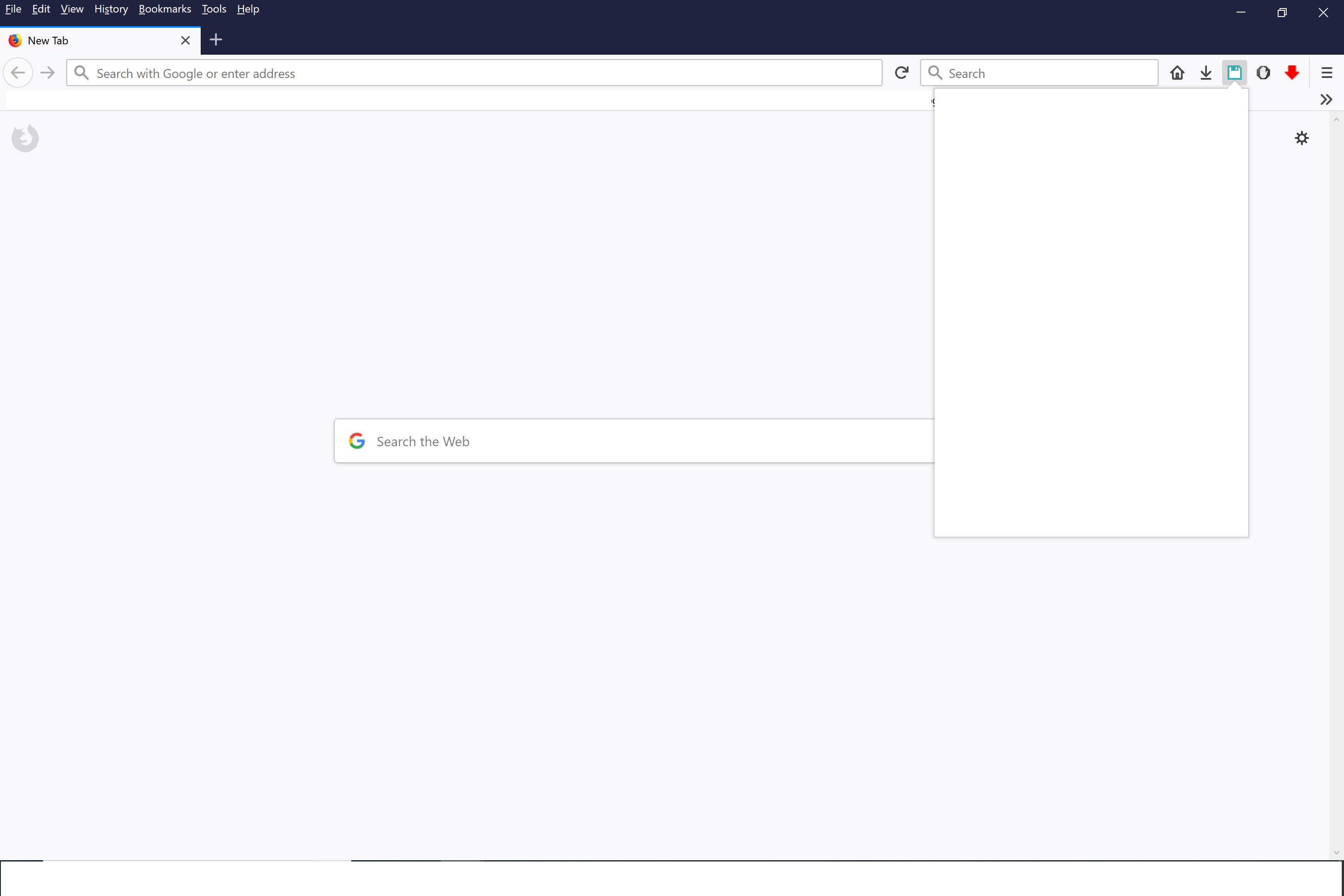
I've been using TSM for a while now and at some point when I clicked on the icon to open it, it would bring up the session list except it would be the same as the image B you've shown, but then it would make the whole session list window become blank. At first I just thought that it was loading the sessions because I have a lot because of the auto save, but I left it open for a few hours and it was still blank, so I'm not sure if this is a similar issue that BB8Rolls had, but it is constantly preventing me from using TSM.
(This what it looked like.)
 L1X1
on 28 Oct 2018
L1X1
on 28 Oct 2018
Firefox Storage Test
@L1X1 what's reported by the test?
What's your operating system?
 grahamperrin
on 28 Oct 2018
grahamperrin
on 28 Oct 2018
Sorry grahamperrin, I'm not really sure what to do about the storage test, I clicked on the link, but nothing really happened other than it saying that it was a testing ground and I'm using windows 10.
L1X1
on 29 Oct 2018
nothing really happened
Did it not present an overview (whether storage is working)?
And specific statuses for the four subsystems?
grahamperrin
on 29 Oct 2018
Okay so I tried again just now and it brought up the things you were asking about.
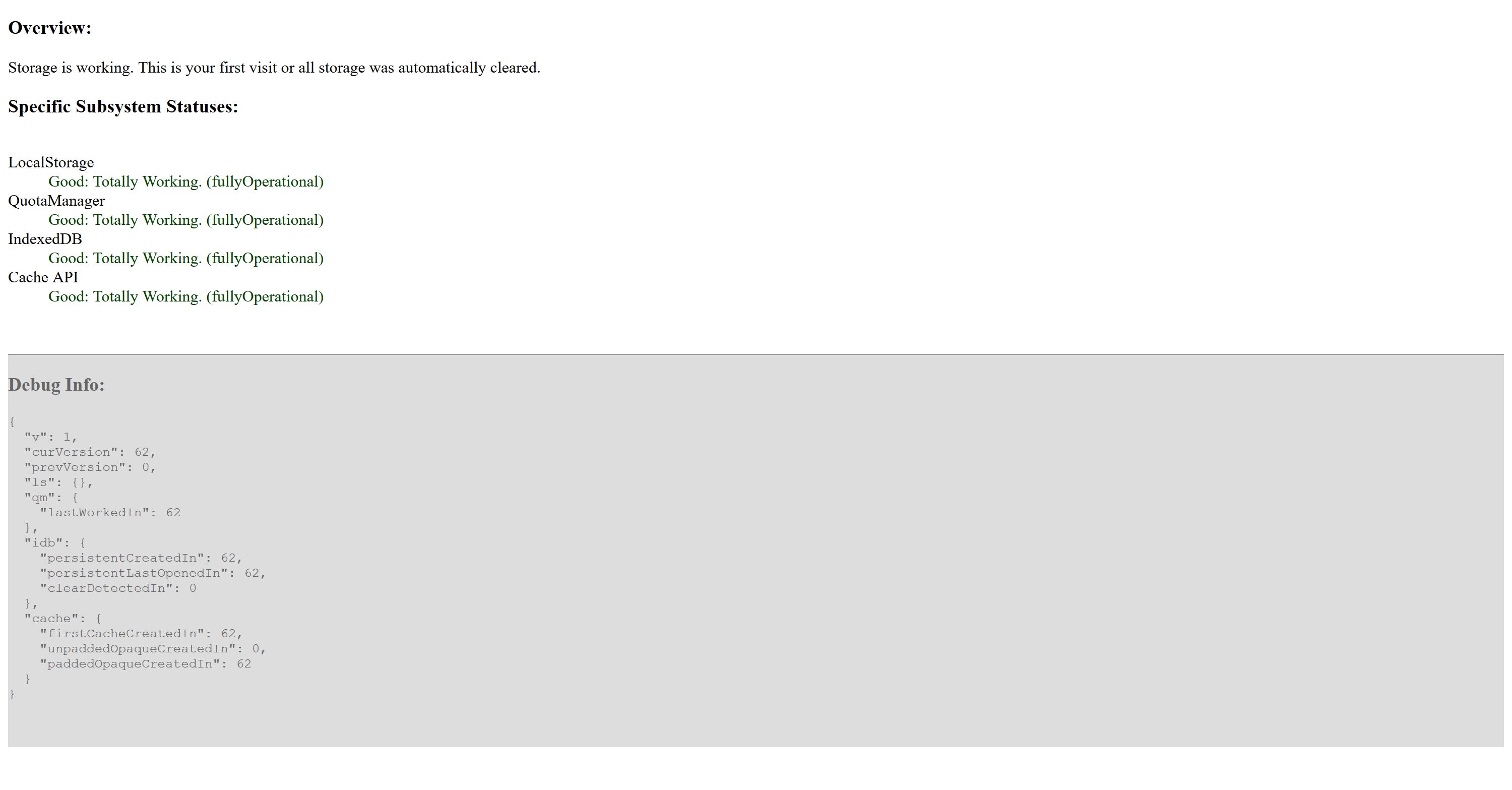
L1X1
on 2 Nov 2018
@BB8Rolls @boheme61 @ci5er @L1X1 @Biggizen @mwld @auipga @brunoais @irvinm @hackel _and others_
Vote on Bug 944918, Bug 1423917, Bug 1541370, Bug 1482662, Bug 1546264, Bug 1427928 _and other Firefox bugs listed here_: #150 - to speed up this correction process including preparation of APIs by Mozilla and adding this future (and other ones) to TSM.
150 - please, vote on all bugs on the list, so other problems with session managers can also be fixed; instruction on how to vote on Bugzilla can be found at the bottom of the list.
 RobertAb1
on 4 Jan 2019
RobertAb1
on 4 Jan 2019
@sienori
Bug 1423917 was fixed. I hope that this will eliminate problems with IndexedDB.
RobertAb1
on 2 Apr 2019
Related issues
 Adamfmc
·
5Comments
Adamfmc
·
5Comments
 hyperfekt
·
5Comments
irvinm
·
4Comments
hyperfekt
·
5Comments
irvinm
·
4Comments
 WPFilmmaker
·
5Comments
WPFilmmaker
·
5Comments
 rnc
·
5Comments
rnc
·
5Comments